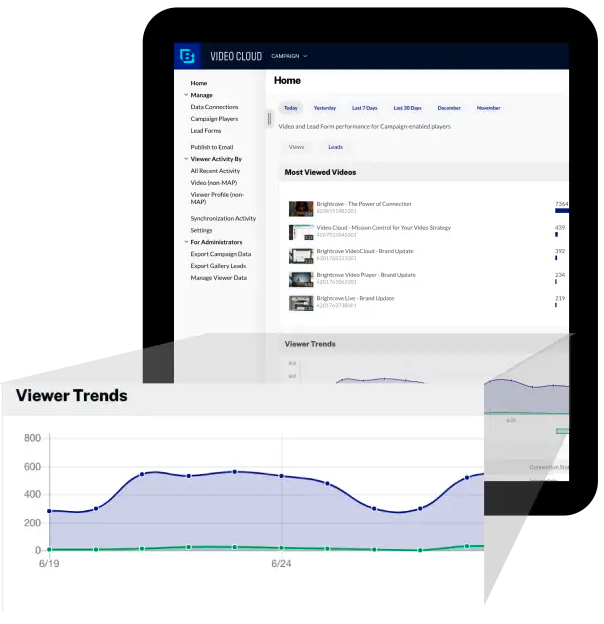
Brightcove Video is a video hosting and publishing solution. The company also provides a cloud media processing product called Zencoder.
N/A
Panopto
Score 7.5 out of 10
N/A
Panopto is a video management platform for businesses and universities from the company of the same name in Seattle, supporting the recording, sharing, live streaming, and (after recording) sharing via LMS or internal video site, video search, and virtual classroom.
$14.99
per month
Pricing
Brightcove
Panopto
Editions & Modules
No answers on this topic
Pro
$14.99
per month
Offerings
Pricing Offerings
Brightcove
Panopto
Free Trial
Yes
No
Free/Freemium Version
No
No
Premium Consulting/Integration Services
Yes
No
Entry-level Setup Fee
No setup fee
No setup fee
Additional Details
—
—
More Pricing Information
Community Pulse
Brightcove
Panopto
Features
Brightcove
Panopto
Video Marketing
Comparison of Video Marketing features of Product A and Product B
Brightcove
-
Ratings
Panopto
7.0
6 Ratings
8% below category average
Video personalization
00 Ratings
7.06 Ratings
eCommerce
00 Ratings
6.01 Ratings
Support for advertisements
00 Ratings
7.01 Ratings
Video SEO
00 Ratings
8.02 Ratings
Video Platform Integrations
Comparison of Video Platform Integrations features of Product A and Product B
Brightcove
-
Ratings
Panopto
9.4
7 Ratings
41% above category average
Integration to LMS
00 Ratings
9.47 Ratings
Video Security
Comparison of Video Security features of Product A and Product B
Brightcove
-
Ratings
Panopto
8.8
10 Ratings
3% above category average
Video access controls
00 Ratings
9.09 Ratings
User management
00 Ratings
9.010 Ratings
Video link sharing
00 Ratings
10.010 Ratings
Internal video
00 Ratings
8.010 Ratings
External video
00 Ratings
8.09 Ratings
Video Player
Comparison of Video Player features of Product A and Product B
Brightcove
-
Ratings
Panopto
8.5
10 Ratings
4% above category average
Player customization
00 Ratings
7.08 Ratings
Embedded videos
00 Ratings
9.08 Ratings
Video quality / Bandwidth controls
00 Ratings
8.89 Ratings
Mobile compatibility
00 Ratings
9.08 Ratings
Video Analytics
Comparison of Video Analytics features of Product A and Product B
Brightcove
-
Ratings
Panopto
7.5
10 Ratings
5% below category average
A/B testing
00 Ratings
9.04 Ratings
Streaming quality reports
00 Ratings
6.04 Ratings
Per viewer tracking
00 Ratings
8.010 Ratings
Per video tracking
00 Ratings
8.010 Ratings
Video analytics dashboard
00 Ratings
6.38 Ratings
Video Hosting, Management & Storage
Comparison of Video Hosting, Management & Storage features of Product A and Product B
Brightcove
-
Ratings
Panopto
8.1
9 Ratings
6% below category average
On-Demand video
00 Ratings
7.68 Ratings
Live streaming
00 Ratings
7.28 Ratings
Impact of streaming on network
00 Ratings
8.04 Ratings
Video upload & format support
00 Ratings
9.08 Ratings
Video library / File management
00 Ratings
9.29 Ratings
Video portal
00 Ratings
7.88 Ratings
Video Engagement
Comparison of Video Engagement features of Product A and Product B
It works very nicely for our company site because it can easily and seamlessly embed into the site and email HTML pages. It also has picture in picture, sharing, closed captioning (CC) as basic functions. It will also show the time of the video. Because these are short-term-use videos or might get updated frequently and also are just targeting a specific audience, being able to hide or not able to show the number of views or date published (unlike YouTube) actually helps us.
Panopto is great if you have a lot of video content that you need to put in a central repository. It makes it easy to manage who sees it and how it is categorized. The captioning features are also really good too. For folks to view the video, they don't need a Panopto account. You can send them a direct link. If you want to upload videos, however, they will need a Panopto account. If you only have a few videos or care less about usage statistics, SharePoint may be a better file repository option
Ability to easily output a JSON response for requested video data. This makes it easy to work with Brightcove as partner.
The read APIs are very flexible and can the output can be easily customized using cgi args. This provides great customization of the output and sorting and filtering mechanisms to find the videos you're looking for.
The ability to add captions to videos is good, especially with the regulations requiring video captioning. DFXP support works great as long as the player is given the exact XML format it is looking for.
Simple to use - It really is a click-and-go system. Log in, click on record, and you're set.
Flexible - It allows multiple information-rich inputs to be recorded simultaneously (for example, the screen, webcams, microphones, etc.). For some demonstrations, having multiple perspectives/views can be beneficial. The ability to add multiple webcams enhanced the value of some of my recordings.
Reliable - This is critical when an unforeseen opportunity arises and you want to capture it visually and with audio. I had multiple experiences where a unique person was available briefly and due to Panopto's reliability, I was able to capture content that would otherwise have been seen by only those physically present at the time.
The code for customizing the video player can be made easier, I think it still uses BEML code.
Easily accessible ready made code will help users like me to implement a cool looking player.
I would love to implement Brightcove video cloud on most of the projects that I work on and I see we could use it in so many different ways but pricing is not easily available on the website.
Again if I could work with someone to price for small, medium and large businesses that would be great.
Panopto doesn't fully support Ultra courses in Blackboard - we can do quizzing, which is very helpful, but we can't do video submissions like an Original course.
There is no built-in certificate option for completing a video and its quiz questions, which requires us to use additional systems for tracking and awarding.
Analytics are mediocre. The reporting tools are challenging to use and to get clear information on a consistent basis.
Quizzing is limited to multiple choice or T/F -- there is no reflection point or open-ended question format.
It took quite some time to upload and organize our video library. The amount of time it would require to relocate all this information outweighs any negative aspect I personally have with the experience. They have been pretty good to work with and from speaking with my Brightcove rep, I know some of the issues I have listed are currently being addressed and tested for future releases.
We are notified often of downtime, and I have not heard from a support rep for over a year. It really makes it hard to learn what new things are coming out and how we can take our video to the next level when there is no contact from the team on a regular cadence.
Panopto has been quick to answer any questions, but their rollouts and updates have caused issues where we felt a little blindsided by unexpected changes. Their development cycle is slow and often their promises for future updates have been extremely slow or never come.
Marketing department favors it because EVERYONE uses YouTube. Overall, YouTube offers decent features and functionality. But Brightcove offers the ability to brand and style players, and control what our users see (and so much more) and YouTube does not. For instance, on YouTube, users are presented with other videos (which could contain competitor videos).
Cost wise, unless you have a huge audience, Panopto is better. Both Zoom Meeting and Kaltura and for more expensive and a smaller program/company may not have the demand to justify them. Kaltura- is a far superior tool, the UI is much more modern and easier for a novice user to understand, and it makes sharing videos amongst faculty much easier. The LMS integration if far smoother and the recording is much easier and faster (from within the LMS). The analytics are also present in a much cleaner and digestible way. Lastly, the quizzing feature is far more robust. Zoom - Smoother at streaming and live interactions. Stronger chat feature and supports larger audiences, it can handle over 100 HD webcams at once if needed. It does basic desktop capture and supporting audio-only formats that can easily be converted to Podcast or Soundcloud. Google Loom - This one is not listed above as it's rather new but its a FREE tool for fast video/desktop/PPT recordings and it's extremely fast and easy to share. That said it's pretty basic as far as any additional features are concerned. Post-production editing is limited to basic timeline trimming.