Buddy Punch vs. Hubstaff

Overview
ProductRatingMost Used ByProduct SummaryStarting Price
Buddy Punch
Score 10.0 out of 10
Small Businesses (1-50 employees)
Buddy Punch is an online time tracking, scheduling, and payroll application. Track time, time off, locations, and jobs. The solution aims to help make punching in and out intuitive for employees and easy for users to view and export time. Employees can clock in using a browser or the Buddy Punch Google, iOS, and Android apps. Users can view who's working, their GPS position, or even limit where they can punch. The solution integrates with QuickBooks, ADP, Paychex, and SurePayroll, to name a…
$5.49
per month per user
Hubstaff
Score 9.4 out of 10
Small Businesses (1-50 employees)
Hubstaff is a workforce analytics software tailored to boost productivity in remote, hybrid, and in-house teams while fostering a positive employee experience. Integrating with over 30 apps, Hubstaff's key features include time tracking, screenshots, activity tracking, URL and app monitoring, workforce analytics, automatic payroll and invoicing, scheduling, GPS and location monitoring, and timesheets. Hubstaff is compatible with Mac, Windows, Linux, Chrome, iOS, and…
$7
per month per user (2 seat minimum)
Pricing
Buddy PunchHubstaff
Editions & Modules
Starter
$5.49
per month per user
Pro
$6.99
per month per user
Enterprise
$11.99
per month per user
Starter
$7
per month per user (2 seat minimum)
Grow
$9
per month per user (2 seat minimum)
Team
$12
per month per user (2 seat minimum)
Enterprise
$300
per year per seat
Offerings
Pricing Offerings
Buddy PunchHubstaff
Free Trial
YesYes
Free/Freemium Version
NoYes
Premium Consulting/Integration Services
NoNo
Entry-level Setup FeeNo setup feeNo setup fee
Additional DetailsThree plans are available via a monthly or annual payment option. Each plan has a per user price and a base fee of $19. There are no startup, cancellation, support, or additional fees of any kind. A discount is available for the annual payment option.Discount available for annual pricing.
More Pricing Information
Community Pulse
Buddy PunchHubstaff
Considered Both Products
Buddy Punch
Chose Buddy Punch
More economical and more user friendly than Quickbooks Time.
Chose Buddy Punch
Frank Crum isn’t the same as Buddy Punch, but it would be the closest to Buddy Punch I’ve used. Frank Crum was extremely annoying and hard to use. It almost seemed as if they were trying to hide information from the user, and finding tax documents and year-to-date information …
Chose Buddy Punch
Way easier to learn and use. I looked into using the QuickBooks time tracking program, but their system seemed a lot more complex and would’ve taken a lot more time and effort to learn. Buddy Punch set up was definitely way easier to learn and set up for my employees.
Chose Buddy Punch
Frankcrum was very hard to use and understand. I rarely knew what I was getting paid and how many hours I was at.
Chose Buddy Punch
Customer services is soooo much better. Any problems I would have with Isolved would take 2+ weeks to get solved.
Chose Buddy Punch
It features a feature that Connecteam dislikes: GPS tracking, PTO monitoring, and photo capture when someone logs in and out.
Chose Buddy Punch
It's been over 15 years where I had to punch in for work. I did this with two different companies. Prior to this, both of those companies had their own personal punching system. It was much harder to use than this when it came to editing or entering in PTO. Even though I …
Chose Buddy Punch
I really like everything about Buddy Punch.
Chose Buddy Punch
going from Paychex Flex to Buddy Punch has been a huge improvement! For peace of mind and time management. As a manager, it's streamlined for me with the website being easy to use and navigate. I am very thankful for the move.
Chose Buddy Punch
This was the first platform this organization has tried to implement. I cannot remember if we used a trial on another company like this.
Chose Buddy Punch
I would prefer Buddy Punch, every day, any time.
Chose Buddy Punch
When we decided to try Buddy Punch we were using a normal time clock and needed to have a better way to track time. I reviewed a few products, but went with Buddy Punch and have been happy ever since.
Chose Buddy Punch
Buddy Punch was chosen for it's security. In the past service we used had a breach in their user base, i.e., it was hacked. We found Buddy Punch easy to access and edit.
Chose Buddy Punch
I have not used any other product that I can remember. I used whatever system the retail stores had when I worked there short term and part time 6,7, 8 years ago.
Chose Buddy Punch
I have not reviewed or evaluated any other similar products and this is the first time I am using this type of product. I have been a salaried employee for 25 years and this is my first contract position, but Buddy Punch has made the time tracking very simple and efficient.
Chose Buddy Punch
I did not use a system prior to Buddy, but when comparing they were the best price and had all the features I needed.
Chose Buddy Punch
We originally scheduled and ran payroll through Homebase, but in the last few months the software became very buggy, customer service was slow and when they did respond, was not helpful. When we cancelled our account they didn't even try to make things right. We are so happy …
Hubstaff
Chose Hubstaff
Not sure I'm the right person to answer this.
Chose Hubstaff
Because It enables you to get insights into team performance and productivity. It has user-friendly interface that is very easy to handle.
Chose Hubstaff
I used to use screenish. your interface was better and better price since I fluxuate # of employees often
Chose Hubstaff
I have personally explored that product. But Hubstaff gives more ease of use. It gives a free user access. Also live team support. Ease of deleting and adding users. They can negotiate on billing. Transparency of billing. More similar to HubStuff. But the team is more …
Chose Hubstaff
Hubstaff got ability to log time into different tasks and projects.
Chose Hubstaff
We used to work with Trejo in the past and although it worked it didn’t really track hours in real-time. You can write estimates but it doesn’t allow you to upload exact data regarding productivity, real worked hours, or reports. We tried Hubstaff and were amazed as to how well …
Chose Hubstaff
I feel that Hubstaff has a pretty straightforward way to set up and is not complicated for users. Hubstaff also offers a great and personalized easy to use intuitive interface where with the help of just one click you can start and stop tracking your daily project activities. …
Chose Hubstaff
Hubstaff is one of the most reliable and efficient tools. I personally feel that it is a very useful invention because it has been really helpful for my corporation. Other than that, the customizable approach that Hubstaff has is a great aspect. Also, Hubstaff has job site and …
Chose Hubstaff
Hubstaff is a better tool than Hubstaff. There are certain details which if present can enhance the overall user experience and I must mention that Hubstaff has carefully taken into account and has given
Chose Hubstaff
Compared to all these 3 products, Hubstaff would always be the winner. All these 3 products have certain limitations and restrictions which brings them down. The selection of functionality in these 3 softwares are very limited or sometimes none. Hubstaff acts as an all-in-one …
Chose Hubstaff
It easily gets integrated with all the management software and communication platforms that I was already using in the organization, it gave me the quick one-way platform to handle all of my operations very easily by just getting into the platform. The dashboard is also very …
Chose Hubstaff
Hubstaff is working outstandingly. It helps me to record the work that further helps my team members to engage more in work. It can easily handle big projects with full functionality and a modern, reliable UI. A clear template with
Chose Hubstaff
Hubstaff keeps interesting and smart features and functions. The most interesting feature is the reporting feature that has brought much convenience to me. It is no doubt a great tool for planning budgets, managing workflows, tracking time, and best supervision capabilities.
Chose Hubstaff
Hubstaff seemed best suited for large companies with many in-house employees, as well as many outsourced. Their customer service had excellent reviews, and our experiences have matched that. It's very easy to use the application, and it's payroll tracking features seemed the …
Chose Hubstaff
Upwork is just for people working in their platform. Anyone can joing Hubstaff, it even comes with several plans that allow you to track time. Once you choose the upgraded system, more benefits are added to your plan. Even though we don't use the upgraded plan at our company, …
Chose Hubstaff
Wrike has a task based system that you can clock time against, but it just wasn't flexible enough for the type of work we do, particularly the one offs. HubStaff is also really simple to use, so anyone can get started with it without any training or previous knowledge required. …
Chose Hubstaff
We started with Toggl, but it didn't work for us really.
Best Alternatives
Buddy PunchHubstaff
Small Businesses
Traqq
Traqq
Score 9.1 out of 10
Traqq
Traqq
Score 9.1 out of 10
Medium-sized Companies
TimeClock Plus
TimeClock Plus
Score 9.5 out of 10
TimeClock Plus
TimeClock Plus
Score 9.5 out of 10
Enterprises
Zoho People
Zoho People
Score 8.9 out of 10
Zoho People
Zoho People
Score 8.9 out of 10
All AlternativesView all alternativesView all alternatives
User Ratings
Buddy PunchHubstaff
Likelihood to Recommend
9.3
(0 ratings)
9.6
(0 ratings)
Likelihood to Renew
-
(0 ratings)
10.0
(0 ratings)
Usability
9.3
(0 ratings)
8.8
(0 ratings)
Availability
-
(0 ratings)
10.0
(0 ratings)
Performance
-
(0 ratings)
10.0
(0 ratings)
Support Rating
-
(0 ratings)
10.0
(0 ratings)
Configurability
-
(0 ratings)
10.0
(0 ratings)
Vendor post-sale
-
(0 ratings)
10.0
(0 ratings)
Vendor pre-sale
-
(0 ratings)
10.0
(0 ratings)
User Testimonials
Buddy PunchHubstaff
Likelihood to Recommend
I think that is very convenient as far as tracking your employees when they are punching in or out to ensure they are physically at the location they are supposed to be for that shift. I also think that the option to download this app to your personal phone is amazing, it makes it more convenient to punch in or out when you aren't near a laptop or a residence to use one. The feature of being able to attach a note with your punches explaining possible late punchers or absences is very beneficial to the employee allows show proof if needed.
Read full review
It enables you to monitor workers' time on every project. It monitors productivity even if an internet connection is not available. It provides a customizable interface. Every task is customizable to suit project requirements. It allows you to track time from anywhere in the world. In this way, it provides powerful insights to determine how many hours are required to do a project.
Read full review
Pros
  • Customer service is the best we've seen! Their knowledge base is clear, and when we do have a question it can't answer, we get a quick, informed solution.
  • The software allows us to schedule our staff seamlessly for work in more than one department in a day, so tracking how many payroll hours are being used in each department is easy.
  • The reporting for Payroll hours is easy and fast.
Read full review
  • It has all the features that need to have while managing the project like screen capturing, sending invoices, create and view reports, pay and quick insights.
  • It also gives me the reports of my team effectiveness.
  • It tracks all the project progress along with team effectiveness and productivity at the workplace, gives me all the insights into team performance, and also helps me to track team productivity easily.
  • Another great feature that Hubstaff has which is its integration module.
Read full review
Cons
  • the simplicity can go to far in that direction. So it seems a bit sparse at times. Theres a lot of dead space on some page landings.
  • update on colors to be more vibrant and fun.
  • menu buttons to go to particular specifics like vacation and sick submissions
Read full review
  • [Hubstaff] is limited to integrations, while working on the projects I face difficulty to drag the drop because sometimes the plan requires to be discussed and it becomes a necessity to insert various attachments on the spot so that we could achieve the maximum.
  • Further live chats should be made available.
Read full review
Likelihood to Renew
No answers on this topic
Because it's easy to implement and use. It does not disrupt your work.
Read full review
Usability
Most of my employees have figured it out pretty quickly, even the ones who are a little less technically savvy. If you have a phone, then you have the ability to use this app. There are a few quirky things with notes and punches that happen, but this may just be the employees
Read full review
I give it 9 because it is really good for time tracking and managing remote teams. It helps me to manage my team very efficiently. Still, prices are high, so don't give 10. I need more discounts to add more team. Also need more accuracy as users are now fooling the tools with various cheats. Overall it is good and helfull
Read full review
Reliability and Availability
No answers on this topic
I've never had any issues and always received proper support. They let you know in advance when they'll be in maintenance and it's always in odd hours, so it's good. You still can use it when they are maintaining it.
Read full review
Performance
No answers on this topic
I've never had any issues. It loads correctly and works like a charm.
Read full review
Support Rating
No answers on this topic
Hubstaff has always responded to support requests in a timely manner and has kept me in the loop of changes. When contacting them about future changes/features they've always been upfront on whether that is a change they are looking to make and when that change may occur. Finally, if the person I have communicated with was unable to resolve, they always escalated to the next best person who can answer/resolve.
Read full review
Implementation Rating
No answers on this topic
None, everything went smoothly.
Read full review
Alternatives Considered
I have not reviewed or evaluated any other similar products and this is the first time I am using this type of product. I have been a salaried employee for 25 years and this is my first contract position, but Buddy Punch has made the time tracking very simple and efficient.
Read full review
Hubstaff is a better tool than Hubstaff. There
are certain details which if present can enhance the overall user experience
and I must mention that Hubstaff has carefully taken into account and has given
attention to detail by even making easy to understand training videos available
for beginners that can further help and aid them in training.
Read full review
Return on Investment
  • Improved Efficiency: Allows us to track time when employees are on site.
  • Reduced Costs: Able to avoid unnecessary OT due to employees getting alerts.
  • Reduced Costs: No longer paying an employee to tally hours like when we used a regular time clock.
Read full review
  • The availability of the recording feature is the biggest plus of this software so that I can easily record things that can be proved helpful to me further.
  • It has replaced timesheets with spreadsheets and this is how it makes my work easier and interesting for me.
Read full review
ScreenShots

Buddy Punch Screenshots

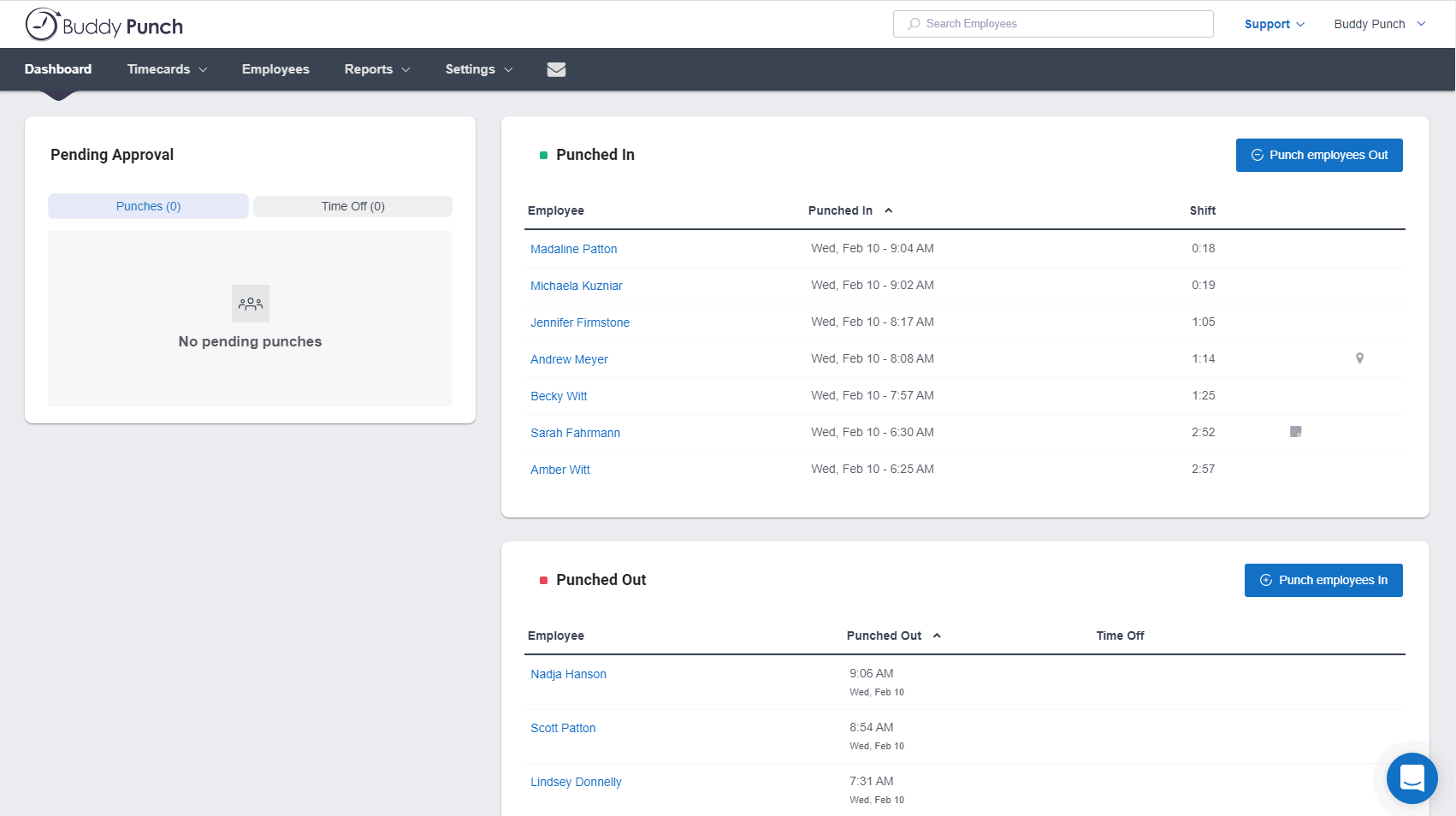
Screenshot of the Administrator's DashboardScreenshot of Time Off CalendarScreenshot of Schedule View

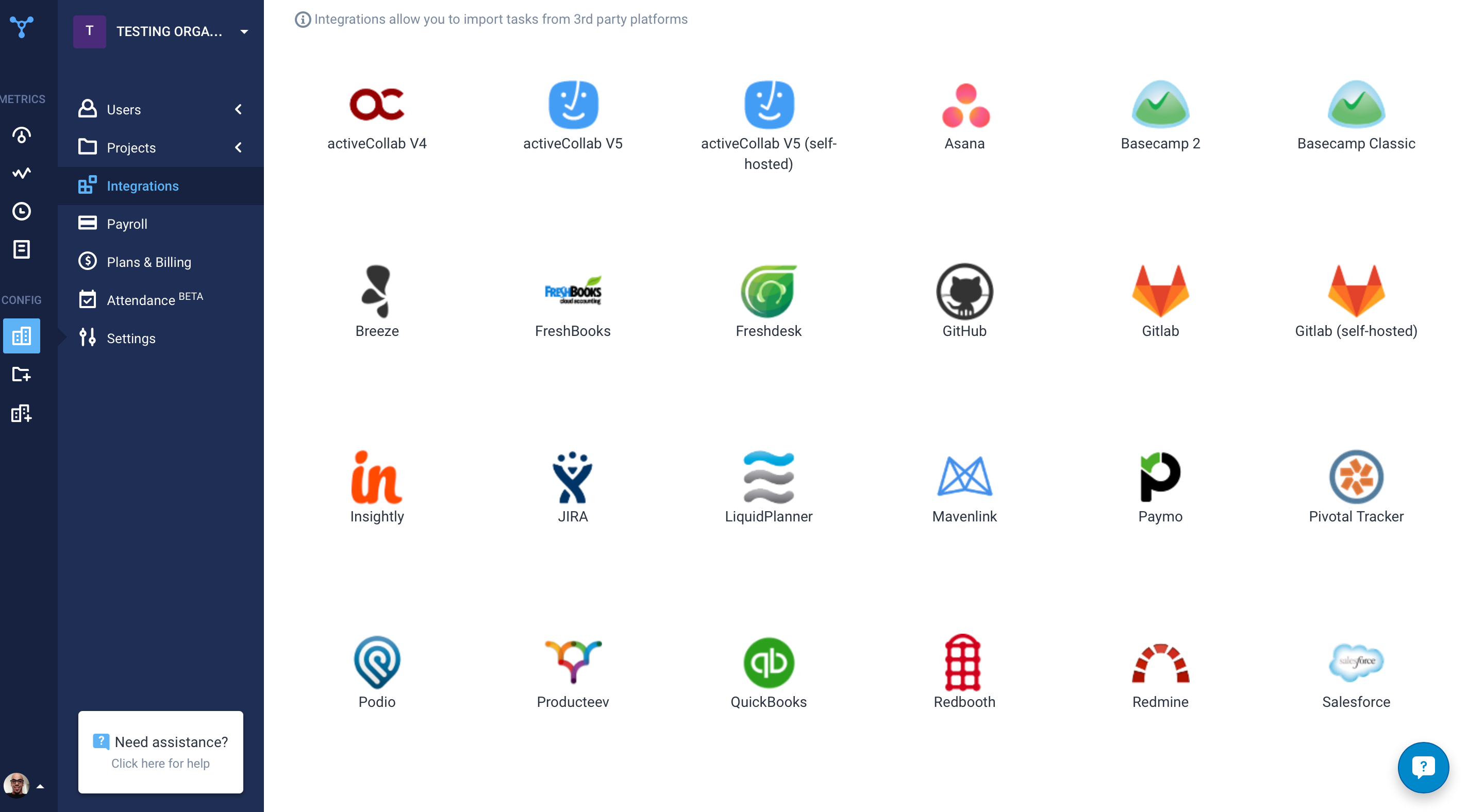
Hubstaff Screenshots

Screenshot of the time tracking interface, with screenshotsScreenshot of the remote work dashboardScreenshot of Hubstaff's 30 project management integrations