Calendly helps organizations globally automate the meeting lifecycle by removing the scheduling back and forth, with the goal of enabling companies to close deals, hire candidates faster, and build relationships.
$12
per month per seat
LeadFuze
Score8.7 out of 10
Small Businesses (1-50 employees)
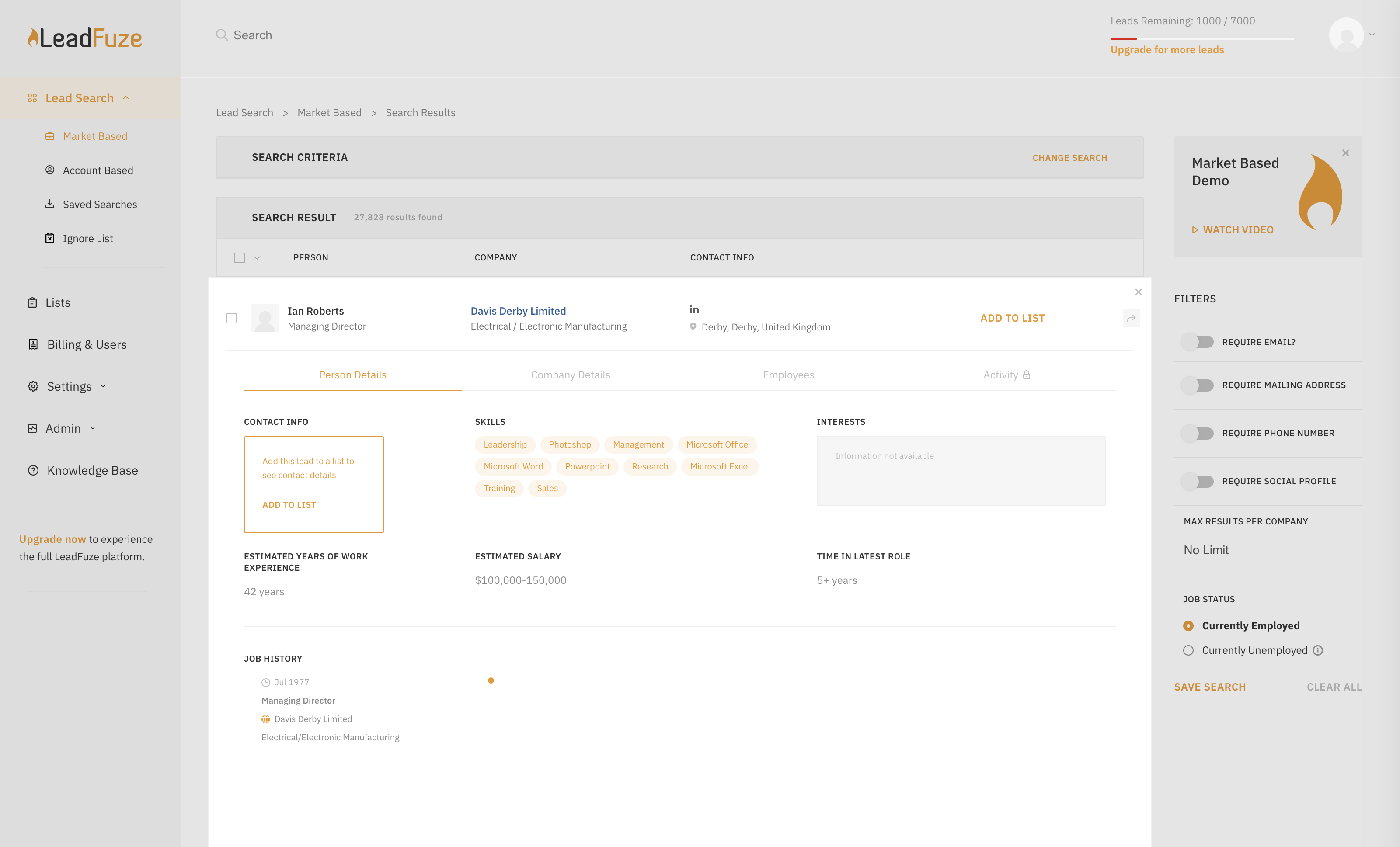
Find any business professional's contact information. Search entire market segments, or for specific individuals or accounts.
Used by salespeople, recruiters, and marketers to help them build their ideal list of leads and candidates. LeadFuze aggregates the world’s professional data to continue to deliver fresh leads.
It's prospecting, automated!
N/A
Pricing
Calendly
LeadFuze
Editions & Modules
Standard
$10
per month (billed annually) per seat
Teams
$16
per month (billed annually) per seat
Enterprise
Starts at $15k
per year
No answers on this topic
Offerings
Pricing Offerings
Calendly
LeadFuze
Free Trial
Yes
Yes
Free/Freemium Version
Yes
No
Premium Consulting/Integration Services
Yes
No
Entry-level Setup Fee
No setup fee
No setup fee
Additional Details
Monthly billing also available.
The LeadFuze team offers to write your cold email copy for you on our Professional and Rainmaker subscriptions for no additional cost. We have sent over 2 million cold emails and know what works and you can take advantage of this expertise with this offer.
A de minimis incentive was given to thank the reviewer for their time. The incentive was not used to bias or drive a particular response, nor was the incentive contingent on a positive endorsement. More Info
at New Mexico Rural Electric Cooperative Association (Marketing and Advertising, 1-10 employees)
Chose LeadFuze
LeadFuze seems to have taken a long time to fully develop their product before it hit the market. This is directly evident in the way their support staff answers questions. They are detailed and fully understandable. The product itself is streamlined for ease of use for newbies …
A de minimis incentive was given to thank the reviewer for their time. The incentive was not used to bias or drive a particular response, nor was the incentive contingent on a positive endorsement. More Info
It's well suited for music students' lessons. It's well suited for online coaching, primarily through places like Zoom and more. It helps simplify things for your clients, lets you program your schedule, and allows it all to go automatically! If you are working with a senior population, it may be a little tricky for them to sign up and then really hard for them to cancel lessons. There isn't a way to go to the site and cancel. You have to pull up the confirmed email and cancel from there, but people can lose emails.
A de minimis incentive was given to thank the reviewer for their time. The incentive was not used to bias or drive a particular response, nor was the incentive contingent on a positive endorsement. More Info
I give Lead Fuze an excellent rating because the double-checking feature for email addresses makes it so you don't have to purchase additional software and you don't have to worry about emails bouncing back from old, wrong emails like some other lead scrapers do. You can scrape 1000 quality leads in about 1 day and feed them directly into your cold emailing software like High Level, Woodpecker, Active Campaign, etc.
Sync with multiple calendar types so my schedule is always current.
Integration with Zoom to schedule meetings, send invites, and populate my Zoom app accordingly.
Automatic email communication to all parties with all relevant details in a clear format.
Allowing team members to do the same in a way that I'm also notified of what meetings are taking place saves a lot of time in terms of coordinating to find out what other people are doing.
Well-designed interface that simplifies everything down to its clearest expression. Language instruction and interaction are wonderfully simple and clear.
A de minimis incentive was given to thank the reviewer for their time. The incentive was not used to bias or drive a particular response, nor was the incentive contingent on a positive endorsement. More Info
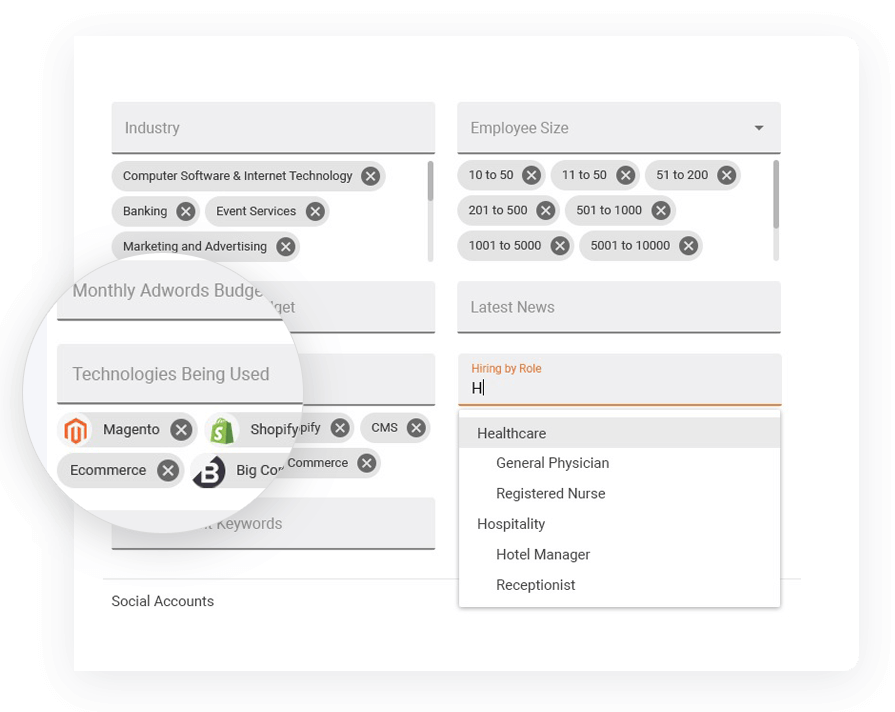
I really like the 'no nonsense' interface and simplicity of LeadFuse. As a digital marketing agency, I also really like the AdWords budget filter... This is great! I can target prospects who are already spending at least 'X' amount of money on paid ads, so I have a basic idea of their budget before I even approach them. This avoids the 'what's your budget' question evasiveness that prospects often give. I can tell them I already know how much they are spending on PPC and cut through the BS.
I also like the 'technology used' filter. Since we work primarily with Wordpress, I can target prospects NOT using WordPress and pitch web design in a more meaningful way. Or, conversely, I can target ONLY companies using WordPress.
Finally, I like the semi-automation feature. I can have FuseBot pull down 100 new leads based on my criteria every Monday and, before I dump them into my automated email outreach/nurture campaign, I can glance over them and make sure the all look ok (admittedly, sometimes there are some weird strays in the results that are not in the geography or industry I'm looking for, so I can skip those).
A de minimis incentive was given to thank the reviewer for their time. The incentive was not used to bias or drive a particular response, nor was the incentive contingent on a positive endorsement. More Info
After a meeting is booked, having the ability to change the location without canceling the entire booking.
Being able to offer 2 different locked in locations for certain time periods of the day within the same event. So you're not having to create 2 events for the same thing, only different locations.
Giving users permission to create their own routing forms. We run an independent business model where our users like to have control over their subscriptions.
A de minimis incentive was given to thank the reviewer for their time. The incentive was not used to bias or drive a particular response, nor was the incentive contingent on a positive endorsement. More Info
A de minimis incentive was given to thank the reviewer for their time. The incentive was not used to bias or drive a particular response, nor was the incentive contingent on a positive endorsement. More Info
For all reasons like workflows, UI, and the way Calendly keeps all of us engaged through the Collective forum. It's indeed undeniable that no other product covers all business needs like Calendly does. On the other side, this has also reduced the workload by enabling us to focus more on other tasks for the day
A de minimis incentive was given to thank the reviewer for their time. The incentive was not used to bias or drive a particular response, nor was the incentive contingent on a positive endorsement. More Info
Calendly is extremely easy to use for selecting times and days for meetings. From my end, it's very easy to indicate the days and times that I am available for meetings. I have used other scheduling products, but Calendly has the smoothest way of operating. I highly recommend it for scheduling meetings
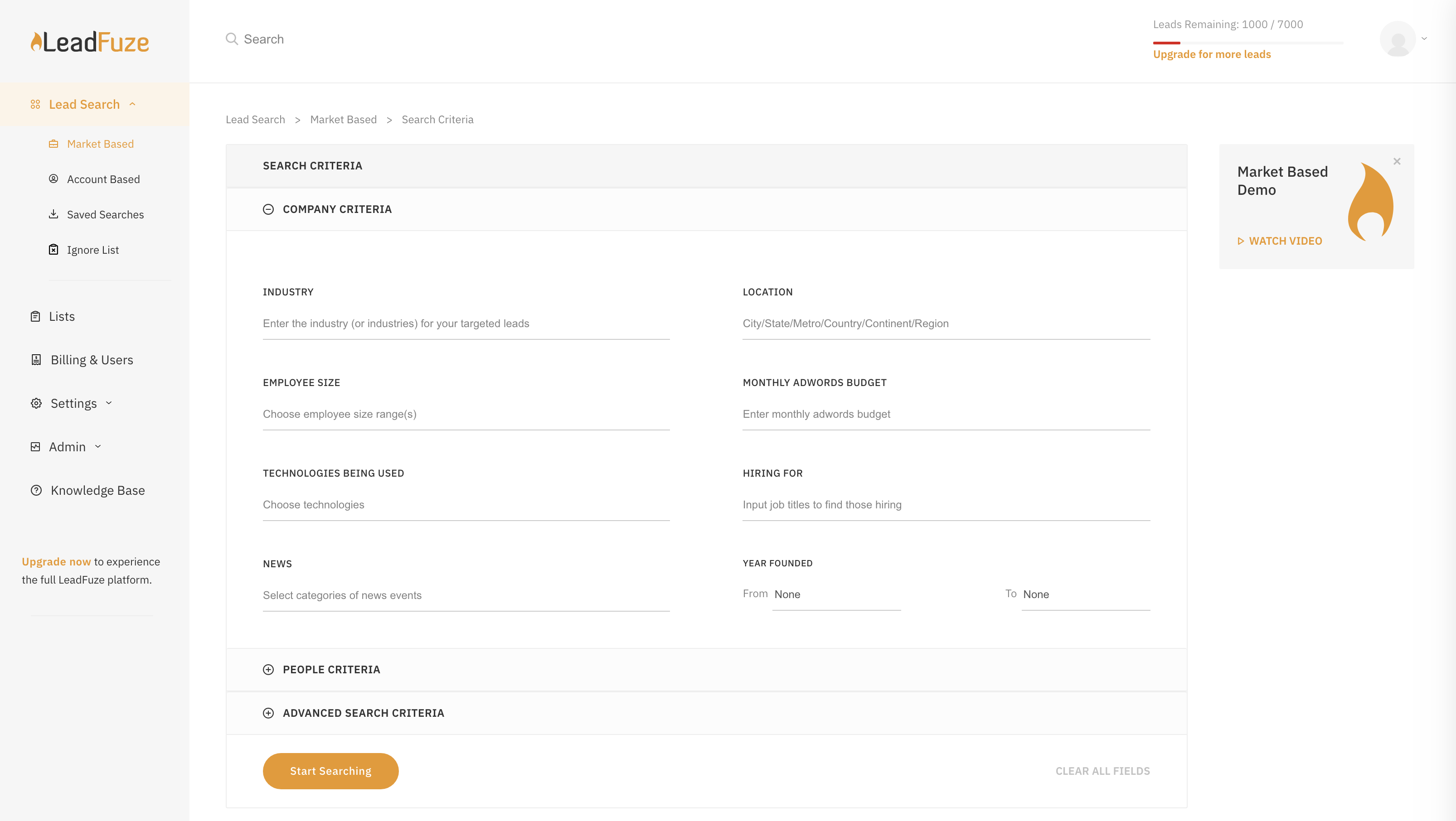
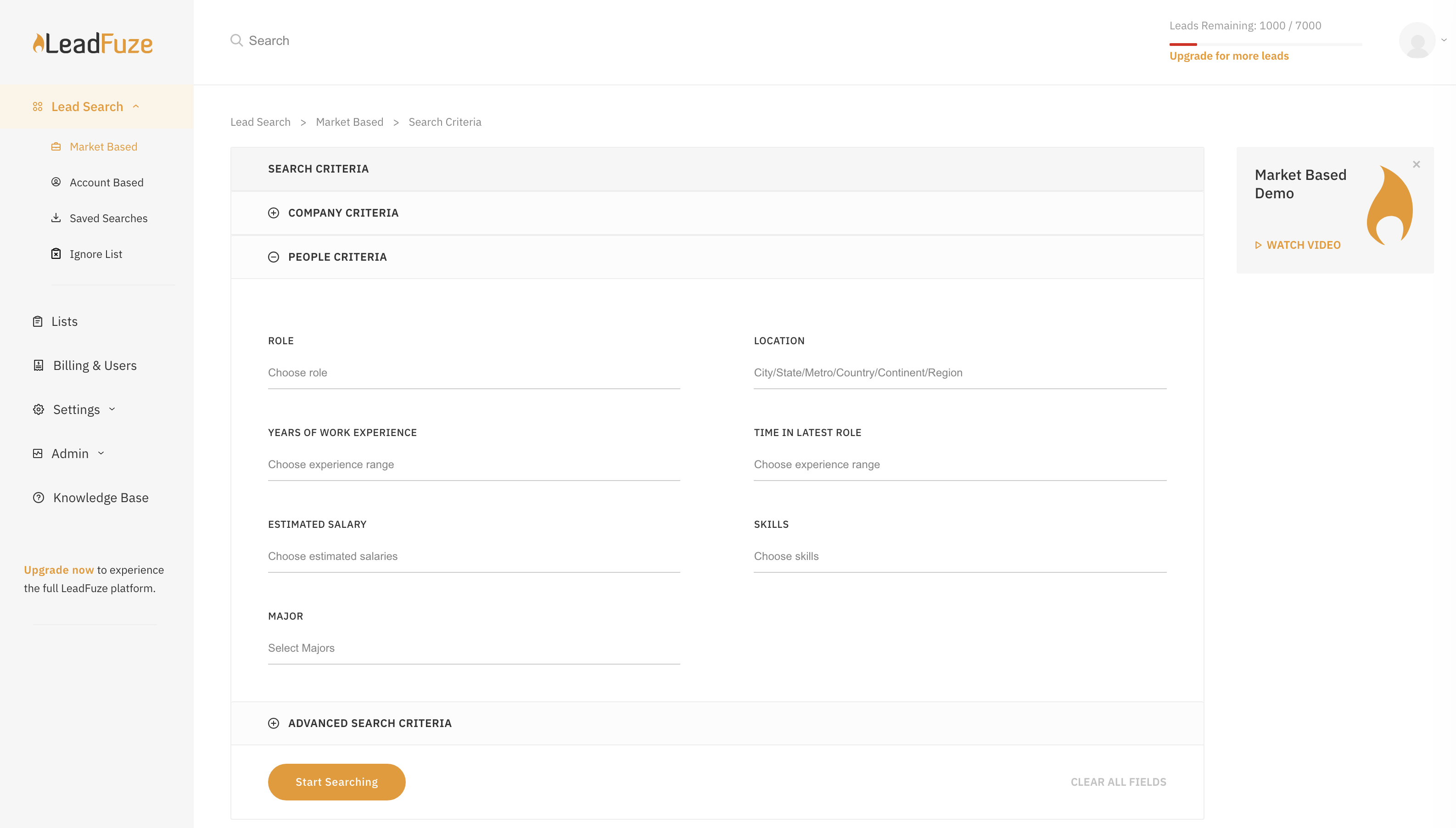
LeadFuze is super easy to get going and start to work with. There are videos to walk you through it but all you have to do is fill out the form that tells the system what kind of leads you're looking for and you're good to go - it does the rest of the work for you!
A de minimis incentive was given to thank the reviewer for their time. The incentive was not used to bias or drive a particular response, nor was the incentive contingent on a positive endorsement. More Info
There is a lot of support for Calendly. Whenever I have had issues navigating through it, especially as a new user, I found multiple support on the web addressing my questions or concerns. There is a lot of in app informative notes accessible to users to navigate through Calendly when needed.
A de minimis incentive was given to thank the reviewer for their time. The incentive was not used to bias or drive a particular response, nor was the incentive contingent on a positive endorsement. More Info
Very poor again. I booked 3 demonstrations with them, the first failed to support due to tech issues, the second one failed to arrive for the meeting, as did the third meeting arranged. I had difficulty trying to find anywhere to engage online with them, so the customer experience is very low down in my opinion.
When I started using it, there were not many competitors in this space. I've seen some like Mixmax that seem to work well for solopreneurs or where free version might be better than Calendly's free version. I use the paid version of Calendly and it's just kept serving us well so why change?
A de minimis incentive was given to thank the reviewer for their time. The incentive was not used to bias or drive a particular response, nor was the incentive contingent on a positive endorsement. More Info
LeadFuze has more filters than other software I've been using such as FindThatLead and Snovio and that gives me the chance to drill down even further into specific niches. Also, the system is really more user friendly and simple to use even more than other software I used in the past.
A de minimis incentive was given to thank the reviewer for their time. The incentive was not used to bias or drive a particular response, nor was the incentive contingent on a positive endorsement. More Info
We have been able to reduce PPC spend and spend a fraction of that with LeadFuze. We are producing leads and a reasonable percentage is converting into orders and long term clients. Can't beat that.
We now spend less time chasing and generating leads. LeadFuze does all the heavy lifting and we have more time to build the business.
We have obtained several larger, long term clients from being able to get in front of them due to LeadFuze. LeadFuze helps us make that initial contact....the rest is up to us. That is the way it should be and the way I like it.