TrustRadius: an HG Insights company

Save this comparison

Save this comparison

Add Product

Recommended Comparisons

    Overview
    ProductRatingMost Used ByProduct SummaryStarting Price

    Cirrus Insight

    Score8.7 out of 10
    Mid-Size Companies (51-1,000 employees)
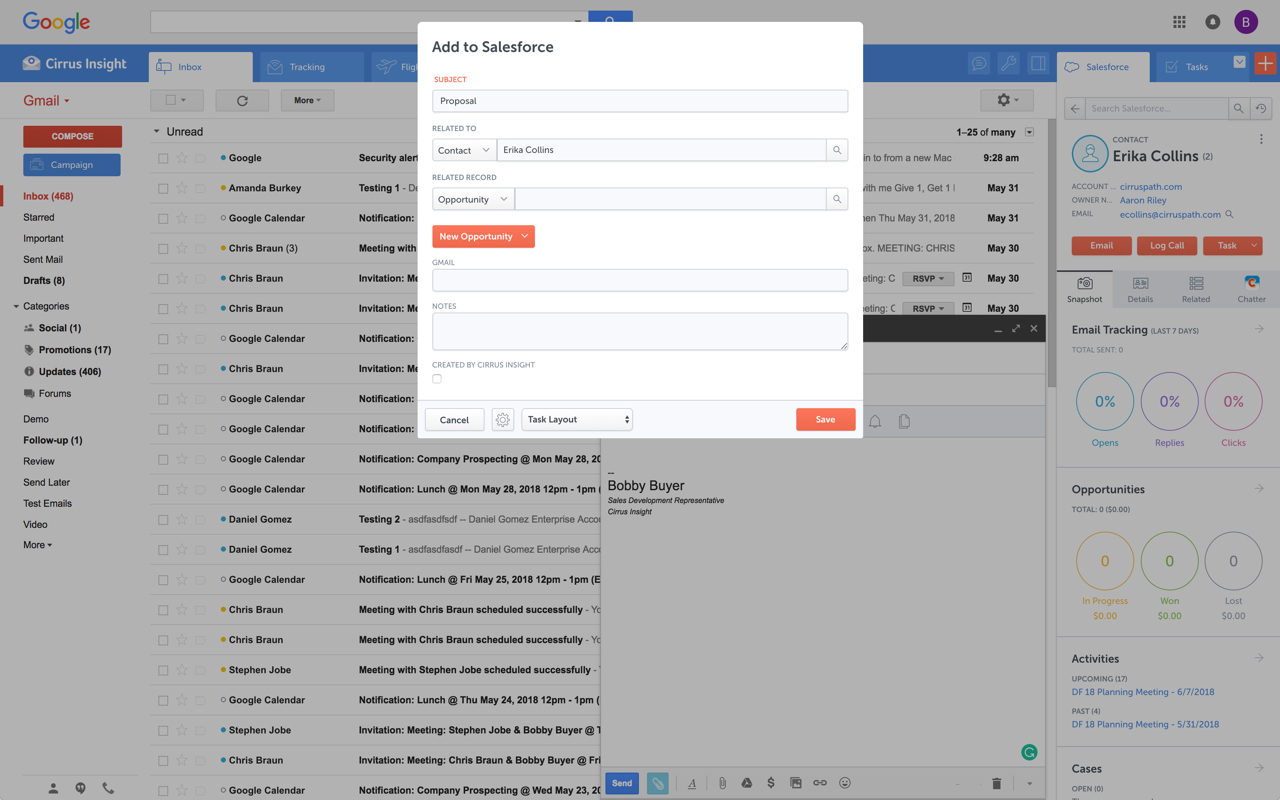
    Cirrus Insight integrates Salesforce with Gmail, Google Calendar, and Google Contacts. Instantly View Contextual Salesforce Information in Your Inbox. Save Emails & Attachments to Salesforce with a Click. Sync Your Google & Salesforce Calendars. Create & Edit Salesforce Records on the Fly. Customize Your Salesforce Workflow in Gmail. Add Google Contacts to Salesforce. Salesforce Tasks Integration. Salesforce Templates Integrated with Gmail.

    $15

    per month

    MailUp

    Score10 out of 10
    N/AMailUp is the eponymous email & SMS platform from the Italian company that was founded in 2002 that now has a modest but respectable presence across the western world with a diverse customer base (Yamaha, Amnesty International, Korean Air, etc.). Mailup's platform combines email marketing, with transactional email and SMS features, and offers SMTP relay and plugins for ecommerce, CRM and CMS systems. Their unusual pricing scheme is tiered just on subscribers but on volume of sends and that…N/A
    Pricing
    Cirrus InsightMailUp
    Editions & Modules
    Starter
    $27
    per user/month
    Closer
    $45
    per user/month
    Rainmaker
    $72
    per user/month
    No answers on this topic
    Offerings
    Pricing Offerings
    Cirrus InsightMailUp
    Free Trial
    YesYes
    Free/Freemium Version
    NoNo
    Premium Consulting/Integration Services
    YesYes
    Entry-level Setup Fee$500 per installationOptional
    Additional DetailsPricing based on annual billing.—
    More Pricing Information
    Features
    Cirrus InsightMailUp
    Email & Online Marketing
    Comparison of Email & Online Marketing features of Cirrus Insight and MailUp
    Feature
    Cirrus Insight
    -
    Ratings
    MailUp
    9.5
    1 Ratings
    17% above category average
    WYSIWYG email editor00 Ratings10.01 Ratings
    Dynamic content00 Ratings10.01 Ratings
    Ability to test dynamic content00 Ratings8.01 Ratings
    Mobile optimization00 Ratings10.01 Ratings
    Best Alternatives
    Cirrus InsightMailUp
    Small Businesses
    Mailtrack
    Score9.7 out of 10
    Mad Mimi
    Score10 out of 10
    Medium-sized Companies
    Mailtrack
    Score9.7 out of 10
    Campaign Monitor by Marigold
    Score9 out of 10
    Enterprises
    No answers on this topic
    Emma by Marigold
    Score8.5 out of 10
    All AlternativesView all alternativesView all alternatives
    User Ratings
    Cirrus InsightMailUp
    Likelihood to Recommend
    9.9
    (23 ratings)
    10.0
    (1 ratings)
    Likelihood to Renew
    9.1
    (1 ratings)
    -
    (0 ratings)
    Usability
    10.0
    (2 ratings)
    -
    (0 ratings)
    Availability
    9.1
    (1 ratings)
    -
    (0 ratings)
    Performance
    9.1
    (1 ratings)
    -
    (0 ratings)
    Implementation Rating
    9.1
    (1 ratings)
    -
    (0 ratings)
    User Testimonials
    Cirrus InsightMailUp
    Likelihood to Recommend
    Cirrus Insight
    For someone who uses both Gmail and Salesforce as part of their main role, this software is an invaluable connector for them both. Some of the features are also not Salesforce specific - such as the Meeting Scheduler, which has proved invaluable to me, and I would recommend to any Gmail user who frequently set up meetings (either internally or externally).
    Incentivized
    Read full review
    MailUp
    Great for marketing teams looking to quickly deploy emails without the need for HTML coding.
    Incentivized
    Read full review
    Pros
    Cirrus Insight
    • Log email to Salesforce. You click one button and it logs for you. This is easier than adding the BCC email address that Salesforce provides as a way to log email.
    • Track views and engagement on these emails. It's nice to know if the email was opened and if links were clicked.
    • Update quick fields in Salesforce directly from their inbox using Cirrus. This prevented reps from needing to click into Salesforce, wait for it to load, then update fields like the phone number or name.
    • If the rep did need to open Salesforce, Cirrus provides a quick button to navigate to the Lead/Contact/Opportunity page quickly.
    Incentivized
    Read full review
    MailUp
    • Email marketing creation
    • Email design
    • HTML template creation
    Incentivized
    Read full review
    Cons
    Cirrus Insight
    • Outlook for Mac could use some work as an add-on because it's hard to read sometimes on my laptop. It's not a sidebar, like the Windows functionality, so it's harder to read.
    • Doesn't always find an opportunity, even though I know it's in our Salesforce system.
    • Randomly shuts down and doesn't log in properly at times. I've had to remove and re-download more than once.
    Incentivized
    Read full review
    MailUp
    • Alt tag styling within the editor
    Incentivized
    Read full review
    Likelihood to Renew
    Cirrus Insight
    It is the best google to salesforce integration on the market. support is incredibly responsive and very helpful. They are constantly adding new features, and the current feature set is well beyond anything else that is currently offered in the market
    Read full review
    MailUp
    No answers on this topic
    Usability
    Cirrus Insight
    Very easy to use. Everything opens in a familiar interface right inside the google apps sidebar. It brings in salesforce records, so as long as you know google apps / gmail and salesforce you'll be all set. It's point and click.
    Read full review
    MailUp
    No answers on this topic
    Reliability and Availability
    Cirrus Insight
    Haven't had a down issue in the almost 2 years I've been using the product. Support is also super responsive.
    Read full review
    MailUp
    No answers on this topic
    Performance
    Cirrus Insight
    Pulls in salesforce data very quickly, and syncs very quickly.
    Read full review
    MailUp
    No answers on this topic
    Implementation Rating
    Cirrus Insight
    The plugin is installed inside your internet browser as an extension/add-on. It can be found in most add on stores and is easy to install. Usually just a few clicks. It handles authorization for you once you sign in, and then takes care of all the rest. It couldn't be easier to get working right out of the box. You're up in running in less than 5 minutes.
    Read full review
    MailUp
    No answers on this topic
    Alternatives Considered
    Cirrus Insight
    Yesware regularly sent me alerts that my emails had been opened by someone who I hadn't sent them to, from locations they couldn't possibly have been. I also don't recall its Salesforce activity logging working as smoothly, though I last used Yesware more than 12 months ago so my memory isn't as fresh as it could be
    Incentivized
    Read full review
    MailUp
    Mailup has hands down the best editor for creating responsive emails, I've tried almost everything out there and this is the best, I recommend this to colleagues all the time!
    Incentivized
    Read full review
    Return on Investment
    Cirrus Insight
    • Customer data is paramount and Cirrus Insight supports optimal data integrity.
    • Ease of capturing updated customer information and sales activity helps in forecasting, operational insight, etc.
    • Facilitates transition of sales opportunities by seeing a clear trail of correspondence and customer updates.
    Incentivized
    Read full review
    MailUp
    • Faster email development
    • More team members able to contribute to the email development process
    • Better templates
    Incentivized
    Read full review
    ScreenShots

    Cirrus Insight Screenshots

    Product screenshotProduct screenshotProduct screenshotProduct screenshot

    MailUp Screenshots

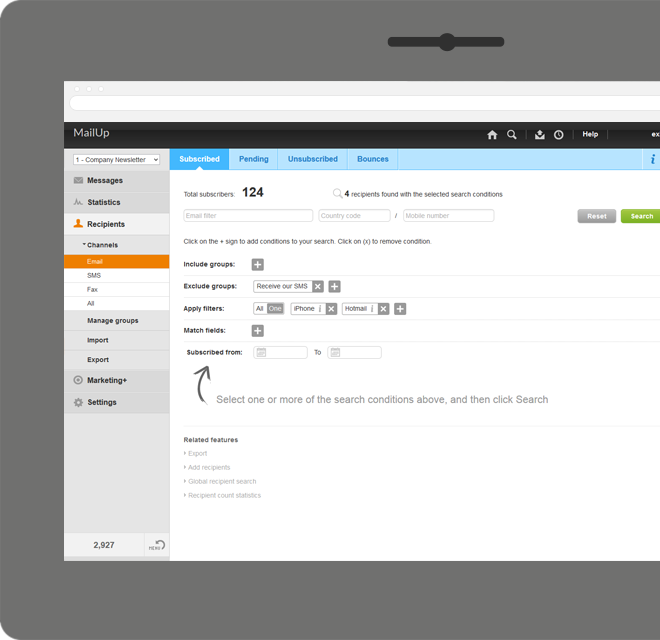
    Screenshot of Manage lists. With MailUp, you can manage mailing lists, groups and sending profiles, automatically eliminating duplicate addresses and handling users who cancel their subscription. The procedure is guided, quick and safe. The utmost simplicity, with no need to install additional software. Not bad, right?Screenshot of he winning variable, with mathematical certainty
With A/B testing, discover, prior to mailing, what your recipients prefer to read, by automatically testing several versions of the same text, measuring its effectiveness on a select group. Opening results improve by up to 30% and, for each version, you have more statistical information. Mailing after mailing, you can only do better!Screenshot of Creating emails for mobile devices is easy
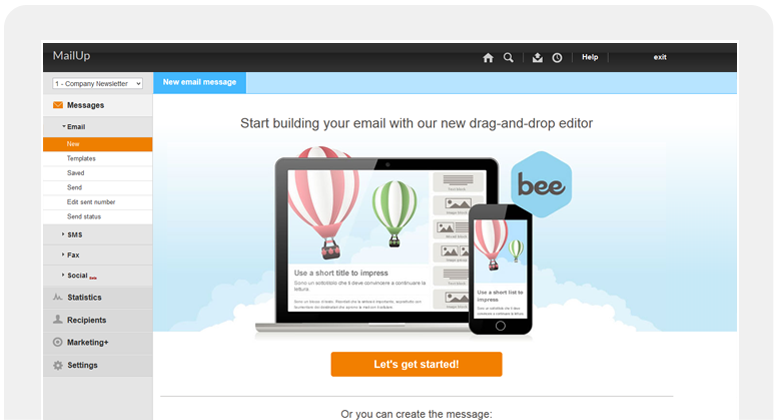
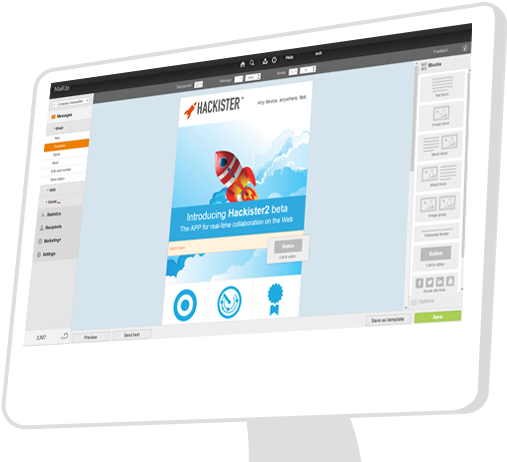
Free your creativity and create emails and newsletters that have great visual impact, optimised for mobile devices. While you concentrate on the content of your campaign, MailUp takes care of the rest with the aid of an intelligent editor and plenty of cutting-edge functions. Not bad, right?Screenshot of Countless ways to create your messages.

There's not only BEE with which create messages. You can start with HTML documents, RSS/Atom, URL or choose from hundreds of graphic models. Starting with an empty email? The convenient WYSIWYG editor helps you put your messages together with just a few clicks. It's all up to you!Screenshot of .and you can do the same with unsubscribe lists.

Automatic management of unsubscribe lists allows you to activate the UNSUBSCRIBE button directly in the email client interface. The unsubscribers list also shows a list of users who performed this action, which may be edited and exported. This function also allows you to make up random groups of users, specifying the number of subscribers. This makes it easier to manage random sampling and A/B testing.Product screenshot