Citrix DaaS (formerly Citrix Virtual Apps and Desktops, or XenDesktop) is a virtual desktop infrastructure (VDI) and application virtualization solution from Citrix.
$375
Firework by Startpack
Score 9.5 out of 10
N/A
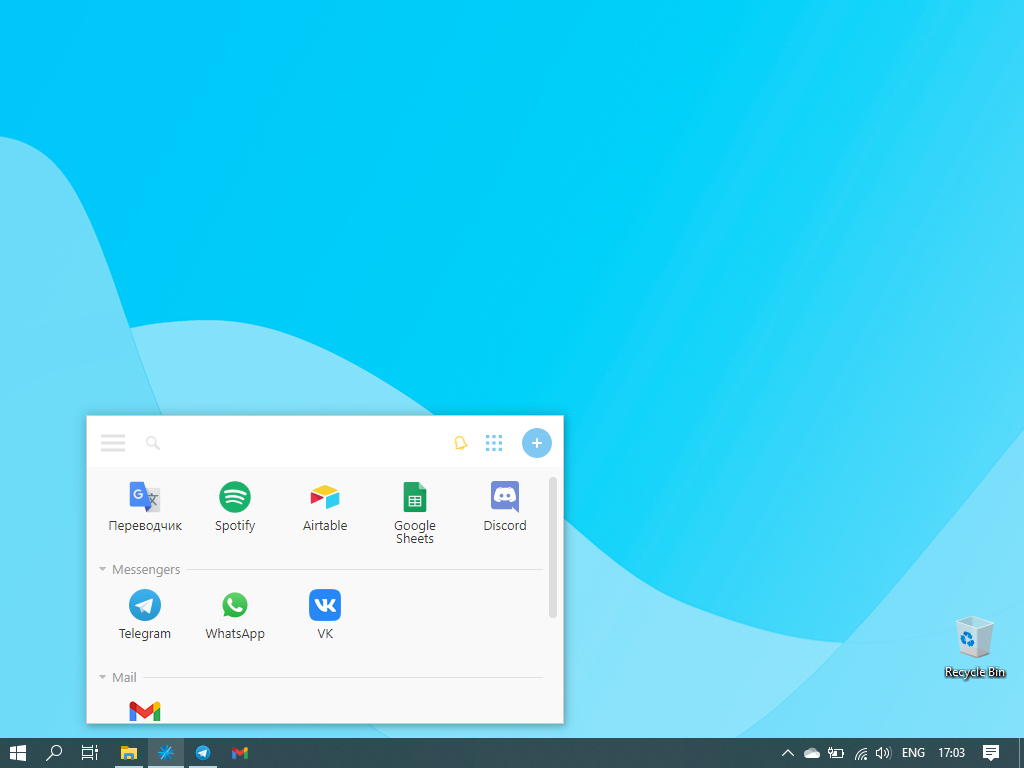
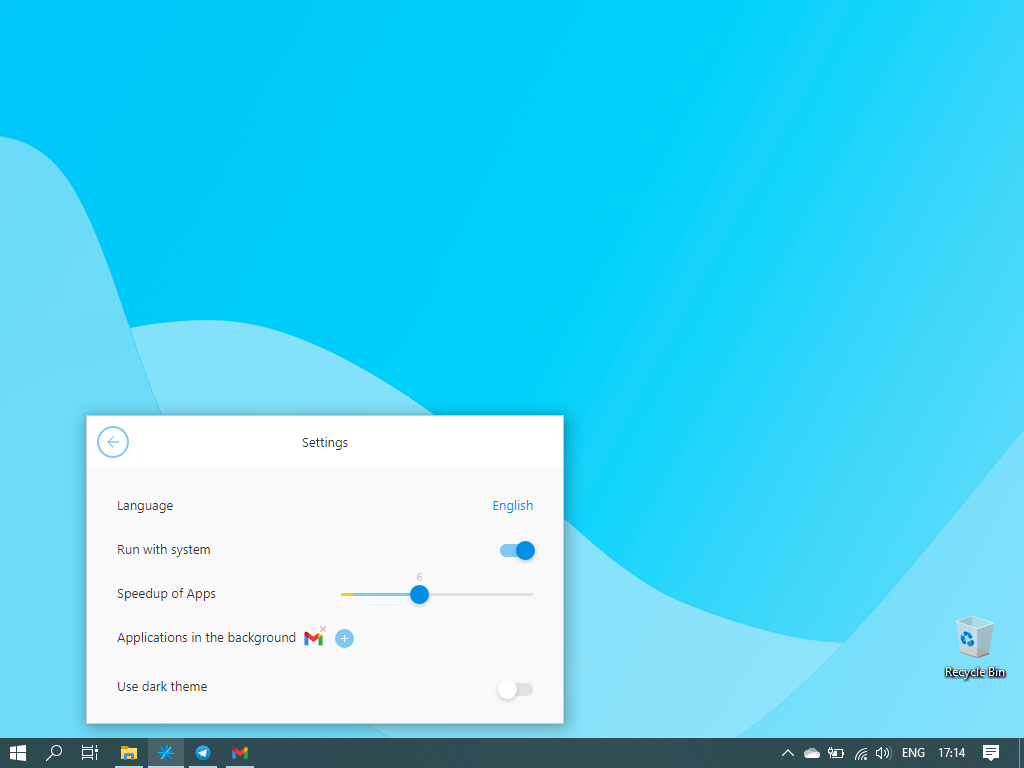
Firework is a program for turning web applications and websites into desktop apps, so that applications created in Firework look and function like regular programs. The vendor states applications will launch quickly and can be kept on the Taskbar or System Tray. Firework is useful for everyday web applications such as CRM systems or text editors, and Firework can be used for everyday web applications such as CRM systems or text editors. Users can customize icons and colors of apps,…
$2.99
per month per user
Pricing
Citrix DaaS
Firework by Startpack
Editions & Modules
Virtual Apps
$375
Firework Pro
$2.99
per month per user
Firework Ultimate
$38.99
one-time fee
Offerings
Pricing Offerings
Citrix DaaS
Firework by Startpack
Free Trial
No
No
Free/Freemium Version
No
Yes
Premium Consulting/Integration Services
No
No
Entry-level Setup Fee
No setup fee
$2.99 per user
Additional Details
—
—
More Pricing Information
Community Pulse
Citrix DaaS
Firework by Startpack
Considered Both Products
Citrix DaaS
Verified User
Anonymous
Chose Citrix DaaS
Citrix Virtual Apps & Desktops is platform agnostic (we can use any underlying hypervisor technology) and really flexible for any use case. Using a golden image and provisioning it (with Machine Creation Services or Provisioning Services) is powerful and really straightforward, …
TSPLUS can be used only from professional user with IT background because is not secure and inefficient to give access to all the employees of a specific server and, if company programs are installed in many Vm, the access via TSPLUS is impossible because the person will lost …
a similar product feels quite similar, personally, I am only a user and wasn't involved in the software purchase decisions. Citrix is leading by its functionality and ease to use.
AnyDesk is a similar software I have used however AnyDesk is more of a remote Desktop software to gain access to other computers in any network. They use a token system to authenticate. AnyDesk is very different in terms of what it offers. It does not offer Application access …
I never had the chance to test other products like these since whenever I read and searched online during the first phase it was only popping up Citrix Virtual Apps and Desktops.... so we got in touch with the sales department and the rest is history. After the technical …
Citrix Virtual Apps and Desktops was our pick because of the low infrastructure requirements. With Vmware, you need compatible hardware to run ESXi and then a machine to run the vCenter server and free other machines to run horizon view, app, policies, etc which can get …
Both Citrix Virtual Apps and Desktops and GoToMyPC solve the business needs of accessing your work remotely as long as you have access to the internet. They are easy to log into and support worker flexibility. The cost to maintain this software can be expensive, especially if …
Citrix Virtual Apps and Desktops support offline and have a wide variety of applications that can be run compared to other vendors. Improvements to the HDX protocol also allow apps to be run in higher-latency environments. Mobility Pack added support for mobile devices and …
according to me, Citrix Virtual App ruled over the windows because it is compatible with different operating systems (not only with windows or another specific one). It is user-friendly and widely accepted by various companies. It has a much better working environment for …
We use Palo Alto Global Protect, and Pulse Secure VPN. While both are secure they don't compare with providing the type of access Citrix Virtual Apps delivers. The VPN solutions are perfect for Operations and technical teams for Remote Desktop Access, however, Citrix Virtual …
We opted to use the Cisco VPN as we already owned the firewall to accommodate those users that wanted everything available all of the time. They were given laptops with full software loads and VPN access for network resources. If they have a bad or unsecure connection Citrix …
Citrix Virtual Apps and Desktops by far has been the best remote desktop app that I've used. I had dabbled with other alternative platforms and they all fell short of what I needed. Citrix also has very high levels of data security and cybersecurity features making it a very …
Citrix Virtual Apps and Desktops (CVAD) allows for the use of any hypervisor or cloud platform which ensures flexibility in decisions that are made across a IT organization while others are typically tied to a single or highly controlled cloud selection. Additionally the …
We have tried two alternates, one of which is not listed in this web sites database. Normal MS Remote Desktop Services/Terminal Services and 2X Applications Services. Both had similar offerings to Citrix Virtual Apps and Desktops (formerly XenDesktop), but both had the same …
I'm not sure there is a real alternative to Citrix Virtual Apps and Desktops. Maybe Microsoft Remote Desktop or Terminal server? Citrix Virtual Apps and Desktops is much more configurable and robust than either of these options for anything more than maybe ten users. Citrix …
We needed our application vendor to support our solution and Citrix was their main choice. The other choice was Microsoft RDS/RDP but we wanted the higher management functionality that Citrix brought.
Citrix has come a long way in this type of service, compared to its competitors. We also select Citrix because we have the complete suite from this manufacturer (Netscaler, XenServer).
Xenapp is a more mature product than VMware Horizon View with wider application and OS support. Citrix proprietary HDX and ICA protocols are more efficient than VMware PCoIP protocol for remote users with low bandwidth and high latency access. Both products still rely on …
DaaS is ideal in large-scale environments that require centralized, secure management. Remote workforces at large organizations. Highly regulated industries like finance. It allows for easy security and monitoring over one aspect instead of multiple remote machines. DaaS is not ideal for organizations with small budgets due to the pricing and organizations with lousy network connectivity. This would make the end-user experience terrible.
If you need to communicate through multiple apps e.g. Gmail, Slack, Whats App, and you want everything in one place - Firework is definitely your thing. Also perfect for people who have to track the time they spend on certain tasks. Firework would be useless for people who don't care about productivity and getting things done as fast as possible.
All Management resources can now be installed on a single server. Reducing the overhead required to maintain a citrix environment.
Granularity of the Delivery groups allow you to define allowing a remote user to connect to a random XenDesktop VM or individually assigning VMs to users.
HDX RealTime Optimization Pack has stabilized some of the issues of utilizing all of the features of Skype for Business in a ZenDesktop VM.
From an end-user perspective, Citrix DaaS is ideal. No matter the device that the user connects with, the end user's experience is always the same. Desktop icons are there, along with the files. As a big name, Citrix allows for SAML authentication or a local account. End users do not need a beefy laptop to have a good experience in DaaS.
The performance of XenDesktop is the best in the industry because of the fine-tuned protocol and years of updating. Overall, I don't think there is a better performer on the market. The question is if the added complexity of running XenDesktop is really worth the performance gain. While the latest version of XenDesktop is the easiest to deploy so far, it is still more challenging than the competitors.
The support is great when you get an engineer that knows what they are doing but getting that individual sometimes takes a while. Overall, they are professional and polite and competent in their knowledge. Sometimes the cases are open for an extended period of time which becomes very frustrating when dealing with critical issues.
Take it slow and read the directions each step of the way. If you are not familiar with Citrix products, use a reseller or other experienced engineer to assist you in the setup of your environment
Citrix Virtual Apps & Desktops is platform agnostic (we can use any underlying hypervisor technology) and really flexible for any use case. Using a golden image and provisioning it (with Machine Creation Services or Provisioning Services) is powerful and really straightforward, compared to the complexity in Microsoft RDS of maintaining a coherent farm, or the limitation of VMware Horizon to run on VMware Products.
Being able to easily add new use cases with minimal "re-work" to existing workspace delivered by the solution has been a great ROI value.
The Security features that are built-in have made the solution a go-to for any remote access or vendor access requests the business has needed to continue projects and expedite digital initiatives.
While the overall environment stability is excellent there is an increase in support team and end user training required which can "steal" time from admin and engineers.
You're way more productive when all of your tools are easily accessible
Health benefits! It prevents your mental state from deteriorating, it saves at least 10-15 minutes per day, and there's no need to be anxious while trying to remember the password from your work email again