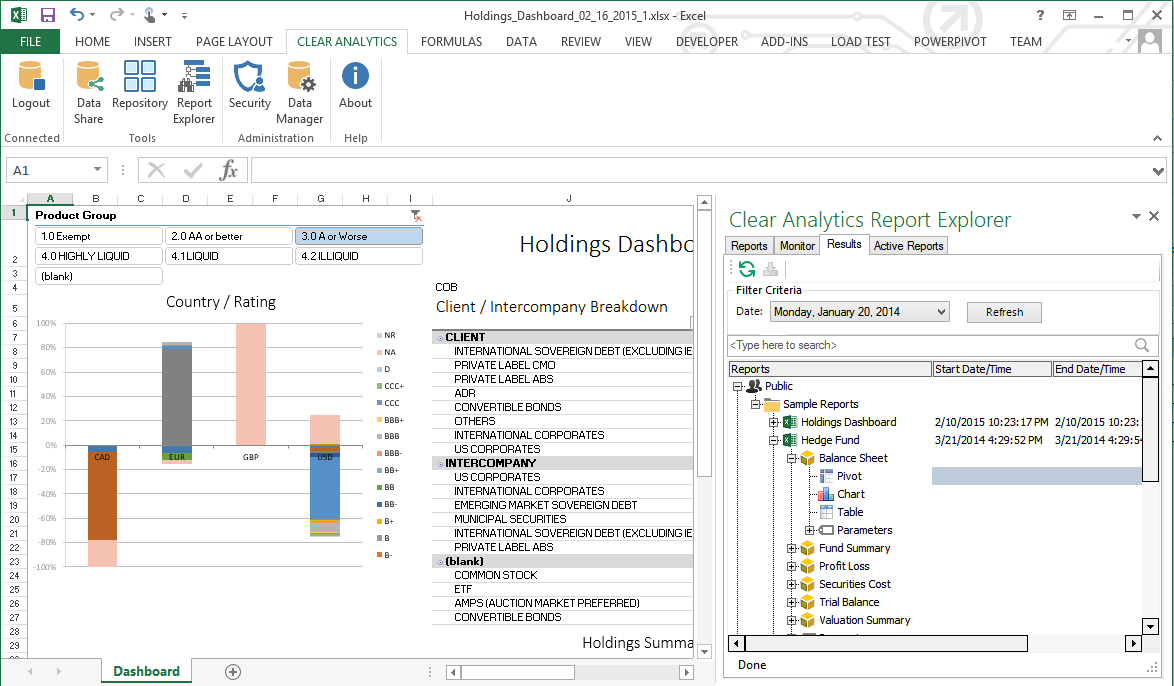
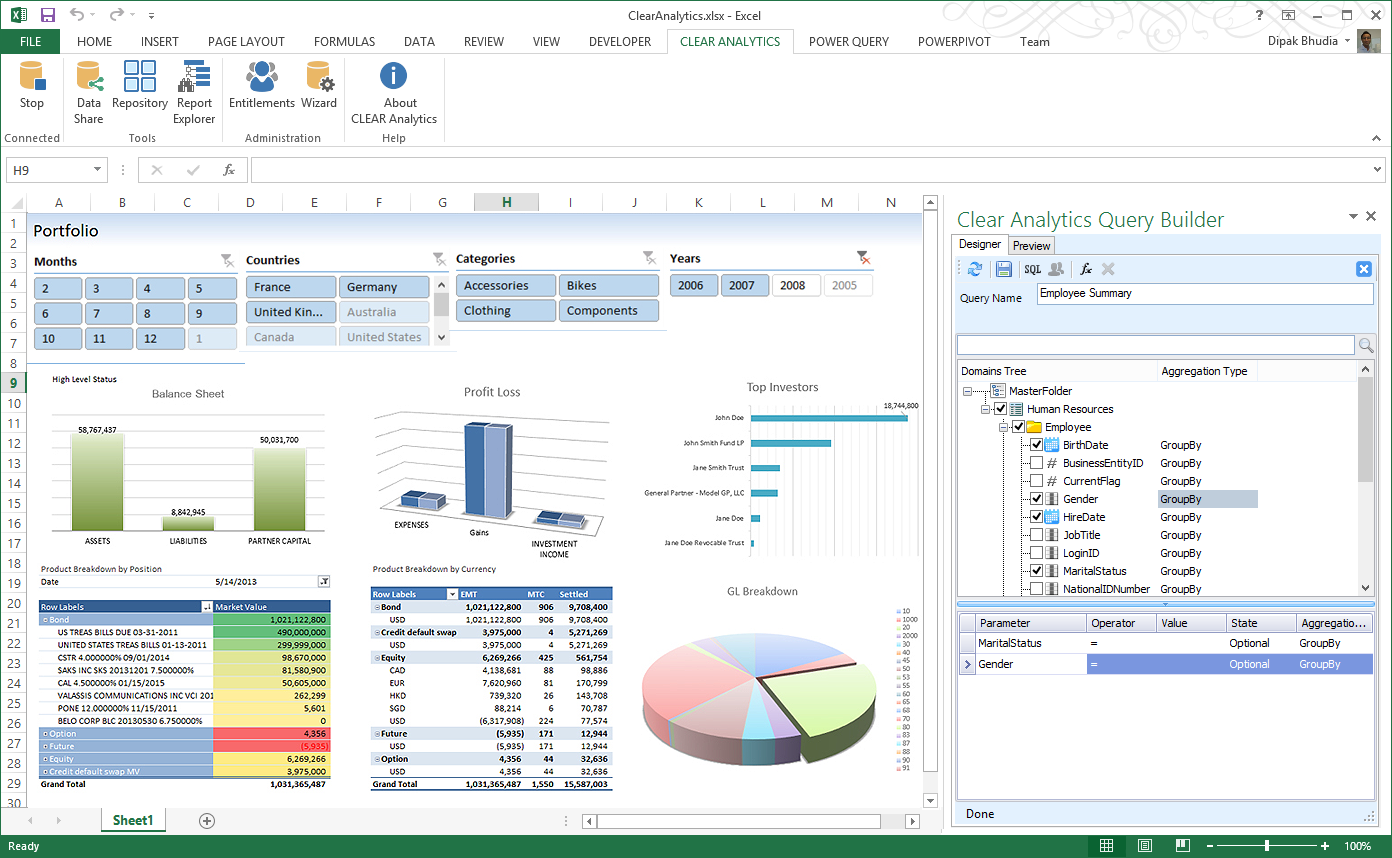
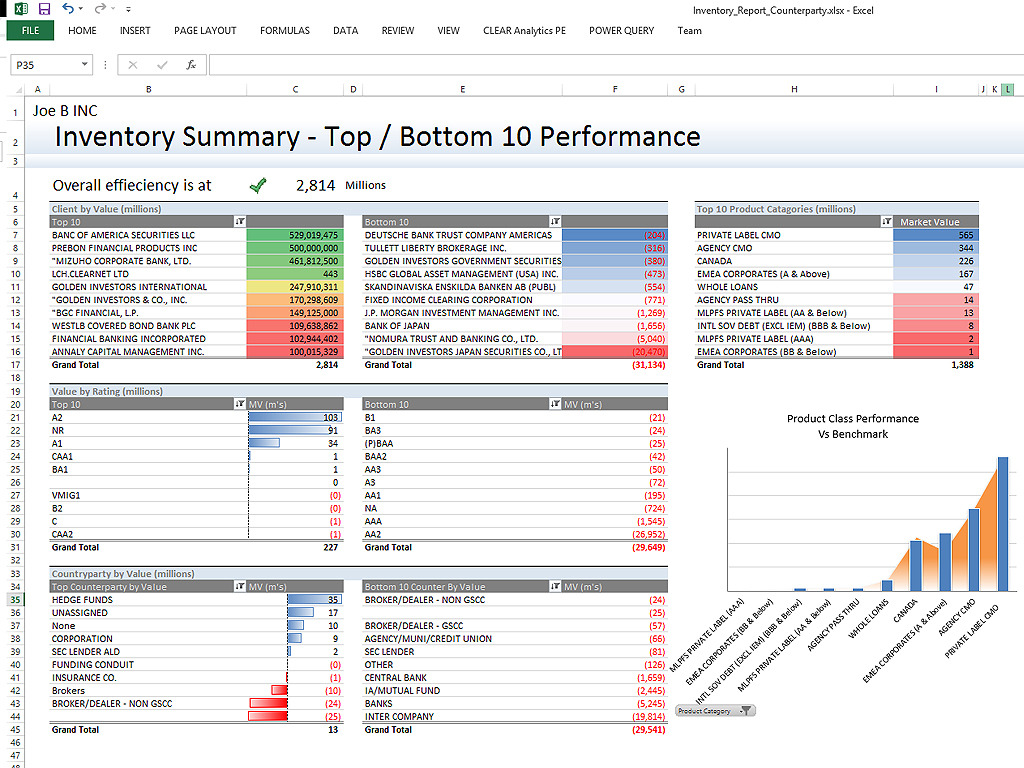
Clear Analytics is a business intelligence solution that enables non technical end users to perform analytics by leveraging existing knowledge of Excel coupled with a built in query builder. Some key features include: Dynamic Data Refresh, Data Share and In-Excel Collaboration.
$29
Per Seat per Month
Salesforce CRM Analytics
Score8.4 out of 10
N/A
Salesforce CRM Analytics (formerly Tableau CRM) is a cloud-based business intelligence solutions and analytics software. It provides users with automated data discovery, CRM-connected analytics, top-down views of data, augmented analytics, predictive insights, and customizable data visualization tools.
$125
per month
Pricing
Clear Analytics
Salesforce CRM Analytics
Editions & Modules
Personal
$29
Per Seat per Month
Team
$165
upto 10 Seat per Month
Department
$265
upto 25 Seat per month
Organization
$565
Upto 100 per seat per month
No answers on this topic
Offerings
Pricing Offerings
Clear Analytics
Salesforce CRM Analytics
Free Trial
Yes
No
Free/Freemium Version
No
No
Premium Consulting/Integration Services
Yes
No
Entry-level Setup Fee
$800 Initial OnBoarding
No setup fee
Additional Details
Certain Enterprise level features can be made available to Small Business edition at additional cost. Such services include Scheduler and OLAP connectivity.
Custom adapters can also be created to connect to SaaS services.
Clear Analytics has almost all the features which are mostly required by the organizations for their data analytics and transformation activities. Clear Analytics is built on the support of a parallel query engine which makes it handle large volume requests and also provides optimized results. However, every solution has some limitations, Clear Analytics lacks advanced features such as Predictive Analytics which is a very demanding feature in the market as most organizations are adopting AI/ML automation for their businesses. Also, it needs to add a lot of advanced visualizations so that the user has the choice of selection. Overall a good solution to be recommended.
A de minimis incentive was given to thank the reviewer for their time. The incentive was not used to bias or drive a particular response, nor was the incentive contingent on a positive endorsement. More Info
For us it really comes down to that book management and next best contact for our advisors. When we're thinking about a book of business that may range, depending on the advisor, from 400 clients to a thousand clients, how do they really optimize their time? Who do they call next? Who do they work with to make sure not only they're keeping those clients engaged, they're not leaving the firm going to other advisors who they haven't talked to in a while who might need their attention. That's really where that CRM analytics is really proven pretty powerful for us.
A de minimis incentive was given to thank the reviewer for their time. The incentive was not used to bias or drive a particular response, nor was the incentive contingent on a positive endorsement. More Info
A de minimis incentive was given to thank the reviewer for their time. The incentive was not used to bias or drive a particular response, nor was the incentive contingent on a positive endorsement. More Info
A de minimis incentive was given to thank the reviewer for their time. The incentive was not used to bias or drive a particular response, nor was the incentive contingent on a positive endorsement. More Info
A de minimis incentive was given to thank the reviewer for their time. The incentive was not used to bias or drive a particular response, nor was the incentive contingent on a positive endorsement. More Info
Implementation takes time and resources. It is a heavy lift to implement and at first, it can take a little bit of time to understand what you are looking at. But once it's implemented it's easy to get started.
Without any BI expertise or resources available to your organization, the implementation of this is difficult. If you aren't used to BI tools and don't have an expert in house, the terminology can be difficult to understand at first.
Their support is not on hand to help you if you encounter any issues, at least not on all the plans or the basic plans. Real-time support service is an add-on, so you'll need to be patient if you require help or pay extra money.
More functionality for the tool is needed to compete with other heavyweights in the arena like Tableau, Qlik, and Microstrategy. Still lacks the robustness, functionality, and flexibility other competing products possess.
A de minimis incentive was given to thank the reviewer for their time. The incentive was not used to bias or drive a particular response, nor was the incentive contingent on a positive endorsement. More Info
I have really enjoyed working with Clear Analytics. This platform has contributed to increased production and reliable data control processes. It has flexible user interface that can be operated by any organization member. Reports are shared on simple and transparent way in the dashboard for easy access. Data analytics from all departments have created manageable working environment that have increased production.
A de minimis incentive was given to thank the reviewer for their time. The incentive was not used to bias or drive a particular response, nor was the incentive contingent on a positive endorsement. More Info
For someone who don't have coding background, this could be a useful tool and fairly easy to learn and use given the good support. However, if you know other open source tools, it would be much easier to use the other tools and the knowledge is more transferable in the future.
A de minimis incentive was given to thank the reviewer for their time. The incentive was not used to bias or drive a particular response, nor was the incentive contingent on a positive endorsement. More Info
I have had multiple scenarios where I had to reach out to the support team of Clear Analytics, be it access-related, general queries, during initial implementation, etc. My overall experience has always been good. I got the needed support every time without any delay. I can definitely recommend Clear Analytics simply on the basis of its excellent support team.
A de minimis incentive was given to thank the reviewer for their time. The incentive was not used to bias or drive a particular response, nor was the incentive contingent on a positive endorsement. More Info
I was not able to be in interaction much with Salesforce support team since every feature works the way it should be working. So far I have not experienced any bug or major glitches that would delay the result of my work and performance. There is also a hotline in our company for Salesforce issue but so far I have not used it.
A de minimis incentive was given to thank the reviewer for their time. The incentive was not used to bias or drive a particular response, nor was the incentive contingent on a positive endorsement. More Info
An implementation partner would certainly result in greater output in a more efficient amount of time. However, I have found implementation partners to be extremely expensive for the output received (at least working for a non-profit company they are frequently unaffordable). Internal implementation does help with usable output though since internal knowledge would better know the data architecture and business processes
A de minimis incentive was given to thank the reviewer for their time. The incentive was not used to bias or drive a particular response, nor was the incentive contingent on a positive endorsement. More Info
There are other great tools that are out there but Clear Analytics is reasonable for our business and provides a lot of features that we specifically needed
A de minimis incentive was given to thank the reviewer for their time. The incentive was not used to bias or drive a particular response, nor was the incentive contingent on a positive endorsement. More Info
Tableau is the absolute top of the class when it comes to business intelligence, but it doesn't make sense for every business case. In our case, we needed a simple data visualization platform for our CRM platform and sales pipeline. Salesforce Analytics, while nowhere near as robust, did the job we needed it to do perfectly in a significantly more cost-effective manner.
A de minimis incentive was given to thank the reviewer for their time. The incentive was not used to bias or drive a particular response, nor was the incentive contingent on a positive endorsement. More Info
A de minimis incentive was given to thank the reviewer for their time. The incentive was not used to bias or drive a particular response, nor was the incentive contingent on a positive endorsement. More Info
I would say it's been positive just because as a company, anyone that has access to it can go in there and pull any company information and we're very up to date then on all of our client base. So I would say it's been a very positive impact.
A de minimis incentive was given to thank the reviewer for their time. The incentive was not used to bias or drive a particular response, nor was the incentive contingent on a positive endorsement. More Info