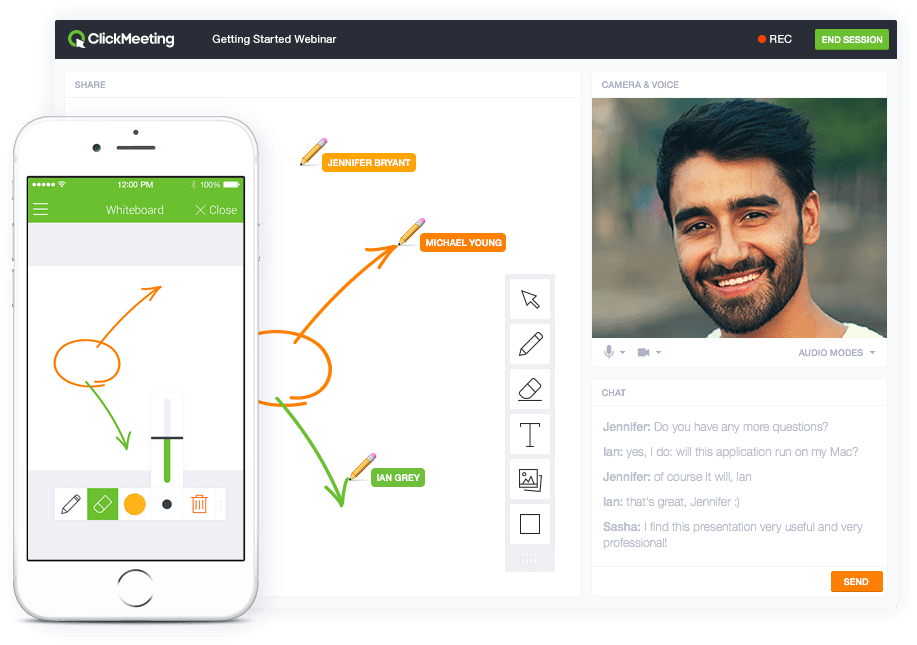
ClickMeeting is a webinar solution formerly owned by GetResponse, an email marketing software company. ClickMeeting's online meeting and collaboration tools are designed to support the sales, marketing, e-learning, and training needs of business of all sizes.
$25
per month
Lucid Visual Collaboration Suite
Score 9.0 out of 10
N/A
The Lucid Visual Collaboration Suite empowers teams to ideate, plan, design, build, and launch game-changing solutions from a shared infinite canvas.
ClickMeeting serves a dual purpose within our organization. Firstly, it acts as a reliable platform for hosting staff meetings, enabling effective communication and collaboration among team members. Whether it's for updates, discussions, or brainstorming sessions, ClickMeeting provides the necessary tools for seamless engagement.Secondly, ClickMeeting is instrumental in delivering online courses to our students. It empowers us to create interactive learning experiences regardless of geographical constraints. We can easily share course materials, conduct live or pre-recorded lectures, and facilitate interactive discussions and Q&A sessions. ClickMeeting ensures our students have access to high-quality education and a supportive learning environment.In summary, ClickMeeting is an invaluable tool for both internal staff communications and student-centered online courses. It fosters collaboration, engagement, and knowledge sharing in a flexible and accessible manner, enhancing our overall productivity and educational offerings.
Lucid Visual Collaboration Suite is effective for process documentation and knowledge sharing across teams. For us, we used it to map out individual roles and specific tasks within each role to create clear and visual workflows that others can follow at any time. A key scenario where it works well in our business for business continuity during absences another colleague can pick up the role by following the process on Lucid Visual Collaboration Suite with minimal disruption. The visual diagrams are easy to understand and a written document.
ClickMeeting is user-friendly, the admin and user panel is simple, intuitive!
When conducting training, you can use default settings such as edu mode and it saves time, I don't have to worry if I'm sure I've muted everyone and if I'm the only one visible.
ClickMeeting is also integrated with the Moodle e-learning platform, so it's a great support in organizing blended-learning processes.
Large number of predefined charts, diagrams, flows
A great repository of various symbols and objects
The easiness of using and manipulating objects and shapes. There is a lot of auto-editing and adjusting which the software does for you which saves a lot of your time.
Easy way of duplicating shapes.
While working with the app everything feels organic and natural. You don't get the clunky/limited feeling which happens with some other similar apps.
Individual Audio Controls. I'd love to be able to adjust the audio for each of the presenters within the platform, as the host. Not all presenters are tech savvy and sometimes don't know how to adjust this themselves.
Additional Saved Color Schemes. I'd love to be able to create/save multiple custom color schemes that I can use for various events instead of a single one.
The sign in page could use some help. When I first signed up, it was really difficult to login, unless I was logged into the perfect Lucid Visual Collaboration Suite software. It doesn’t seem to have a route to get people to the right place if you’re in the wrong place.
It’s nearly impossible to move content off of the Lucid Visual Collaboration Suite if you’re looking to get your content into a different platform.
Lucid Visual Collaboration Suite requires frequent updates and refreshes of the pages (at least daily).
ClickMeeting's overall usability is commendably excellent. Its intuitive, user-friendly interface makes it remarkably easy for users of all skill levels to navigate. The platform delivers a seamless, streamlined experience from setting up meetings to engaging with participants. Despite some advanced features having a slight learning curve, the platform remains user-friendly, efficient, and reliable.
The usability of Lucid Visual Collaboration Suite is bar none and incomparable to any other tool used in the past. There is such a vast offering that covers all the needs of any user in industries far and wide. It is no doubt that this is a firm recommendation for anyone and everyone to utilize this tool for all their needs.
It takes a bit of time to get to grips with the platform at first, but it's short and there is an online help chat available. People on the chat are very helpful and available for a long time - also on weekends, which greatly improves work. Really very good support.
I reached out about being able to access Linear through their new acquisition partner, and they kept pointing me to the same article even though I told them it wasn't giving me the information I needed. I asked for a meeting with a CSM and they didn't reach out to help. I've also tried to contact some PM friends to give feedback, but no one seems to care
- does not require installation - clear interface - fast chat technical support - available in Polish language - provides a stable connection - it allows us to share presentations - we can also record the meeting - the process of creating the meeting is quick and easy also for beginners
Lucidchart is well beyond Microsoft Visio and is constantly improving. Visio is pretty much stagnant and hasn't been improved for several years, Lucid is constantly adding new functionality like AI powered functions and tools. We have no reason to pay for Visio licenses when Lucid can provide so much more for less.
ClickMeeting has had a very positive impact on our organization’s objectives. It allows us to run open training sessions and webinars for participants from multiple organizations, reaching more people without the need for travel or large venues. The platform’s reliability and ease of use help us deliver high-quality training efficiently.
Though I can't necessarily provide hard numbers, I can confidently say that Lucidchart has saved countless hours for myself and my teams as we don't need to try to develop some type of complex diagram using markup or any kind of code.
I have previously been able to build a complete ERD using Lucidchart in a past position, which the company never had before. It ended up being used by countless teams in the company and ultimately in a large-scale data stack migration effort.