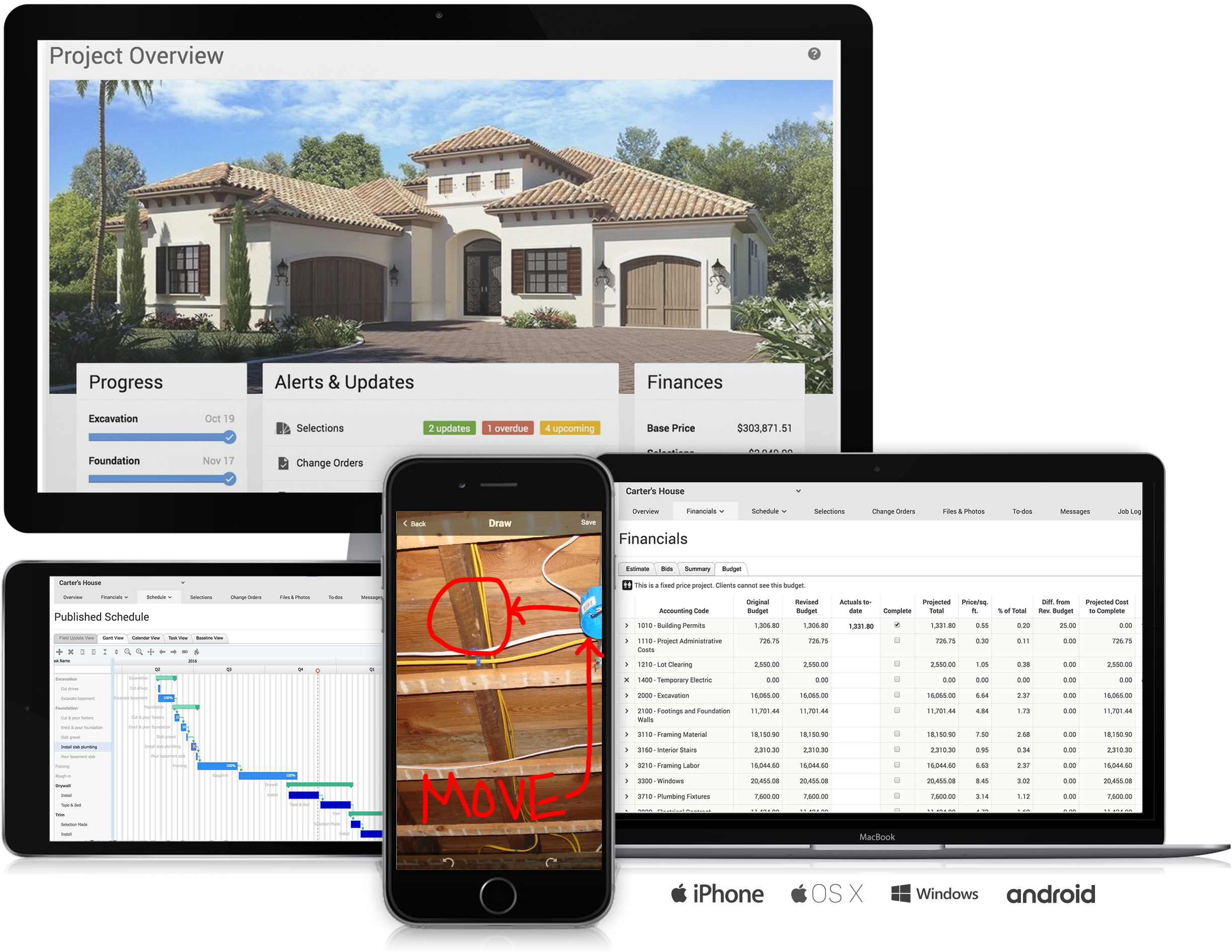
CMiC Project Management is a construction project collaboration and management solution. It centralizes project-related communications and documents onto one platform, and connects the job site with the back-end office.
N/A
CoConstruct
Score 7.0 out of 10
N/A
CoConstruct, from Buildertrend since the November 2021 acquisition, is a custom builder & remodeler software. It allows users to enter data once and have that information flow through the estimate, specs, selections, bids, proposals, change orders, and budgets, including to and from QuickBooks. In addition, CoConstruct includes scheduling and 3-way communication between builder, client, and trade partners. Everything is captured via email and texting. Login isn't required for…
$49
per month
Pricing
CMiC Construction Platform
CoConstruct
Editions & Modules
No answers on this topic
Ramp
$49
per month
Plus 5
$299
per month
Plus 10
$399
per month
Plus 15
$499
per month
Offerings
Pricing Offerings
CMiC Construction Platform
CoConstruct
Free Trial
No
No
Free/Freemium Version
No
No
Premium Consulting/Integration Services
No
No
Entry-level Setup Fee
No setup fee
No setup fee
Additional Details
—
CoConstruct pricing is based on active job sites that have client access online, which means it is adaptable to builders & remodelers businesses. This means that there are an unlimited amount of projects available for estimates and proposals, so that customers only pay when they win a contract. Also built into the pricing are a myriad of services: a dedicated implementation coach, free estimate & scheduling templates based on industry best practices from successful builders and the NAHB, unlimited storage and users, software branded with the customer's logo, unlimited amount of warranty projects, and unlimited phone & email support. The vendor offers a money-back guarantee that is good for the first 90 days of service.
More Pricing Information
Community Pulse
CMiC Construction Platform
CoConstruct
Features
CMiC Construction Platform
CoConstruct
Human Resource Management
Comparison of Human Resource Management features of Product A and Product B
CMiC Construction Platform
8.0
30 Ratings
13% above category average
CoConstruct
-
Ratings
Employee demographic data
8.020 Ratings
00 Ratings
Employment history
8.024 Ratings
00 Ratings
Job profiles and administration
8.020 Ratings
00 Ratings
Workflow for transfers, promotions, pay raises, etc.
8.019 Ratings
00 Ratings
Organizational charting
8.014 Ratings
00 Ratings
Organization and location management
8.014 Ratings
00 Ratings
Compliance data (COBRA, OSHA, etc.)
8.019 Ratings
00 Ratings
Payroll Management
Comparison of Payroll Management features of Product A and Product B
CMiC Construction Platform
8.0
24 Ratings
17% above category average
CoConstruct
-
Ratings
Pay calculation
8.024 Ratings
00 Ratings
Support for external payroll vendors
8.015 Ratings
00 Ratings
Off-cycle/On-Demand payment
8.015 Ratings
00 Ratings
Benefit plan administration
8.017 Ratings
00 Ratings
Direct deposit files
8.021 Ratings
00 Ratings
Salary revision and increment management
8.020 Ratings
00 Ratings
Reimbursement management
8.015 Ratings
00 Ratings
Asset Management
Comparison of Asset Management features of Product A and Product B
CMiC Construction Platform
7.9
19 Ratings
15% above category average
CoConstruct
-
Ratings
Tracking of all physical assets
7.919 Ratings
00 Ratings
Reporting & Analytics
Comparison of Reporting & Analytics features of Product A and Product B
CMiC Construction Platform
8.0
56 Ratings
4% above category average
CoConstruct
-
Ratings
Dashboards
8.043 Ratings
00 Ratings
Standard reports
7.955 Ratings
00 Ratings
Custom reports
7.946 Ratings
00 Ratings
Data exportability
8.153 Ratings
00 Ratings
Construction Project & Field Management
Comparison of Construction Project & Field Management features of Product A and Product B
CMiC Construction Platform
8.0
106 Ratings
8% above category average
CoConstruct
-
Ratings
Plan distribution & viewing
7.967 Ratings
00 Ratings
Plan markups & sharing
7.963 Ratings
00 Ratings
Issue tracking & punchlists
7.981 Ratings
00 Ratings
Photo documentation
7.977 Ratings
00 Ratings
Jobsite reports
7.988 Ratings
00 Ratings
Document sharing
7.989 Ratings
00 Ratings
RFI tools
8.090 Ratings
00 Ratings
Collaboration & approvals
8.995 Ratings
00 Ratings
As-built drawings
7.954 Ratings
00 Ratings
Mobile app
8.064 Ratings
00 Ratings
Submittal design and management
8.085 Ratings
00 Ratings
Checklists
7.847 Ratings
00 Ratings
Meeting Minutes
7.951 Ratings
00 Ratings
Specifications
7.939 Ratings
00 Ratings
Change orders
8.160 Ratings
00 Ratings
Estimating
Comparison of Estimating features of Product A and Product B
CMiC is a robust platform best suited for large companies with resources for implementation and management of the program. One analogy is CMiC is like a droid phone where the user must decide how to use all the features of the program (as opposed to an iPhone where most configuration decisions are made for the user). Smaller companies with limited resources can struggle with CMiC both with the expense and configuration.
Having the ability to completely manage a project from start to finish with one app is super helpful. The time reporting feature (when it works correctly) is a nice added bonus as it allows employees to switch from one task to another on the same project or to another project and task with ease, aiding in the accounting process of the total project. This was helpful for running analytics to see where we were spending too much time on certain tasks, thus allowing us to assess any training needs.
The user interface is similar to that of other project management software applications so folks in our company that had previously used other applications have been able to switch over fairly easily.
I really like the software and it was much less expensive than other applications.
I like the mobile application so that our superintendents can view the documentation on their phones.
I really like the punch list capability mobile field, however, we have a hard time getting our superintendents to use it for some reason.
The integration of all aspects needed to run a remodeling company efficiently: project scheduling and management, financial planning and customer service. Since it’s an all-in-one suite and cloud-based, it enables our team to keep track of all our projects in real-time. Communication breakdown is the last thing we want, so being on the same page is not only desirable but makes for the best possible relationship with our clients.
Product education - We like how CoConstruct helps new users and get them to start using the tool right away. The dashboard resource materials are incredibly useful. We don’t have to spend a lot of time training new hires on the system and onboarding new clients.
Needs to be more user friendly on the mobile side of the platform. Ease of use is key here.
There is not much instruction or support in standing up some programs like deploying ECM for outlook, making Collaboration Gateway work, or setting up the system for getting Plans available on the mobile devices.
Security configuration is extremely detailed and spread throughout the system. It is extremely hard to make adjustments to a person's security unless you know exactly where to look, which requires years of experience but shouldn't.
Internal Communication - CoConstruct lacks the ability to tag-team members for internal communication using @mentions or any other means. This has been crippling for us and forced us to use alternative software for communicating among our team members.
Pipeline Management - CoConstruct's lead-tracking system feels clunky and hard to navigate and doesn't provide a pipeline view that's easy to navigate. We have moved our Pipeline Management outside of CoConstruct to make it easier for our sales team to track leads.
CRM - CoConstruct doesn't offer anything for customer follow-up after projects are completed. This, in addition to the lack of an effective pipeline system, has led to our decision to use Hubspot as our CRM. Moving projects into CoConstruct for Design and back our after Production.
This is a platform that would continue to be in the best interest for our company. I just hope that CMiC support removes the gaps between the enhancements that they create to better the system to what they currently have
I believe it isn't easy to use and is unintuitive. Undecipherable error messages appear throughout the application without indicating what is wrong or how to correct it, in my experience. The terminology on the screens is specific to Canada, which adds to the confusion.
Sometimes since this is a cloud based product the system can become slow but we haven’t had any issues of availability without CMiC first letting us know it would be down
The support team [has] been in touch with our deployment team and has given them effective guidance up to completion. It has helped us in [the] best methods of resource allocation and secure record-keeping process. We have tracked all our billing information and made the right payments with documentation and avoided [unnecessary losses]. [The] support team has [to] lead our teams to the right channels and empowering our team with the right skills for maximum production.
The support staff is brilliant; they don't operate on Australian time, so you can't just dial up support when you need it. The response times are quick, and the staff is knowledgeable. They are also well versed in most of the differences between buildings in the US and the building in Australasia. Despite their funny accents and strange use of the English language, we get by just fine!
The training was on system functions and not really how best to use it for our business. It would have been nice to be provided recommendations for use rather than just a blank slate of functionality.
Lots of confusion between sales and implementation regarding what was included and not included...the security encountered a "bug" and made it extremely difficult to set up roles and individual responsibilities
CMiC Construction Platform is the best price point in the market. Others are revenue-based billings, and the annual fees reflect as such. CMiC Construction Platform support staff is generally amazing and offers real-time support on critical issues. The imaging and workflow functions are real-time savers. CMiC Construction Platform is generally a smaller and in touch organization that treats your team like their own and stays with you after the purchase.
Products like Procore and PlanGrid are geared towards projects with huge projects teams, multiple stakeholders and dozens of subcontractors. CoConstruct can be used for projects big and small (value) and also with small project teams or large projects teams. For small partial renovation or addition projects CoConstruct is a good more cost effective option.