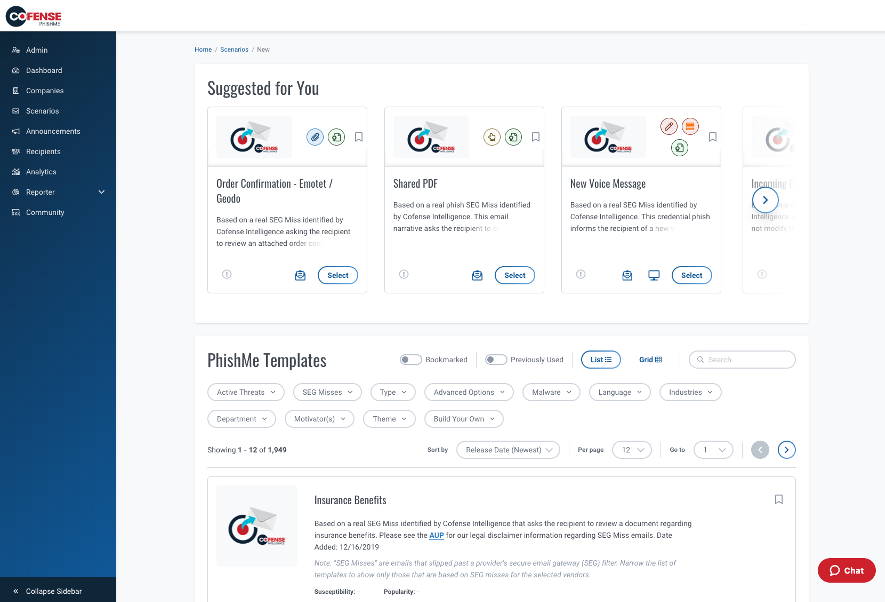
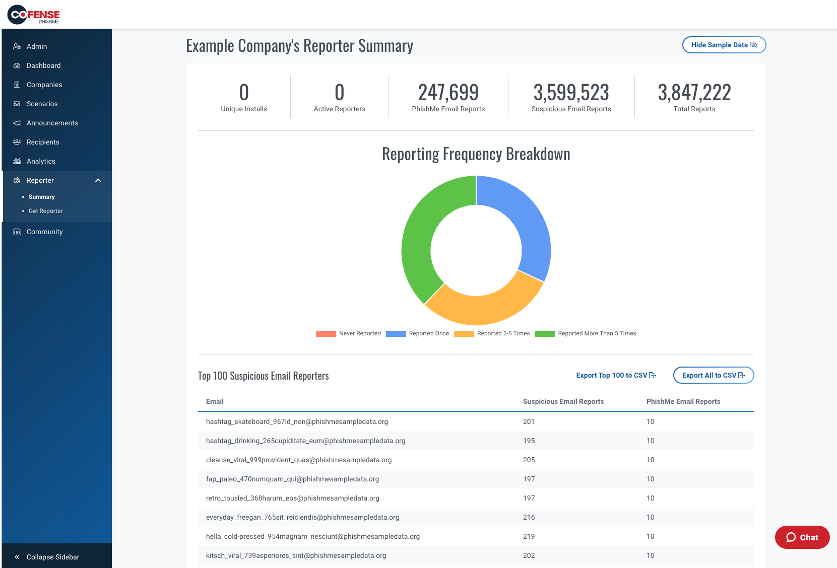
Cofense PhishMe is a cyber threat and phishing simulator meant to be of use in training employees to be wary against threats and also to gain information about general employee threat knowledge and preparedness. A free trial is available for small business.
N/A
KnowBe4 PhishER/PhishER Plus
Score8.7 out of 10
N/A
PhishER is presented as a lightweight Security Orchestration, Automation and Response (SOAR) platform to orchestrate threat response and manage the high volume of potentially malicious email messages reported by users. And, with automatic prioritization of emails, PhishER helps InfoSec and Security Operations team cut through the inbox noise and respond to the most dangerous threats more quickly.
$1.15
per seat
Pricing
Cofense PhishMe
KnowBe4 PhishER/PhishER Plus
Editions & Modules
No answers on this topic
501-1000 Monthly Pricing 3 Year
$1.15
per seat
101-500 Monthly Pricing 3 Year
$1.50
per seat
Offerings
Pricing Offerings
Cofense PhishMe
KnowBe4 PhishER/PhishER Plus
Free Trial
Yes
No
Free/Freemium Version
No
No
Premium Consulting/Integration Services
Yes
No
Entry-level Setup Fee
No setup fee
No setup fee
Additional Details
—
For organizations with over 1,000 seats, contact sales for a quote.
PhishMe is a market leader in terms of phishing simulation solutions. The customization appears unmatched when compared with competitors and the support we have experienced from Cofense has been excellent. Phish me offers lots of realistic templates which are updated regularly …
A de minimis incentive was given to thank the reviewer for their time. The incentive was not used to bias or drive a particular response, nor was the incentive contingent on a positive endorsement. More Info
Infrastructure Admin in Information Technology at GUARDIAN CAPITAL GROUP LIMITED (Financial Services, 201-500 employees)
Chose Cofense PhishMe
We chose PhishMe due to its ease of use and integration. The many different scenarios available and the price point were the main selling points vs the competitors.
A de minimis incentive was given to thank the reviewer for their time. The incentive was not used to bias or drive a particular response, nor was the incentive contingent on a positive endorsement. More Info
Verified User
Chose Cofense PhishMe
PhishMe had similar features and was less expensive.
A de minimis incentive was given to thank the reviewer for their time. The incentive was not used to bias or drive a particular response, nor was the incentive contingent on a positive endorsement. More Info
A de minimis incentive was given to thank the reviewer for their time. The incentive was not used to bias or drive a particular response, nor was the incentive contingent on a positive endorsement. More Info
A de minimis incentive was given to thank the reviewer for their time. The incentive was not used to bias or drive a particular response, nor was the incentive contingent on a positive endorsement. More Info
Cofense PhishMe is an excellent solution for scenarios where it will be sold as a managed service. I believe that PhishMe is too expensive for many clients and instead would benefit from the economies of scale where an MSSP sells it as part of a whole service, which offers the analysts and reporting included. PhishMe is excellent for training and awareness of Phishing, but shouldn't replace mandatory training for new joiners or yearly refreshers, it should only be used as an additional training option.
A de minimis incentive was given to thank the reviewer for their time. The incentive was not used to bias or drive a particular response, nor was the incentive contingent on a positive endorsement. More Info
It is well suited for a company that utilizes a Security Awareness Training program. The old way is someone would report an email it got sent to a specific email address and you had to manually go through everything. If something was malicious you had to use Powershell/Graph to rip the message out or eDiscovery. The only place I could see this not be well suited for is a smaller environment. There is a minimum of 100 I believe, but even with 50 end-users I would still pay for it.
A de minimis incentive was given to thank the reviewer for their time. The incentive was not used to bias or drive a particular response, nor was the incentive contingent on a positive endorsement. TR verified that a representative sample of customers was invited. More Info
It gives clear-cut segregation of different parts of an email, header, text and HTML body, URL, attachments, HTML preview and some analytical insight like "similar reports." This distinctive approach actually helps reduce data overload during an analysis.
The URLs captured here pass through an automatic reputation check [in our case VirusTotal] and add a tag of the reputation. If it is a well-known bad URL the tag helps us take the decision fast.
For creating automation rules on the reported emails the "Recipes" section is really helpful. We can create easy recipes [or rules ] to handle a huge flow of reports and also we can create more sophisticated rules depending on the Cyber intelligence feed to catch the really bad currently less known attack attempts by malicious emails.
The "Threat Indicators" section is also useful to use as a threat intelligence source to check the URLs for their maliciousness.
A de minimis incentive was given to thank the reviewer for their time. The incentive was not used to bias or drive a particular response, nor was the incentive contingent on a positive endorsement. More Info
Security awareness training and tracking employee completion, as well as automated assignment of training for new employees
Helps meet compliance requirements by training employees and keeping them aware of latest cybersecurity trends
KnowBe4 PhishER/PhishER Plus is really a top of the line product with a well respected brand. The toolsets they offer continue to expand and deliver a consistent experience
A de minimis incentive was given to thank the reviewer for their time. The incentive was not used to bias or drive a particular response, nor was the incentive contingent on a positive endorsement. TR verified that a representative sample of customers was invited. More Info
A de minimis incentive was given to thank the reviewer for their time. The incentive was not used to bias or drive a particular response, nor was the incentive contingent on a positive endorsement. More Info
A de minimis incentive was given to thank the reviewer for their time. The incentive was not used to bias or drive a particular response, nor was the incentive contingent on a positive endorsement. More Info
When we first discovered that KnowBe4 released something like this, we saw a demo of it and were floored at what it could do and how it could help us from a security standpoint. Gone are the days of us in IT sending out a mass email saying please don't click on anything in the email from sender "X", and it allows us to quietly and easily ensure that people don't take any action on malicious emails.
A de minimis incentive was given to thank the reviewer for their time. The incentive was not used to bias or drive a particular response, nor was the incentive contingent on a positive endorsement. More Info
Its built with UX in mind and is aimed at non-tech people, to ensure that almost everyone can run the campaign. But if we go deeper - sometimes you will need an HTML editor or support in order to figure out some advanced edits you might want to add in your scenarios.
A de minimis incentive was given to thank the reviewer for their time. The incentive was not used to bias or drive a particular response, nor was the incentive contingent on a positive endorsement. More Info
It has been super easy for users to work with training and quizzes. Admin is a little difficult because you have to build the specific campaign type you want. But you can even create your own training and upload it to your LMS. This is great!!
A de minimis incentive was given to thank the reviewer for their time. The incentive was not used to bias or drive a particular response, nor was the incentive contingent on a positive endorsement. TR verified that a representative sample of customers was invited. More Info
I have not had to use their support for pretty much anything. The software works well, and is very intuitive. I would imagine their support would be rather basic as there is not too much that can go wrong with a report phishing button, and if it were I would probably consider a different software.
A de minimis incentive was given to thank the reviewer for their time. The incentive was not used to bias or drive a particular response, nor was the incentive contingent on a positive endorsement. More Info
When I have a question, their were fast to respond. The downside is a that at least once I had to work through the issue with the person assigned to help me because they didn't know the answer. That said they did try and were patient. However they should have known the answer on integration.
A de minimis incentive was given to thank the reviewer for their time. The incentive was not used to bias or drive a particular response, nor was the incentive contingent on a positive endorsement. More Info
A de minimis incentive was given to thank the reviewer for their time. The incentive was not used to bias or drive a particular response, nor was the incentive contingent on a positive endorsement. More Info
A de minimis incentive was given to thank the reviewer for their time. The incentive was not used to bias or drive a particular response, nor was the incentive contingent on a positive endorsement. More Info
A de minimis incentive was given to thank the reviewer for their time. The incentive was not used to bias or drive a particular response, nor was the incentive contingent on a positive endorsement. More Info
Cofense PhishMe was the first choice for us as the user interface as well as their bundle package with Cofense Triage and Vision has helped the organisation to alleviate the overall security awareness posture. The other vendors did not provide a vast range of phishing scenarios as compared to Cofense PhishMe platform.
A de minimis incentive was given to thank the reviewer for their time. The incentive was not used to bias or drive a particular response, nor was the incentive contingent on a positive endorsement. TR verified that a representative sample of customers was invited. More Info
We evaluated the Titan options because we have already used their DNS filtering product. However, KnowBe4 came in with a better price per user and a significantly stronger product lineup, particularly with its security awareness training component.
A de minimis incentive was given to thank the reviewer for their time. The incentive was not used to bias or drive a particular response, nor was the incentive contingent on a positive endorsement. More Info
Recipes in the system are capable of handling almost 2x what an analyst does, which cuts down the efforts [of] an analyst and provides more time for accurate strategies.
With roughly 90% false positives coming through, the remaining 10% of true positives need as much attention as they can get for the full investigation and analysis.
1,500 or more phishing messages can come through in a given week and the amount of time/employees required to review this without a tool like Cofense is surely beyond [the] expected/anticipated budget.
A de minimis incentive was given to thank the reviewer for their time. The incentive was not used to bias or drive a particular response, nor was the incentive contingent on a positive endorsement. More Info
There has been a 700% increase in emails being reported now. Previously, staff were only reporting 4 emails a month. It is easier for us to promote the phish alert button, receive automated remediation and rapidly respond.
We had no reports on the amount of phishing emails were coming through Mimecast but now we have reports for the board of trustees.
Every Wednesday we talk about cyber security to all staff, PhishER allows us to point out the trend and what to look out for which raises awareness. Never before were we able to talk about cyber security like this.
A de minimis incentive was given to thank the reviewer for their time. The incentive was not used to bias or drive a particular response, nor was the incentive contingent on a positive endorsement. More Info