Chose Conga Grid
It is a great tool and very comparable to other like tools.

| Product | Rating | Most Used By | Product Summary | Starting Price |
|---|---|---|---|---|
 Conga Grid | N/A | Conga Grid is a productivity tool within Salesforce that allows users to view, sort, and manage data batches from a single screen. It helps users to find and manage the information and insights needed with fewer clicks and less screen switching. Conga Grid helps its users to save time, improve data quality, get a clear view into needed data, and create a more productive workplace in Salesforce to drive growth across the organization. Using… | N/A | |
 IBM Cognos Analytics | N/A | IBM Cognos is a full-featured business intelligence suite by IBM, designed for larger deployments. It comprises Query Studio, Reporting Studio, Analysis Studio and Event Studio, and Cognos Administration along with tools for Microsoft Office integration, full-text search, and dashboards. | $11.25 per month per user | |
 NodeXL Pro | Small Businesses (1-50 employees) | NodeXL offers insights into Networks. Webs of connections define the modern world. Social networks, and particularly social media networks, are now a major force in business, politics, and culture. NodeXL enables users to collect, analyze, visualize, and report on networks. Users can import network data from Twitter, YouTube, and Wikis. Network data sets are present in many databases. When it is possible to answer the questions: Who did what with whom when and where, then NodeXL… | $39 per year per user |
| Conga Grid | IBM Cognos Analytics | NodeXL Pro | ||||||||||||||||||||||
|---|---|---|---|---|---|---|---|---|---|---|---|---|---|---|---|---|---|---|---|---|---|---|---|---|
| Editions & Modules | No answers on this topic |
|
| |||||||||||||||||||||
| Offerings |
| |||||||||||||||||||||||
| Entry-level Setup Fee | Optional | Optional | No setup fee | |||||||||||||||||||||
| Additional Details | — | — | — | |||||||||||||||||||||
| More Pricing Information | ||||||||||||||||||||||||
| Conga Grid | IBM Cognos Analytics | NodeXL Pro | |
|---|---|---|---|
| Considered Multiple Products |  Conga Grid  Jack Borland Senior Manager, Salesforce & Marketing Automation Operations Chose Conga Grid CongaGrid is native to Salesforce and takes advantage of the Salesforce Lightning experience to provide a strong, full-featured solution for cross-object data access and manipulation. The upgrades are seamless, occurring without requiring administrator application of the …  Natalie Fiore Senior Transportation and Logistics Recruiter Chose Conga Grid It's excellent. It really helps optimize a search.  Kyle Rapaport Supply Chain Recruiter Chose Conga Grid I have not used other products similar to Action Grid |  IBM Cognos Analytics  Nishant Thakkar Senior Analyst Chose IBM Cognos Analytics IBM Cognos Analytics is robust in terms of reporting, governance and scheduling while Power BI excels in use, interactivity and visuals. In nutshell, IBM Cognos Analytics has edge over Power BI for enterprise grade , structured reporting needs.  Ranjit R Puthenpuramodyil Principal Chose IBM Cognos Analytics I think IBM Cognos Analytics is better than others I have used.  Bernd Oerthle Head of analytic infrastructure Chose IBM Cognos Analytics IBM Planning Analytics  Dion Paul Business Intelligence Administrator Chose IBM Cognos Analytics We chose IBM Cognos Analytics because, in our experience, IBM Cognos Analytics was Better, had more feature functionality, and is easier to use  Eric Pleiss Business Development Chose IBM Cognos Analytics Microsoft Power BI Embedded  Astrid Ortega Data Analyst and Risk Assessor Chose IBM Cognos Analytics Tableau, Power BI, QlikView were the other options considered. Tableau lacked the following key components of business intelligence and analytics. Some other statistical functions that are available on the platform were not matched by Power BI. QlikView lacked robust …  Vinit Mahiwal BI Developer Chose IBM Cognos Analytics It was due to trust in IBM. Very good support provide by IBM. Response time is pretty good Product is proven in past & well robust feature Many good enterprises have used this product  Cristian Racu Deputy CEO Chose IBM Cognos Analytics It is a tool that delivers good performance at a good price. |  NodeXL Pro |
| Conga Grid | IBM Cognos Analytics | NodeXL Pro | |||||||||||||||||||||||||||
|---|---|---|---|---|---|---|---|---|---|---|---|---|---|---|---|---|---|---|---|---|---|---|---|---|---|---|---|---|---|
| Ad-hoc Reporting |
| ||||||||||||||||||||||||||||
| Data Discovery and Visualization |
| ||||||||||||||||||||||||||||
| BI Standard Reporting |
| ||||||||||||||||||||||||||||
| Report Output and Scheduling |
| ||||||||||||||||||||||||||||
| Access Control and Security |
| ||||||||||||||||||||||||||||
| Mobile Capabilities |
| ||||||||||||||||||||||||||||
| Application Program Interfaces (APIs) / Embedding |
|
| Conga Grid | IBM Cognos Analytics | NodeXL Pro | |
|---|---|---|---|
| Small Businesses |  Supermetrics Score 9.8 out of 10 |  Yellowfin Score 8.6 out of 10 |  Agency Analytics Score 9.0 out of 10 |
| Medium-sized Companies | Supermetrics Score 9.8 out of 10 |  Reveal Score 10.0 out of 10 |  Echobox Social Score 9.9 out of 10 |
| Enterprises |  IBM Analytics Engine Score 7.1 out of 10 |  Kyvos Semantic Layer Score 9.5 out of 10 |  Social Suite by Reputation.com Score 9.4 out of 10 |
| All Alternatives | View all alternatives | View all alternatives | View all alternatives |
| Conga Grid | IBM Cognos Analytics | NodeXL Pro | |
|---|---|---|---|
| Likelihood to Recommend | 9.7 (0 ratings) | 7.7 (0 ratings) | 10.0 (0 ratings) |
| Likelihood to Renew | - (0 ratings) | 8.1 (0 ratings) | - (0 ratings) |
| Usability | 7.7 (0 ratings) | 7.3 (0 ratings) | - (0 ratings) |
| Availability | - (0 ratings) | 8.6 (0 ratings) | - (0 ratings) |
| Performance | - (0 ratings) | 9.0 (0 ratings) | - (0 ratings) |
| Support Rating | 9.0 (0 ratings) | 1.0 (0 ratings) | - (0 ratings) |
| In-Person Training | - (0 ratings) | 8.7 (0 ratings) | - (0 ratings) |
| Online Training | - (0 ratings) | 8.0 (0 ratings) | - (0 ratings) |
| Implementation Rating | - (0 ratings) | 7.0 (0 ratings) | - (0 ratings) |
| Configurability | - (0 ratings) | 7.0 (0 ratings) | - (0 ratings) |
| Ease of integration | - (0 ratings) | 5.7 (0 ratings) | - (0 ratings) |
| Product Scalability | - (0 ratings) | 2.7 (0 ratings) | - (0 ratings) |
| Vendor post-sale | - (0 ratings) | 7.0 (0 ratings) | - (0 ratings) |
| Vendor pre-sale | - (0 ratings) | 7.0 (0 ratings) | - (0 ratings) |
| Conga Grid | IBM Cognos Analytics | NodeXL Pro | |
|---|---|---|---|
| Likelihood to Recommend |
|
|
|
| Pros |
 Peggy Tambouridis Senior Transportation & Logistics Recruiter |
|
|
| Cons |
|
 Josepe Bonfante Social Media Strategist |
|
| Likelihood to Renew | No answers on this topic |
 Dwight Taylor Manager of BI Reporting | No answers on this topic |
| Usability |
|
 Robert Goodman Director, Business Intelligence & Analytics | No answers on this topic |
| Reliability and Availability | No answers on this topic |
 Gerrit Goewey Senior Analytics Consultant | No answers on this topic |
| Performance | No answers on this topic |
 Meghdeep Raval, PMP Manager, Data Architecture | No answers on this topic |
| Support Rating |
Jack Borland Senior Manager, Salesforce & Marketing Automation Operations |
 Jonathan Kyrlach Business Intelligence Architect | No answers on this topic |
| In-Person Training | No answers on this topic |
Robert Goodman Director, Business Intelligence & Analytics | No answers on this topic |
| Online Training | No answers on this topic |
Gerrit Goewey Senior Analytics Consultant | No answers on this topic |
| Implementation Rating | No answers on this topic |
Robert Goodman Director, Business Intelligence & Analytics | No answers on this topic |
| Alternatives Considered |
Jack Borland Senior Manager, Salesforce & Marketing Automation Operations |
Nishant Thakkar Senior Analyst |
|
| Scalability | No answers on this topic |
Robert Goodman Director, Business Intelligence & Analytics | No answers on this topic |
| Return on Investment |
Kyle Rapaport Supply Chain Recruiter |
|
|
| ScreenShots | Conga Grid Screenshots      | IBM Cognos Analytics Screenshots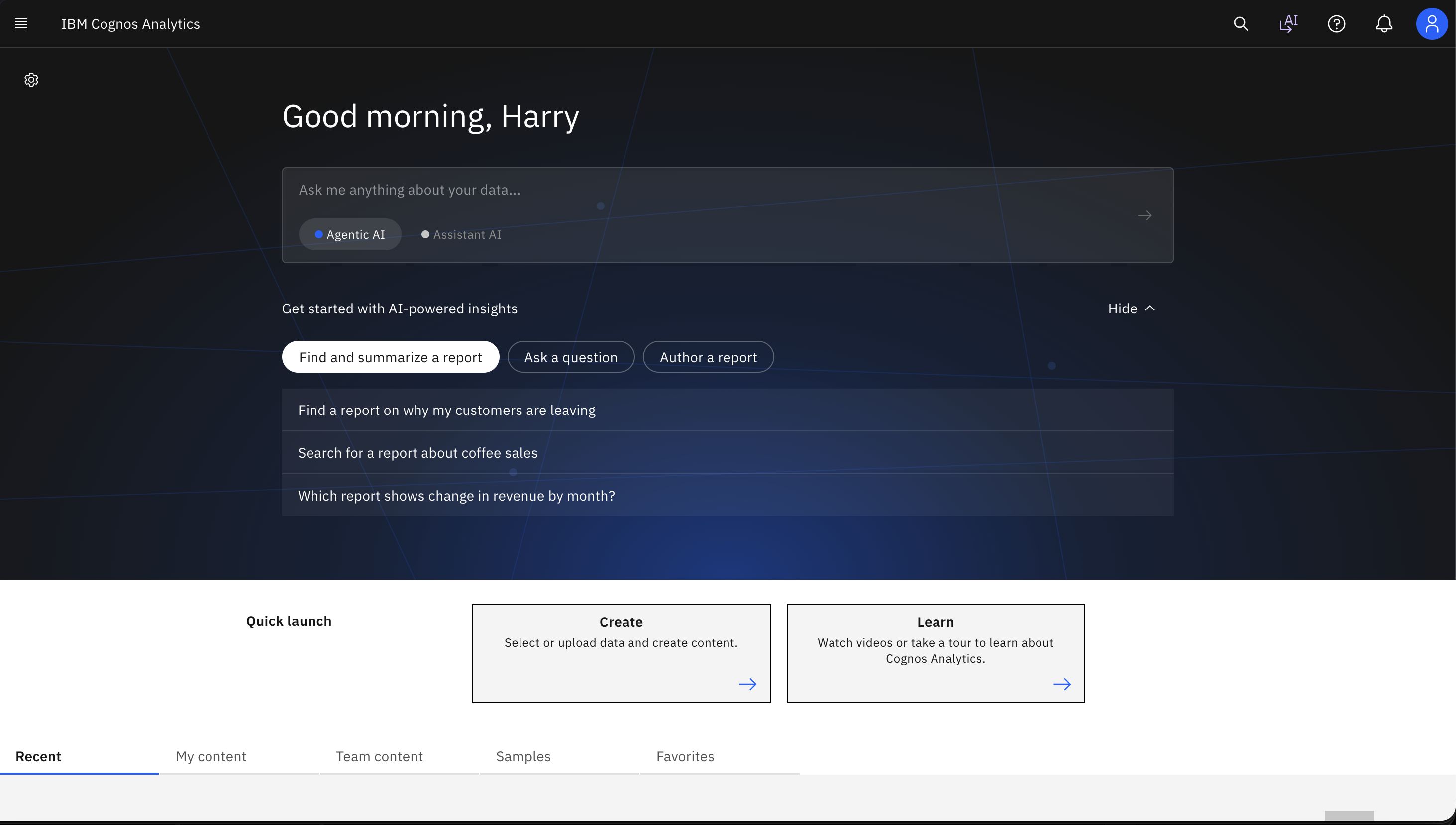    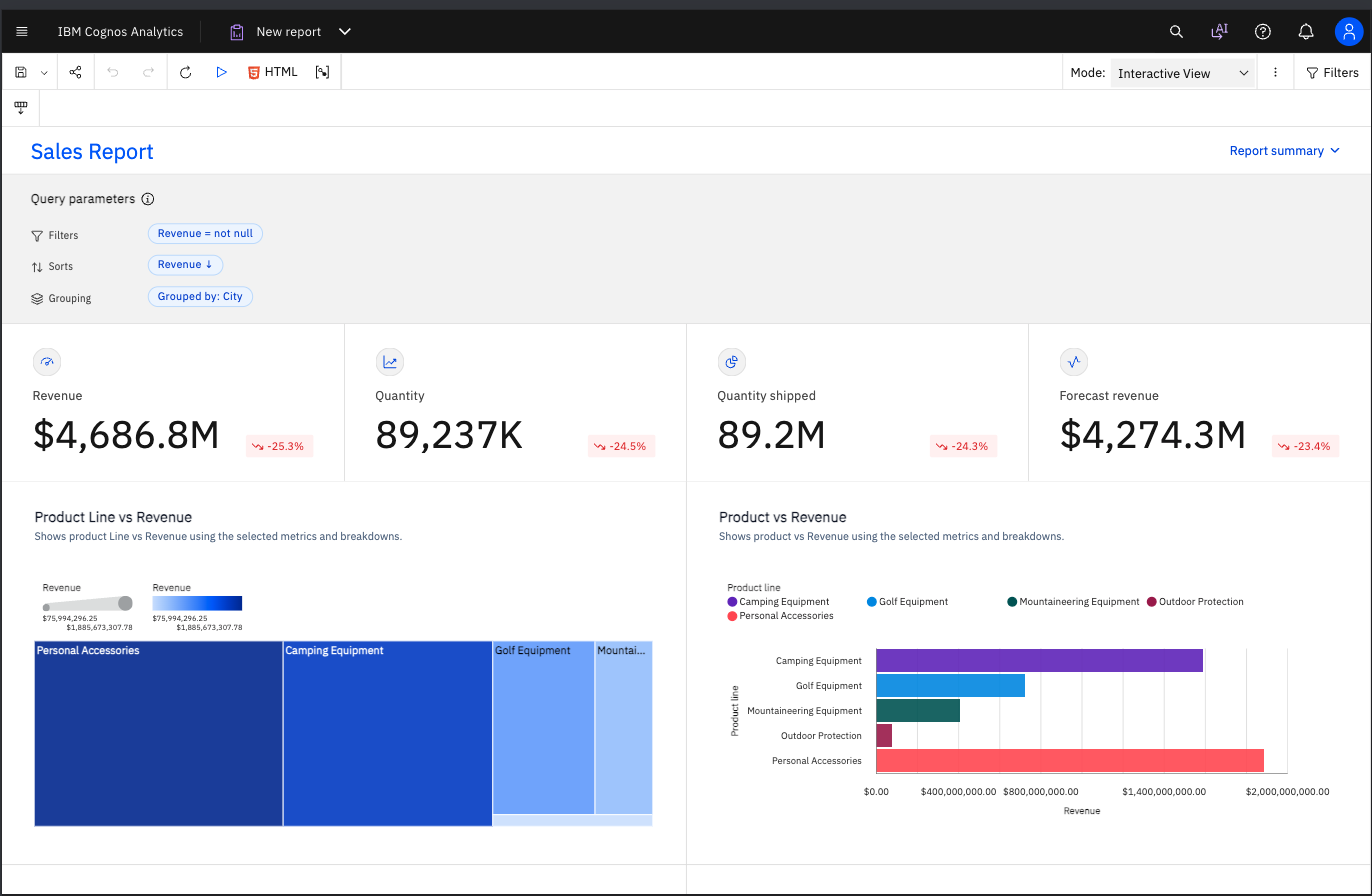 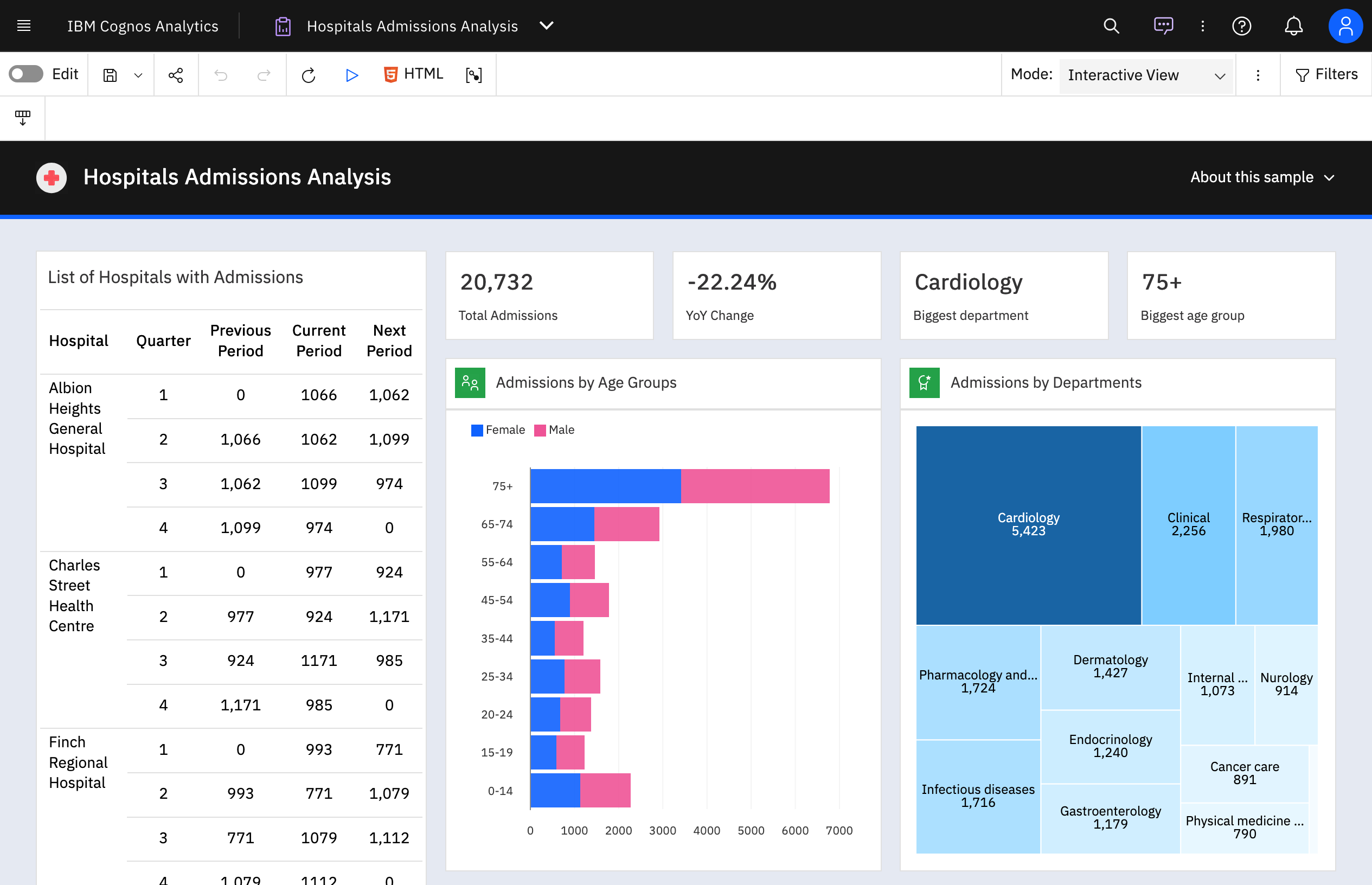 | NodeXL Pro Screenshots   |