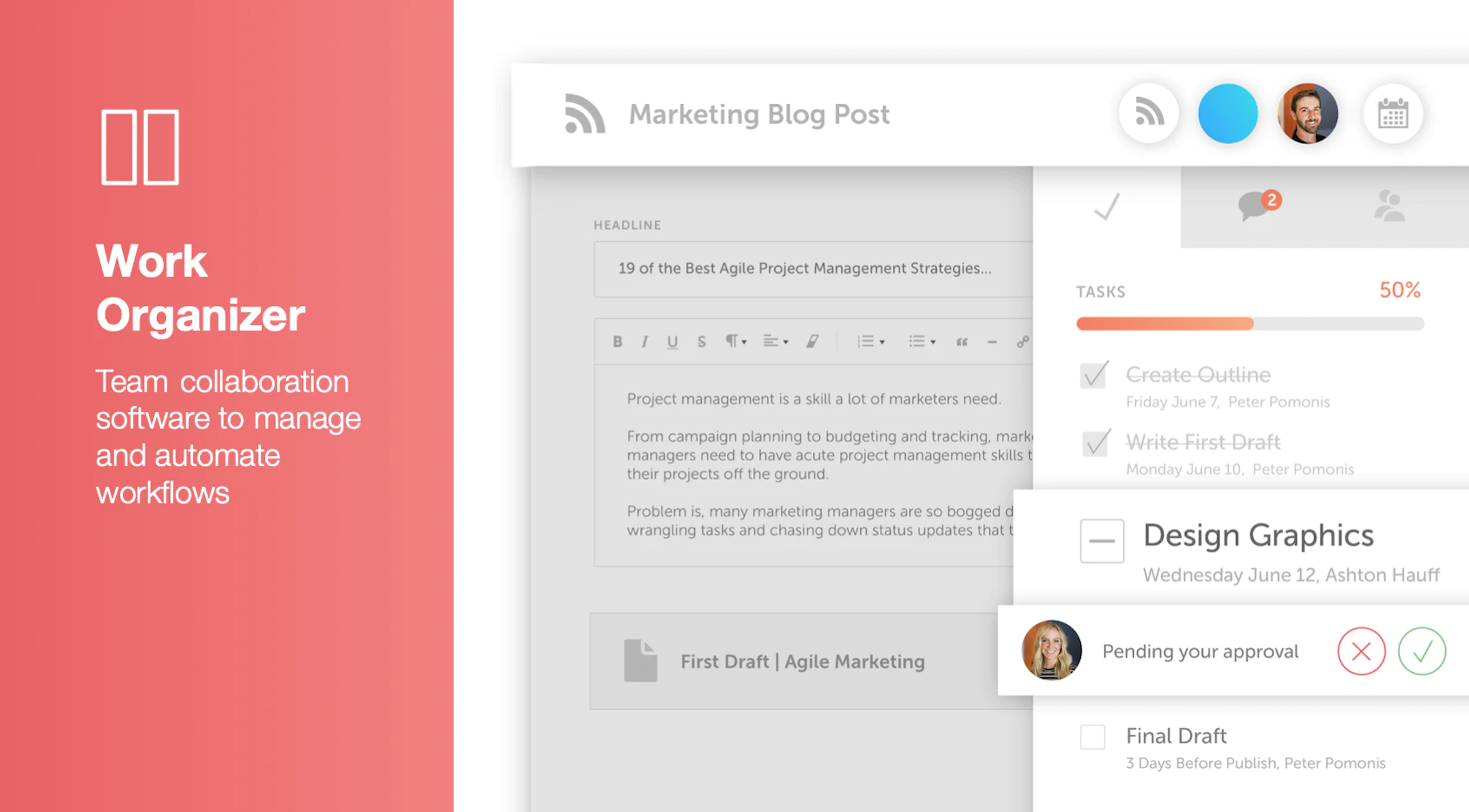
CoSchedule provides a content calendar, content optimization, and contentmarketing products, with users among 50,000 marketers worldwide, helping them organize their work, deliver projects on time, and prove marketing team value.
N/A
Crowdbooster (discontinued)
Score7 out of 10
N/A
Crowdbooster was a tool to measure the success of Twitter and Facebook posts, with visualizations to track retweets, and track potential impressions created, likes, comments, and how many shares a Facebook post has received. Crowdbooster is no longer available.
$9
per month
Pricing
CoSchedule Marketing Suite
Crowdbooster (discontinued)
Editions & Modules
No answers on this topic
No answers on this topic
Offerings
Pricing Offerings
CoSchedule Marketing Suite
Crowdbooster (discontinued)
Free Trial
No
Yes
Free/Freemium Version
Yes
No
Premium Consulting/Integration Services
No
No
Entry-level Setup Fee
No setup fee
No setup fee
Additional Details
—
—
More Pricing Information
Features
CoSchedule Marketing Suite
Crowdbooster (discontinued)
Content Creation
Comparison of Content Creation features of CoSchedule Marketing Suite and Crowdbooster (discontinued)
Feature
CoSchedule Marketing Suite
7.3
1 Ratings
7% below category average
Crowdbooster (discontinued)
-
Ratings
Ideation
5.01 Ratings
00 Ratings
Content collaboration
7.01 Ratings
00 Ratings
Content calendar
10.01 Ratings
00 Ratings
Content Publishing
Comparison of Content Publishing features of CoSchedule Marketing Suite and Crowdbooster (discontinued)
Feature
CoSchedule Marketing Suite
10.0
1 Ratings
25% above category average
Crowdbooster (discontinued)
-
Ratings
Content distribution
10.01 Ratings
00 Ratings
Content promotion
10.01 Ratings
00 Ratings
Content automation
10.01 Ratings
00 Ratings
Content Reporting & Analytics
Comparison of Content Reporting & Analytics features of CoSchedule Marketing Suite and Crowdbooster (discontinued)
CoSchedule is great for businesses or agencies who need an overview of all their marketing efforts, and who want to establish collaboration between multiple departments. The calendar view is one of the best we've worked with and makes it easy to see exactly what's happening. There is some slight clunkiness when it comes to admin-related tasks, and a few things aren't easy to find, but there's great support.
A de minimis incentive was given to thank the reviewer for their time. The incentive was not used to bias or drive a particular response, nor was the incentive contingent on a positive endorsement. More Info
Before recommending Crowdbooster, I'd want to know what goals they hope to accomplish with the software. Then I would want them to specifically identify what types of metrics would be most useful to their program. If they specifically need to report out on how many people in a certain location they reached, this isn't the right fit. If they are using other tools, there may be duplication. However, if they are currently using more budget-friendly solutions or just getting started with a new program, Crowdbooster is a perfect fit. It will help you to grow your program and is flexible enough to accommodate your needs.
A de minimis incentive was given to thank the reviewer for their time. The incentive was not used to bias or drive a particular response, nor was the incentive contingent on a positive endorsement. More Info
Timed social media posts - Crowdbooster provides the opportunity to schedule social media posts allowing you to work on other important social media tasks.
Simply beautiful tracking - There are millions of ways to measure social media impact. Crowdbooster offers the most important and relevant measurements in simplified charts..
Great UI - Crappy UI = crappy experience. Crowdbooster's UI is easy to navigate. It won't take months to learn where all the buttons are.
The platform seems sluggish as of late, likely as a result of the robust amount of data we are entering and the number of filters we're creating.
Social media scheduling exists, but we do run into publishing errors more often then we'd like.
Task templates when updated are not retroactive, so when you create projects for an entire year and then change a template, you need to go back and change them manually.
A de minimis incentive was given to thank the reviewer for their time. The incentive was not used to bias or drive a particular response, nor was the incentive contingent on a positive endorsement. More Info
The ranked order of twitter followers and the number of "tweet impressions" did not help that much. Those "tweet impressions" were not really an estimate of how many people were actually reading my tweet. It was simply a sum of followers of the person retweeting a tweet and the sum of all followers from a subsequent retweet of the initial retweet. All this told me was the best case scenario I could expect if ALL followers of a person that retweeted saw my tweet. This is not a true measure of "twitter footprint" – since the “signal to noise” ratio in Twitter is very low.
There was no system in place to track "clicked links" for links embedded in tweets and/or facebook wall posts. Hootsuite did a good job of this – but only for twitter.
The list of recommended times to tweet were always "on the hour" (i.e. 10 a.m, 1 p.m.). Never were the times ever at "half past the hour" etc. An independent study that I did on my own using Google Analytics (and campaign links using google's URL builder) helped me determine that my optimal "Tweet time" during the week is 3:30 p.m. ET. More importantly, the recommended times seemed to be roughly the same on the weekends - which I find strange given that social media behavior does change on the weekends.
Occasionally, in my facebook ranked table of "loyal fans", I would see people in there that had not "liked" or "commented" on a post for months at a stretch and the "look back" period of the table was only around 7 days or so. Hence, I occasionally had to question the accuracy of that table.
Simple to use and a great value for what it offers. It has a simple but clean interface and it provides fantastic historical data you can use to measure your efforts online. By using a tool like Crowdbooster, you can see what is working with your audience and what isn't. From there, you can start tweaking your strategies
The interface is very intuitive, from setting up social profiles, to posting, to tags, to optimizing for best day/time to post. It's super easy to scan the aggregate analytics. The calendar is very easy to grok at a glance, and the more advanced functionality is intuitive to set up.
A de minimis incentive was given to thank the reviewer for their time. The incentive was not used to bias or drive a particular response, nor was the incentive contingent on a positive endorsement. More Info
I found it fairly intuitive and easy to use. The information is laid out cleanly, and the most important information appears at a glance on the home page. However, I have worked with other users who had a hard time switching between platforms and identifying where other information was buried. It's not always clear that something is a clickable button! The option to export results is also a bit buried, and not integrated with the date range option.
I didn't have to use their official support, but I can say that they put out a lot of content online to help users. Their YouTube page has quite an array of tutorial videos explaining how things work and how to get the most out of their tools. If you're struggling, before picking up a phone or blasting off an email, try searching for your problem on YouTube or their forums.
A de minimis incentive was given to thank the reviewer for their time. The incentive was not used to bias or drive a particular response, nor was the incentive contingent on a positive endorsement. More Info
I do not think it is as supported as it once was when it first arrived on the social media scene. It is an older platform whose main functionality may have already ran its course.
A de minimis incentive was given to thank the reviewer for their time. The incentive was not used to bias or drive a particular response, nor was the incentive contingent on a positive endorsement. More Info
CoSchedule provides collaborative planning of projects. The calendar view is very well designed. Meetings and tasks can be scheduled and tracked easily. Whatever is being done, no matter how big the task/project is, it gives a bird-eye view of everything. Additionally, it also integrated very well with WordPress. Their customer service team is also very helpful.
A de minimis incentive was given to thank the reviewer for their time. The incentive was not used to bias or drive a particular response, nor was the incentive contingent on a positive endorsement. More Info
It is a platform that is singularly focused. It does not have a lot of the additions that come stock with other platforms such as robust reporting or deeper insights past schedule times. It is also a stand-alone platform and a lot of its primary functionality can be found in more encompassing platforms.
A de minimis incentive was given to thank the reviewer for their time. The incentive was not used to bias or drive a particular response, nor was the incentive contingent on a positive endorsement. More Info
It has saved me about 1 hour per day to keep things organized from Asana to WordPress.
By not having a functioning Google Doc import feature, it costs me about 30 minutes for each blog post to copy paste all the content, images, etc.
By bundling too many features into their plans, many of which we don't use (e.g. social media scheduling), we lose a little ROI because we are not using the full feature set. We use and prefer Buffer for social media, so when CoSchedule raised their price $40+ per month on features we would not be using, that hurt.
A de minimis incentive was given to thank the reviewer for their time. The incentive was not used to bias or drive a particular response, nor was the incentive contingent on a positive endorsement. More Info
Increased efficiency. I am able to generate useful snapshot reports in seconds. Particularly useful when you need answers fast (such as on a phone call).
Peace of mind. I am able to compare the data in Crowdbooster to what is exported from Facebook and Twitter.
Quicker, simpler evaluation of results. I am able to more easily compare impressions with engagement data to see what is working, and what should change. Particularly useful in day-to-day analysis.