Cronapp vs. Kissflow

Overview
ProductRatingMost Used ByProduct SummaryStarting Price
Cronapp
Score 8.0 out of 10
N/A
N/AN/A
Kissflow
Score 8.2 out of 10
Enterprise companies (1,001+ employees)
Kissflow is a low-code platform for custom application development tailored to business operations. Kissflow empowers process owners and IT developers to automate and build processes and applications for internal business operations.
$1,500
per month
Pricing
CronappKissflow
Editions & Modules
No answers on this topic
Small Business
$1500
per month
Offerings
Pricing Offerings
CronappKissflow
Free Trial
YesYes
Free/Freemium Version
NoNo
Premium Consulting/Integration Services
NoNo
Entry-level Setup FeeNo setup feeNo setup fee
Additional Details
More Pricing Information
Community Pulse
CronappKissflow
Considered Both Products
Cronapp

No answer on this topic

Kissflow
Chose Kissflow
Kissflow is less expensive, and it is still a great option.
Chose Kissflow
Stitch Labs was way better with easy of setting up and editing. However the system could handle large amounts of data and syncing it with other systems was a nightmare. Netsuite ERP and Sage Intacct are full robust systems that when setup properly can handle any volume and has …
Chose Kissflow
Kissflow [School Cloud] is much much much less expensive for the same type of work completion that we needed.
Chose Kissflow
I like Asana because it's free to use. While it's well suited for simple task management, it doesn't work well if you need a more formalized approval process or if you need to maintain an ongoing dialogue about the task. With a previous organization I utilized KACE, which I …
Chose Kissflow
The process mapping allowed by KiSSFLOW, combined with automatic task assignments by email, made Kissflow the winner for task management. We still use Basecamp for other project management.
Chose Kissflow
KiSSFLOW wants you to be able to increase productivity, make it possible to "manage the chaos" (their own words) and simply make things better. It is exactly what it sounds like. For a visual learner, KiSSFLOW is perfect. It really does make good on its promise to help you …
Chose Kissflow
To be honest, I have not used any other products to automate business processes.
Chose Kissflow
I've received a wealth of support and interaction from KiSSFLOW right off the bat. As soon as we reached out for a demo, KiSSFLOW was communicative above and beyond what I ever got from ProcessMaker. They gladly extended my KiSSFLOW demo for another week so I could test …
Chose Kissflow
KiSSFLOW has been by far been the best tool.
Chose Kissflow
KiSSFLOW is much easier to set up, less coding and easier to explain to those that are being trained. The company already had SharePoint, but it is a very difficult system to set up. A class had to be taken, along with getting books in order to understand the process of the …
Chose Kissflow
There is not a whole lot to write here. I can simply say that KiSSLFLOW is a great process management tool that can be used very easily used. Here at our organization we use JIRA\, Atlassian, Office365, however these tools are used in a different capacity. KiSSLFOW has been …
Chose Kissflow
Because it's online and has integration with Google Apps - and also has a app. It doesn´t work that good (it's quite slow).
Features
CronappKissflow
Low-Code Development
Comparison of Low-Code Development features of Product A and Product B
Cronapp
-
Ratings
Kissflow
8.0
Ratings
5% below category average
Drag-and-drop Interfaces00 Ratings8.00 Ratings
Platform Security00 Ratings8.80 Ratings
Platform User Management00 Ratings7.60 Ratings
Reusability00 Ratings8.00 Ratings
Platform Scalability00 Ratings7.60 Ratings
Best Alternatives
CronappKissflow
Small Businesses
Creatio
Creatio
Score 9.3 out of 10
Creatio
Creatio
Score 9.3 out of 10
Medium-sized Companies
Quixy
Quixy
Score 9.9 out of 10
Quixy
Quixy
Score 9.9 out of 10
Enterprises
Creatio
Creatio
Score 9.3 out of 10
Creatio
Creatio
Score 9.3 out of 10
All AlternativesView all alternativesView all alternatives
User Ratings
CronappKissflow
Likelihood to Recommend
-
(0 ratings)
7.6
(0 ratings)
Likelihood to Renew
-
(0 ratings)
9.0
(0 ratings)
Usability
-
(0 ratings)
7.8
(0 ratings)
Support Rating
-
(0 ratings)
9.7
(0 ratings)
User Testimonials
CronappKissflow
Likelihood to Recommend
No answers on this topic
KiSSFLOW is well suited for any information heavy paperwork that multiple people approve and have access to complete work. It is less suited for processes that require a lot of back and forth with a form initiator. The workflows like to be very linear without much back tracking. It can do that but it prefers to be forward linear.
Read full review
Pros
No answers on this topic
  • I appreciate the automatic email notifications when it is your turn to complete a task. This keeps everyone on track.
  • I appreciate being able to "reassign" a task as well--leaving flexibility for some folks to cover for others when needed.
  • I appreciate the personal check-ins from our rep, asking how things are going. That makes me feel like someone is paying attention and wants me to be happy with the product.
Read full review
Cons
No answers on this topic
  • Learning. If you are coming from a 100% paper process and have employees who know nothing more, then there is definitely a learning curve. You will need to bring someone in to help you train employees on the core concept of the change (the "Why are we doing this" questions). KiSSFLOW does have support, but this is more getting down to the details in your own work environment.
  • Visual learners will love it, but not non-visual. If you are an accountant, and your brain works like an accountant, then this program will be difficult to learn. It is very visual, and I have seen more success with visual learners than any others.
  • Bugs. A few years ago, there were a lot of bugs. There are not that many anymore. This is to be expected with any program, so if you are training an impatient staff who doesn't do well with error messages, you will want to be sure to pad the training sessions. I have not seen error messages in a long time; however, the nature of the beast is that you won't see one until you actually find one...
Read full review
Likelihood to Renew
No answers on this topic
Really love the product. Was pleasantly surprised that it has been easy to use for parents
Read full review
Usability
No answers on this topic
The system has room to grow as it's limited by not being able to edit POs after they've been approved. The system is great for registrations and syncing to other systems while including the attachments. The reporting from Kissflow is also easy to setup to link to other platforms such as Looker
Read full review
Support Rating
No answers on this topic
I haven't encountered a need for support with KiSSFLOW. It's not a perfect platform, but it's functional, dependable, and reasonably intuitive. I can't fault a support team just because their product works!
Read full review
Alternatives Considered
No answers on this topic
KiSSFLOW wants you to be able to increase productivity, make it possible to "manage the chaos" (their own words) and simply make things better. It is exactly what it sounds like. For a visual learner, KiSSFLOW is perfect. It really does make good on its promise to help you manage the chaos, and it makes it easy for your employees to understand how your business works. More specifically, I recommended this program for a small school that had never automated anything. They knew nothing about the process. Bringing in KiSSFLOW allowed them to not only refine their process, but it gave awareness to other employees and ensure that they could work as a team, knowing the intricacies of how each department works (so, the Director would understand the many steps of Admissions before taking over after enrollment -- they would know what each family experienced).
Read full review
Return on Investment
No answers on this topic
  • Somewhat expensive compared to other cheap (or free) task management alternatives. ROI depends on your specific needs and the size of your organization.
  • ROI can be ambiguous since KiSSFLOW is primarily for internal company use. A simple email thread could accomplish many of the same things, but with less efficiency.
Read full review
ScreenShots

Kissflow Screenshots

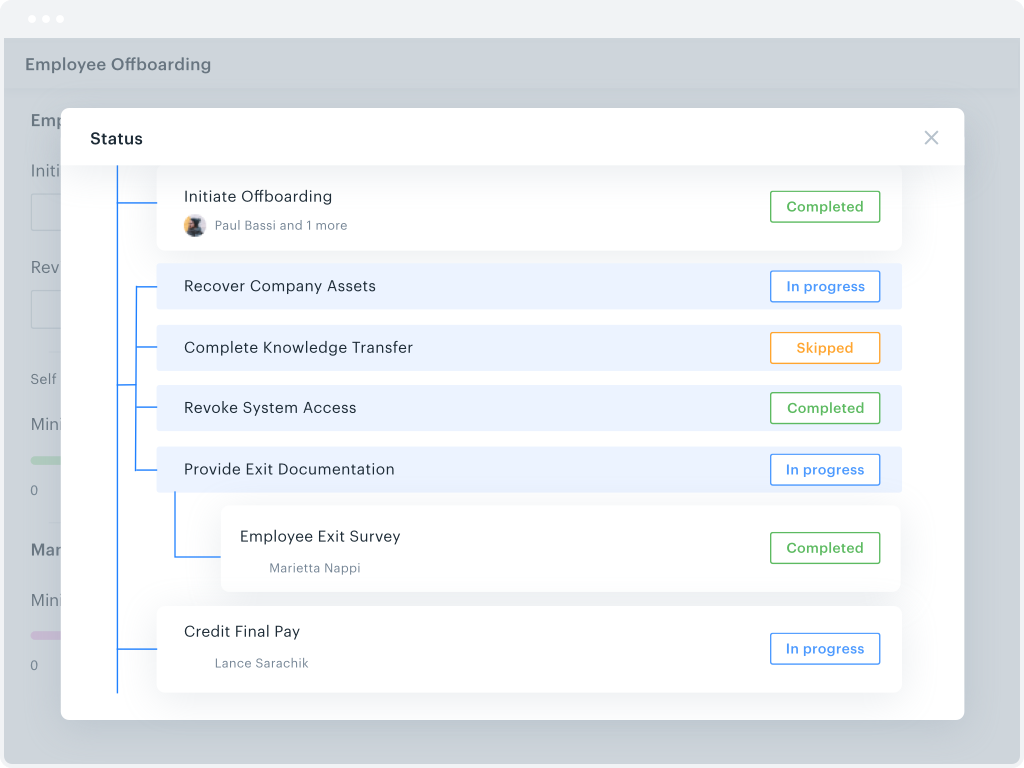
Screenshot of overall efficiency monitoringScreenshot of workflow trackingScreenshot of process metricsScreenshot of the drag and drop form builderScreenshot of a parallel branches workflowScreenshot of where to change file permissions