Datto SIRIS is a BCDR solution built for MSPs to prevent data loss and minimize downtime. Utilizing a cloud-first approach, MSPs can offer their clients local backup and recovery with a cloud-based repository and full disaster recovery in the cloud. All of this administered from a multi-tenant cloud portal that allows MSPs to view, manage and recover client data from a single interface.
N/A
Rencore Code (SPCAF)
Score8.8 out of 10
Enterprise companies (1,001+ employees)
Many organizations that use Office 365 are exposed to security risks that they are unaware of. As they extend SharePoint to meet their business needs, they build applications using technologies that range from end-user Microsoft Flow to developer-focused SharePoint Framework. Unfortunately, all of these custom applications are capable of circumventing the security measures organizations have in place exposing the organization and its data to security…
N/A
Pricing
Datto SIRIS
Rencore Code (SPCAF)
Editions & Modules
No answers on this topic
No answers on this topic
Offerings
Pricing Offerings
Datto SIRIS
Rencore Code (SPCAF)
Free Trial
Yes
Yes
Free/Freemium Version
No
No
Premium Consulting/Integration Services
No
Yes
Entry-level Setup Fee
No setup fee
Optional
Additional Details
Datto sells 100% through the channel. Specifically, Datto partners with managed service providers (MSPs). The MSPs then sell direct to small and mid-sized businesses, worldwide.
Datto is a fantastic option for smaller businesses who don't have as large of a budget. It might work well for larger businesses as well, but the features are not exactly on par with more prevalent backup solutions. So, that should be kept in mind while determining a good fit for a company. But if selling a backup solution is met with push back, this can be a great option to give a good working backup solution. It offers the main features solutions should have, so it's definitely not a compromise. Just keep in mind the features it does not offer.
A de minimis incentive was given to thank the reviewer for their time. The incentive was not used to bias or drive a particular response, nor was the incentive contingent on a positive endorsement. More Info
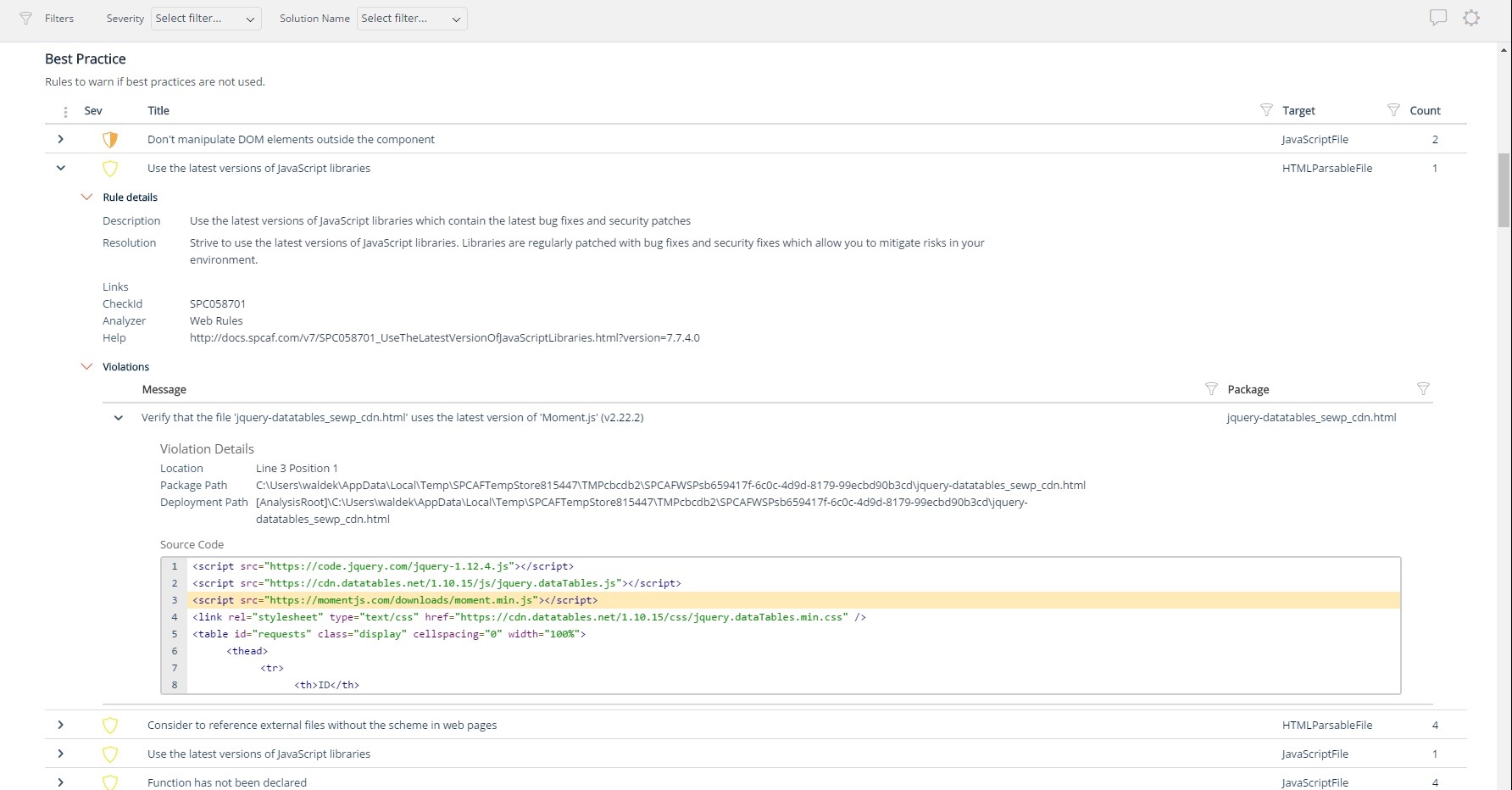
For Microsoft shops that are doing custom development on the Microsoft cloud platform in Office 365 and Azure, the Rencore toolset is an absolute must, especially if you are involved in converting farm solutions to cloud, or just moving into cloud development for the first time.
Simple agent setup for new machines to be protected. A new machine can be setup on the server in under a minute whether it be a Linux or Windows based machine.
Local virtualization on the Datto is quick to start up. After a physical problem with a server I had the machine locally virtualized on the Datto before users had a chance to report service issues to me.
Nothing to do on my end to get backups shifted to offsite data center. Schedules are setup for each machine or group of machines and I sleep well knowing all our backups are safely stored offsite.
A de minimis incentive was given to thank the reviewer for their time. The incentive was not used to bias or drive a particular response, nor was the incentive contingent on a positive endorsement. More Info
Unique expert knowledge of their target platforms. Not many companies have such a unique position in their target market. Their employees have a deep understanding of SharePoint, Office 365 and Azure and also regularly advise Microsoft on these matters.
Community involvement and contribution to open source projects. Key employees at Rencore are considered thought leaders in their area of expertise and contribute to high profile Microsoft open source initiatives.
Rencore's unique position when it comes to code quality analysis in the SharePoint space sets it apart. There's really no alternative.
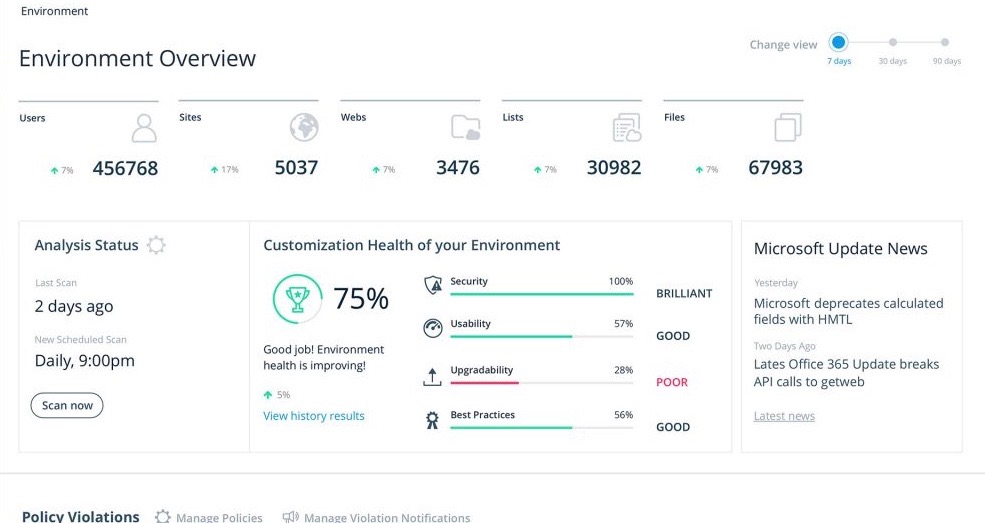
Platform governance is another Rencore strength. No other product provides the insights into your SharePoint Online environment with full auditing of not only configuration changes but also who changed which code where and when. Again no alternatives exist.
Initial backup sync: The downside to the cloud backup is that, if you have a lot of data, you need an external hard drive to seed to the cloud. And you usually have to request this after you've already got everything else working.
Unsyncing: We have pretty decent bandwidth, but with 8TB of data, we'd get syncing issues with the cloud servers every 3 months or so. The only way to address it was to request another external drive and resync it, but that also meant losing the older data.
Availability and support: Datto only operates through MSPs and VARs, and will not help you directly without putting in a ticket with your provider. This causes delays, and extra epenses, and if you grow beyond the need for an MSP, you have to keep them around for at least that piece.
A de minimis incentive was given to thank the reviewer for their time. The incentive was not used to bias or drive a particular response, nor was the incentive contingent on a positive endorsement. More Info
Rencore's product line is of course still a bit of a niche: SharePoint code quality is not something every organization on the planet is concerned with - although Rencore does much more than that.
We feel Rencore's marketing efforts are mainly targeted at technologists. There's a lot of other potential, especially for their platform governance product.
A de minimis incentive was given to thank the reviewer for their time. The incentive was not used to bias or drive a particular response, nor was the incentive contingent on a positive endorsement. More Info
Usability is great. The web interface is simple and easy to use. While various options are available for client backups, it is very easy to re-use settings of the existing client, so adding new clients is a very fast process. Configuration of the agent on the client-side cannot be easier as well. Datto dashboard provides an overview of the client status, and email notifications can be configured for various events.
A de minimis incentive was given to thank the reviewer for their time. The incentive was not used to bias or drive a particular response, nor was the incentive contingent on a positive endorsement. More Info
My specific example or reason for this rating goes back to a need for support after a client on this platform has a fire. In a nutshell, Datto had no idea how to BMR the image back to the server correctly, and as a result, the RAID on the server was lost, due to the Datto BDR environment not being able to see the RAID card, and the support technician knowing how to inject drivers.
A de minimis incentive was given to thank the reviewer for their time. The incentive was not used to bias or drive a particular response, nor was the incentive contingent on a positive endorsement. More Info
Datto seemed to be better than other vendors I trialed, and I inherited an Alto device, so it was easy to stay with them. I also assumed the backups had been working with the previous contractor, but it turns out they had been failing for months and no one knew it.
I don't know of any products that compete in the space and if there were any, they would not stand a chance against Rencore. Behind any good product is a team of highly skilled individuals, who all have the same goal, who are passionate what they do and lastly, are in it for the betterment of where they started; As Developers themselves. You can't buy that
In most cases, Datto will provide the appliance free of charge with a 3-5 year contract which results in a modest monthly fee instead of a large initial outlay and monthly fees.
The contract's warranty is top-notch. Failed drives or issues with the appliances are replaced/corrected with free replacements and shipping.
A de minimis incentive was given to thank the reviewer for their time. The incentive was not used to bias or drive a particular response, nor was the incentive contingent on a positive endorsement. More Info
The clear impact was the amount of time saved code reviewing or going through lines of code marked off by other tools that are not relevant. We cannot put a number on it since the project started off with the tool in place but based on the rules applied it could be as high as 20% of the project time.