Daylite is a project management solution built around features such as contact management, scheduling, and sales pipeline tracking.
$20.83
per month billed yearly
Really Simple Systems
Score7.6 out of 10
Small Businesses (1-50 employees)
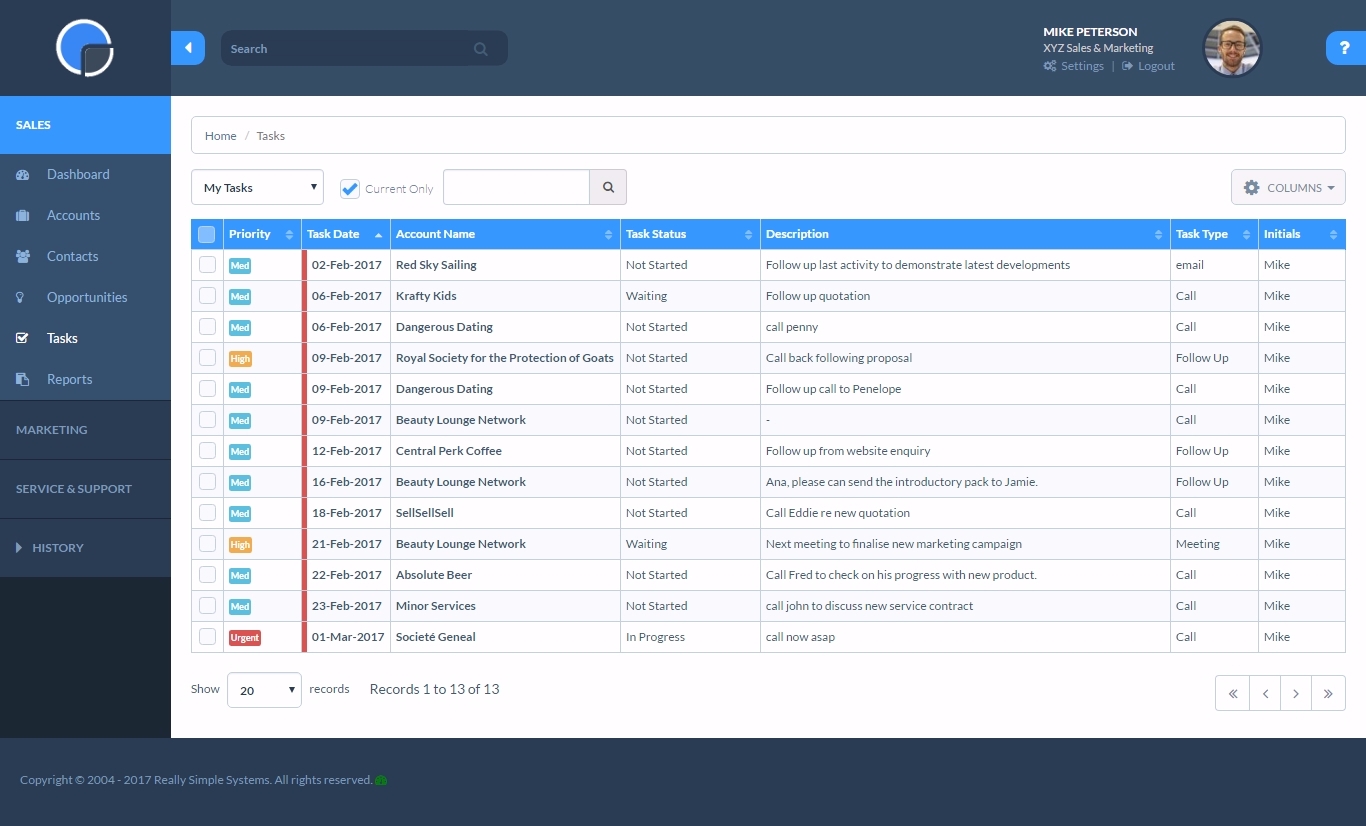
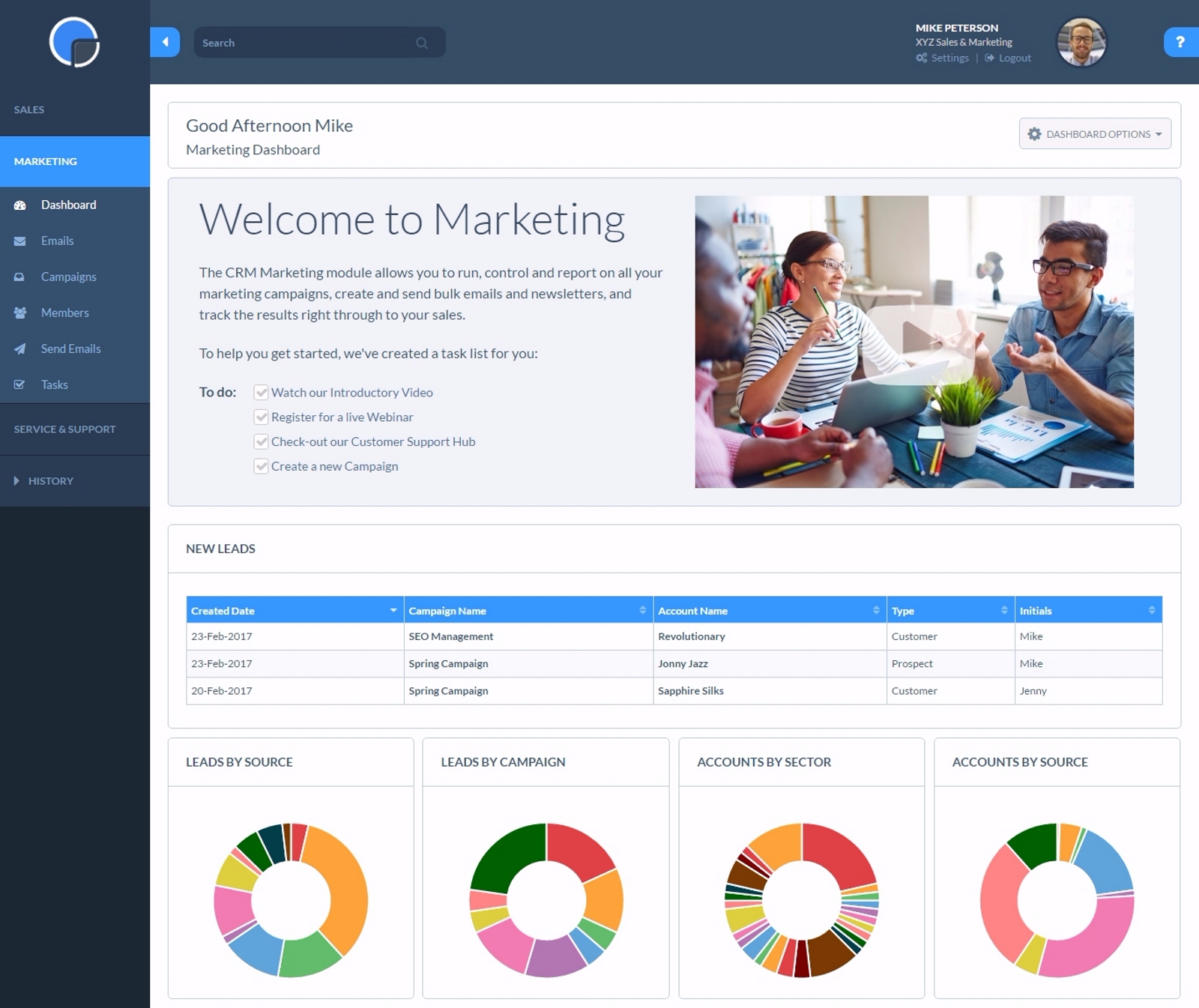
Really Simple Systems is a customer relationship management (CRM) software deployed via cloud with built-in features like email marketing, pipeline management, and case management.
$8
per month
Pricing
Daylite
Really Simple Systems
Editions & Modules
CRM
$20.83
per month billed yearly per user
CRM
$25
per month per user
Sales
$33.33
per month billed yearly per user
Projects
$33.33
per month billed yearly per user
Sales
$40
per month per user
Projects
$40
per month per user
Business
$45.83
per month billed yearly per user
Business
$55
per month per user
Free CRM
$0
2 Users and 100 Company Records
Starter
$15
per User, 1000 Company Records, Unlimited Contacts, 1 GB Document Storage, MailSync, Custom Settings, Custom Reports, API Integration, Online ‘self-service’ Support Hub, Email and Online Chat Support, Optional Marketing Module
Professional
$33
per User, 5000 Company Records, Unlimited Contacts, 5 GB Document Storage, MailSync, Custom Settings, Custom Reports, API Integration, Advanced User Permission Levels, Online ‘self-service’ Support Hub, Free Email, Chat and Phone Support, Priority Technical Support, Optional Marketing and Service Desk Modules
Enterprise
$50
per User, Unlimited Company Records, Unlimited Contacts, Unlimited Document Storage, MailSync, Advanced Reporting, Custom Settings, Advanced User Permission Levels, API Integration, Online ‘self-service’ Support Hub, Free Email, Chat and Phone Support , Top Priority Technical Support, Dedicated Account Manager, Free Online Team Training , Optional Marketing and Service Desk Modules
Offerings
Pricing Offerings
Daylite
Really Simple Systems
Free Trial
No
Yes
Free/Freemium Version
No
Yes
Premium Consulting/Integration Services
Yes
No
Entry-level Setup Fee
Optional
No setup fee
Additional Details
—
All plans include free customer support and setup help.
Well suited for any size company which needs CRM management. Easy to use. Great for individuals or teams that use Apple products. Daylite and ios expert integration has been key in capturing leads from our website into the Daylite database, plus then if they opt into email marketing, they are entered into the MailChimp database. The web forms also automate the creation of opportunities and are linked with the contacts/companies. Sales Managers with geographical responsibilities can easily filter contacts or projects based on these regions so they only see what they need. Daylite is not appropriate for Windows users.
A de minimis incentive was given to thank the reviewer for their time. The incentive was not used to bias or drive a particular response, nor was the incentive contingent on a positive endorsement. More Info
If you have a customer/job where there are steps to be followed such as quotes, follow up, purchase orders received, etc. You can set reminders for a member of the team with their next step and they will be sent reminders. Works well as long as it is kept updated.
A de minimis incentive was given to thank the reviewer for their time. The incentive was not used to bias or drive a particular response, nor was the incentive contingent on a positive endorsement. More Info
Daylite allows you to link your email so when you email a client it will link to their contact in Daylite and save the communication so anyone on the team can see all the emails that have been sent between the client and our company.
Daylite allows you to create "opportunities" for the different packages and services we offer. This lets us track where someone is in the process, if they are still thinking about a service, have been sold on it, or are not interested.
Daylite lets you leave notes on the account that everyone on the team can see. This has been so helpful for our company because it lets us drop helpful notes on personal things about the client that would be good for everyone to know.
A de minimis incentive was given to thank the reviewer for their time. The incentive was not used to bias or drive a particular response, nor was the incentive contingent on a positive endorsement. More Info
The main drawback of Daylite is that it becomes slow on its iOS mobile devices.
Sometimes I face a lot of retries to log into the account. The mobile app needs a change and needs an upgrade. Apps are lacking in giving appointment reminders on time. Sometimes it does not notify on the right time about the appointment with the client.
A de minimis incentive was given to thank the reviewer for their time. The incentive was not used to bias or drive a particular response, nor was the incentive contingent on a positive endorsement. More Info
Resends - I would like a simple [one-click] function to resend email campaigns to [non-openers.]
[Emails] that have been created but not sent or attached to a campaign I would like to see a place that they could be in [the] draft so I can come back to them at a later date without them appearing on the email list[.]
A de minimis incentive was given to thank the reviewer for their time. The incentive was not used to bias or drive a particular response, nor was the incentive contingent on a positive endorsement. More Info
A de minimis incentive was given to thank the reviewer for their time. The incentive was not used to bias or drive a particular response, nor was the incentive contingent on a positive endorsement. More Info
A de minimis incentive was given to thank the reviewer for their time. The incentive was not used to bias or drive a particular response, nor was the incentive contingent on a positive endorsement. More Info
Simple systems is great for smaller sales and marketing teams to log their territories and report on progress on their opportunities. There are many useful features such as tasks and reporting to show to management how opportunities are progressing and when the estimated close date would occur. The two main issues are scalability within larger [organizations] and the ease to duplicate contacts.
A de minimis incentive was given to thank the reviewer for their time. The incentive was not used to bias or drive a particular response, nor was the incentive contingent on a positive endorsement. More Info
A de minimis incentive was given to thank the reviewer for their time. The incentive was not used to bias or drive a particular response, nor was the incentive contingent on a positive endorsement. More Info
A de minimis incentive was given to thank the reviewer for their time. The incentive was not used to bias or drive a particular response, nor was the incentive contingent on a positive endorsement. More Info
A de minimis incentive was given to thank the reviewer for their time. The incentive was not used to bias or drive a particular response, nor was the incentive contingent on a positive endorsement. More Info
Whenever I have had any issues, which is probably only 3 times in 10 years, the back office support has been fantastic and got me up and running again in a very short time. Cannot fault them at all. But as I stated, problems have been very few and far between.
A de minimis incentive was given to thank the reviewer for their time. The incentive was not used to bias or drive a particular response, nor was the incentive contingent on a positive endorsement. More Info
A de minimis incentive was given to thank the reviewer for their time. The incentive was not used to bias or drive a particular response, nor was the incentive contingent on a positive endorsement. More Info
Daylite provides authentic services and features with excellent programming. I have also collaborated on the Daylite calendar with Apple Calendar so that I can never leave behind any updates of the future. Moreover, it keeps on updating its feature for giving better services.
A de minimis incentive was given to thank the reviewer for their time. The incentive was not used to bias or drive a particular response, nor was the incentive contingent on a positive endorsement. More Info
We choose RSS due to cost. We are a startup and needed a great solution that did not cost [a lot]. RSS [fits] all our needs at the perfect price. We could not be more thrilled with our choice and it has simplified our client interaction[.]
A de minimis incentive was given to thank the reviewer for their time. The incentive was not used to bias or drive a particular response, nor was the incentive contingent on a positive endorsement. More Info
A de minimis incentive was given to thank the reviewer for their time. The incentive was not used to bias or drive a particular response, nor was the incentive contingent on a positive endorsement. More Info
A de minimis incentive was given to thank the reviewer for their time. The incentive was not used to bias or drive a particular response, nor was the incentive contingent on a positive endorsement. More Info
A de minimis incentive was given to thank the reviewer for their time. The incentive was not used to bias or drive a particular response, nor was the incentive contingent on a positive endorsement. More Info
Daylite has been very helpful for new employees to answer their own questions about contacts/passwords, etc.
We found the tiny notification bell to be weak, sometimes a project comes in with a tight deadline and we have to double-check and ask an employee if they saw the notification. More time would be saved by just chatting about the project and its expectations.
A huge benefit is the institutional knowledge that can be had by reading past projects. We've tracked everything, so the history is there.
A de minimis incentive was given to thank the reviewer for their time. The incentive was not used to bias or drive a particular response, nor was the incentive contingent on a positive endorsement. More Info
A very positive effect on our understanding of our customers and what kind of events are working well at the venue and which aren't. This will allow us to work more smartly when responsive to enquiries, improving our overall productivity.
Very positive impact on our current review of marketing and sales strategy.
A de minimis incentive was given to thank the reviewer for their time. The incentive was not used to bias or drive a particular response, nor was the incentive contingent on a positive endorsement. More Info