Digital T Card vs. Microsoft Project

Overview
ProductRatingMost Used ByProduct SummaryStarting Price
Digital T Card
Score 0.0 out of 10
N/A
Digital TCards is a Kanban solution for streamlined workflow management. It empowers industries to customise workflow solutions tailored to their needs. Every process is tracked in real-time, from managing work orders to conducting quality inspections. Bottlenecks in the process are anticipated and addressed with features like scheduling tools and process audits, to ensure complete visibility into operations. TCards can be used across diverse industries such as manufacturing,…
$57.27
per month 3 seats included
Microsoft Project
Score 7.6 out of 10
N/A
Microsoft Project is a project management software. It provides core PM functionality, including agile workflow support and resource management. Project can be deployed in the cloud or on-premise.
$120
per year per user
Pricing
Digital T CardMicrosoft Project
Editions & Modules
Starter
£45
per month 3 seats (£10 for additional seats)
Lite
£140
per month 10 seats (£9 for additional seats)
Pro
£299
per month 25 seats (£8 for additional seats)
Project Server
$0
Planner Plan 1
$10
per month per user
Planner and Project Plan 3
$30
per month per user
Planner and Project Plan 5
$55
per month per user
Project Standard 2024
$679.99
one-time fee per installation
Project Professional 2024
$1,129.99
one-time fee per installation
Offerings
Pricing Offerings
Digital T CardMicrosoft Project
Free Trial
YesYes
Free/Freemium Version
NoNo
Premium Consulting/Integration Services
YesNo
Entry-level Setup FeeNo setup feeNo setup fee
Additional DetailsDiscount available for annual pricing.Plans are billed annually.
More Pricing Information
Community Pulse
Digital T CardMicrosoft Project
Features
Digital T CardMicrosoft Project
Project Management
Comparison of Project Management features of Product A and Product B
Digital T Card
-
Ratings
Microsoft Project
8.0
111 Ratings
4% above category average
Task Management00 Ratings8.2110 Ratings
Resource Management00 Ratings7.7107 Ratings
Gantt Charts00 Ratings9.0107 Ratings
Scheduling00 Ratings8.5109 Ratings
Workflow Automation00 Ratings10.083 Ratings
Team Collaboration00 Ratings7.298 Ratings
Support for Agile Methodology00 Ratings4.583 Ratings
Support for Waterfall Methodology00 Ratings7.783 Ratings
Document Management00 Ratings9.077 Ratings
Email integration00 Ratings5.082 Ratings
Mobile Access00 Ratings10.067 Ratings
Timesheet Tracking00 Ratings10.073 Ratings
Change request and Case Management00 Ratings7.464 Ratings
Budget and Expense Management00 Ratings7.486 Ratings
Professional Services Automation
Comparison of Professional Services Automation features of Product A and Product B
Digital T Card
-
Ratings
Microsoft Project
8.7
79 Ratings
12% above category average
Quotes/estimates00 Ratings7.455 Ratings
Invoicing00 Ratings10.045 Ratings
Project & financial reporting00 Ratings7.276 Ratings
Integration with accounting software00 Ratings10.050 Ratings
Best Alternatives
Digital T CardMicrosoft Project
Small Businesses
Kintone
Kintone
Score 9.7 out of 10
Kintone
Kintone
Score 9.7 out of 10
Medium-sized Companies
Kintone
Kintone
Score 9.7 out of 10
Kintone
Kintone
Score 9.7 out of 10
Enterprises
MeisterTask
MeisterTask
Score 9.0 out of 10
Planview AgilePlace
Planview AgilePlace
Score 7.7 out of 10
All AlternativesView all alternativesView all alternatives
User Ratings
Digital T CardMicrosoft Project
Likelihood to Recommend
-
(0 ratings)
8.2
(111 ratings)
Likelihood to Renew
-
(0 ratings)
10.0
(3 ratings)
Usability
-
(0 ratings)
8.7
(9 ratings)
Support Rating
-
(0 ratings)
8.2
(34 ratings)
Implementation Rating
-
(0 ratings)
5.0
(1 ratings)
User Testimonials
Digital T CardMicrosoft Project
Likelihood to Recommend
Lean Transition Solutions Ltd
No answers on this topic
Microsoft
Microsoft Project Online is suited to Turnkey Projects where more Collaboration is required in Project Progress monitoring, risk assessment and conveying, issue recording and tracking. It is less appropriate when ERP Suites other than MS Dynamics are used, i.e when Enterprises need to integrate Finance / Accounting with It and having straight project management workflow
Read full review
Pros
Lean Transition Solutions Ltd
No answers on this topic
Microsoft
  • I love the Gantt Chart that Microsoft Project offers me, because it provides me with a view from various aspects, it provides me with exact details about the fulfillment of tasks over a period of time, it also allows me to make comparisons with the necessary data and the fulfilled data. by the employees, in order to know exactly if the project's expectations have been met.
  • I love the Gantt Chart that Microsoft Project offers me, because it provides me with a view from various aspects, it provides me with exact details about the fulfillment of tasks over a period of time, it also allows me to make comparisons with the necessary data and the fulfilled data by the employees, in order to know exactly if the project's expectations have been met.
  • The alert system for the fulfillment and delay of assignments is perfect. Microsoft Project allows me to configure the task system, I can assign the necessary tasks to fulfill the project, and the software alerts me immediately if the managers are fulfilling the assignments.
Read full review
Cons
Lean Transition Solutions Ltd
No answers on this topic
Microsoft
  • Seems overly complicated for users sometimes in using Project and its functionalities
  • Hard to share files for those folks who do not have MS Project, and then have to print out for them
  • Can be confusing since it looks and feels like MS Excel
Read full review
Likelihood to Renew
Lean Transition Solutions Ltd
No answers on this topic
Microsoft
I like using Microsoft Project. It simplifies building a schedule
Read full review
Usability
Lean Transition Solutions Ltd
No answers on this topic
Microsoft
Microsoft
Project is easy to operate because data could be inserted, changed and
deleted like you are in an Excel timesheet. Besides, it provides a great
level of automation beween his fields allowing few data changes. Also, its
funcionalities are well defined and grouped in upper menus, so you can find a
funcionality quickly
Read full review
Support Rating
Lean Transition Solutions Ltd
No answers on this topic
Microsoft
Microsoft in recent years has transformed itself and gives a positive feeling when one interacts with the company. The company is focusing on its customers and willing to go extra mile to make customers happy.The company continues to invest in its products and bringing new features from time to time. Overall it is a positive feeling to be associated with such an iconic company.
Read full review
Implementation Rating
Lean Transition Solutions Ltd
No answers on this topic
Microsoft
I wasn't part of it so I don't know
Read full review
Alternatives Considered
Lean Transition Solutions Ltd
No answers on this topic
Microsoft
While many of the above tools are extremely well-versed, Microsoft Project's largest advantage comes from it being related to the largest business productivity company in the world. Project does have its sharing limitations - but regardless, offers one of the most robust tools in the market today. Microsoft Project is built with large-scale projects in mind but is more than up to the task for smaller projects as well. However, there are options available (especially cloud-based options) that may be more fitting for higher-level projects that do not require going into the weeds.
Read full review
Return on Investment
Lean Transition Solutions Ltd
No answers on this topic
Microsoft
  • Project saved me, as the project manager, countless hours of digging through tickets and schedules to plan everything out. It also saved me time in adjusting the project triangle as needed, since it does so much automatically.
  • It is costly, and since it requires extensive training to master, it's not just the high licensing cost that you need to take into account.
  • The reporting features - even just printing out Gantt charts - makes it far easier to communicate with stakeholders. That means less time for PMs doing all of this manually, and it means less follow-up questions and delays moving forward.
Read full review
ScreenShots

Digital T Card Screenshots

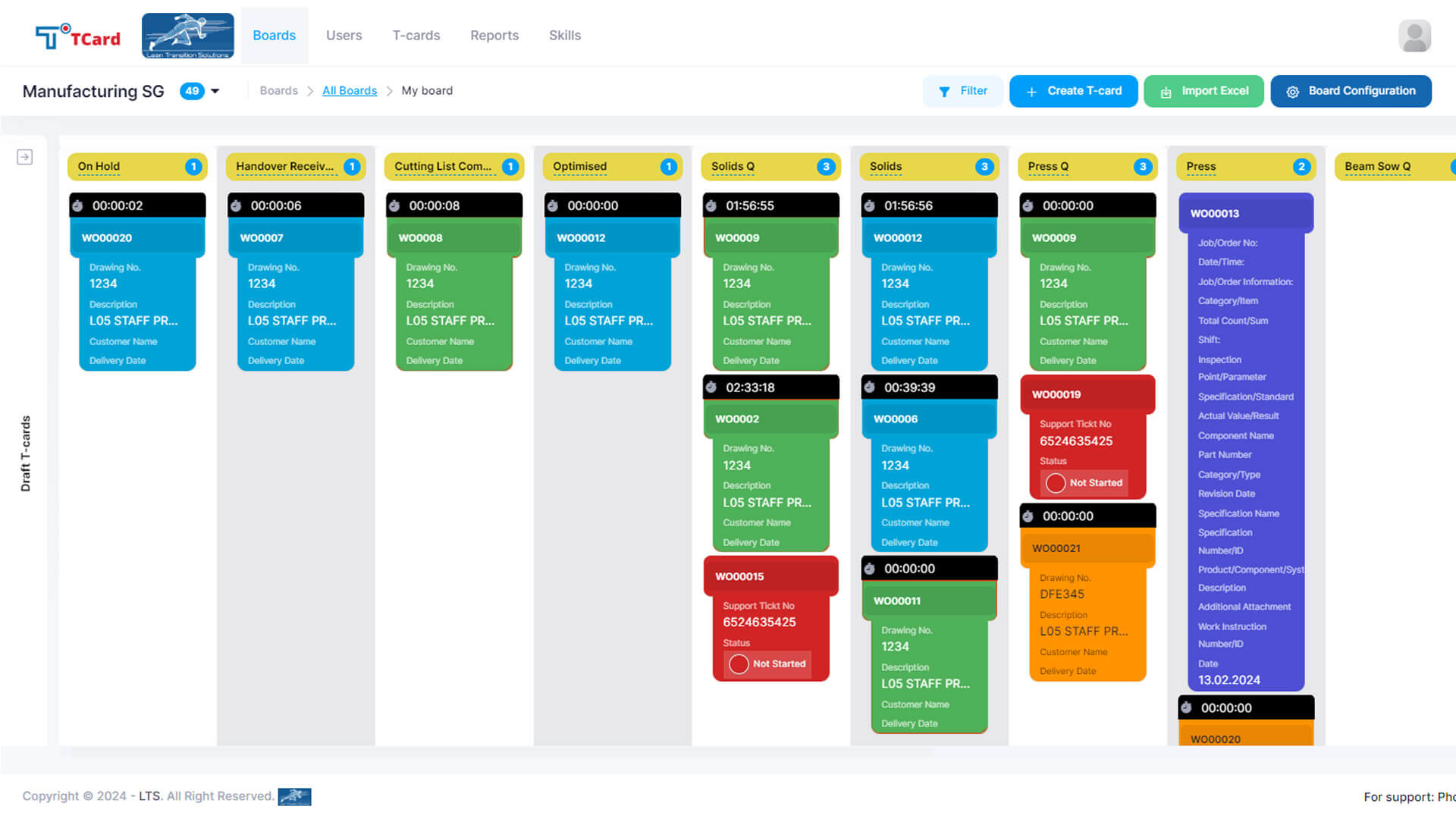
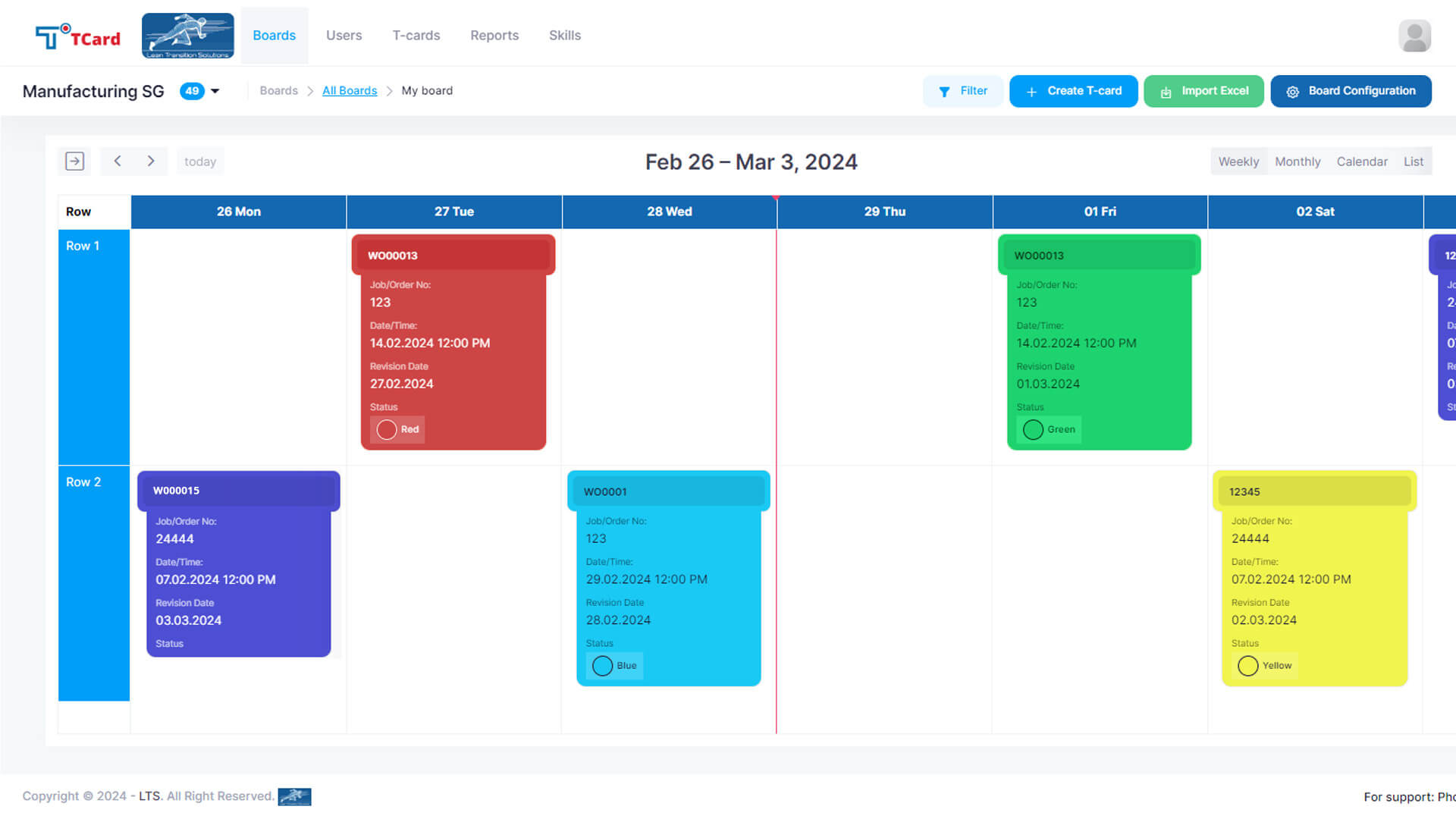
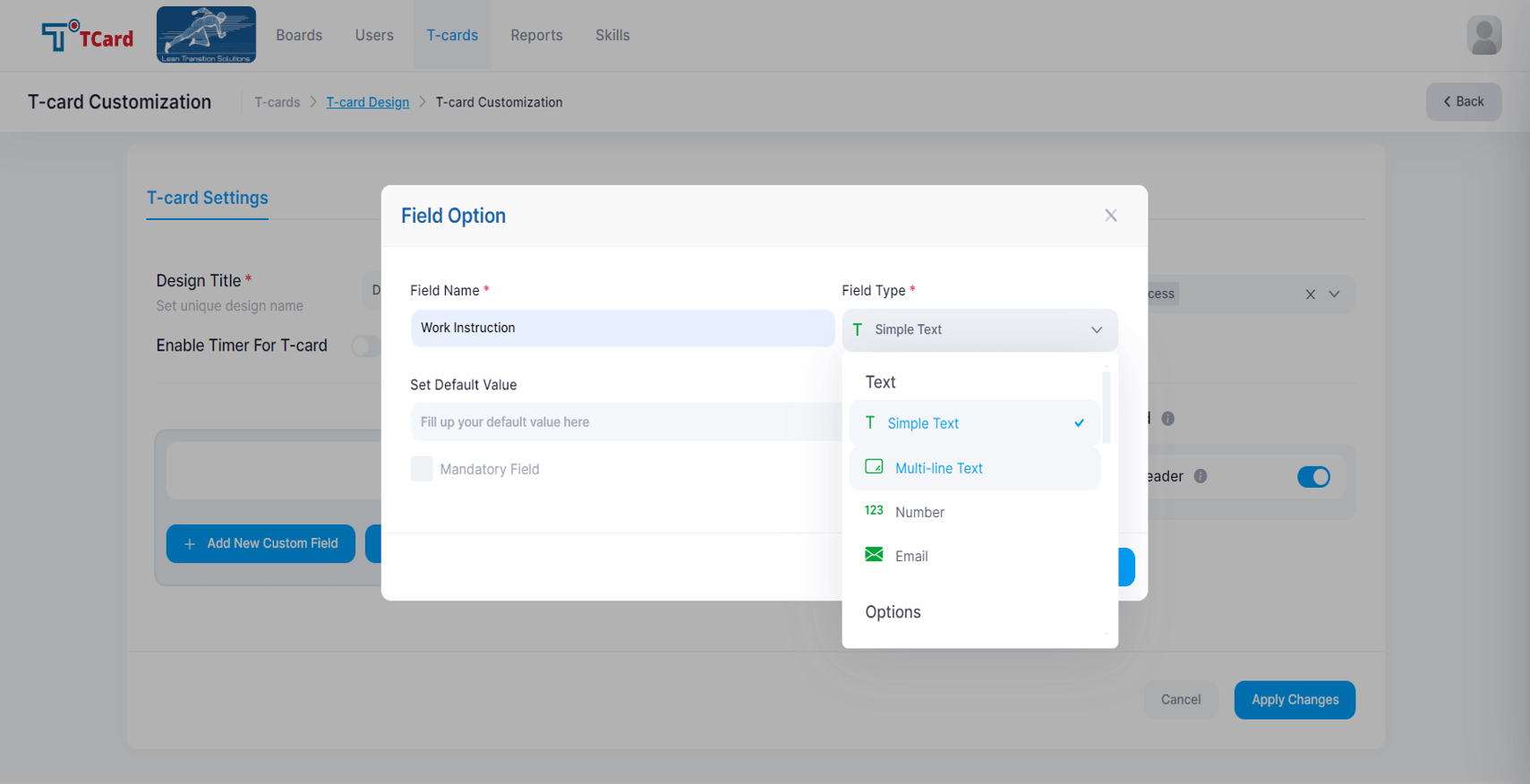
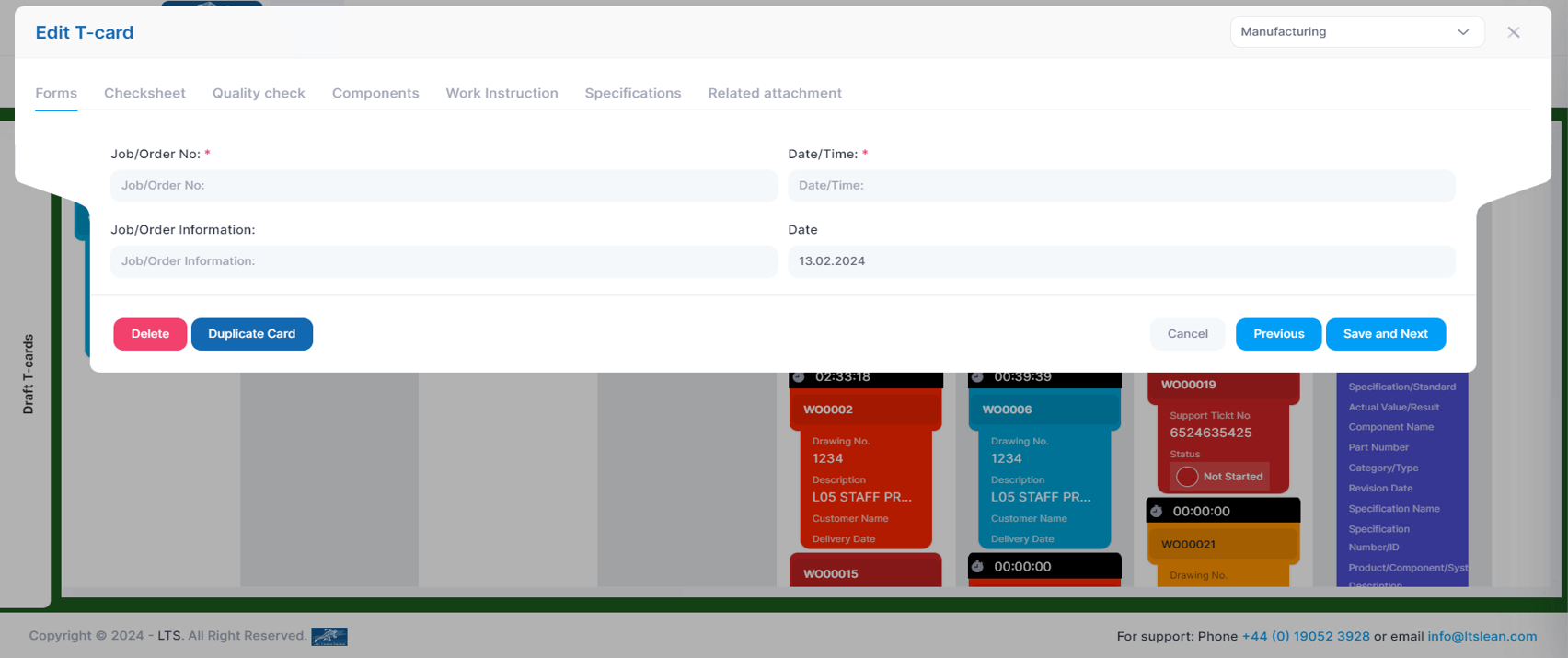
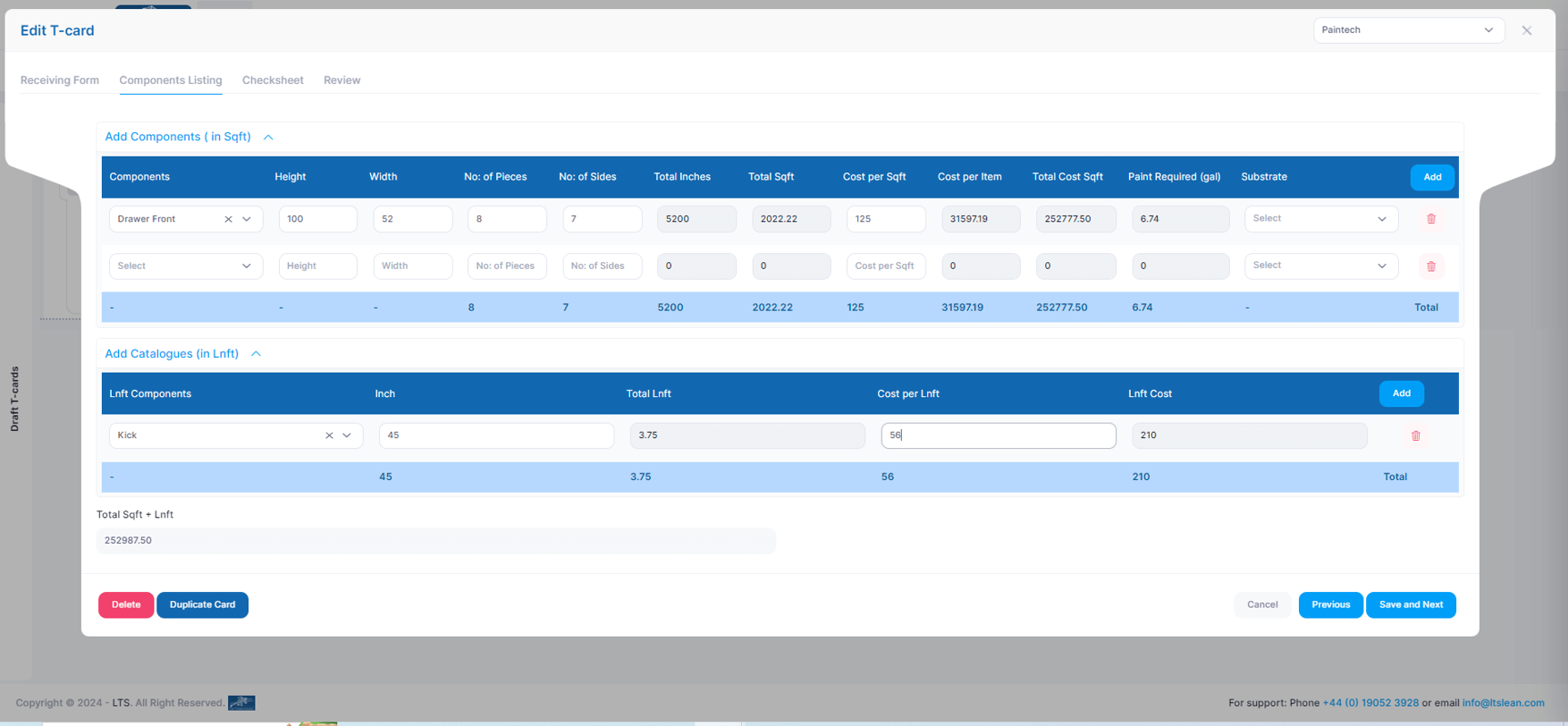
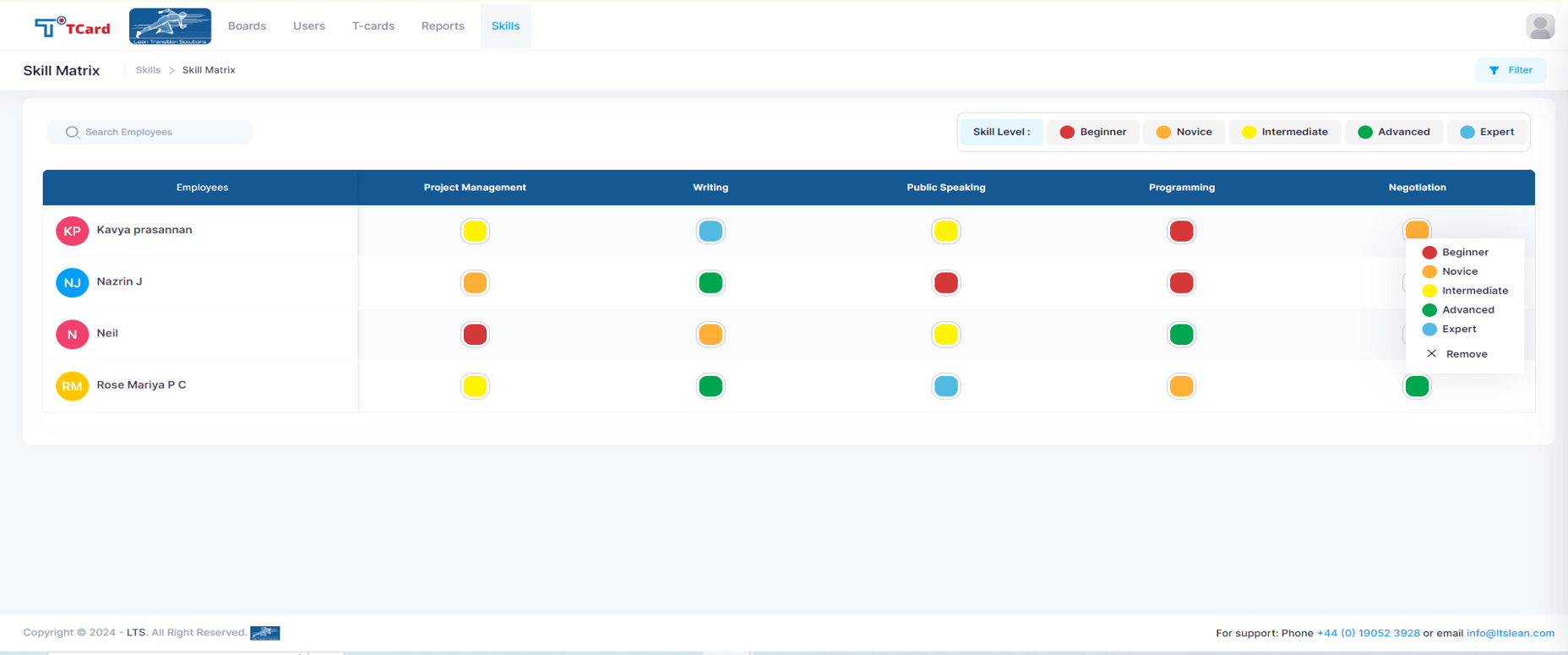
Screenshot of the Kanban boards that organise the process stages into columns and rows, giving a clear overview of each stage's progress.Screenshot of the Calendar view used to assign resources to specific dates by creating an associated card.Screenshot of the interface to tailor the cards, where users can create dynamic fields such as Text Area, Number, Dropdowns, Date and Time, Colour Options, Check Boxes, Radio Buttons, File Upload Area, Image Attachment, Dynamic Table, Icons and Users List.Screenshot of the screen to add multiple tabs in a Card that can help organise different data sets (Forms, Checksheets, Quality Checks, Components, Work Instructions, Specifications, Related Attachments), which will optimise the task flow.Screenshot of the advanced business rules in the TCard System, used to tailor workflow processes and customise how the tasks, information and data flow.Screenshot of the Skills Matrix, which is a tool used in workforce management to assess, document, and visualise the skills and competencies of employees. It helps identify skill gaps, training needs, and strengths, enabling better resource allocation and strategic planning by providing a clear overview of the skills available in a team or company. The skills matrix aids in making informed decisions about hiring, training, and project assignments.