
Doodle vs. Engageware
| Product | Rating | Most Used By | Product Summary | Starting Price |
|---|---|---|---|---|
 Doodle | Score8.5 out of 10 | N/A | Doodle is appointment scheduling software from the Swiss company of the same name. | $15 per month per seat |
 Engageware | Score7.5 out of 10 | N/A | Engageware (formerly TimeTrade) helps leading brands optimize engagement through all phases of the customer relationship. Engageware’s Intelligent Appointment Scheduling platform harnesses artificial intelligence to improve meeting scheduling strategies through real-time customer insights and actions, in order to produce better meetings, and higher growth. The vendor states that with Engageware, customers can outpace their peers by nearly 3X. They further boast tens of thousands of businesses –… | N/A |
| Doodle | Engageware | |||||||||||||||
|---|---|---|---|---|---|---|---|---|---|---|---|---|---|---|---|---|
| Editions & Modules |
| No answers on this topic | ||||||||||||||
| Offerings |
| |||||||||||||||
| Entry-level Setup Fee | No setup fee | No setup fee | ||||||||||||||
| Additional Details | Discount available for annual billing. | — | ||||||||||||||
| More Pricing Information | ||||||||||||||||
| Doodle | Engageware | |
|---|---|---|
| Considered Both Products | No answer on this topic | No answer on this topic |
| Key User Insights | ||
| Would buy again | ||
91% Would buy again 20 Answers | No answers on this topic | |
| Delivers good value for the price | ||
90% Delivers good value for the price 18 Answers | No answers on this topic | |
| Happy with the feature set | ||
91% Happy with the feature set 20 Answers | No answers on this topic | |
| Lived up to sales and marketing promises | ||
94% Lived up to sales and marketing promises 17 Answers | No answers on this topic | |
| Implementation went as expected | ||
89% Implementation went as expected 17 Answers | No answers on this topic | |
| Doodle | Engageware | |
|---|---|---|
| Small Businesses |  Square Appointments Score10 out of 10 | Square Appointments Score10 out of 10 |
| Medium-sized Companies |  Chili Piper Score8.8 out of 10 | Chili Piper Score8.8 out of 10 |
| Enterprises | No answers on this topic | Doodle Score8.5 out of 10 |
| All Alternatives | View all alternatives | View all alternatives |
| Doodle | Engageware | |
|---|---|---|
| Likelihood to Recommend | 9.0 | 6.0 |
| Likelihood to Renew | 10.0 | - |
| Usability | 9.0 | - |
| Support Rating | 8.3 | 8.0 |
| Doodle | Engageware | |
|---|---|---|
| Likelihood to Recommend |
|
|
| Pros |
|
|
| Cons |
|
|
| Likelihood to Renew |
| No answers on this topic |
| Usability |
| No answers on this topic |
| Support Rating |
|
|
| Alternatives Considered |
|
|
| Return on Investment |
|
|
| ScreenShots | Engageware Screenshots  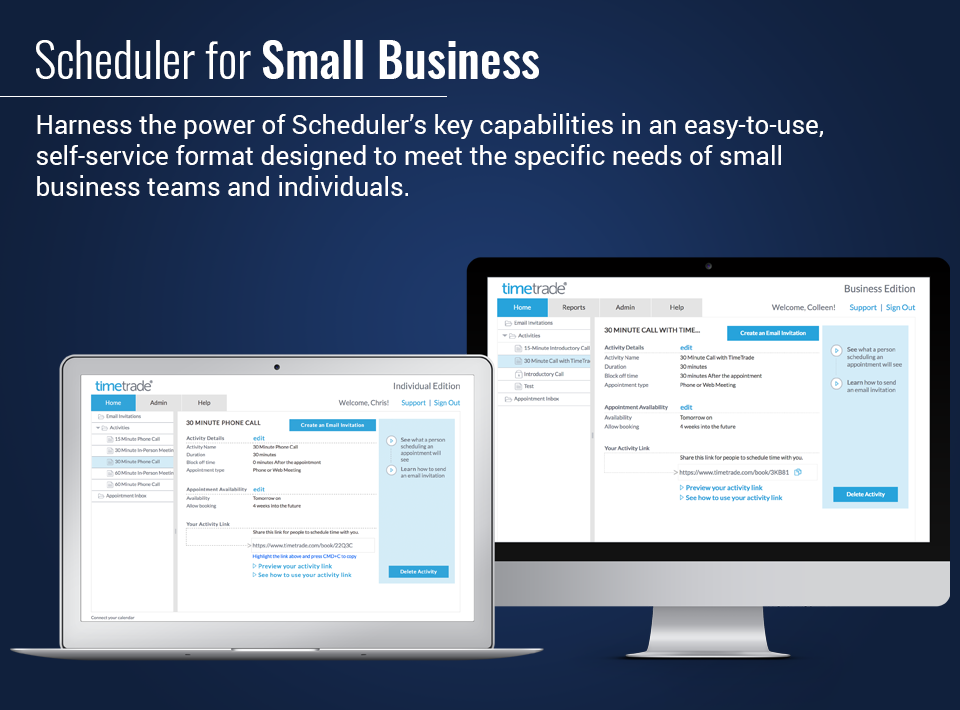 |


