
Ostap Yaroshevych
Digital Marketing Manager
Chose Draftium
Good price, easy to use product and perfect support.

| Product | Rating | Most Used By | Product Summary | Starting Price |
|---|---|---|---|---|
 Draftium | N/A | Accorind to the vendor, Draftium has 350+ ready-made blocks and 300+ prototype templates that allows you to visualize a website idea within 15-30 minutes. It is a free online turbo prototyping tool for website ideation and collaboration. It helps web-designers or studios, marketers, and account managers to make everyday easy. Prototyping in Draftium is based on blocks. You can remove or add them with checkboxes. So you do not have to add elements one-by-one, they already… | $0 year | |
 Figma | N/A | Figma, headquartered in San Francisco, offers their collaborative design and prototyping application to support digital product and UI development. | $15 per month per editor |
| Draftium | Figma | |||||||||||||||
|---|---|---|---|---|---|---|---|---|---|---|---|---|---|---|---|---|
| Editions & Modules |
|
| ||||||||||||||
| Offerings |
| |||||||||||||||
| Entry-level Setup Fee | No setup fee | No setup fee | ||||||||||||||
| Additional Details | — | — | ||||||||||||||
| More Pricing Information | ||||||||||||||||
| Draftium | Figma | |
|---|---|---|
| Considered Both Products | Draftium Ostap Yaroshevych Digital Marketing Manager Chose Draftium Good price, easy to use product and perfect support. |  Figma No answer on this topic |
| Draftium | Figma | |
|---|---|---|
| Small Businesses |  OmniGraffle Score 9.8 out of 10 | OmniGraffle Score 9.8 out of 10 |
| Medium-sized Companies | OmniGraffle Score 9.8 out of 10 | OmniGraffle Score 9.8 out of 10 |
| Enterprises | OmniGraffle Score 9.8 out of 10 | OmniGraffle Score 9.8 out of 10 |
| All Alternatives | View all alternatives | View all alternatives |
| Draftium | Figma | |
|---|---|---|
| Likelihood to Recommend | 1.0 (2 ratings) | 8.7 (209 ratings) |
| Likelihood to Renew | - (0 ratings) | 10.0 (7 ratings) |
| Usability | - (0 ratings) | 7.9 (41 ratings) |
| Availability | - (0 ratings) | 5.5 (1 ratings) |
| Performance | - (0 ratings) | 8.2 (1 ratings) |
| Support Rating | - (0 ratings) | 5.1 (17 ratings) |
| In-Person Training | - (0 ratings) | 9.1 (1 ratings) |
| Online Training | - (0 ratings) | 6.4 (1 ratings) |
| Configurability | - (0 ratings) | 6.4 (1 ratings) |
| Contract Terms and Pricing Model | - (0 ratings) | 7.3 (1 ratings) |
| Ease of integration | - (0 ratings) | 6.4 (1 ratings) |
| Product Scalability | - (0 ratings) | 7.3 (1 ratings) |
| Professional Services | - (0 ratings) | 8.2 (1 ratings) |
| Vendor post-sale | - (0 ratings) | 7.3 (1 ratings) |
| Vendor pre-sale | - (0 ratings) | 7.3 (1 ratings) |
| Draftium | Figma | |
|---|---|---|
| Likelihood to Recommend | Draftium
| Figma
|
| Pros | Draftium
Ostap Yaroshevych Digital Marketing Manager | Figma
|
| Cons | Draftium
Ostap Yaroshevych Digital Marketing Manager | Figma
|
| Likelihood to Renew | Draftium No answers on this topic | Figma
|
| Usability | Draftium No answers on this topic | Figma
|
| Reliability and Availability | Draftium No answers on this topic | Figma
 Abhimanyu Tiwari UX Research Lead |
| Performance | Draftium No answers on this topic | Figma
Abhimanyu Tiwari UX Research Lead |
| Support Rating | Draftium No answers on this topic | Figma
 Andrew Richardson UX Designer |
| In-Person Training | Draftium No answers on this topic | Figma
Abhimanyu Tiwari UX Research Lead |
| Online Training | Draftium No answers on this topic | Figma
Abhimanyu Tiwari UX Research Lead |
| Alternatives Considered | Draftium
Ostap Yaroshevych Digital Marketing Manager | Figma |
| Scalability | Draftium No answers on this topic | Figma
Abhimanyu Tiwari UX Research Lead |
| Return on Investment | Draftium
Ostap Yaroshevych Digital Marketing Manager | Figma
|
| ScreenShots | Draftium Screenshots     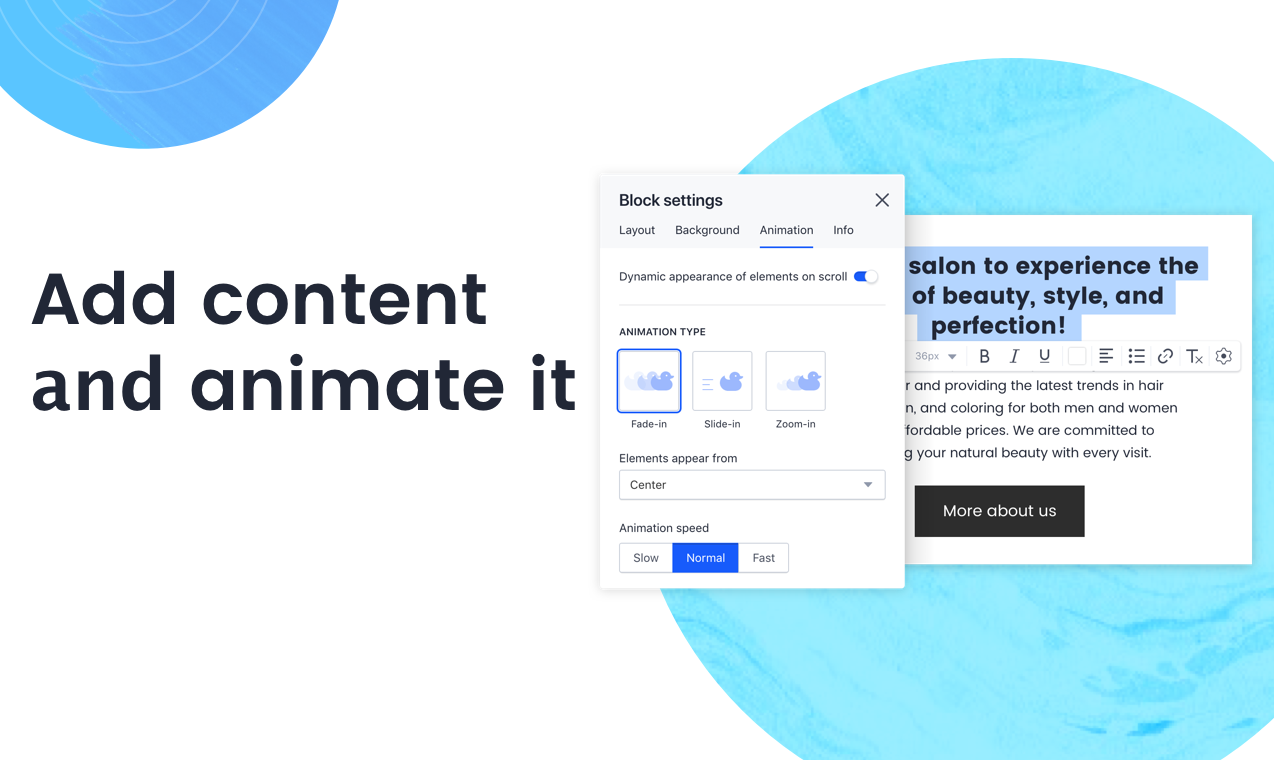 |