Dropbox DocSend vs. Tresorit

Overview
ProductRatingMost Used ByProduct SummaryStarting Price
Dropbox DocSend
Score 8.0 out of 10
N/A
Dropbox DocSend helps business professionals to securely share and control content. Dropbox DocSend's link-based system is used to set security preferences for each stakeholder, receive notifications each time someone views a file, analyze content performance on a page-by-page basis, and create modern virtual deal rooms. With DocSend, business can offload administrative burdens and securely share the most impactful proprietary information faster. DocSend’s Virtual…
$10
per month per user
Tresorit
Score 6.4 out of 10
N/A
Tresorit offers end-to-end encrypted file sync & sharing. The vendor promises an ultra-secure place in the cloud to store, sync and share files easily from anywhere, anytime. The vendor says Tresorit is powered by end-to-end encryption and enhanced with a flexible permission system, therefore it seals your files away from internal data breaches and hackers. All the data is securely stored according to the GDPR in Europe in Microsoft Azure datacenters. Tresorit promises to help secure…
$13.99
per month 1TB of encrypted storage
Pricing
Dropbox DocSendTresorit
Editions & Modules
Personal
$10
per month per user
Standard
$45
per month per user
Advanced
$150
per month
Advanced Data Rooms
$180
per month
Personal
$13.99
per month 1TB of encrypted storage
Business Standard
$18
per month 1TB of encrypted storage
Business Plus
$24
per month per user (2TB of encrypted storage per user)
Professional
$33.99
per month 4TB of encrypted storage
Enterprise
Custom
Starts from 50 users
Offerings
Pricing Offerings
Dropbox DocSendTresorit
Free Trial
YesYes
Free/Freemium Version
YesNo
Premium Consulting/Integration Services
NoYes
Entry-level Setup FeeNo setup feeNo setup fee
Additional DetailsDiscount for annual pricing.
More Pricing Information
Community Pulse
Dropbox DocSendTresorit
Features
Dropbox DocSendTresorit
File Sharing & Management
Comparison of File Sharing & Management features of Product A and Product B
Dropbox DocSend
-
Ratings
Tresorit
4.7
1 Ratings
56% below category average
Video files00 Ratings2.01 Ratings
Audio files00 Ratings2.01 Ratings
Document collaboration00 Ratings2.01 Ratings
Access control00 Ratings2.01 Ratings
File search00 Ratings10.01 Ratings
Device sync00 Ratings10.01 Ratings
Cloud Storage Security & Administration
Comparison of Cloud Storage Security & Administration features of Product A and Product B
Dropbox DocSend
-
Ratings
Tresorit
7.7
1 Ratings
11% below category average
User and role management00 Ratings9.01 Ratings
File organization00 Ratings5.01 Ratings
Device management00 Ratings9.01 Ratings
Cloud Storage Platform
Comparison of Cloud Storage Platform features of Product A and Product B
Dropbox DocSend
-
Ratings
Tresorit
8.0
1 Ratings
7% below category average
Performance00 Ratings6.01 Ratings
Reliability00 Ratings10.01 Ratings
Best Alternatives
Dropbox DocSendTresorit
Small Businesses
SugarSync
SugarSync
Score 4.4 out of 10
SugarSync
SugarSync
Score 4.4 out of 10
Medium-sized Companies
M‑Files
M‑Files
Score 8.9 out of 10
Druva Security Cloud
Score 9.6 out of 10
Enterprises
M‑Files
M‑Files
Score 8.9 out of 10
Druva Security Cloud
Score 9.6 out of 10
All AlternativesView all alternativesView all alternatives
User Ratings
Dropbox DocSendTresorit
Likelihood to Recommend
8.0
(23 ratings)
9.0
(1 ratings)
Usability
10.0
(1 ratings)
-
(0 ratings)
Support Rating
8.0
(1 ratings)
9.0
(1 ratings)
User Testimonials
Dropbox DocSendTresorit
Likelihood to Recommend
Dropbox
DocSend works really great if you want to send out a doc to a prospect and want to track when they open it and what content they view. The reporting on this works really well and I've been happy with this functionality. Where it falls short is when you're trying to use it for a live demo utilizing the join.me integration. There are a lot of issues when you try to switch your screen and it only works 2/3s the time. I'd prefer an all-in-one solution instead of this Frankenstein model.
Read full review
Tresorit
Good scenario: Wanting to have your files stored by an independent group that specializes in secure file storage. The ability to have files stored on servers that are not domestic is a big plus too. We had issues in the past with a solution that went down when the US AWS East Coast servers had an issue; Tresorit is insulated from these problems and appears to handle load balancing as well. Not good scenario: If you want to have outside parties, upload files/share files with you within your Tresorit environment. There is no way of doing this, and this is a real operational problem.
Read full review
Pros
Dropbox
  • Additional information from users who have already downloaded the files or material.
  • Additional information if the download link(s) have been resent.
  • Password encryption if necessary.
  • Email verification for third-party download via email.
  • Add-ons with other platforms and applications, such as Outlook and Gmail.
  • Seal of documents by electronic signature
Read full review
Tresorit
  • Support
  • Secure Storage
Read full review
Cons
Dropbox
  • DocSend has a newer feature called Spaces, it lets you place multiple files into a single "deal room". Unfortunately for us, we need it to support nested file structures for larger content sets. Their support team says this is on the way.
  • I'd like to be able to change the icons for links add to Space, currently, they're a default icon.
  • Navigating the UI is just a bit laborious, it feels like it should be easier to get to link creation since that is what you're doing 90% of the time you go to the site.
Read full review
Tresorit
  • Shared Folders with outside guests, to collaborate with them (collect uploads).
  • Removal of data-cap on file size, and right now, there is one, and it's an issue when storing rich media (such as startup pitch videos, etc.).
Read full review
Usability
Dropbox
The platform and UI are great. never faced any problems.
Read full review
Tresorit
No answers on this topic
Support Rating
Dropbox
I haven’t used the support as our internal teams do a great job of fixing and supporting our DocSend use.
Read full review
Tresorit
Exceptionally responsive. This is something we needed from our storage provider. We are continuously accessing the information, and downtime or technical issues would be and are unacceptable. We have had no downtime issues so far, and Support has been responsive to us whenever needed. Exactly what we needed from their service.
Read full review
Alternatives Considered
Dropbox
DocSend is more convenient than DocuSign if you are already using Dropbox, otherwise a lot of these solutions come down to pricing and preference on user interface. For us, DocSend was great until our needs changed to needing a more sophisticated contract management tool. With further integrations and API accesses in the future, I think it will be easier to have all systems communicating and working together .
Read full review
Tresorit
Secure and independently operated. We selected Tresorit for its secure file storage capabilities that the other services (except SpiderOak) did not provide. Tresorit is a zero-knowledge system, which gives us a lot of comforts when it comes to secure data storage. SpiderOak was a close alternative, but they have been in continuous development to provide competitive features, and still haven't provided what we needed (SpiderOak has promised features for several years at this point).
Read full review
Return on Investment
Dropbox
  • For about $100 you can optimize all
  • Of your pipelines that rely on decks or documents - worth it!
  • The time you’d spend having to send each link to individual clients without tracking is well worth the $100 on the product
  • We’ve been able to close our fundraising round and increase partnerships by utilizing DocSend - would recommend!
Read full review
Tresorit
  • Ensures our business is able to remain operational.
  • Provides comfort on data security and compliance.
Read full review
ScreenShots

Dropbox DocSend Screenshots

Screenshot of the granular permissions that give control of what content visitors can access.Screenshot of document analytics that provide insights on the links that have been forwarded to someone that hasn't been engaged with yet. Page-by-page analytics for each viewer of a document reveal any unique interests.Screenshot of the dashboard to manage sensitive documents securely and get real-time deal insights on deals from start to finish with advanced data rooms.

Tresorit Screenshots

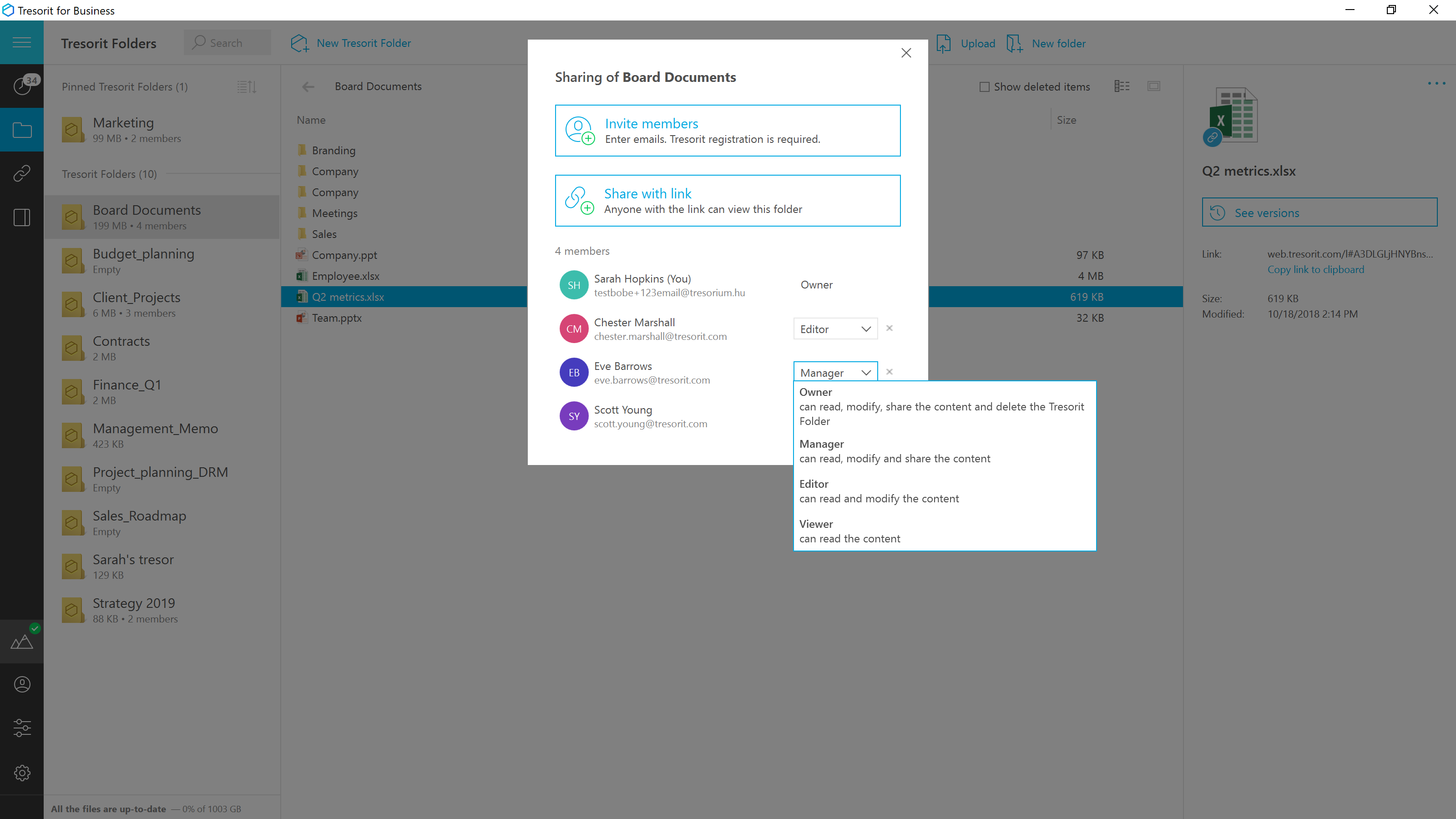
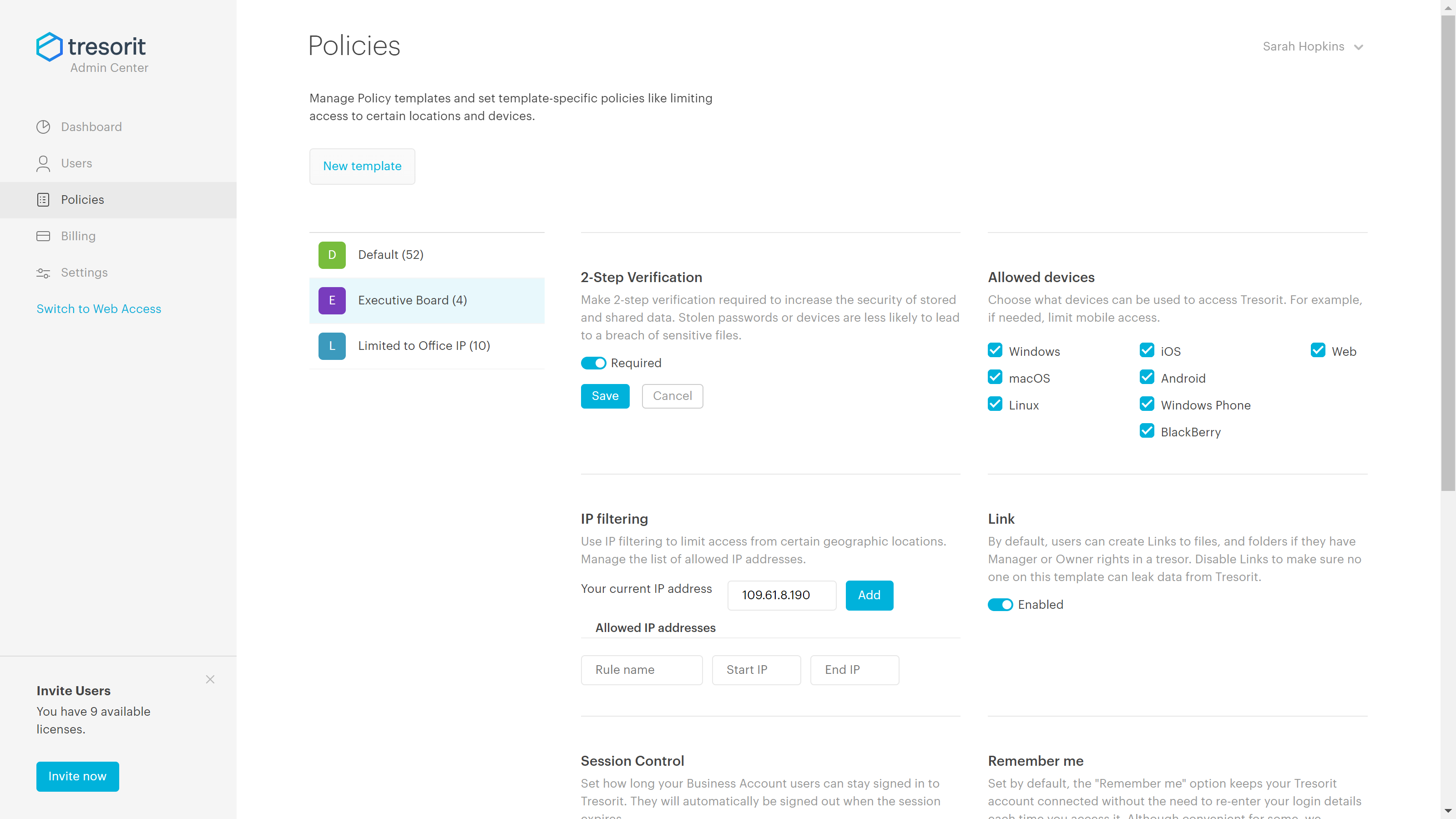
Screenshot of Access encrypted documents from any device and stay in sync with your team.Screenshot of Securely share anything within the company, or with clients and contractors.Screenshot of Replace risky email attachments with encrypted links. Send files even directly from Outlook with download limit, expiry data and password protection.Screenshot of Set the access level for the shared files and change them later if needed.Screenshot of Keep track of changes and stay safe and productive. Users can roll back to any previous version of a document.Screenshot of Set up security policies to avoid accidental breaches caused by employee errors.