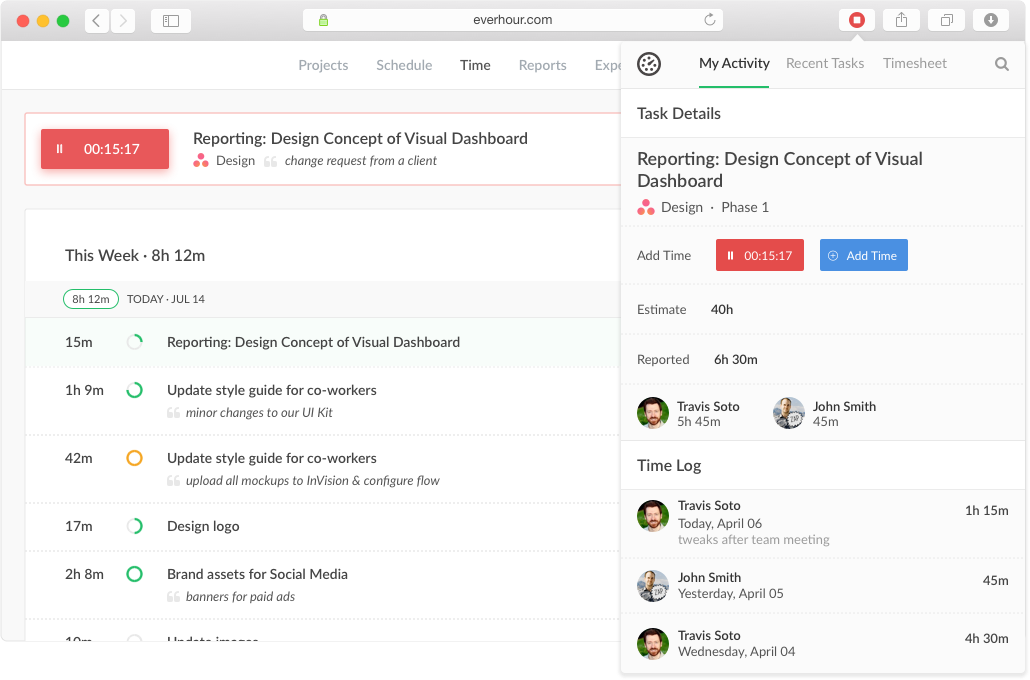
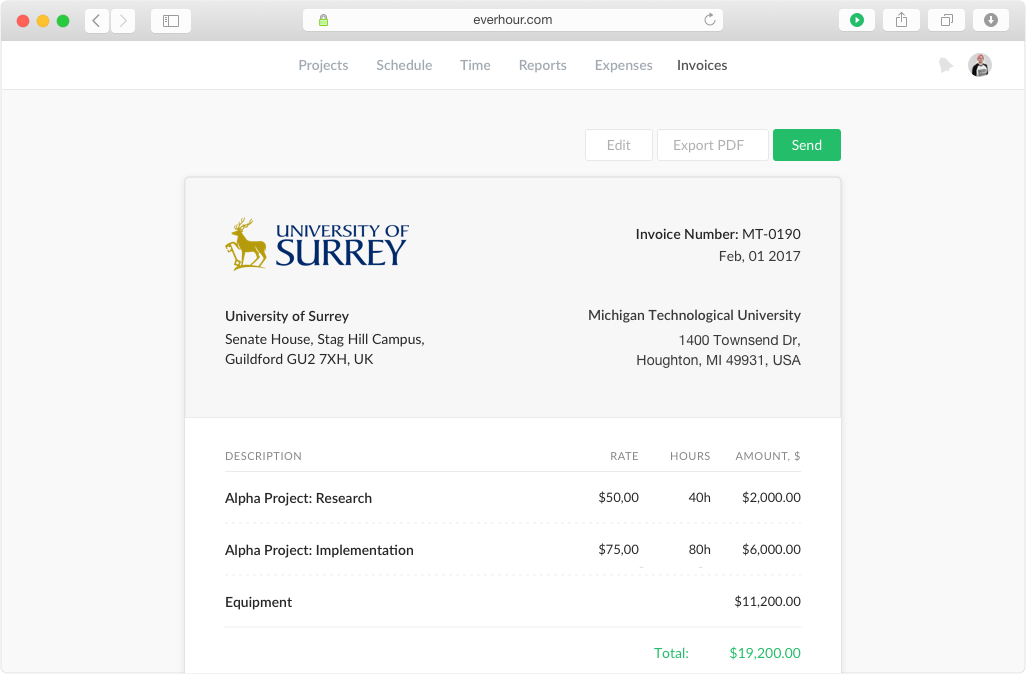
Everhour is a time tracker equipped with project & team management features. Everhour integrates with project management apps so users can track time on tasks right from its interface: Asana, Basecamp, Trello, Jira, ClickUp, Basecamp, Notion, Todoist, GitHub, GitLab, etc. Its time tracking features provide options for timekeeping and time management. It helps to facilitate a team's time tracking experience by adding reminders, auto stop timers, start and stop timers, and…
$0
Zoho People
Score8.6 out of 10
N/A
Zoho People is an efficient Human Resources Management System that automates daily tasks. It also offers Performance Management and Learning Management resources.
$4
per month per user
Pricing
Everhour
Zoho People
Editions & Modules
Free
$0
Lite
$6.00
per month per user
Team
$10.00
per month per user
Essential HR
$4
per month per user
Workforce
$6
per month per user
Talent
$6
per month per user
Enterprise
$10
per month per user
Offerings
Pricing Offerings
Everhour
Zoho People
Free Trial
Yes
Yes
Free/Freemium Version
Yes
No
Premium Consulting/Integration Services
Yes
Yes
Entry-level Setup Fee
No setup fee
Optional
Additional Details
—
Zoho People offers pricing plans designed to meet the needs of businesses of all sizes. Plan includes expanded functionality such as core HR, performance management, advanced analytics, and case management.
All plans come with a 30-day free trial, no credit card required. A discount is available for annual billing.
It's great when you need precise billable hour tracking across multiple clients with different rates, integrated invoicing, and detailed project breakdowns. I would have liked to see regular security audits and/or a SOC report given the nature of the information that's being documented in the product. However, that may not be a huge deal depending on your organization.
A de minimis incentive was given to thank the reviewer for their time. The incentive was not used to bias or drive a particular response, nor was the incentive contingent on a positive endorsement. More Info
Zoho People is well suited for organizations where they need a self service HR tool for tasks like attendance, leave management and time tracking. It is perfect for offices where employees like to work independently and benefit from easily accessing and managing their own HR records. But it is less suitable where internet is an issue or GPS is unavailable which makes the process of check-in/check-out frustrating.
Integration with project management tools, like Trello, that makes the project management easier to do because you have metrics and statistics grouped on just one site.
Metrics of expended time per user and per project makes decisions easier You can have all the data to support changes or decisions in the company, like rentability of certain type of products offered.
The Everhour team is always evolving, so they always ask how you feel about everything and if anything is not working as expected. You are always surprised with new improvements that you didn't think could be useful but that end up adding value to your business.
A de minimis incentive was given to thank the reviewer for their time. The incentive was not used to bias or drive a particular response, nor was the incentive contingent on a positive endorsement. More Info
Data Management- It's useful to have all data related to HR in one space, especially using the cloud. Separating data into relevant categories also makes administrative work a breeze.
Employee Resources- Having a central place for employees to reach out to HR is ideal.
Customization- Creation of forms is especially useful for a growing business.
A de minimis incentive was given to thank the reviewer for their time. The incentive was not used to bias or drive a particular response, nor was the incentive contingent on a positive endorsement. More Info
Expenses tracking system - if it will allow to track all fixed INs and OUTs inside the project (and track invoices based not only on time tracking but generated manually) it can replace our financial tool or make it more automated
Check in and GPS issues - The app sometimes struggles with location detection during check-in which delays logging in
Limited offline access - Zoho People should have had an offline functionality making it difficult for employees to check in or log hours when internet connection is an issue
Clunky user interface - I personally find the interface bit too cluttered which makes navigation difficult
Everhour's overall usability is definitely one of its key strengths. The UI is intuitive and clean, making time tracking feel less "technical" than other solutions we've tried. Our entire team, including less tech-savvy contractors, found it easy to use.
A de minimis incentive was given to thank the reviewer for their time. The incentive was not used to bias or drive a particular response, nor was the incentive contingent on a positive endorsement. More Info
Because it is one of the best HRM software i have ever used and literally my experience with Zoho People is amazing and we are still using this software in our company to track employee records. Zoho People is perfectly fits on our organisation where employees is mandatory to run a health business. Thanks Zoho
In the almost 2 1/2 years we have had to contact support 1 time and it really was for a feature request. Their support team responded quickly and told us that the feature was going to be added in the next few months. We have had no support issues ever. I have never had a time tracking solution that has had no issues until Everhour.
Originally, I was using Harvest and really liked its features. However, the Harvest invoicing system only pushes data into QBO, but doesn't check / sync invoice numbers or update for payment status, so it was resulting in duplicate invoice numbers and extra effort to update status in both places. So, I started looking for another solution. I tried a LOT of products. Everhour addressed the following issues I encountered from various other services:
Bi-directional sync of invoices so records in QBO & Everhour always match (without having to load a bunch of extraneous records to either system)
Start-stop timer
Set budgets by project and client to easily monitor project status & profitability
Allow all team members to track to projects they're following, even if not assigned to them
Clean, modern interface (if I'm using it every day, it better be pretty and easy to use)
Ability to edit time, and limit others' ability to edit their time (though we don't restrict time editing for our users)
Doesn't require use of Projects in QBO in order to sync properly
Doesn't try to take over invoicing or break QBO functionality
A de minimis incentive was given to thank the reviewer for their time. The incentive was not used to bias or drive a particular response, nor was the incentive contingent on a positive endorsement. More Info
One of the innovative CRM software products on the market is Zoho People. Compared to Salesforce and SugarCRM, Zoho People comes up to their standards. Zoho People is an integrated suite of CRM tools that allows small businesses to work more efficiently. Zoho People is a better platform for managing HR and other human resource management. And it's a cost-effective solution for start-ups.
A de minimis incentive was given to thank the reviewer for their time. The incentive was not used to bias or drive a particular response, nor was the incentive contingent on a positive endorsement. More Info
We're more aware on the investement of hours required in a project, not just the estimated hours but the actual time invested by every member of the team
Everhour is a good tool to adequate the pricing to the actual investement of hours needed and to bill the clients when the actual time invested exceeded the estimated time
The members of the team (and i'm speaking for myself too) are now more aware of how much it takes to complete a task. Having this in mind help us to organise our everyday and to know when we are free to take new clients
For us, the time/attendance tracking function of Zoho People has done a lot to increase accountability for scheduling and attendance. Since we are a volunteer staff, scheduling can be difficult, and this has made it so much easier to quantify and track everyone's weekly time commitments.
A de minimis incentive was given to thank the reviewer for their time. The incentive was not used to bias or drive a particular response, nor was the incentive contingent on a positive endorsement. More Info