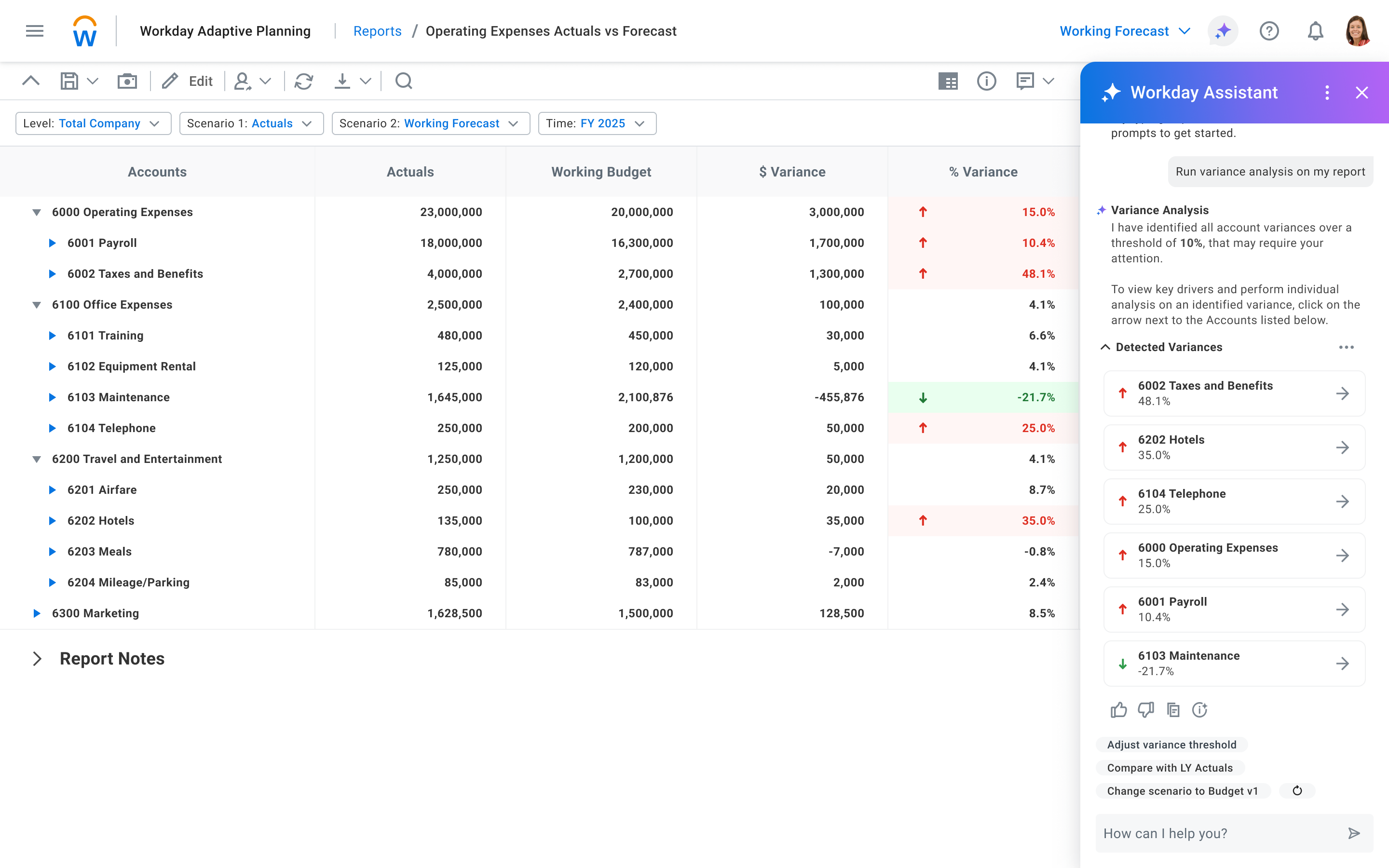
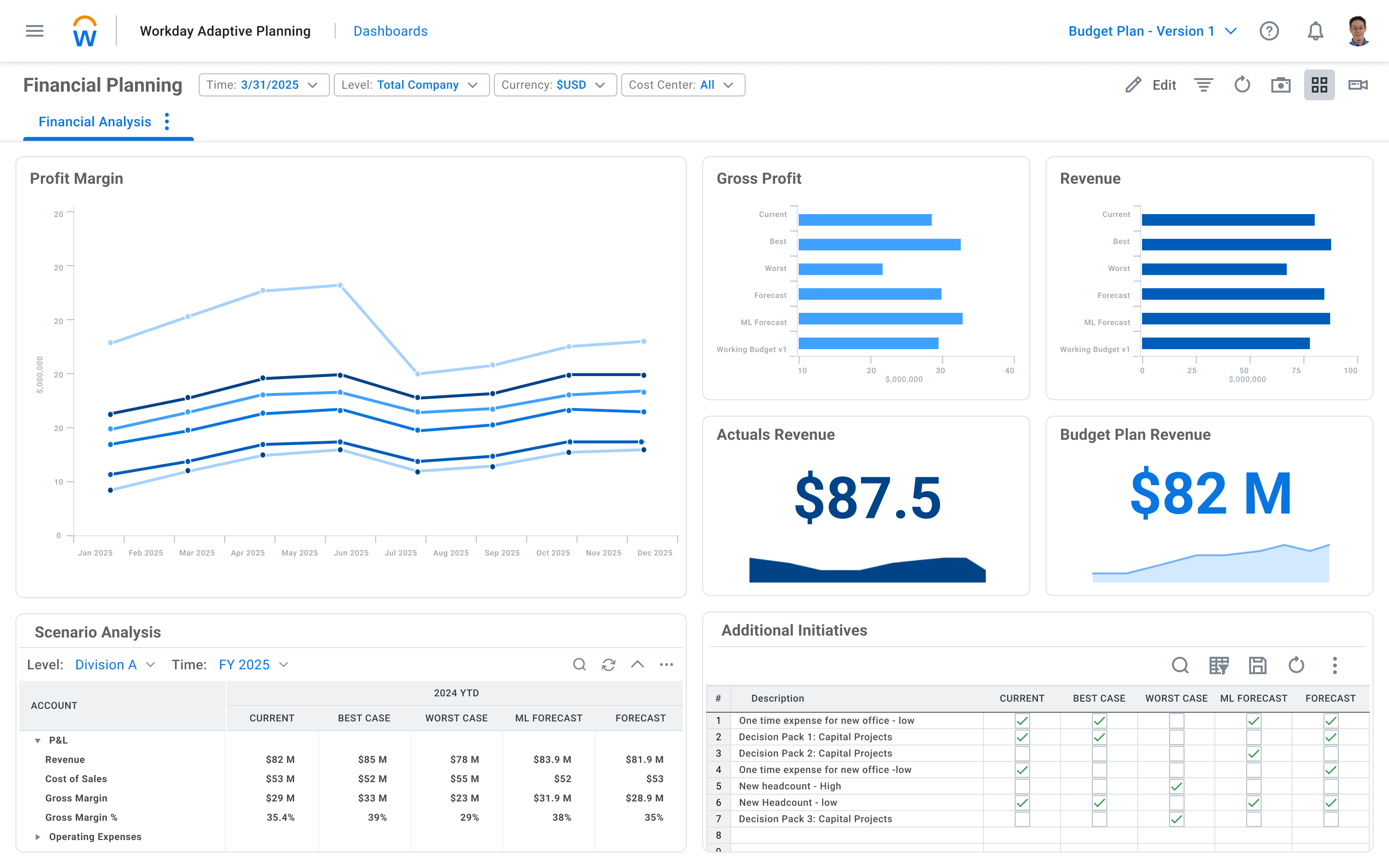
Workday Adaptive Planning streamlines planning workflows, using AI and real-time data integration to improve collaboration and provide predictive forecasts for better strategic analysis.
High-frequency data, with frequencies of hours and seconds, is needed for the database. There are also frequency options that are multi-year, bimonthly, fortnightly, ten-day, and daily. With a large database, this kind of data can be handled with the E-Views package. Using the nonparametric kernel, this software can compute long-run variances that are symmetric or one-sided.
A de minimis incentive was given to thank the reviewer for their time. The incentive was not used to bias or drive a particular response, nor was the incentive contingent on a positive endorsement. More Info
It's well suited to any business where you have defined inputs, a layer of structured calculations and a defined output. In other words, any business situation! We use it in a law firm setting where it enables us to import staff plans, assign targets to each individual, thereby generating a revenue forecast linked to business capacity. From there, global assumptions determine staff and direct costs, with the user overlaying discretionary costs to arrive at a final P&L forecast. This is then summarised using the reporting and dashboarding layer to provide outputs to senior leaders for sign off.
A de minimis incentive was given to thank the reviewer for their time. The incentive was not used to bias or drive a particular response, nor was the incentive contingent on a positive endorsement. More Info
A de minimis incentive was given to thank the reviewer for their time. The incentive was not used to bias or drive a particular response, nor was the incentive contingent on a positive endorsement. More Info
It helps create dynamic plans for finances, operations and various functional units in an organization all under one platform
It helps in scenario modeling to help analyze various business events and report by any number of business dimensions including channel, customer or product
It can be integrated with any system including ERP, BI or CRM
A de minimis incentive was given to thank the reviewer for their time. The incentive was not used to bias or drive a particular response, nor was the incentive contingent on a positive endorsement. TR verified that a representative sample of customers was invited. More Info
A de minimis incentive was given to thank the reviewer for their time. The incentive was not used to bias or drive a particular response, nor was the incentive contingent on a positive endorsement. More Info
Expense reporting aspects are repetitive and hard to fully optimize.
Finance tracking is limited to basic reports with multiple levels or drill-down...hard to fully grasp without exporting data and massaging in something else (like Excel).
A de minimis incentive was given to thank the reviewer for their time. The incentive was not used to bias or drive a particular response, nor was the incentive contingent on a positive endorsement. More Info
For one we're in way too deep to not move forward with Adaptive. We're integrated with Workday, we do a ton of reporting with Adaptive, and it's working very well for planning and forecasting. No reason to look back or change course.
It is an easy transition for Excel users, with more built-in analytical tools and no need to build formulas. It also has built-in reporting and integration with Microsoft Office products such as Excel and PowerPoint. For non-Finance users, there's an initial learning curve to get used to the tool.
A de minimis incentive was given to thank the reviewer for their time. The incentive was not used to bias or drive a particular response, nor was the incentive contingent on a positive endorsement. More Info
There haven't been any lately. The only one issue I can think of is when there was an update in Adaptive that altered our reports. Before I realized there was an issue, Adaptive reached out to let me know, so that it could be fixed.
All aspects of Adaptive Insights perform well. One area that I wish was quicker was integration. When importing data from Intacct our accounting ERP platform, it can sometimes take 4 hours for the import to process. The earlier imports are done, the quicker they complete. My estimate for a quick upload is about two hours.
Whenever we have had any questions, issues, or concerns, the support has been quick and thorough. [This] allow[s] us to be able to fully resolve any issues, or be connected with the right group quickly to attain the result we were after; be it from simple formatting to adding new detailed reporting.
A de minimis incentive was given to thank the reviewer for their time. The incentive was not used to bias or drive a particular response, nor was the incentive contingent on a positive endorsement. More Info
This was extremely helpful so that they could walk you through the model and teach you more about the complexity of various areas. It is most helpful when it is specific to your organization's model. The larger in-person trainings were helpful but they tended to be more generic and entry level. The trainings that are more tailored to your specific needs are the most helpful.
A de minimis incentive was given to thank the reviewer for their time. The incentive was not used to bias or drive a particular response, nor was the incentive contingent on a positive endorsement. More Info
They often times tended to be way too generic or entry level. They would also become sales pitches to upgrade or get new Adaptive Planning products. The questions in the training would be very niche and specific to other organizations. They were rarely helpful to the group at large.
A de minimis incentive was given to thank the reviewer for their time. The incentive was not used to bias or drive a particular response, nor was the incentive contingent on a positive endorsement. More Info
Trust the expertise of very strong 3rd party implementers. Having deployed Adaptive at a separate company before, I thought I knew it all (hubris, I know). Fortunately, I began to (very quickly) trust the judgment of our Carlson implementation team, and they provided invaluable insights and best-in-class processes that have benefitted me and my team greatly.
A de minimis incentive was given to thank the reviewer for their time. The incentive was not used to bias or drive a particular response, nor was the incentive contingent on a positive endorsement. More Info
Time-series data analysis is very accessible with EViews. It makes data analysis easier without requiring the writing of intricate scripts. A database frequently needs long-term computations of covariance and variance, where the errors are randomly distributed and represent a specific kind of sequence. For regression, time series analysis, and other statistical tasks, I found time series to be useful in my agribusiness research.
A de minimis incentive was given to thank the reviewer for their time. The incentive was not used to bias or drive a particular response, nor was the incentive contingent on a positive endorsement. More Info
Workday became our choice because it is fully web-based and easily integrates with other systems. The learning curve for Workday was shorter than that of Dynamics. The reporting tools in Workday are more user-friendly than that of Dynamics. However Workday did not have Check Printing tools which are available in Dynamics. The organization started a project to digitize all financial transactions so it was not a priority feature. When it comes to scaling up the functionalities of Workday it was much easier than Dynamics.
A de minimis incentive was given to thank the reviewer for their time. The incentive was not used to bias or drive a particular response, nor was the incentive contingent on a positive endorsement. TR verified that a representative sample of customers was invited. More Info
A de minimis incentive was given to thank the reviewer for their time. The incentive was not used to bias or drive a particular response, nor was the incentive contingent on a positive endorsement. More Info
We went from 2 users to 70+ users over a 2 year period of time. The application scaled wonderfully. 65 of those users were non-finance users so they were able to quickly learn the software and prepare budgets quickly and efficiently. That is the power of Adaptive and its ability to scale
A de minimis incentive was given to thank the reviewer for their time. The incentive was not used to bias or drive a particular response, nor was the incentive contingent on a positive endorsement. More Info
A de minimis incentive was given to thank the reviewer for their time. The incentive was not used to bias or drive a particular response, nor was the incentive contingent on a positive endorsement. More Info
It's facilitated a better financial literacy and management by the non-financial managers in the company, giving them a much better ability to see what they're spending, control it, and plan better in the future.
It's hard to quantify the ease of model and version management, but we could never do what we're doing now with our current staff. It would take a small army to replicate anything close to what Adaptive pulls off using Excel, if it's even possible.
A de minimis incentive was given to thank the reviewer for their time. The incentive was not used to bias or drive a particular response, nor was the incentive contingent on a positive endorsement. More Info