Experian boasts a comprehensive set of data management solutions to get the most out of an organization’s data.
N/A
Strategy Analytics
Score 8.4 out of 10
N/A
MicroStrategy Analytics is an enterprise business analytics and mobility platform. Key features include automatic big data analysis and reporting, data discovery and visualization, digital security credentials, and support for mobile devices.
N/A
OpenText Magellan
Score 9.0 out of 10
N/A
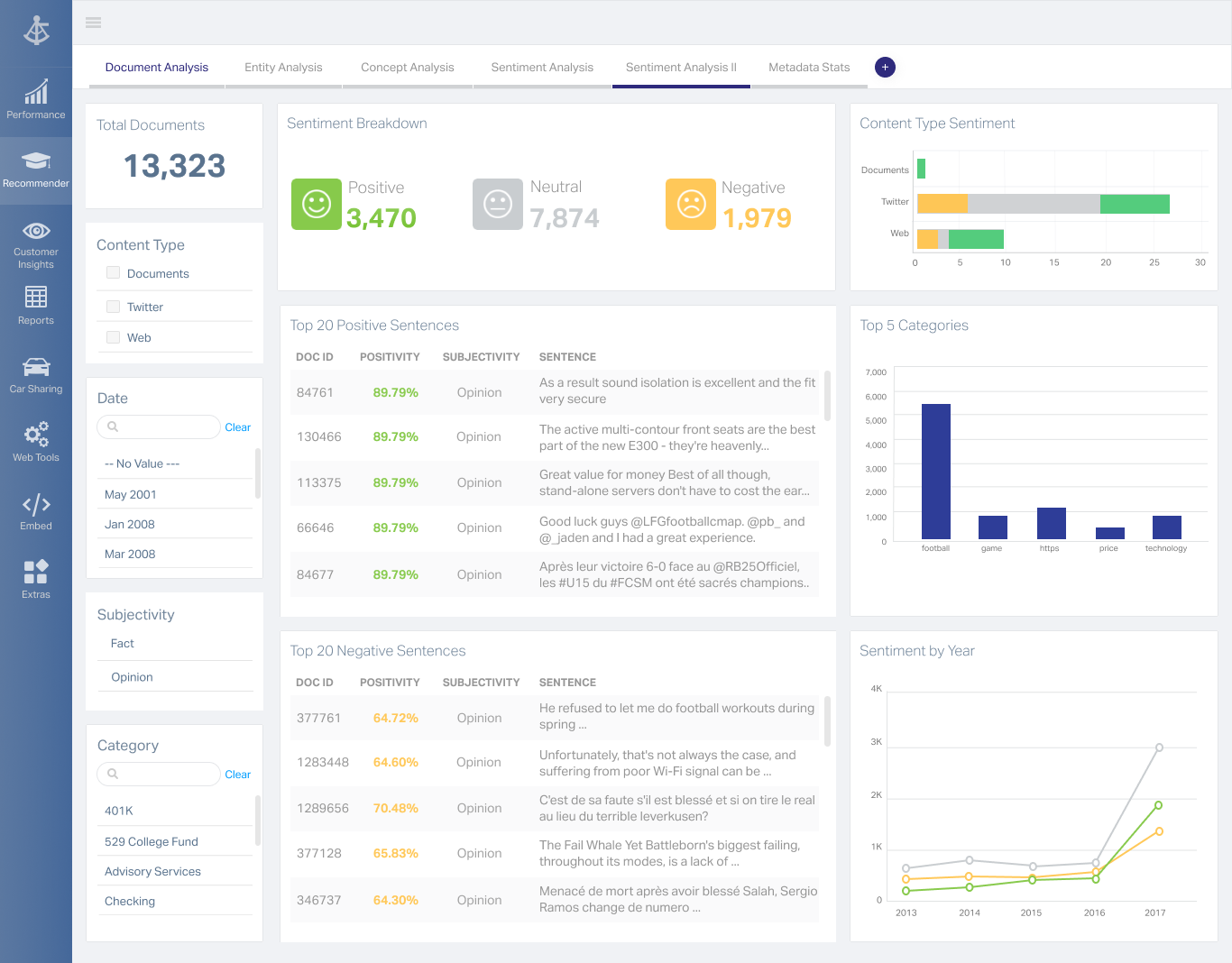
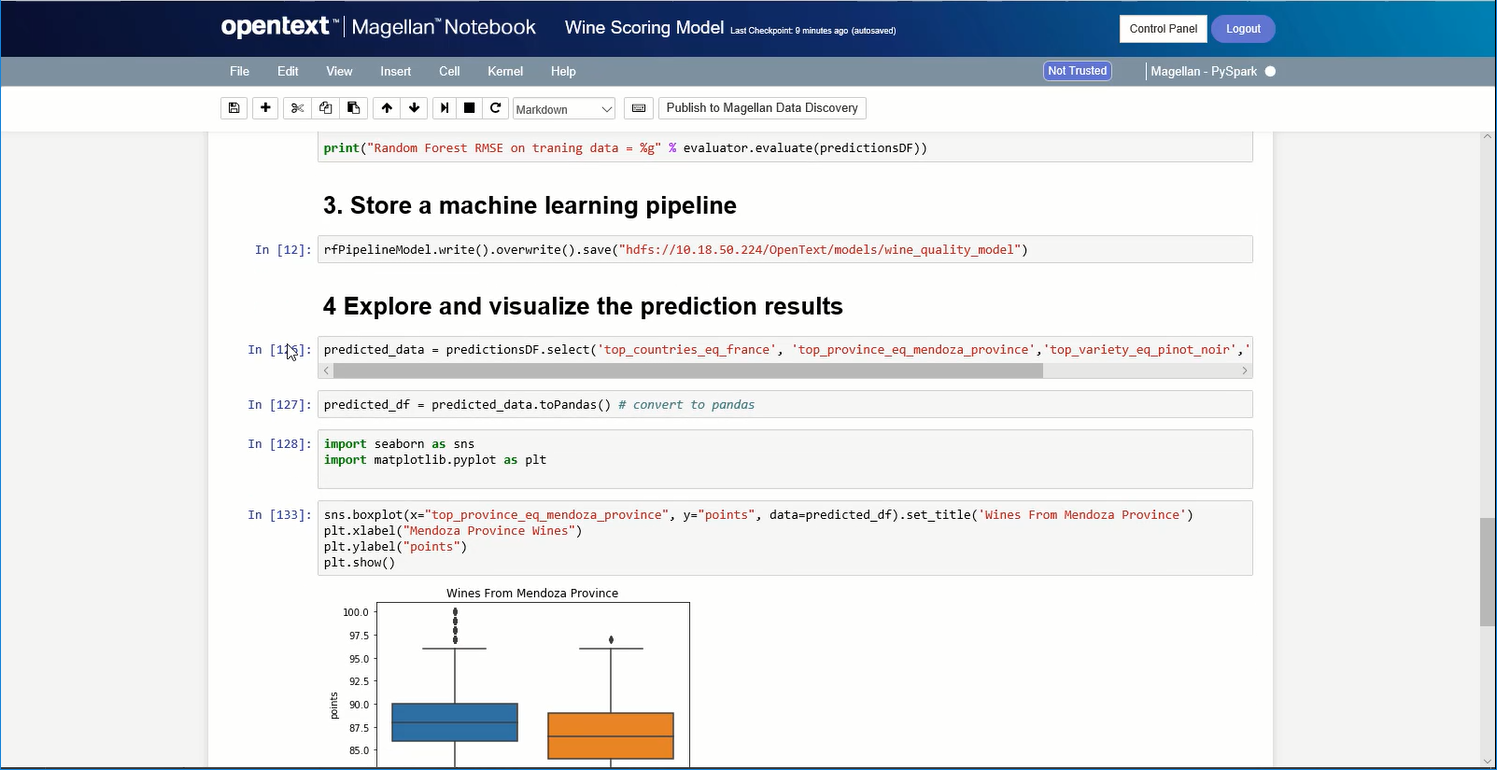
OpenText Magellan Analytics Suite leverages a comprehensive set of data analytics software to identify patterns, relationships and trends through data visualizations and interactive dashboards.
[I feel like} Microsoft BI - MicroStrategy Analytics is worse in every way. Less templates, less canned reports, less third party integrations, less knowledgable consultants/employees, less core capability, much worse migration path to the cloud (Azure in Microsoft's case), and …
Factors in going with MicroStrategy Analytics are cost, cloud saas, ease of integration, strong peer community, strong consulting partnership, and pre-existing relationships. The cost factor and pre-existing relationships played a defining role in the selection of the product.
Microstrategy is already used in the organization and it clearly is used by many leading industries. Tableau and Salesforce are comparatively new to this.
Tableau was more costly and took longer to learn to use. While it does have some perks (such as no metadata layer), I find using the online version of Tableau is not as fast as the online version of Microstrategy, and creating data descriptors is easier in the latter. Tableau …
Tableau is a user friendly environment that creates visualizations, reports, and dashboards. The performance of Tableau is bad when querying large data sets. Users are not able to customize their reports as easily in Tableau as they can in MicroStrategy. Analysis and modeling …
Microstrategy has a more centralized vision, the new version is making an approach to Tableau or Power BI in the data preparation and fast creation of data visualization. Qlikview is maybe similar in the vision to centralize the administration. Microstrategy analytics is the …
Tableau is probably MicroStrategy Analytic's biggest competitor I've noticed over time, and I'm not sure why. Tableau only covers visualizations independently for each business user, which then creates the issues of every employee creating their own version of the data, and …
I found Birst to be a good tool when using perfectly normalized data, like they do on their demo. If your data or model are not perfect, the tool doesn't automatically figure out anything, so you have to do a lot of manual work. Also, the tool is not mature enough. For …
I have only used SSRS 2012 and MicroStrategy 9.4.1 as reporting tools. SSRS is not as fully featured as MicroStrategy and does not have the same level of quality in the delivery of expert reports. MicroStrategy meets many more needs out of the box and allows for many more …
We didn't select MicroStrategy, our IT department did. The team has since moved to Tableau, which is better suited to their needs.
OpenText Magellan
Verified User
Anonymous
Chose OpenText Magellan
There is multiple software available in the market to do the reporting and text analytics. Generally, analysts prefer using Python or R. Or we try to use any API available. This software can fulfill almost 80% of those needs without writing the codes. It has the integration …
OpenText Magellan can produce reports that are much more elaborate than PowerBI, which is ideal for users that just need to see a report. On the other hand, PowerBI seems to be better at allowing users to interact with data.
It is vastly superior to these in many ways, for complex reporting it is a much more sophisticated solution. Visualizations are very good. Javascript extensibility is very powerful, others don't support this or as well. Pentaho and MS are both OLAP oriented. Pentaho is moving …
Actuate has been in the industry a while and the open source community make going with Actuate's BIRT a stable decision. Changing report engines can be expensive, so going with a company with a good reputation helps long-term.
Actuate has a HUGE number of features that can tie nicely into almost any ERP but it takes some time to learn and the development community was relatively small compared to the Crystal Reports alternative. Crystal was far easier to learn and had a massive support base. Probably …
MSTR is great for any organization that is looking for a way to deliver complicated data in an uncomplicated way. From business teams to marketing and finance, several departments benefit from using MSTR to keep track of KPIs enabling teams to make optimizations along the way. MSTR provides great visual representations of data enabling team members to distill thousands of data points into easily digestible charts and graphs
It depends on extensibility, set-up, access & style. Actuate performs fairly well, but has performance issues because it sits on top of eclipse, which sits on top of Java. Extensibility usually comes at that price. Set-up is fairly straightforward and it can be secured.
I think the dashboards are quite helpful to visualize on the spot data.
Creation of facts and attributes is simple - I have no programming experience and was still able to create and modify these items.
Scheduling reports to be run on a daily, weekly, or hourly basis is simple. It provides updated data on a timed basis with no need to go back into the program.
Visual Insight have multiple limitations. Few of them are listed here - i)Cannot change default graph colors ii) text/graph formatting are very very limited iii)Add metric to Color by / Thresholds is not possible iv)one of the worst limitation of the VI in older versions is that it is not possible to create filters that apply only to a specific visualization. For example if there are 4 graphs in one dashboard & if you have filters then those filters would be applicable for all of them
Some formatting options are not there either on Web or Developer especially while dealing with a document. We have to use both Web & Developer to solve issues.
While connecting with MDX cube reporting loses a lot of features.
I would always choose to renew MicroStrategy as long as they lead the market in features, functionality and price. The support of MicroStrategy is timely and professional, I frequently get answers to my questions within 24 hours and normally have solutions within 48 hours. Training available for MicroStrategy completely covers everything required to be able to expertly use MicroStrategy and understand data warehousing.
I am no longer working for the company that was using Actuate but I believe they would continue to use it because the stitching costs would be to high. It would require a complete rewrite of the reports and the never version of Actuate (BIRT) even required an almost complete report rewrite
Overall for most functions it is incredibly easy to use and understand - however more complicated features are very technical and require training skill. There is the possibility of creating reports that return inaccurate information if you do not have a solid understanding of the information.
It is quite intuitive to use. It is fit specifically for doing sentiment, emotion, and intention analysis as well as text classification and text summarization. I would have given 10 if it is fit for the purpose of doing image processing and analysis as well. There is a huge market to analyze video and image data.
I've never had an issue with MicroStrategy not being available due to MicroStrategy application malfunction. It is very robust and only failures I've seen were due to user error or the platform the machine running the service failed some how.
Being able to customize the performance based on the business need is extremely powerful. Proper configuration and understanding of the usage pattern is key, if the technical ability of the architect is not at top level, then the product will not be configured correctly which will lead to poor performance.
[I feel as if] they answer the phone quickly, but can't answer any of your questions. Will get lost in a support ticketing system. Better off finding third-party online forums of MicroStrategy Analytics users huddled together trying to help each other do the most basic things.
I have attended many trainings offered by MicroStrategy; both distance and in-person training. I earned my CRD (Certified Report Developer) certification via the online training. I found the training to be well organized and concise. Overall I will definitely continue to increase my knowledge with MicroStrategy via the online training offering.
[I feel like} Microsoft BI - MicroStrategy Analytics is worse in every way. Less templates, less canned reports, less third party integrations, less knowledgable consultants/employees, less core capability, much worse migration path to the cloud (Azure in Microsoft's case), and ultimately turned out to be higher cost when we had to start adding modules and pay for professional services to do even the most basic reporting Google Charts - Not as fare comparison since this is a free SaaS product, but when we couldn't get things working with MicroStrategy Analytics, we starting using Charts just to get data out the door for the company. Amazing how easy it is, and free. Provides WAY more robust capabilities in your web browser for free.
It is vastly superior to these in many ways, for complex reporting it is a much more sophisticated solution. Visualizations are very good. Javascript extensibility is very powerful, others don't support this or as well. Pentaho and MS are both OLAP oriented. Pentaho is moving more toward big data, which was not our primary focus. Others are stuck in the Crystal Reports Band metaphor.
This software is extremely scaleable, one can add more core servers which performs as a load balancing. The configurations available to manage usage patterns and daily activity are as high a caliber as any other enterprise level software. This product can be installed on both a windows and unix platform allow for integration on a budget.
MicroStrategy was helpful for reducing the amount of time we needed to spend number crunching large data sets, and in doing so, allowed me as the primary users to spend more time gleaning insights from the data that in turn informed our leadership team to make strategic decisions.
By creating numerous canned reports available to all members of the team through email distribution or basic access to the platform, we were able to reduce the time I spent showing people how to pull the data in Microsoft Excel by nearly 40% .
We ended up needing to make many changes to the way our DMP was feeding data into MicroStrategy due to incorrect reporting that caused complications in accounting and finance.
Actuate can handle 50 to 60 sub reports inside a report very well.
Dynamically creating the datasource, chart, graph, reports are the main advantages. We can do any level of drilling, and can create a performance matrix dashboard efficiently.