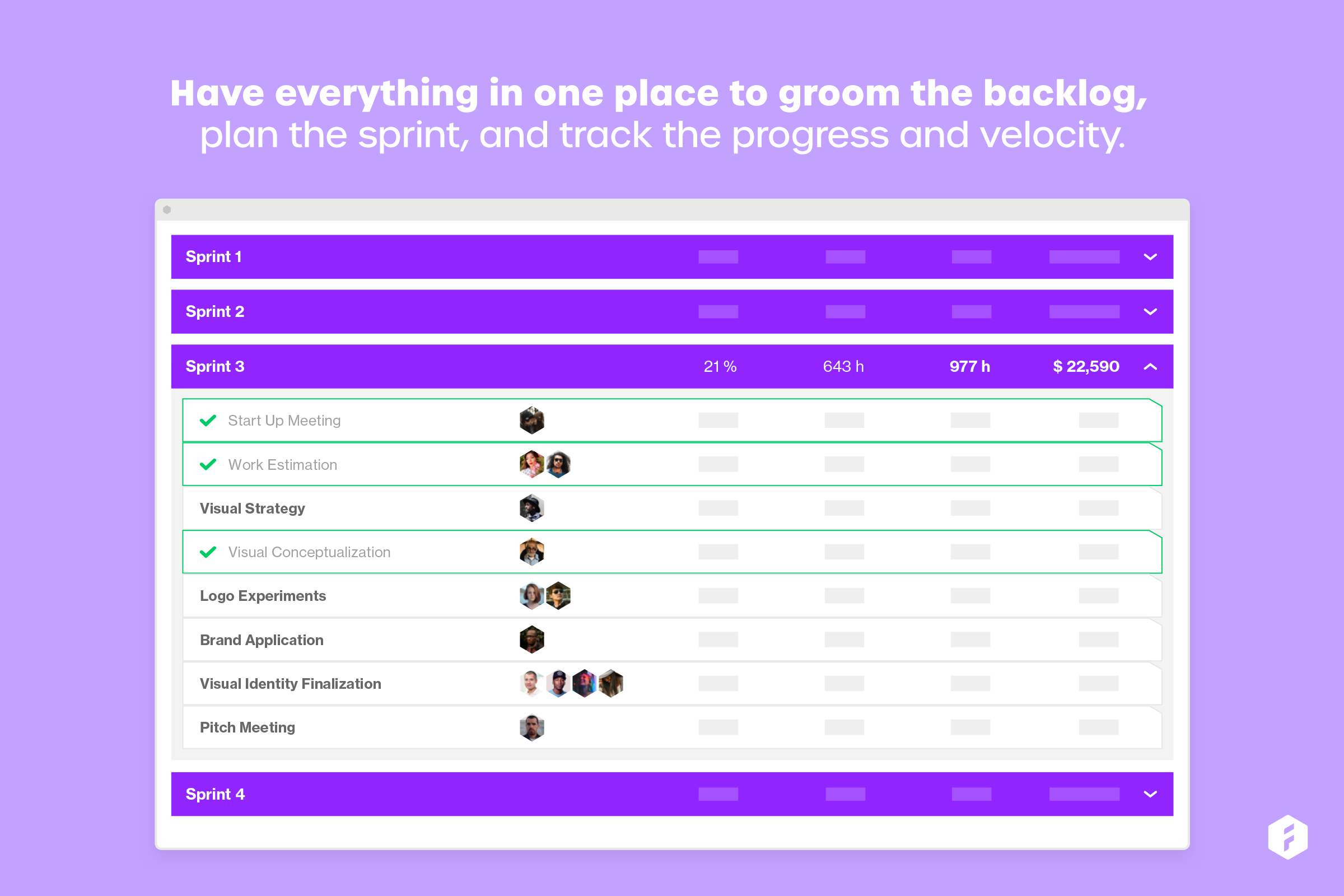
Forecast.it is a project portfolio management solution built around features such as resource planning and time tracking, budget estimating, and analytics and reporting, with key third-party integrations.
$29
per seat (billed annually)
Notion
Score 8.7 out of 10
N/A
Notion aims to present users with an all-in-one workspace — for notes, tasks, wikis, and databases, from Notion Labs in San Francisco.
$5
per month per user
Quire
Score 8.1 out of 10
N/A
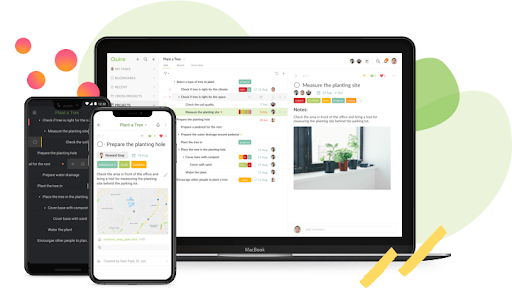
Quire is a visual collaboration platform that enables task and project management. It allows users to visualize their workflows and improves real-time collaboration.
$10.95
per month per user
Pricing
Forecast
Notion
Quire
Editions & Modules
Lite (Annual subscription)
$29
per seat (billed annually)
Pro (Annual subscription)
$49
per seat (billed anually)
Enterprise
Call us
Free
$0
Plus
$12
per month per user
Business
$24
per month per user
Enterprise
Custom Pricing
Professional
$10.95
per month per user
Premium
$18.95
per month per user
Enterprise
$24.95
per month per user
Offerings
Pricing Offerings
Forecast
Notion
Quire
Free Trial
Yes
Yes
Yes
Free/Freemium Version
No
Yes
Yes
Premium Consulting/Integration Services
No
No
Yes
Entry-level Setup Fee
Optional
No setup fee
No setup fee
Additional Details
—
A discount is offered for annual billing.
—
More Pricing Information
Community Pulse
Forecast
Notion
Quire
Features
Forecast
Notion
Quire
Project Management
Comparison of Project Management features of Product A and Product B
Forecast
-
Ratings
Notion
7.3
79 Ratings
6% below category average
Quire
7.0
3 Ratings
10% below category average
Task Management
00 Ratings
8.174 Ratings
8.23 Ratings
Gantt Charts
00 Ratings
6.846 Ratings
9.12 Ratings
Scheduling
00 Ratings
6.957 Ratings
7.32 Ratings
Workflow Automation
00 Ratings
6.455 Ratings
5.51 Ratings
Mobile Access
00 Ratings
7.372 Ratings
7.32 Ratings
Search
00 Ratings
8.075 Ratings
00 Ratings
Visual planning tools
00 Ratings
7.968 Ratings
00 Ratings
Resource Management
00 Ratings
00 Ratings
7.31 Ratings
Team Collaboration
00 Ratings
00 Ratings
4.52 Ratings
Support for Agile Methodology
00 Ratings
00 Ratings
6.41 Ratings
Email integration
00 Ratings
00 Ratings
7.31 Ratings
Communication
Comparison of Communication features of Product A and Product B
Forecast
-
Ratings
Notion
7.8
76 Ratings
3% below category average
Quire
-
Ratings
Chat
00 Ratings
6.229 Ratings
00 Ratings
Notifications
00 Ratings
7.568 Ratings
00 Ratings
Discussions
00 Ratings
7.349 Ratings
00 Ratings
Surveys
00 Ratings
6.720 Ratings
00 Ratings
Internal knowledgebase
00 Ratings
8.869 Ratings
00 Ratings
Integrates with Gmail and Google Hangouts
00 Ratings
8.98 Ratings
00 Ratings
Integrates with Outlook
00 Ratings
9.02 Ratings
00 Ratings
File Sharing & Management
Comparison of File Sharing & Management features of Product A and Product B
Forecast is well suited for tracking schedules, especially if it is only being controlled by a single department. When it comes to using Forecast in a larger ecosystem with more "cooks in the kitchen" it would be helpful to have the software more easily integrated with other software.
If you want a customizable solution that can be adapted for just about any scenario, I recommend using Notion. If you need a solution that's easy to share with people outside your organization, Notion is great and allows individual or team permission-setting. If you want a turnkey solution, Notion might not be the best since it requires a fair bit of set-up. There are templates that can be purchased to handle this, but I haven't found them very helpful.
Well-suited for small teams. It's feature-rich and simple, but doesn't have the bug-tracking capabilities of heavier tools like Jira. Low setup overhead, so it's easy to jump in and start quickly! Best Gantt chart experience I've had in a while.
Not as intuitive as its companion software, Harvest. This software takes longer to learn when on-boarding new staff. It is also difficult to view time notes without needing to physically open them up. This could be improved by expanding the "on hover" functionality. Personally, having spent as little time in workflow software is really important, as it gives me more time to code.
Because we use this software to plan schedules, items often fall through the cracks. I would like to see some more sophisticated syncing with not only Harvest but also with Asana.
Lack of integration with Asana. It would be nice to pull data from forecast and display it in Asana. This would be helpful for understanding how much time I have to spend on a project rather than bounce back and forth between web apps.
I use Notion on my personal tablet, and unlike on the computer, I have a lot of difficulty editing backgrounds, GIFs, and page dividers. It's not as user-friendly, and often the elements end up cut off or misaligned, which is frustrating.
While the current calendar feature is helpful, I'd love to see more customization options. The Google Calendar style isn't always ideal, especially for tasks without specific times or for ongoing projects that require daily maintenance.
It would be fantastic to have more flexibility in customizing Notion pages. For example, I'd love to create planners with the freedom to add illustration boxes, stickers, or GIFs without being restricted to a fixed layout.
Very easy to use (I learned how to use everything on my own) and I was able to set up an entire ecosystem without any courses or other tools. I often say that Notion is like Lego for adults, because there we can use all the available tools to create a multitude of things, from funnels to projects with calculated deadlines and tags.
Very easy to input tasks, assign them to people, and make dependencies between tasks. Workflow is super convenient once you get used to using enter or tab in the right place. Can do a lot of things from the keyboard, but the commands are not as intuitive as those in Todoist.
I have not used any other scheduling software other than Forecast. The company selected Forecast because it is used in conjunction with Harvest. The pair of web apps can be used to pull detailed data. This is very important to our agency, and making data-driven decisions is exceptionally important to our agency mission.
The company uses both Notion and Trello within the company. Notion is more for North America employees while Trello is used between Operation team overseas and in North America. Sometimes it's a preference of how the tools look like for project management. I would say both Notion and Trello are nice tools and serves our needs.