Futuramo creates SaaS apps to provide a collaborative workspace for teams. Futuramo Time Tracker is an app used to track, analyze, and manage time, free for teams of up to 3 users, and $6 per license for each additional user.
$6
per month
Nifty
Score8.2 out of 10
N/A
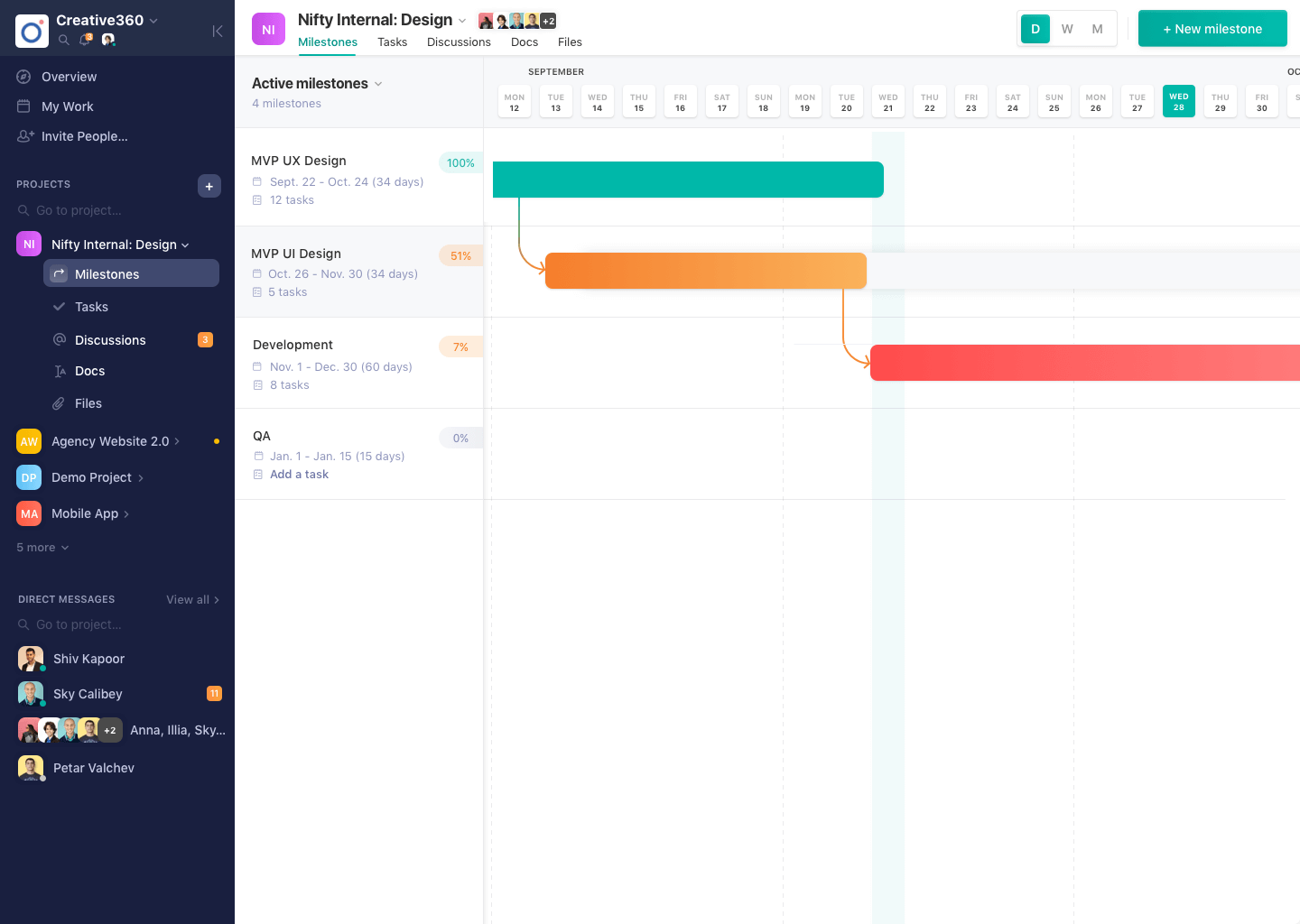
Nifty consolidates projects, work, and communications in one place. Nifty simplifies and automates the tracking of project milestones, communications with teammates and clients, collaborative document creation, and more in a centralized workspace! Nifty enables organizational oversight across projects and teammates with project & team workload overviews. With communications, project management, and workflow collaboration centralized in one place, teams can consolidate their workday as well…
N/A
Pricing
Futuramo Time Tracker
Nifty
Editions & Modules
Small Teams
$0.00
up to 3 team members
Growing Teams
$6.00
per each additional license
No answers on this topic
Offerings
Pricing Offerings
Futuramo Time Tracker
Nifty
Free Trial
Yes
Yes
Free/Freemium Version
Yes
Yes
Premium Consulting/Integration Services
No
Yes
Entry-level Setup Fee
No setup fee
$89 simple flat-rate pricing
Additional Details
—
—
More Pricing Information
Features
Futuramo Time Tracker
Nifty
Project Management
Comparison of Project Management features of Futuramo Time Tracker and Nifty
Feature
Futuramo Time Tracker
-
Ratings
Nifty
9.6
3 Ratings
22% above category average
Task Management
00 Ratings
8.83 Ratings
Resource Management
00 Ratings
9.43 Ratings
Gantt Charts
00 Ratings
10.03 Ratings
Scheduling
00 Ratings
10.03 Ratings
Workflow Automation
00 Ratings
9.43 Ratings
Team Collaboration
00 Ratings
10.03 Ratings
Support for Agile Methodology
00 Ratings
10.01 Ratings
Support for Waterfall Methodology
00 Ratings
10.03 Ratings
Document Management
00 Ratings
9.43 Ratings
Email integration
00 Ratings
10.02 Ratings
Mobile Access
00 Ratings
10.03 Ratings
Timesheet Tracking
00 Ratings
8.53 Ratings
Change request and Case Management
00 Ratings
9.03 Ratings
Budget and Expense Management
00 Ratings
10.02 Ratings
Professional Services Automation
Comparison of Professional Services Automation features of Futuramo Time Tracker and Nifty
Futuramo is best for when you're working alone on a project, or with a small team, given the glitches with the time tracker and the poor integration with Futuramo Tasks and Projects. Unless you're going to manually calculate the times spent on all tasks individually in order to know the total time spent on the project, I would not recommend using it on projects where you'd be billed per the time spent rather than a fixed amount.
A de minimis incentive was given to thank the reviewer for their time. The incentive was not used to bias or drive a particular response, nor was the incentive contingent on a positive endorsement. More Info
A de minimis incentive was given to thank the reviewer for their time. The incentive was not used to bias or drive a particular response, nor was the incentive contingent on a positive endorsement. More Info
The biggest pro of Futurama Time tracker is that it comes bundled with other tools. These are "Projects, Tasks, Virtual Tickets, Time Tracker, and Icons." This means I can track the time spent on each task within a project.
Time Tracker is easy to use, all you need to do is go to time tracker, enter the task you want to track, choose what project and clients it's under, and then click the play/start icon.
For projects that involve collaborating with others (either external freelancers I'm managing, or my staff) I can track the time spent on each task by each user. So I know how long each person spent on their task and how it related to the estimated time. This way I know if the project will take longer or shorter than estimated.
A de minimis incentive was given to thank the reviewer for their time. The incentive was not used to bias or drive a particular response, nor was the incentive contingent on a positive endorsement. More Info
A de minimis incentive was given to thank the reviewer for their time. The incentive was not used to bias or drive a particular response, nor was the incentive contingent on a positive endorsement. More Info
I'ver been using Futuramo for almost 2 years, primarily because they reached out to me to be one of the first users/testers. I've also shared some glitches that could be improved but the timer glitch is still there. When I start the timer to track a project, instead of the timer to start counting, it remains at 00:00 which is worrying because it makes me feel like it's not actually tracking what I'm working on. I was once 18 mins unto a task and when I checked the tracker it said 00:16 I was so worried I ended the task. Interestingly when I ended the task, it showed the correct time which was 18 minutes. I'm happy the timer was working but I'm also frustrated and in near-panic.
Like TopTracker, I wish there was a way to take screenshots of what I'm doing, that way I can be sure that the rest of the team is actually working on the timed tasks.
In the Time Tracker section of Futuramo, where the tasks timed are listed, I wish it was possible to actually click on any of the tasks there to see things like mouse clicks and keyboard taps. Similar to how Hubstaff and Upwork tracker tracks "productivity" (I'm not sure what this is called).
If you track a task not originally in Futuramo Task but created in Time Tracker, connected to a project or client, when you go to Futuramo Task, it won't be listed there. And when you to go Futuramo Projects, you still wouldn't see it there. I would like to go to Futuramo Project and see all the tasks there, both those timed and those yet to start.
A de minimis incentive was given to thank the reviewer for their time. The incentive was not used to bias or drive a particular response, nor was the incentive contingent on a positive endorsement. More Info
Time Expense could be improved since we cannot edit the previous/past time logs entered.
Lacks expense management and Purchase order management functionality
Newest product updates are not always stable and I had to reach Nifty's support team a couple of times in the past to fix the issues with new updates e.g. our document management and meeting integrations had to be re-authorized
A de minimis incentive was given to thank the reviewer for their time. The incentive was not used to bias or drive a particular response, nor was the incentive contingent on a positive endorsement. More Info
A de minimis incentive was given to thank the reviewer for their time. The incentive was not used to bias or drive a particular response, nor was the incentive contingent on a positive endorsement. More Info
There's no comparison. Nifty does what all of these do all in one place (with the exception of Slack's community aspect with hashtagging - not sure if Nifty can do this, never tried) Nifty even has the ability to import directly from many other platforms - I've personally imported projects from Trello and Asana, saving tons of time in migration.
A de minimis incentive was given to thank the reviewer for their time. The incentive was not used to bias or drive a particular response, nor was the incentive contingent on a positive endorsement. More Info
Increased productivity: Futuramo Time Tracker makes it easy to know how long it'll actually take me to complete a task, and when put together, how long it'd take me to complete a project.
Track Billables: While calculating all the time spent on each task manually was exhausting, once that was done, I knew how long it took me and my team to complete a project and was able to bill my client for just that time.
A de minimis incentive was given to thank the reviewer for their time. The incentive was not used to bias or drive a particular response, nor was the incentive contingent on a positive endorsement. More Info
A de minimis incentive was given to thank the reviewer for their time. The incentive was not used to bias or drive a particular response, nor was the incentive contingent on a positive endorsement. More Info