Gemini vs. GForge

Overview
ProductRatingMost Used ByProduct SummaryStarting Price
Gemini
Score 8.3 out of 10
N/A
N/A
$10
Per User Per Month
GForge
Score 0.0 out of 10
Enterprise companies (1,001+ employees)
GForge is a DevOps and project management platform offering tools for tickets, code, documentation, and collaboration. Available as both cloud-hosted SaaS and on-premise installation, GForge supports air-gapped networks and offline deployment - making it a fit for defense contractors, aerospace companies, and other organizations with strict security or compliance requirements. Core Capabilities Project Management: Customizable trackers…
$6
per month per user
Pricing
GeminiGForge
Editions & Modules
Gemini Express
$10.00
Per User Per Month
Gemini Enterprise
$850.00
Per 10 Users Per Month
Standard
$6
per month per user
Offerings
Pricing Offerings
GeminiGForge
Free Trial
NoYes
Free/Freemium Version
NoYes
Premium Consulting/Integration Services
NoYes
Entry-level Setup FeeNo setup fee$2,000 one-time fee per installation
Additional DetailsAll features are included at every pricing level - there are no add-on modules or tiered feature gates. The first 5 users are free on both SaaS and on-premise deployments. Enterprise licensing is available for organizations that need to deploy multiple on-premise instances without separate procurement for each installation. Contact GForge Group for enterprise pricing.
More Pricing Information
Community Pulse
GeminiGForge
Best Alternatives
GeminiGForge
Small Businesses
Polarion ALM
Polarion ALM
Score 9.9 out of 10
Polarion ALM
Polarion ALM
Score 9.9 out of 10
Medium-sized Companies
Polarion ALM
Polarion ALM
Score 9.9 out of 10
Polarion ALM
Polarion ALM
Score 9.9 out of 10
Enterprises
Polarion ALM
Polarion ALM
Score 9.9 out of 10
Polarion ALM
Polarion ALM
Score 9.9 out of 10
All AlternativesView all alternativesView all alternatives
User Ratings
GeminiGForge
Likelihood to Recommend
6.3
(7 ratings)
-
(0 ratings)
Likelihood to Renew
10.0
(1 ratings)
-
(0 ratings)
Usability
8.0
(4 ratings)
-
(0 ratings)
Support Rating
7.0
(1 ratings)
-
(0 ratings)
User Testimonials
GeminiGForge
Likelihood to Recommend
CounterSoft
Gemini is well suited to help track issues and change requests, projects, bugs, time logs, etc. It is less appropriate for reporting needs or general office management needs.
Read full review
The GForge Group, Inc
No answers on this topic
Pros
CounterSoft
  • It has been pretty good with rewrites and slight edits.
  • It has been helpful in project management.
  • It has been helpful with easy writing tasks like social media captions or holiday descriptions.
Read full review
The GForge Group, Inc
No answers on this topic
Cons
CounterSoft
  • Speed of processing (on pro model)
  • Accuracy of answers (on flash model)
  • Veo 3 should be able to use picture prompts when creating videos (without errors)
Read full review
The GForge Group, Inc
No answers on this topic
Likelihood to Renew
CounterSoft
Gemini's development team continues to improve the product and provides a comprehensive roadmap of upcoming features that makes you want to upgrade as soon as a new version comes out.
Read full review
The GForge Group, Inc
No answers on this topic
Usability
CounterSoft
Like learning to play checkers, the interface is easy, but the strategy has more of a learning curve. Figuring out the best prompts to use to get the desired outcome with less tries is taking me awhile to develop that skill. The images that I am able to generate are close to "camera-ready", but most do require some tweaking in image editing software to fix AI artifacts like distorted faces and randomly spelled words.
Read full review
The GForge Group, Inc
No answers on this topic
Support Rating
CounterSoft
I've never had any problems with the support for the Gemini application itself, but it seems every time I re-install (on a single machine), I run into a licensing issue. As a result, I need to go to the app's website and request that my activation key gets reset or resent. In either case, it's a pain, but as I have to reinstall infrequently, it's a small price to pay for an otherwise solid application.
Read full review
The GForge Group, Inc
No answers on this topic
Alternatives Considered
CounterSoft
In my case, it's not that Gemini won; I simply use Gemini regularly as a backup plan to compare results obtained with the leading AI in my corporate environment. I believe it's important to have this comparison of results, especially when dealing with critical issues. I think the most powerful AIs for the general public today are ChatGPT and Gemini, in that order, although CoPilot is very well positioned due to its integration with widely used Microsoft products in the corporate world.
Read full review
The GForge Group, Inc
No answers on this topic
Return on Investment
CounterSoft
  • It's sped up some workflows
  • It's provided not accurate information sometimes
  • It's a great tool when used in the GSuite with sheets and other drive functions
Read full review
The GForge Group, Inc
No answers on this topic
ScreenShots

GForge Screenshots

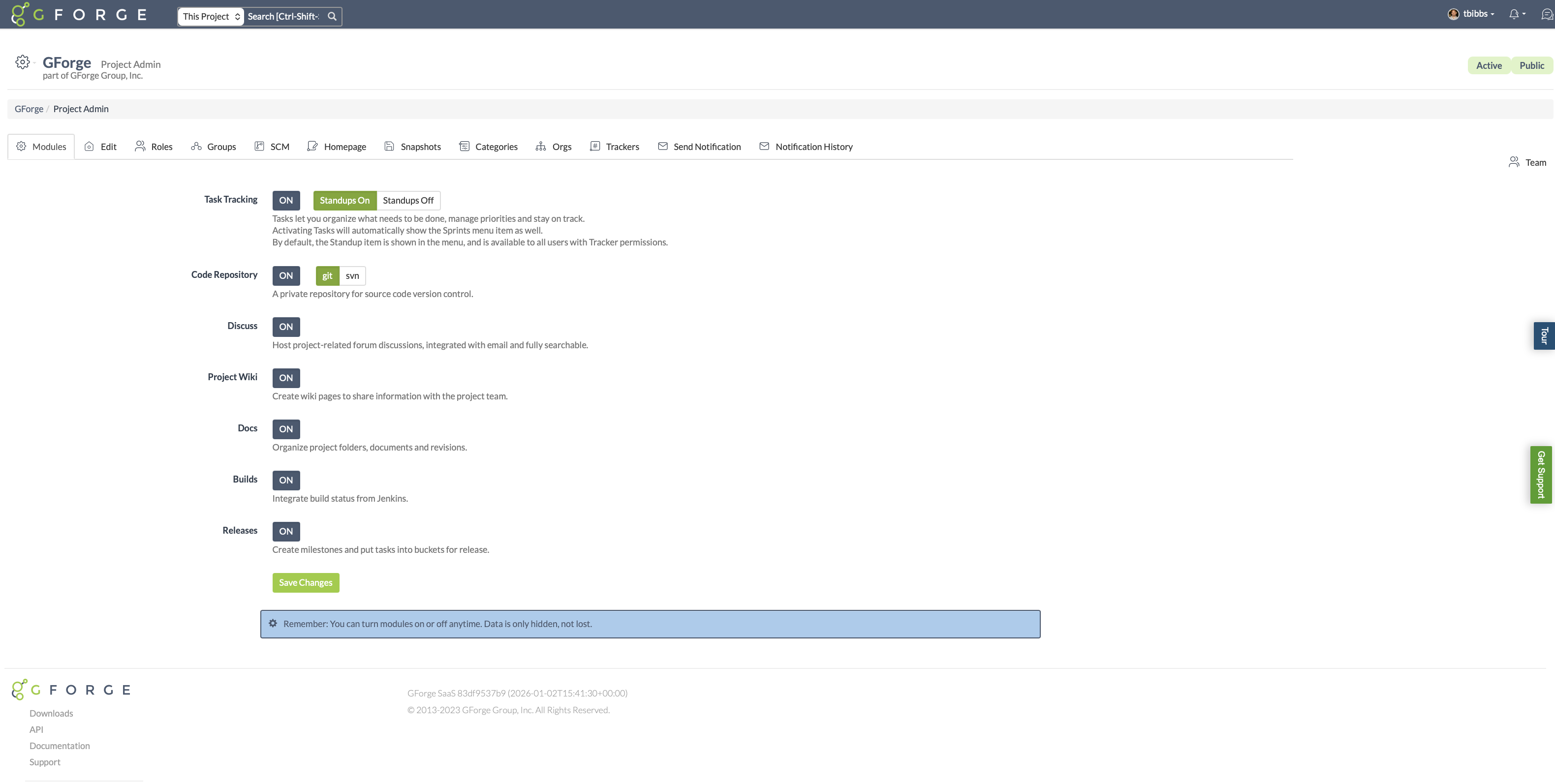
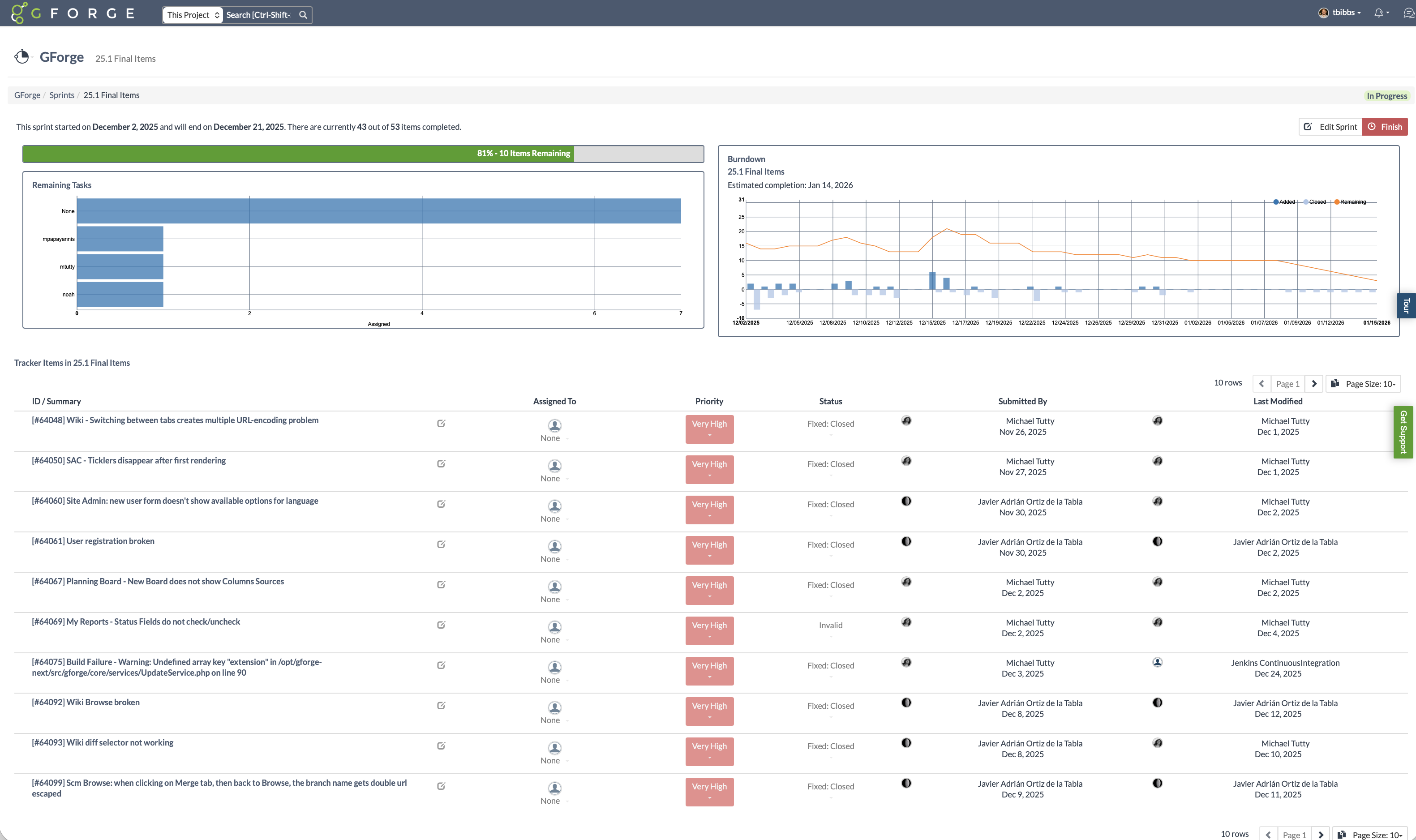
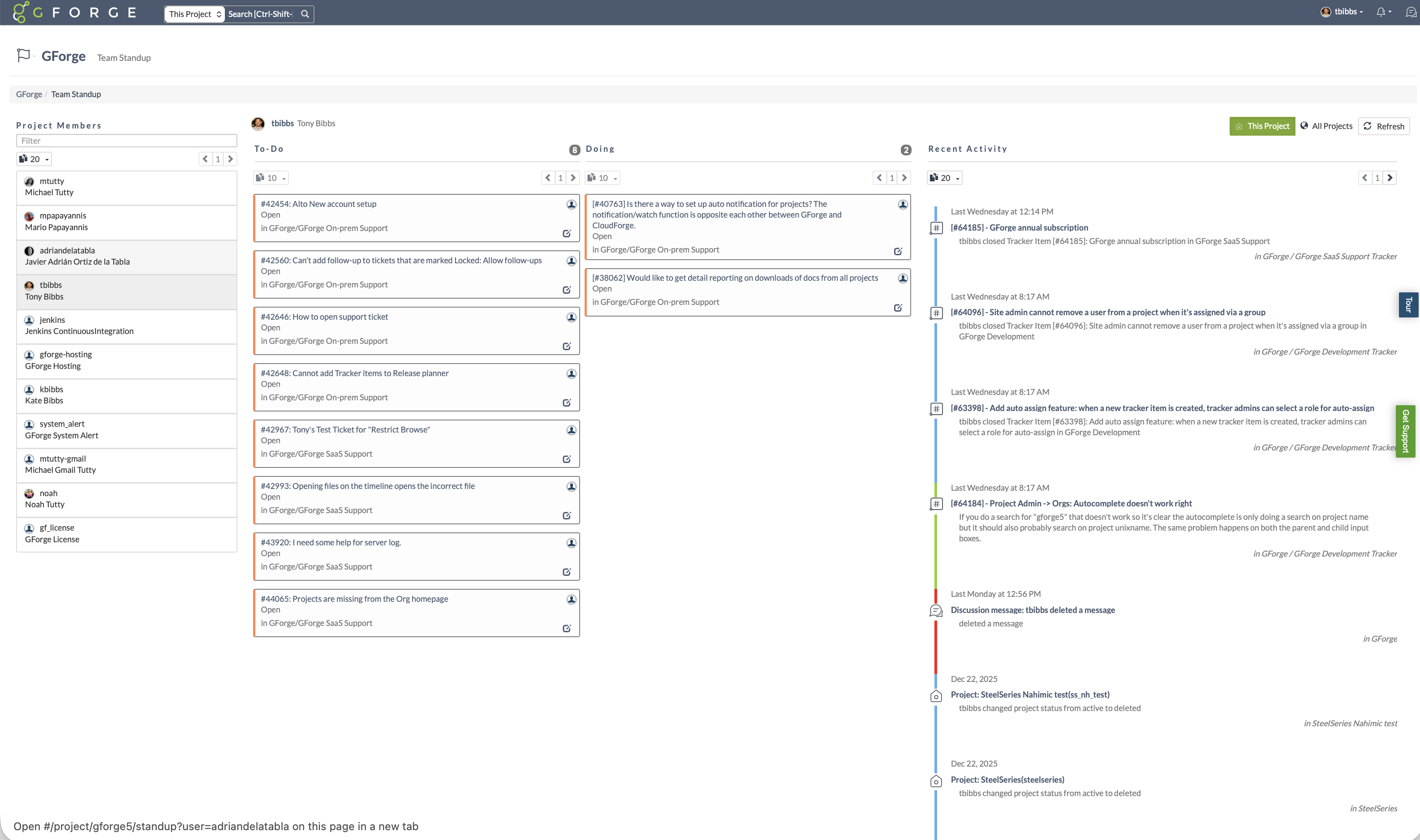
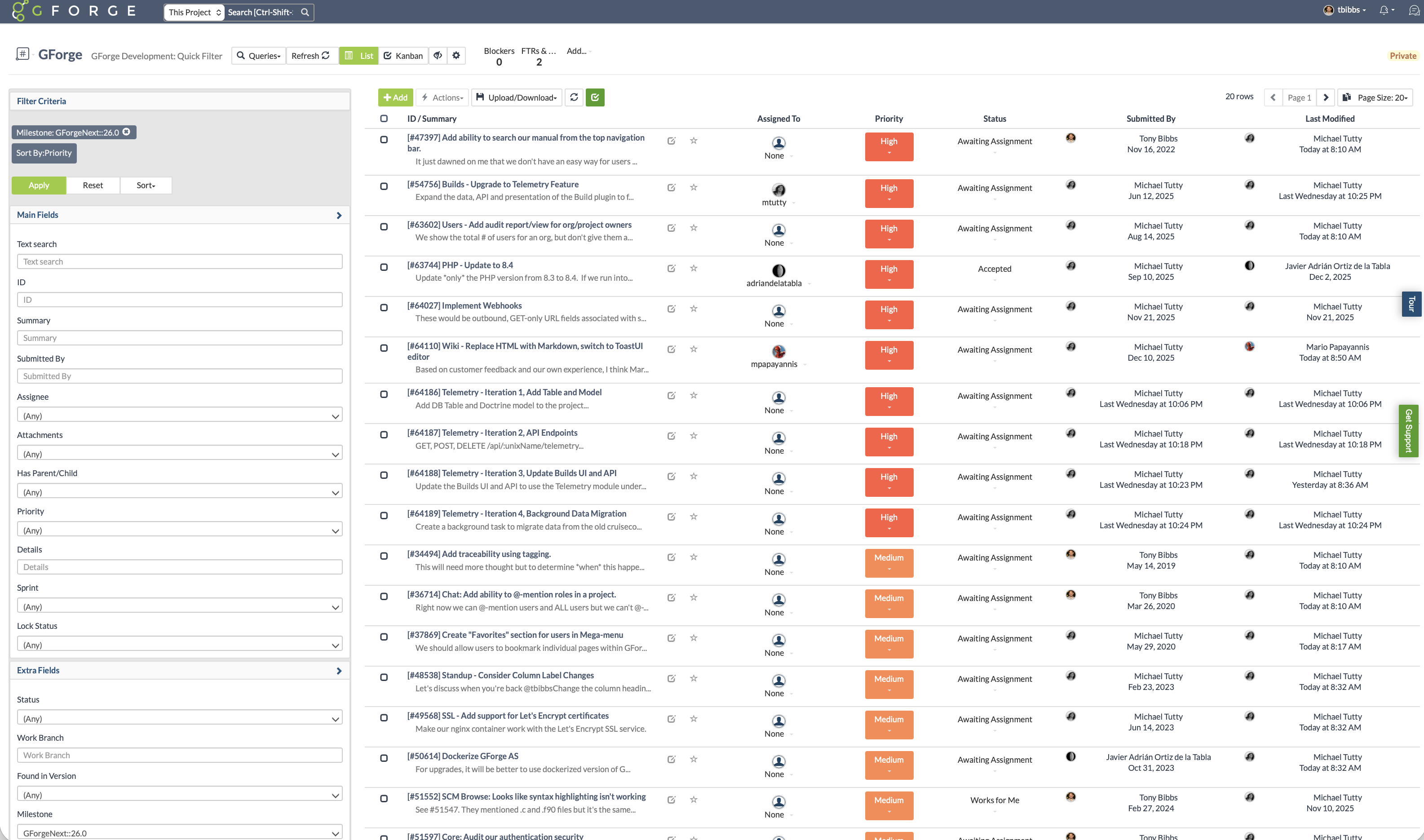
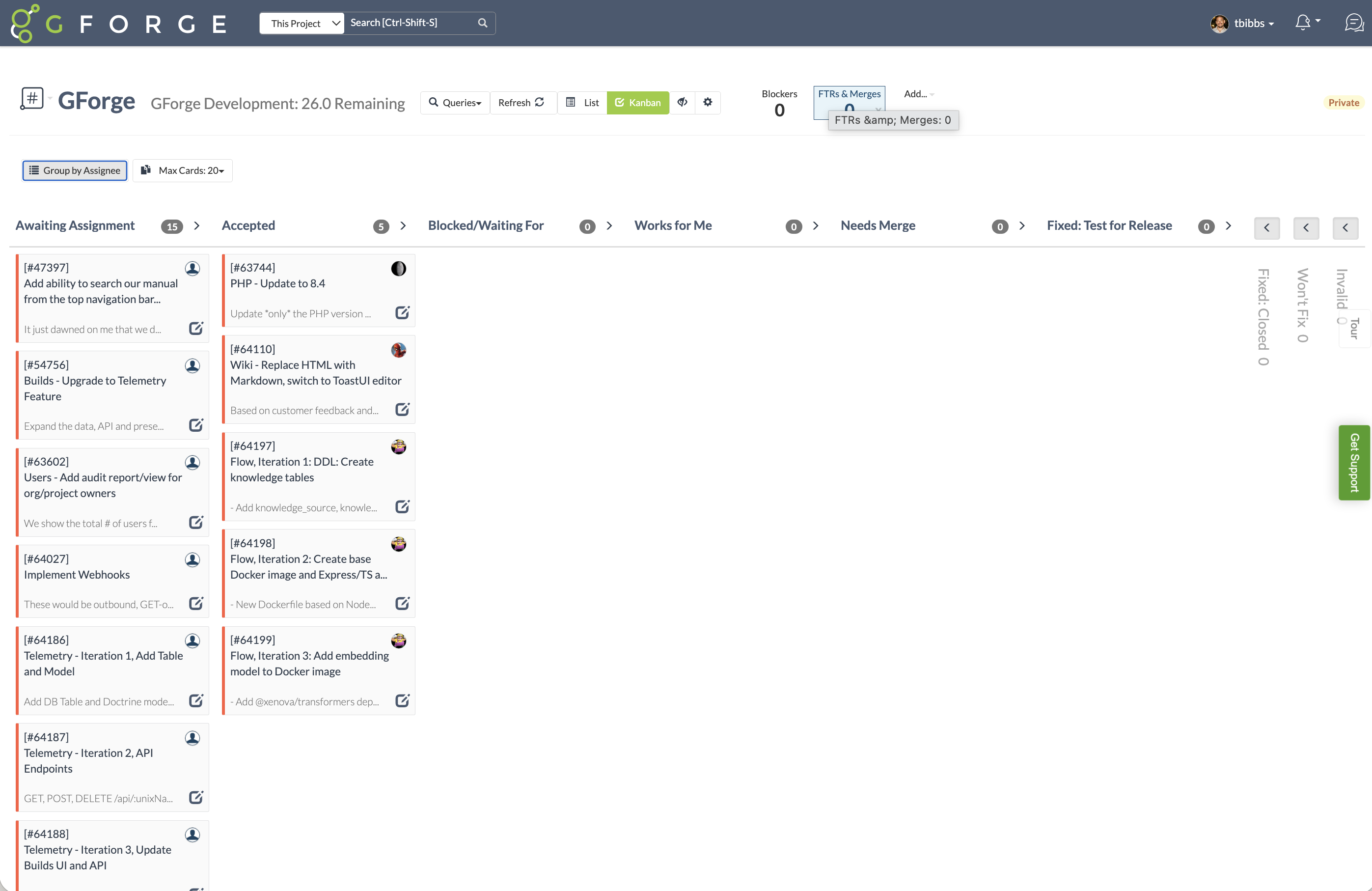
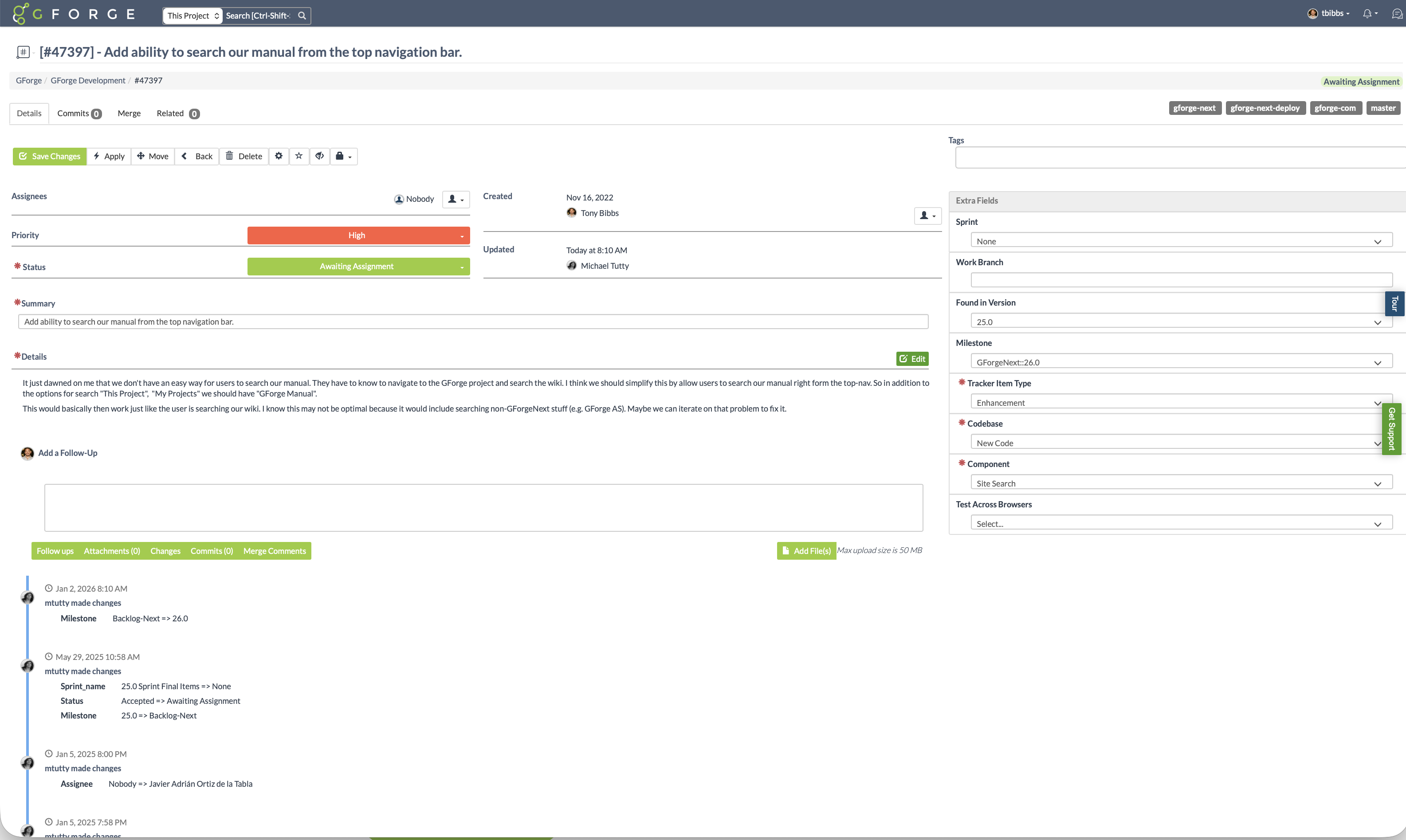
Screenshot of Use only the features you need. GForge lets project administrators enable or disable task tracking, source control (Git or SVN), wiki, documents, builds, and releases at any time. GForge scales up or down with your project - without losing data.Screenshot of Track sprint progress with visual burndown charts and estimated completion dates. See remaining tasks by assignee, monitor velocity, and keep releases on track - all integrated with your trackers and milestones.Screenshot of See what everyone is working on at a glance. The standup view shows each team member's to-do and in-progress items alongside a real-time activity stream - replacing the need for daily status meetings or separate standup tools.Screenshot of Filter and sort issues by milestone, priority, status, assignee, or any custom field. Save filtered views for quick access to the tasks that matter most - whether that's your current sprint backlog, high-priority bugs, or items awaiting assignment.Screenshot of Visualize workflow with drag-and-drop Kanban boards. Cards move through customizable status columns as work progresses - switch between Kanban and list views with one click.Screenshot of Every issue captures the full picture: priority, status, custom fields, file attachments, and linked commits. A complete change history shows who changed what and when - providing full traceability from request to release.