GFI LanGuard is software used to manage and maintain end-point protection across a network. It provides visibility into all the elements in the network, helping to assess where there may be potential vulnerabilities, and enables the administrator to patch them. It is a patch management and network auditing solution.
N/A
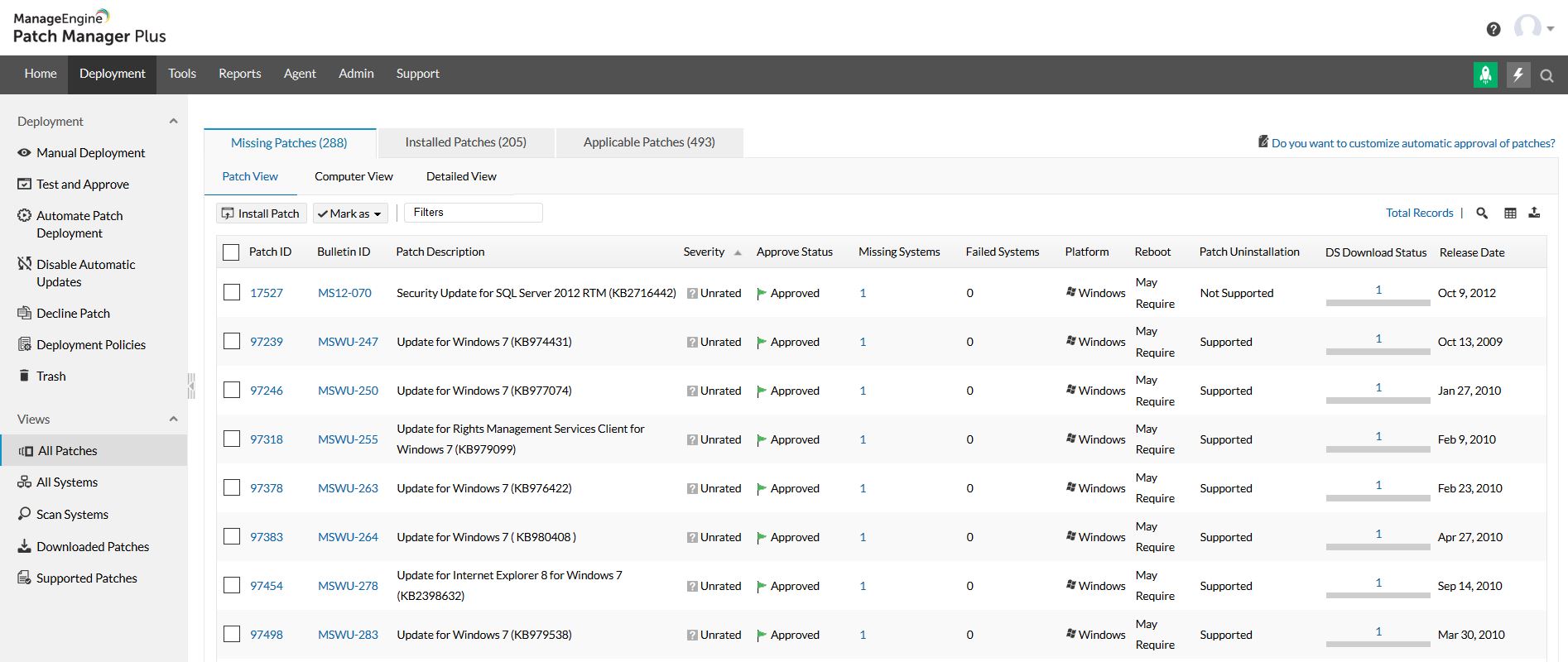
ManageEngine Patch Manager Plus
Score 8.3 out of 10
N/A
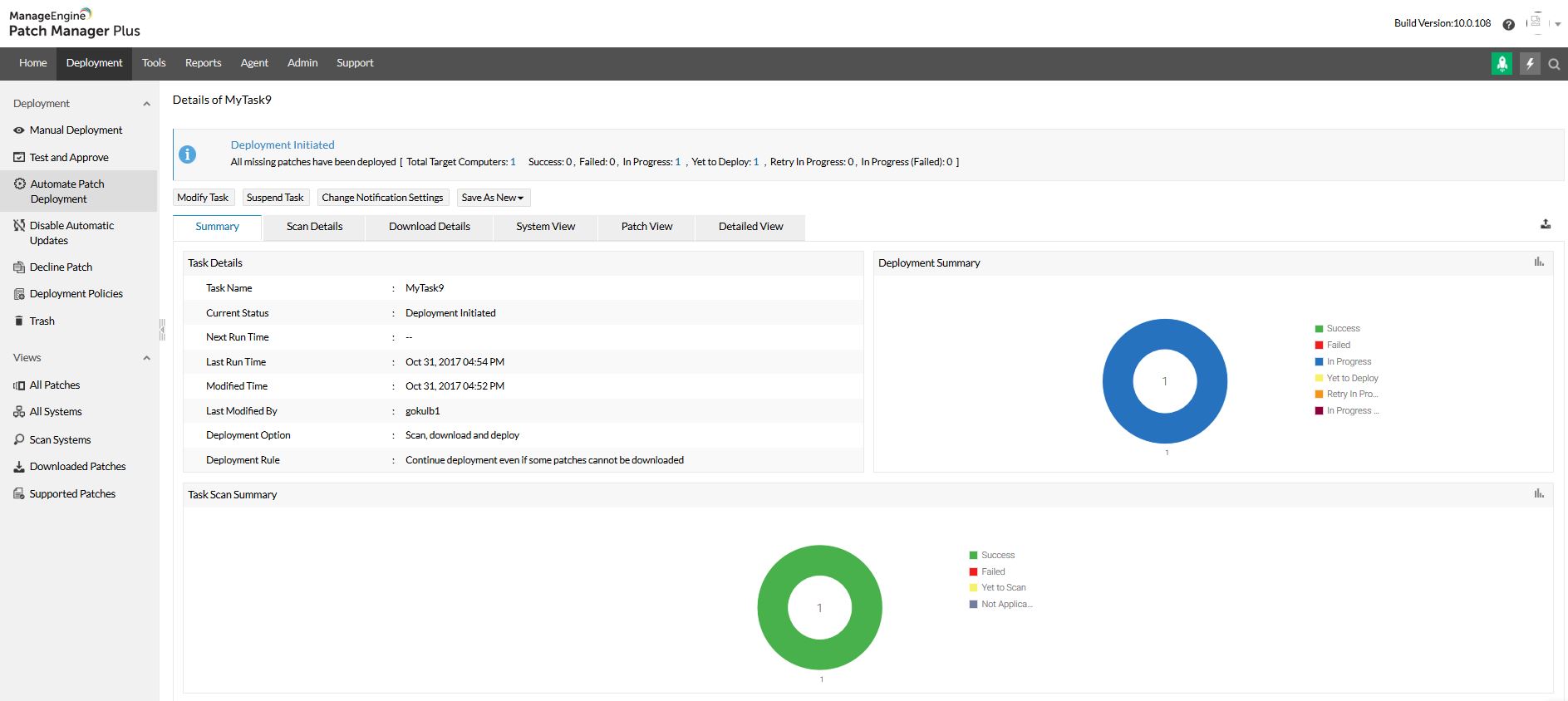
Patch Manager Plus is an automated patch management software that provides enterprises with a single interface for all patch management tasks. The vendor claims it works across platforms, helping users patch Windows, Mac, Linux & 300+ third-party applications. With Automated Patch Deployments, users can automate the entire process of patch management:…
$245
50 endpoints
Qualys TruRisk Platform
Score 6.0 out of 10
N/A
Qualys TruRisk Platform (formerly Qualys Cloud Platform, or Qualysguard), from San Francisco-based Qualys, is network security and vulnerability management software featuring app scanning and security, network device mapping and detection, vulnerability prioritization schedule and remediation, and other features to provide vulnerability management and network attack surface reduction.
SolarWinds was not selected because it runs on top of
SCCM which in itself is problematic and unreliable. We need an application that
runs in standalone mode and does not rely on any other application. SolarWinds
ManageEngine Patch Manager Plus was easier to use, and you can basically set it and forget it. The performance is very good and we had way less failed patch than competing product.
When making the decision to use Qualys Cloud Platform we considered ManageEngine Patch Manager Plus and Kaseya VSA. We moved forward with Qualys Cloud Platform as it had multiple other options and features along with the costing provided as compared to others. Qualys Cloud …
-To track the vulnerability level of a windows network. -To push windows and other application updates from a central location. -Produce reports to highlight work being done to protect a network. In some organizations, you may have to prove for audit reasons you are enforcing policies put into place around cyber-security. This software can help you track work done on an ongoing basis for such purposes.
If you are managing a very large number of computers, I would say 1000+, the standard patching tools provided by Microsoft will fail to do their job properly. This is where you will benefit from ManageEngine PATCH MANAGER Plus, being agent-based it is fast, easy to manage, and reliable. If you require functionality more than just patching, like security auditing, you have to look elsewhere.
Qualys Cloud Platform is well suited for organizations that need additional tools to secure and bolster their security from end to end. The automated, real-time threat protection is very quick to notify an admin of potential vulnerabilities and risks, as well as recommending quick fixes to resolve/close the gap before an incident occurs. QCP excels at portraying all of these in a single pane of glass, and find that the Qualys reports are more detailed than competitor product lines. One of our big issues with QCP is that you do have to pay for each scanner, which can quickly add up to large costs. For this reason, I would rate Qualys at a ~7 due to great features and functionality, but overall value could be better for a large organization. I would also say that QCP may make more sense for smaller organizations due to this pricing model.
It really does well at vulnerability scanning, which it is well known for. It's accuracy at finding vulnerabilities is top notch, more so than a lot of other vulnerability tools out there. In an organization/company you want this kind of accuracy at finding vulnerabilities in your network/endpoints
It is very good at managing endpoints on a consistent basis, meaning you can add endpoints to Qualys and have the platform scan/track/protect for vulnerabilities on an ongoing basis, without user intervention
It does really well at separating out and identifying what levels of criticality each vulnerability should fall into. This way, an organization/company can attack the more critical vulnerabilities first
It could be a bit of information overload which some things are shown can become noise. Maybe different levels of "security" for lack of a better term may be better where you have a summary vs detailed level when it comes to rating the vulnerability of the entire network.
I find I sometimes have issues with PCs on a different network accessed across a VPN where timeouts often occur with very large updates. This aspect can be improved.
This program is really complicated, the multiple functions that are presented to us are not very clear and in some cases, it is a matter of intuition to execute a function, it is not very informative.
The interface of this program can be a real problem; for our taste, this program looks a bit messy, and the interface does not help or guide you to find the options you need.
The overall usability for the application is great precisely for the ease of use the application provides, if i would go in a different organisation, i would suggest implementing ManageEngine Patch Manager Plus or Endpoint Central due to its features, and productivity.
Again, the usability of Qualys has been a pinpoint for this entire review. It was easily the worst thing about the product and because of this, I would not recommend Qualys to anybody in my field. This should be something that Qualys strives to improve if they wish to stay in business.
I only tried to access there support once and it was a relatively pain-free process. They also have a lot of documentation available online which can be used to learn and tailor the software to suit your needs. It just takes time and effort to plan, execute and monitor going forward.
The support team at Patch Manager Plus has been awesome. Very responsive and knowledgeable. There are times when there is confusion between different tickets but there is still good service.
They had a support page within the WAS to report any concerns or seek help. But the UI of that is not smooth. Regardless support staff were pretty responsive and helpful. They scheduled calls to understand and address our problems. Email support is good as well.
WSUS was the other alternative I considered but I believe GFI takes updates, reporting, and functionality to a different level for an enterprise/medium-size business environment.
We were talking to Action1 and Adaptiva about their solutions of patch management. The main factor of choosing ManageEngine was pricing, which was considerably lower compared to these tools. Also, for Action1, it didn't featured some important features (like Linux patching), and it looked like a solution that is getting started in the market, even being more expensive than Patch Manager Plus.
As described before Qualys is used to scan periodically the environment in order to check if there are some packages (Linux) or Applications (Windows) outdated, generating reports to the Service Owners, fulfilling what's is expected from us, attending all our expectations regarding the tool. That's why we'd choose Qualys to our organization.
Certainty. It allows you to know where on your network needs attention.
Peace of mind. As security professionals, we can only put the necessary things in place to prevent malicious persons from exploiting a network. The software allows you to know whether or not your risk of exploitation is high or low. and if high what to do with it.
ManageEngine Patch Manager Plus provides an excellent return on investment. We were able to get our systems fully patched, which we'd never been able to complete before. This provided excellent security to our organization.
ManageEngine Patch Manager Plus saved us a lot of time as most of our patching was fully automated.
ManageEngine took any issues we found and looked for solutions to further improve their product.