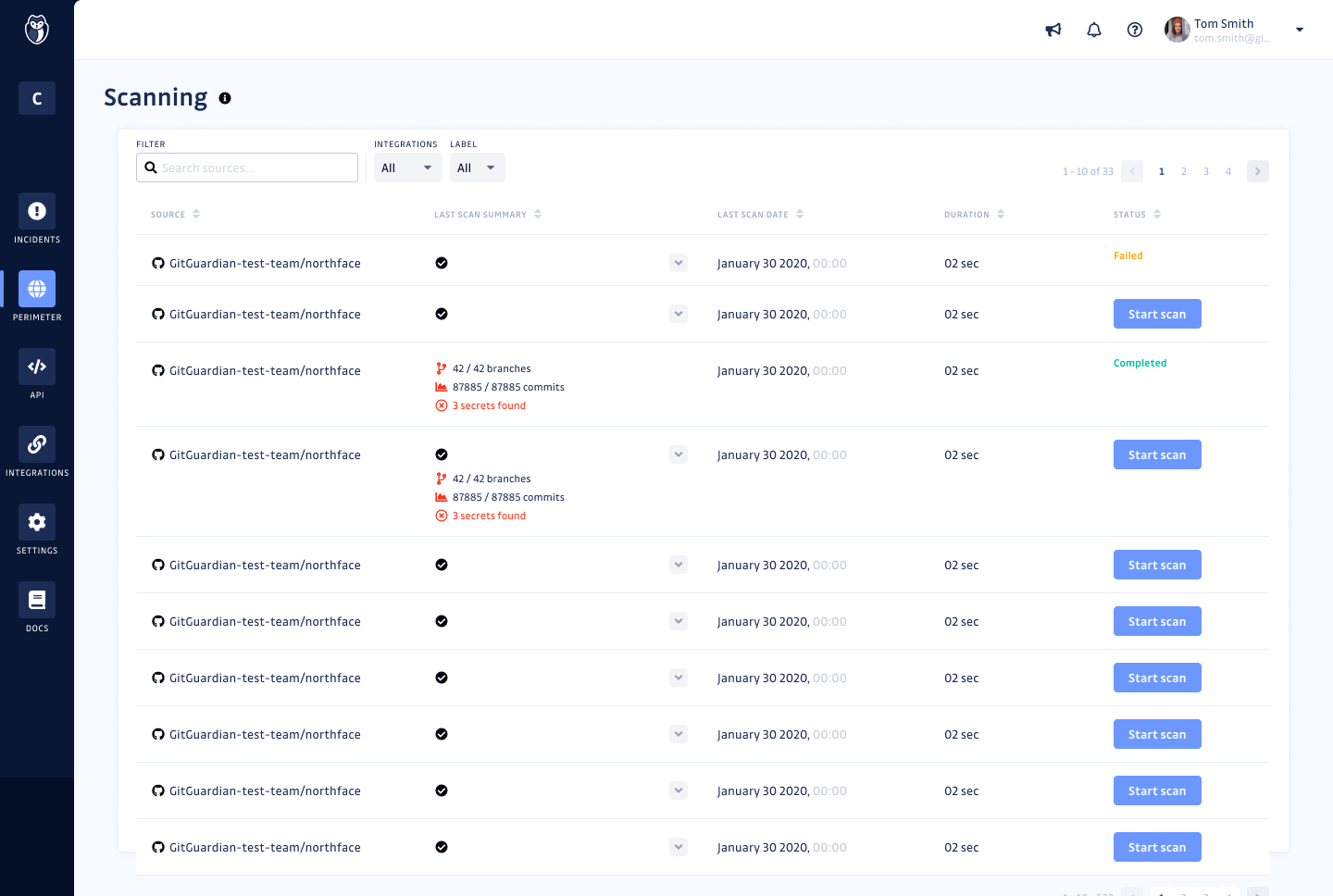
GitGuardian is an end-to-end NHI security platform designed to help organizations strengthen their Non-Human Identity (NHI) security posture and address compliance standards and regulations. As attackers increasingly target NHIs, such as service accounts, service principals, and applications, protecting and managing these critical assets has become paramount. NHIs rely on “secrets” like API keys and certificates for authentication, and their rapid proliferation has led to significant…
$0
(for individuals or up to 25 devs)
RealVNC Connect
Score8.9 out of 10
N/A
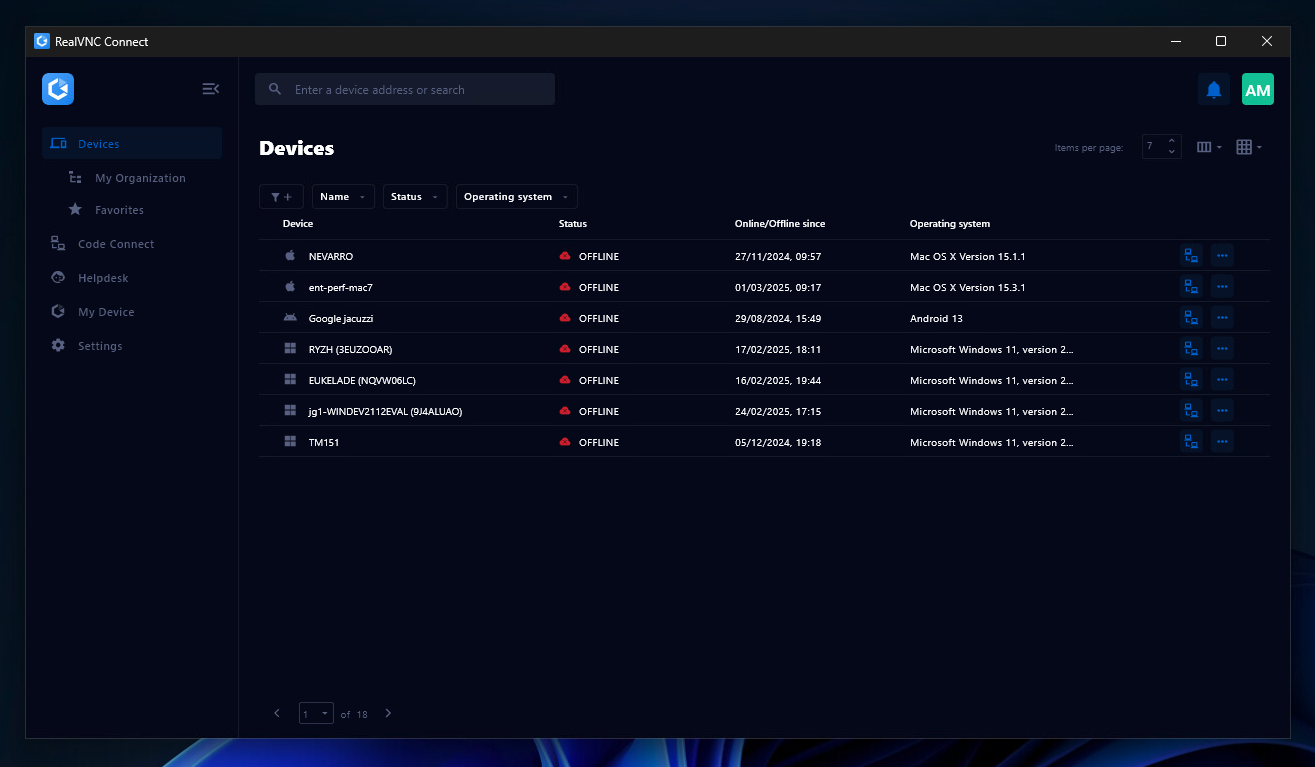
RealVNC® Connect is a secure remote access solution from RealVNC. It can be used to connect to a remote device anywhere in the world to view its desktop in real-time and take control as though sitting in front of it.
$99
per year (one concurrent session)
Pricing
GitGuardian
RealVNC Connect
Editions & Modules
Small Teams - 1-25 developers
$0
per developer in the perimeter
Standard 26-100 developers
$18
per developer in the perimeter
Standard - 26 to 100 developers
$18
developer per month
Enterprise - above 100 developers
adhoc
developer
Essentials
$8.25
per month (billed annually) per concurrent session
Plus
$16.50
per month (billed annually) per concurrent session (add up to 3)
Premium
$29.75
per month (billed annually) per concurrent session (add up to 5)
Enterprise
Custom Pricing
per year
Enterprise
Custom Pricing
Offerings
Pricing Offerings
GitGuardian
RealVNC Connect
Free Trial
Yes
Yes
Free/Freemium Version
Yes
Yes
Premium Consulting/Integration Services
No
No
Entry-level Setup Fee
No setup fee
No setup fee
Additional Details
—
Plans work on a Per Concurrent Session basis. Each plan gives access to a bundled number of devices, but limits apply to the amount of devices that can be connected at any given time.
The Premium plan includes On-Demand Assist, a useful tool for providing just-in-time remote support to end-users without them needing RealVNC Connect installed on their device.
I do think it'll absolutely fit everyone who codes integrates with another platform or services. We all forget that one credentials one in a while, and especially those who managed public repository, it is important to keep an eye on accidentally committed credentials. While I think you don't really needs it for personal project, it's a nice to have, you don't want to waie up to 50k USD of sudden surcharge on resources you don't use.
A de minimis incentive was given to thank the reviewer for their time. The incentive was not used to bias or drive a particular response, nor was the incentive contingent on a positive endorsement. More Info
It is very easy to use if the remote device is already set up to receive connections, so if you are setting up devices before deploying them, it is a great tool to have. It is well-suited to use when shadowing users or using it as a teaching tool. There are other products that are better if you are trying to help someone on a one-use basis.
A de minimis incentive was given to thank the reviewer for their time. The incentive was not used to bias or drive a particular response, nor was the incentive contingent on a positive endorsement. More Info
GitGuardian monitors every public or private GitHub commit ( that have GitGuardian installed) and event in real-time for secrets and sensitive data. In a leak scenario it immediately notifies us.
It uses sophisticated pattern matching techniques to detect credentials that cannot be strictly defined with a distinctive pattern (like unprefixed credentials)
It covers several API providers, database connection strings, private keys, certificates, usernames and passwords etc
GitGuardian have high True Positive Rate of around 91% and reduces alert fatigue with smart occurrences regrouping
VNC Connect does an excellent job in remotely connecting to a computer through either your local area network or even another computer on the internet. As long as the VNC Connect services is installed and the client is running in the background.
VNC Connect provides password protection to prevent unauthorized users from attempting to remotely access your computer. There's an option to have a separate password to remotely view vs view & access a computer. You can even add an additional level of security by turning on the feature to require Windows login credentials.
VNC Connect provides an additional set of controls after a remote connection has been established with another computer. You can have special keystrokes like Ctrl+Alt+Del sent as a command sequence to the other computer as well as access more than a single screen when in use at the remote computer location.
A de minimis incentive was given to thank the reviewer for their time. The incentive was not used to bias or drive a particular response, nor was the incentive contingent on a positive endorsement. More Info
Improved user interface: It would be beneficial to have a more intuitive and user-friendly interface for Internal Monitoring on GitGuardian. This would make it easier for users to quickly access the data they need and understand the results of their scans.
Automated alerts: It would be helpful to have automated alerts when certain conditions are met, such as when a scan reveals sensitive data or when a new repository is created. This would help users stay informed and take action in a timely manner.
More detailed reports: Currently, Internal Monitoring reports are limited in terms of the depth of information they provide. It would be useful to have more detailed reports that include additional metrics, such as the number of repositories scanned and the types of sensitive data found.
Faster scan times: Scan times can be slow at times, making it difficult to stay on top of changes in repositories quickly. It would be beneficial to have faster scan times so that users can take action quickly when needed.
A de minimis incentive was given to thank the reviewer for their time. The incentive was not used to bias or drive a particular response, nor was the incentive contingent on a positive endorsement. More Info
VNC is a solid product for the price. It simply works and its reliable across different platforms. Some products state they work well in the Mac environment but don't deliver. This one does what it says. Connections are reliable, but of course, this depends on internet connections. The product works well over wireless connections as well. It delivers on what a remote tool should deliver on. My technicians are happy with the product and customers appreciate the ease of use when letting us connect to their systems. Some also appreciate the remote support while they are multi-task.
A de minimis incentive was given to thank the reviewer for their time. The incentive was not used to bias or drive a particular response, nor was the incentive contingent on a positive endorsement. More Info
It's a niche product and in that niche they try to cater to as many use cases as they can. Other as a TCO aspect i don't see many use cases where you can't use this product as the one tool for all remote session use cases in your company
A de minimis incentive was given to thank the reviewer for their time. The incentive was not used to bias or drive a particular response, nor was the incentive contingent on a positive endorsement. More Info
VNC Connect is a reliable product that has been around for a long time. It is reasonably priced and works well in the Mac & PC environment. When you have a small team that supports many users we need tools that we can rely upon and that will get the job done on the first try. Many customers appreciate the quick assistance and can multi-task while our team works on their computer issues remotely. From a customer service point of view, this tool gives us transparency and efficient effectiveness.
A de minimis incentive was given to thank the reviewer for their time. The incentive was not used to bias or drive a particular response, nor was the incentive contingent on a positive endorsement. More Info
The training is very informative, quick and to the point. All of the details one would need are present so the user doesn't have to go searching for additional information just to use the application. The layout of the training was also neat and concise, some of the other training sessions for other companies I've done in the past were confusing and not well thought out, this one is much more superior
A de minimis incentive was given to thank the reviewer for their time. The incentive was not used to bias or drive a particular response, nor was the incentive contingent on a positive endorsement. More Info
I've evaluated quite a few other tools, like git-secrets, Git-leaks, scan, and maybe a few more. They're all great but quite surprisingly none of them detected Github OAuth Secrets for us. A lot of the FOSS tools out there focus on much simpler, generic secrets, which is good in itself but with GitGuardian, it was dead simple from day one. I just connected our Github Account and set up the gg-shield cli and that was all.
A de minimis incentive was given to thank the reviewer for their time. The incentive was not used to bias or drive a particular response, nor was the incentive contingent on a positive endorsement. More Info
VNC is light and sleek with the quick setup, was impressed with the quick setup despite poor Internet connection outdoor. TeamViewer is good, but the pricing is not as good as VNC. Both do the basic job, but VNC still outperform TeamViewer in terms of performance and ease of use.
A de minimis incentive was given to thank the reviewer for their time. The incentive was not used to bias or drive a particular response, nor was the incentive contingent on a positive endorsement. More Info
GitGuardian Internal Monitoring has had a positive impact on our overall business objectives. By providing visibility into our code repositories and alerting us to potential security risks, we have been able to identify and mitigate security issues before they become a problem. This has allowed us to focus more on developing our product and less on responding to security incidents. We have also seen an increase in customer confidence in our product as a result of using GitGuardian Internal Monitoring, which has led to increased customer loyalty and retention. Overall, the ROI of using GitGuardian Internal Monitoring has been very positive for our business.
We have seen an increase in the security of our codebase, as well as an improvement in the speed and accuracy of our code reviews. This has enabled us to quickly identify and address any potential security issues before they become a problem. Additionally, we have seen an increase in our ROI as a result of using GitGuardian Internal Monitoring, as it has allowed us to save time and money by preventing costly security breaches.
I have just used the software for about 1 month and so far so god. I am saving time whenever I can access my client's computers from my desk as opposed to having to leave my office to go to their offices. Saves me time and the client money.
A de minimis incentive was given to thank the reviewer for their time. The incentive was not used to bias or drive a particular response, nor was the incentive contingent on a positive endorsement. More Info