Users can build custom conversational experiences using Google Assistant’s voice and visual APIs. Take users on journeys through a product, using Assistant’s natural language understanding (NLU) capabilities and developer tools.
N/A
MicroStrategy Analytics
Score 8.4 out of 10
N/A
MicroStrategy Analytics is an enterprise business analytics and mobility platform. Key features include automatic big data analysis and reporting, data discovery and visualization, digital security credentials, and support for mobile devices.
N/A
OpenText Magellan
Score 9.0 out of 10
N/A
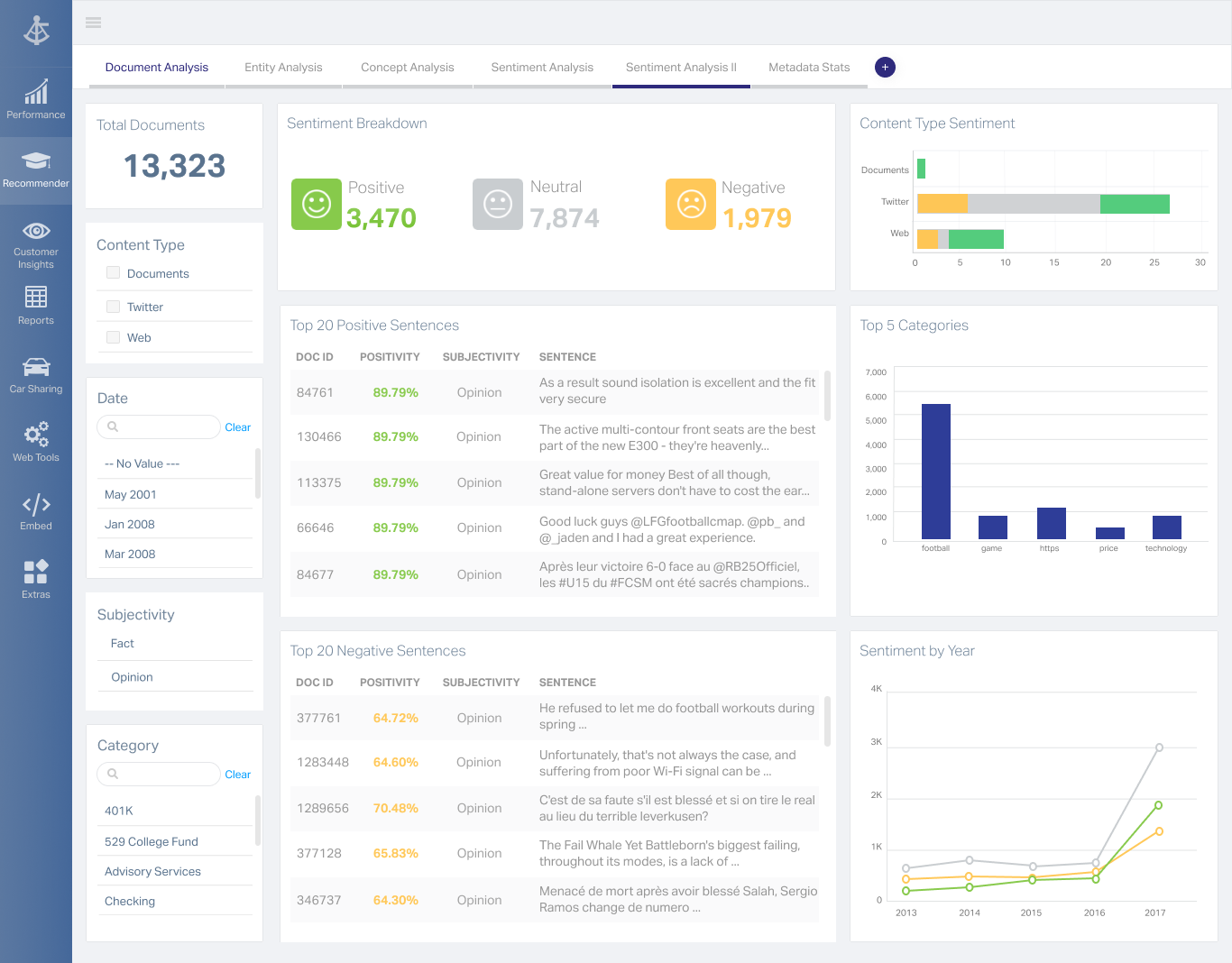
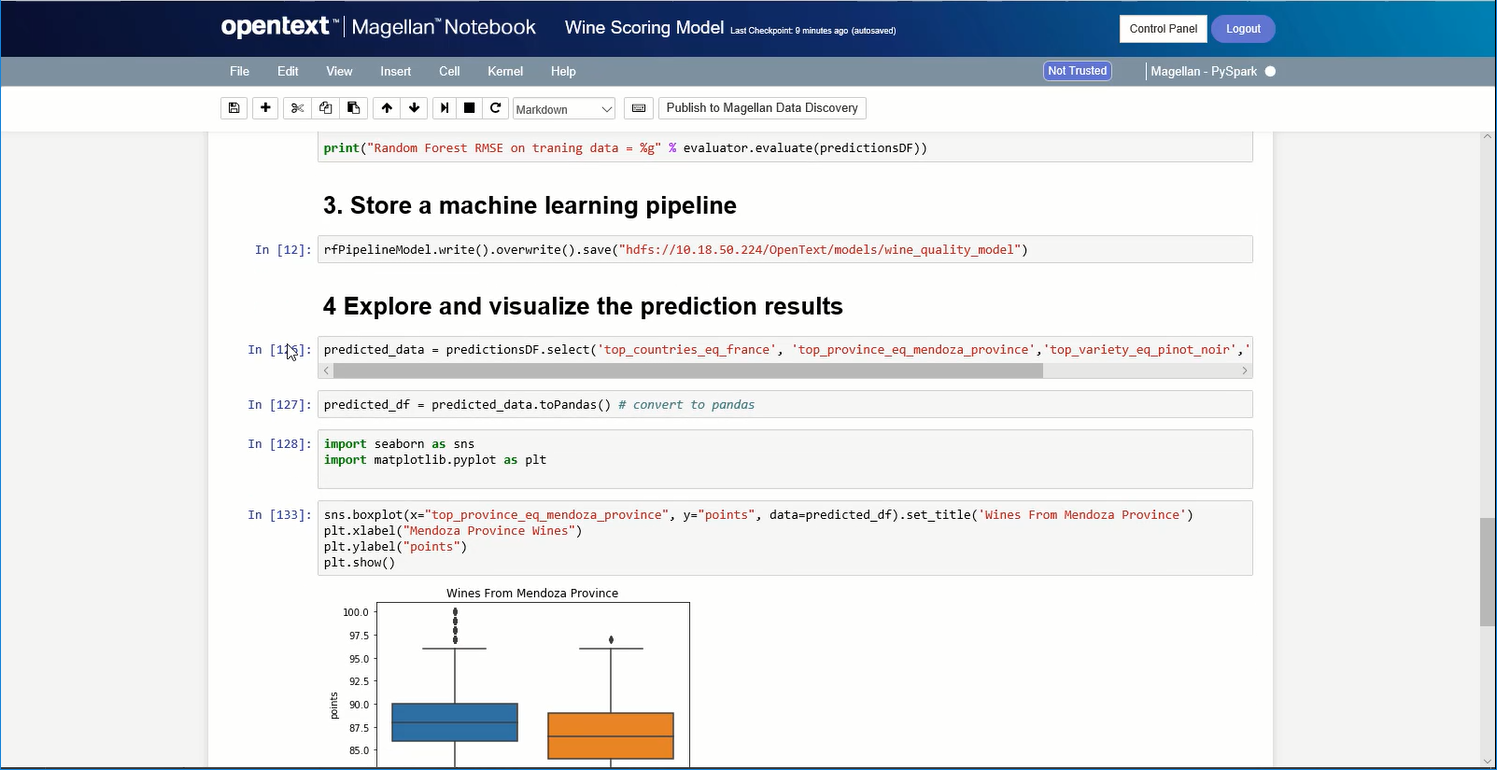
OpenText Magellan Analytics Suite leverages a comprehensive set of data analytics software to identify patterns, relationships and trends through data visualizations and interactive dashboards.
N/A
Pricing
Google Assistant
MicroStrategy Analytics
OpenText Magellan
Editions & Modules
No answers on this topic
No answers on this topic
No answers on this topic
Offerings
Pricing Offerings
Google Assistant
MicroStrategy Analytics
OpenText Magellan
Free Trial
No
No
No
Free/Freemium Version
No
No
No
Premium Consulting/Integration Services
No
No
No
Entry-level Setup Fee
No setup fee
No setup fee
No setup fee
Additional Details
—
Must contact sales team for pricing information.
—
More Pricing Information
Community Pulse
Google Assistant
MicroStrategy Analytics
OpenText Magellan
Features
Google Assistant
MicroStrategy Analytics
OpenText Magellan
BI Standard Reporting
Comparison of BI Standard Reporting features of Product A and Product B
Google Assistant
-
Ratings
MicroStrategy Analytics
10.0
26 Ratings
20% above category average
OpenText Magellan
7.0
2 Ratings
16% below category average
Pixel Perfect reports
00 Ratings
10.023 Ratings
00 Ratings
Customizable dashboards
00 Ratings
10.023 Ratings
7.02 Ratings
Report Formatting Templates
00 Ratings
10.024 Ratings
7.01 Ratings
Ad-hoc Reporting
Comparison of Ad-hoc Reporting features of Product A and Product B
Google Assistant
-
Ratings
MicroStrategy Analytics
10.0
24 Ratings
22% above category average
OpenText Magellan
8.3
3 Ratings
3% above category average
Drill-down analysis
00 Ratings
10.022 Ratings
8.03 Ratings
Formatting capabilities
00 Ratings
10.024 Ratings
8.03 Ratings
Integration with R or other statistical packages
00 Ratings
10.016 Ratings
9.01 Ratings
Report sharing and collaboration
00 Ratings
10.023 Ratings
8.02 Ratings
Report Output and Scheduling
Comparison of Report Output and Scheduling features of Product A and Product B
Google Assistant
-
Ratings
MicroStrategy Analytics
10.0
23 Ratings
20% above category average
OpenText Magellan
8.3
2 Ratings
1% above category average
Publish to Web
00 Ratings
10.022 Ratings
8.02 Ratings
Publish to PDF
00 Ratings
10.023 Ratings
8.02 Ratings
Report Versioning
00 Ratings
10.020 Ratings
9.02 Ratings
Report Delivery Scheduling
00 Ratings
10.022 Ratings
8.02 Ratings
Delivery to Remote Servers
00 Ratings
10.05 Ratings
00 Ratings
Data Discovery and Visualization
Comparison of Data Discovery and Visualization features of Product A and Product B
I'm in a Me vs. The World environment rather often. I can connect to my outer realm when heading to live meetings. Auditions, job assignments all via my assistant. I like having the ability to capture the moment and rewrite it as well. This is a primary driver for me. Sometimes branching out or when collaborating, I think I work a little harder in the moment than Google Assistant might but that is moreso my limitations and not the feature so much. I catch this scene when I'm in a group environment or at times having to create and respond to a larger scale event. Not a deal breaker for me however.
MSTR is great for any organization that is looking for a way to deliver complicated data in an uncomplicated way. From business teams to marketing and finance, several departments benefit from using MSTR to keep track of KPIs enabling teams to make optimizations along the way. MSTR provides great visual representations of data enabling team members to distill thousands of data points into easily digestible charts and graphs
If you do not have a large budget and are a large organization, I would steer clear of Actuate. If you are looking to do very complex washboarding, I would not use them. Your developers have to be very skilled to work with this. Plan to bring in consultants if necessary to help your process. Adhoc reporting is weak. If your pricing is user based and you expand, this could be very expensive.
They sell the product well, and make promises you will actually believe
"checks the box" for most features a company would need. Doesn't actually deliver them though
They answer the phone in a timely manner. Can't answer your questions or provide support, but the queue time isn't bad
They have online documentation. It's not up to date, and likely doesn't reflect the version of software you are using, but hey... they can point to it.
I think newer, complementary ideas are a bit sharper than Google Assistant especially in a Q&A environment or when seeking some depth to a subject. That enhancement is to be expected I feel. And Google Assistant is not so self limiting so I don't have a lot of improvement needs because I use this for what I've become accustomed to and for the ability overall.
It is always important to do your best around hectic places, in bad tower signal areas or even if trying to do something new while using Google Assistant. Have patience in the setting. It pays off.
I would always choose to renew MicroStrategy as long as they lead the market in features, functionality and price. The support of MicroStrategy is timely and professional, I frequently get answers to my questions within 24 hours and normally have solutions within 48 hours. Training available for MicroStrategy completely covers everything required to be able to expertly use MicroStrategy and understand data warehousing.
I am no longer working for the company that was using Actuate but I believe they would continue to use it because the stitching costs would be to high. It would require a complete rewrite of the reports and the never version of Actuate (BIRT) even required an almost complete report rewrite
I feel this can be adjusted and after some trial and error you sort of start knowing what will work and how. And I have to say the overall impact becomes personal and we are all different. I'm small scale and as I've said, it works.
The standard grid reporting could look more like the styling and object used for the Import and Visual Insight products. In addition, object properties almost seem to be hidden when first using the product. It's as if they are asking the engineers to only use the presets we make available...and, these presets are 10+ years old. On the positive side, Microstrategy seems to be the only product, not named Cognos, which can scale to Big Data. The product is "hackable" via the SDK or tricking the Intelligence Server to do uncommon things. The Microstrategy development team also seems to be very involved with their OEM partners; especially when it comes to features and enhancements. A large majority of the improvements we suggested have made it into the product or on the roadmap for future enhancements. Only suckas fall for the shiny objects from most other vendors; Microstrategy is really the only choice for Enterprise BI.
It is quite intuitive to use. It is fit specifically for doing sentiment, emotion, and intention analysis as well as text classification and text summarization. I would have given 10 if it is fit for the purpose of doing image processing and analysis as well. There is a huge market to analyze video and image data.
I've never had an issue with MicroStrategy not being available due to MicroStrategy application malfunction. It is very robust and only failures I've seen were due to user error or the platform the machine running the service failed some how.
Being able to customize the performance based on the business need is extremely powerful. Proper configuration and understanding of the usage pattern is key, if the technical ability of the architect is not at top level, then the product will not be configured correctly which will lead to poor performance.
Good user community. Support team is available if you are under AMC. You get decent support after raising the support ticket. If it is product bug they will inform you and let you know which patch will resolve the same.
I have attended many trainings offered by MicroStrategy; both distance and in-person training. I earned my CRD (Certified Report Developer) certification via the online training. I found the training to be well organized and concise. Overall I will definitely continue to increase my knowledge with MicroStrategy via the online training offering.
I chose this because it was easier for me and can be accessed via mobile and laptop too because it enables cross device support because it helps in adding more depth to my life, and can help me save tons of time.
Tableau is probably MicroStrategy Analytic's biggest competitor I've noticed over time, and I'm not sure why. Tableau only covers visualizations independently for each business user, which then creates the issues of every employee creating their own version of the data, and then you have 20 versions of the truth. A enterprise data warehouse and MicroStrategy's Visual Insight is a better method.
It is vastly superior to these in many ways, for complex reporting it is a much more sophisticated solution. Visualizations are very good. Javascript extensibility is very powerful, others don't support this or as well. Pentaho and MS are both OLAP oriented. Pentaho is moving more toward big data, which was not our primary focus. Others are stuck in the Crystal Reports Band metaphor.
This software is extremely scaleable, one can add more core servers which performs as a load balancing. The configurations available to manage usage patterns and daily activity are as high a caliber as any other enterprise level software. This product can be installed on both a windows and unix platform allow for integration on a budget.
MicroStrategy was helpful for reducing the amount of time we needed to spend number crunching large data sets, and in doing so, allowed me as the primary users to spend more time gleaning insights from the data that in turn informed our leadership team to make strategic decisions.
By creating numerous canned reports available to all members of the team through email distribution or basic access to the platform, we were able to reduce the time I spent showing people how to pull the data in Microsoft Excel by nearly 40% .
We ended up needing to make many changes to the way our DMP was feeding data into MicroStrategy due to incorrect reporting that caused complications in accounting and finance.
Actuate can handle 50 to 60 sub reports inside a report very well.
Dynamically creating the datasource, chart, graph, reports are the main advantages. We can do any level of drilling, and can create a performance matrix dashboard efficiently.