Google Surveys vs. SurveyLegend

Overview
ProductRatingMost Used ByProduct SummaryStarting Price
Google Surveys
Score 7.6 out of 10
N/A
Google Surveys is an app for custom surveys, and is part of Google Apps for Work. The insights from audience targeted surveys can be expressed in instant, easy-to-digest graphs and charts help you make sense of the survey data. Surveys natively integrates with other solutions, allowing you to use data from one product while working in another. Survey responses from real people can be sourced by Google's Opinion Rewards app, where respondents answer questions in exchange for incentives.
$10
per completed survey
SurveyLegend
Score 8.0 out of 10
N/A
SurveyLegend aims to help individuals and companies create mobile-friendly surveys. Users can create surveys on a computer or tablet device and customize the look of the survey. Data can be displayed with eye-catching and insightful graphics. SurveyLegend's advanced users can take advantage of unlimited features, company branding, white-label questionnaires, skip logic, branching, media-rich questions and more. Customers include L'Oréal, Universal, Harvard, Greenpeace, Airbnb,…
$0
per user
Pricing
Google SurveysSurveyLegend
Editions & Modules
Surveys
10¢
per completed survey
Starter (for ever free)
$0
per user
Pro, monthly
$19
per user
Business, monthly
$39
per user
Legendary, monthly
$89
per user
Pro yearly, (save 25% with a yearly plan)
$170
per user
Business yearly, (save 25% with a yearly plan)
$300
per user
Legendary, yearly (save 25% with a yearly plan)
$780
per user
Offerings
Pricing Offerings
Google SurveysSurveyLegend
Free Trial
NoYes
Free/Freemium Version
NoYes
Premium Consulting/Integration Services
NoYes
Entry-level Setup FeeNo setup feeNo setup fee
Additional DetailsSurveyLegend gives a 25 % discount on the yearly plans for everyone. We believe in being and doing good, so we also offer special discounts for educators and non-profit organizations that can be found here: https://www.surveylegend.com/pricing-education/ and https://www.surveylegend.com/pricing-ngo/
More Pricing Information
Community Pulse
Google SurveysSurveyLegend
Features
Google SurveysSurveyLegend
Survey Format & Appearance
Comparison of Survey Format & Appearance features of Product A and Product B
Google Surveys
6.5
16 Ratings
20% below category average
SurveyLegend
8.2
9 Ratings
3% above category average
Survey templates7.016 Ratings8.58 Ratings
Themes6.014 Ratings9.08 Ratings
Custom logo/branding6.513 Ratings7.07 Ratings
Survey Content
Comparison of Survey Content features of Product A and Product B
Google Surveys
5.8
15 Ratings
37% below category average
SurveyLegend
7.8
9 Ratings
8% below category average
Changes to live survey7.014 Ratings8.59 Ratings
Question design help5.012 Ratings8.59 Ratings
Multiple question types5.315 Ratings6.59 Ratings
Survey Logic
Comparison of Survey Logic features of Product A and Product B
Google Surveys
4.7
14 Ratings
54% below category average
SurveyLegend
9.0
7 Ratings
10% above category average
Survey logic flexibility4.714 Ratings9.07 Ratings
Survey Reporting & Analytics
Comparison of Survey Reporting & Analytics features of Product A and Product B
Google Surveys
6.0
15 Ratings
29% below category average
SurveyLegend
7.6
9 Ratings
5% below category average
Response tracking6.015 Ratings7.89 Ratings
Data export6.014 Ratings7.28 Ratings
Standard reports6.313 Ratings8.59 Ratings
Custom reports5.011 Ratings00 Ratings
Analytics6.713 Ratings6.89 Ratings
Survey Administration & Security
Comparison of Survey Administration & Security features of Product A and Product B
Google Surveys
7.3
15 Ratings
17% below category average
SurveyLegend
9.0
7 Ratings
4% above category average
Access controls7.314 Ratings10.06 Ratings
Compliance7.312 Ratings8.07 Ratings
Survey Distribution
Comparison of Survey Distribution features of Product A and Product B
Google Surveys
5.3
12 Ratings
41% below category average
SurveyLegend
7.2
7 Ratings
11% below category average
Vendor-offered crowdsourcing5.39 Ratings6.76 Ratings
Respondent restrictions5.311 Ratings7.77 Ratings
Best Alternatives
Google SurveysSurveyLegend
Small Businesses
Square 9 Softworks
Square 9 Softworks
Score 9.6 out of 10
Square 9 Softworks
Square 9 Softworks
Score 9.6 out of 10
Medium-sized Companies
Square 9 Softworks
Square 9 Softworks
Score 9.6 out of 10
Square 9 Softworks
Square 9 Softworks
Score 9.6 out of 10
Enterprises
Verint Voice of the Customer
Score 9.4 out of 10
Verint Voice of the Customer
Score 9.4 out of 10
All AlternativesView all alternativesView all alternatives
User Ratings
Google SurveysSurveyLegend
Likelihood to Recommend
6.5
(16 ratings)
8.5
(9 ratings)
Usability
7.0
(14 ratings)
-
(0 ratings)
Support Rating
7.5
(12 ratings)
-
(0 ratings)
User Testimonials
Google SurveysSurveyLegend
Likelihood to Recommend
Google
Google Surveys is perfect when trying to collaborate with co-workers and find a date & time that works best for them to get together, whether it's for a regular meeting, team photo session, celebratory dinner, or Christmas celebration. It's also great for getting feedback on proposed changes that would affect the team.
Read full review
SurveyLegend
For us, it is a good service and fulfills its services. Its main functions have allowed us to improve the quality of each of our services by delivering a survey to our clients with special and easy-to-use software and tools. It allows to receive analytics in order to solve problems in all areas in order to improve the organization. I recommend it because its main function is to create surveys but the information received there is possible to use throughout the company.
Read full review
Pros
Google
  • Measure the pulse of how our members are feeling (yes/no questions, multiple-choice questions).
  • Learn how students are doing with specific projects (textual-based questions, essay-type answers).
  • Run an election for board members (use of the "other" notation so that people can write in their own choices).
Read full review
SurveyLegend
  • Visual questions! Survey Legend was the only affordable software I could find that let me add images to questions easily and in a flow that made sense.
  • Live analytics! Super helpful for us when we were just starting our survey program, to be able to make sure the questions were formatted properly for example.
  • Lots of flexibility; any type of question I needed was available here.
Read full review
Cons
Google
  • While it is very intuitive, there are many ways you can fine-tune your survey (such as word limits, counts, etc) and these are not always obvious where those settings are.
  • I would like to see some ways of changing the formatting (and maybe I just haven't explored that yet), ie: colors, set up on the screen.
Read full review
SurveyLegend
  • Improved correlation of the data between the analytics tool and the responses (i.e. it says 3 responses have been received, but only shows results for 2)
Read full review
Usability
Google
Relatively simple so that those who are less than familiar with computers can figure it out. User friendly and already embedded with other Google products. Receives an 8 because many features available with Google Surveys are also available with similar, free products on the internet today. Good, but not stellar.
Read full review
SurveyLegend
No answers on this topic
Support Rating
Google
This is by far the only area where I think that there is room for improvement because Google does not respond as fast as I would like them to. We live in a fast-paced world and this is probably the only area where Google can improve on and as a teacher, I find it challenging to wait for a day or two for a response when everything that I am doing in the Google Classroom is running instantly and with no breaks in between.
Read full review
SurveyLegend
No answers on this topic
Alternatives Considered
Google
Google is a quick and easy to use survey analysis tool that allows you to send cheap or free surveys to an audience. In comparison to tools like SurveyMonkey I would have more faith in the Google technology and robustness of sample. As we have Microsoft 365, sometimes Microsoft forms is a preferred internal source of surveying for free and easily analysing the data. For more robust and accurate market research projects, or even just insights that I can trust more, I would recommend a Market Research Provider as they offer a lot more options to target a key audience and you can rely on their data a bit more - it is weighted, nationally representative etc. Companies with their own research panels tend to have greater data quality that you can put more trust in
Read full review
SurveyLegend
Better graphics and easier to use. I also don't feel like they are trying to nickel and dime me.
Read full review
Return on Investment
Google
  • Google Surveys are responded by our customers - dealers, retailers and end users. As it's easy to handle, greater is its adoption and hence it definitely has a good ROI.
  • Employees as internal stakeholders also use it well to drive initiatives & projects within the organization. This enhances their engagement showcasing digital workplace and hence again a good ROI.
Read full review
SurveyLegend
  • It will make it easier to know who is interested
  • Without the individual analysis, I will find it harder to schedule an appointment
  • The image is very helpful for brand management
Read full review
ScreenShots

SurveyLegend Screenshots

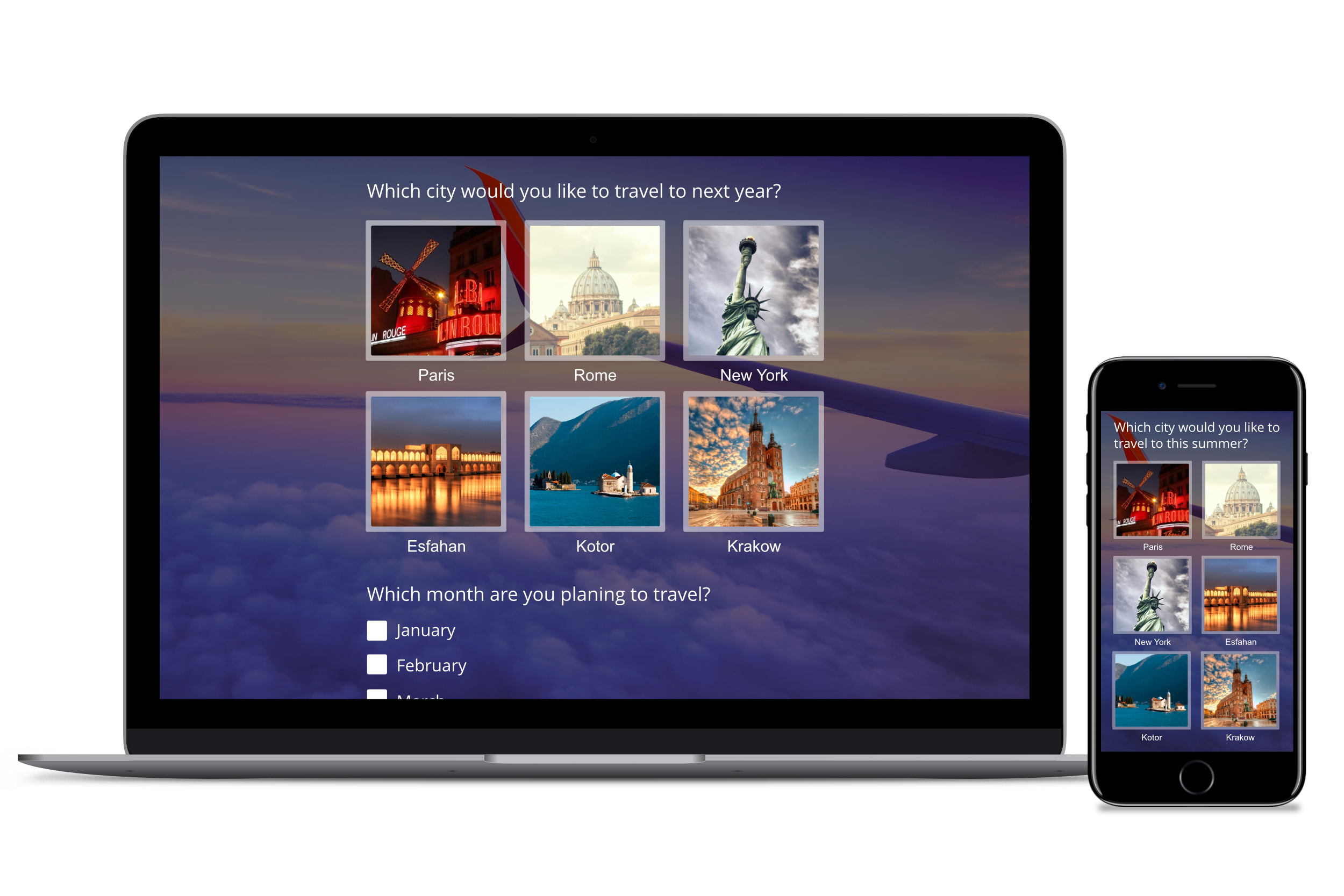
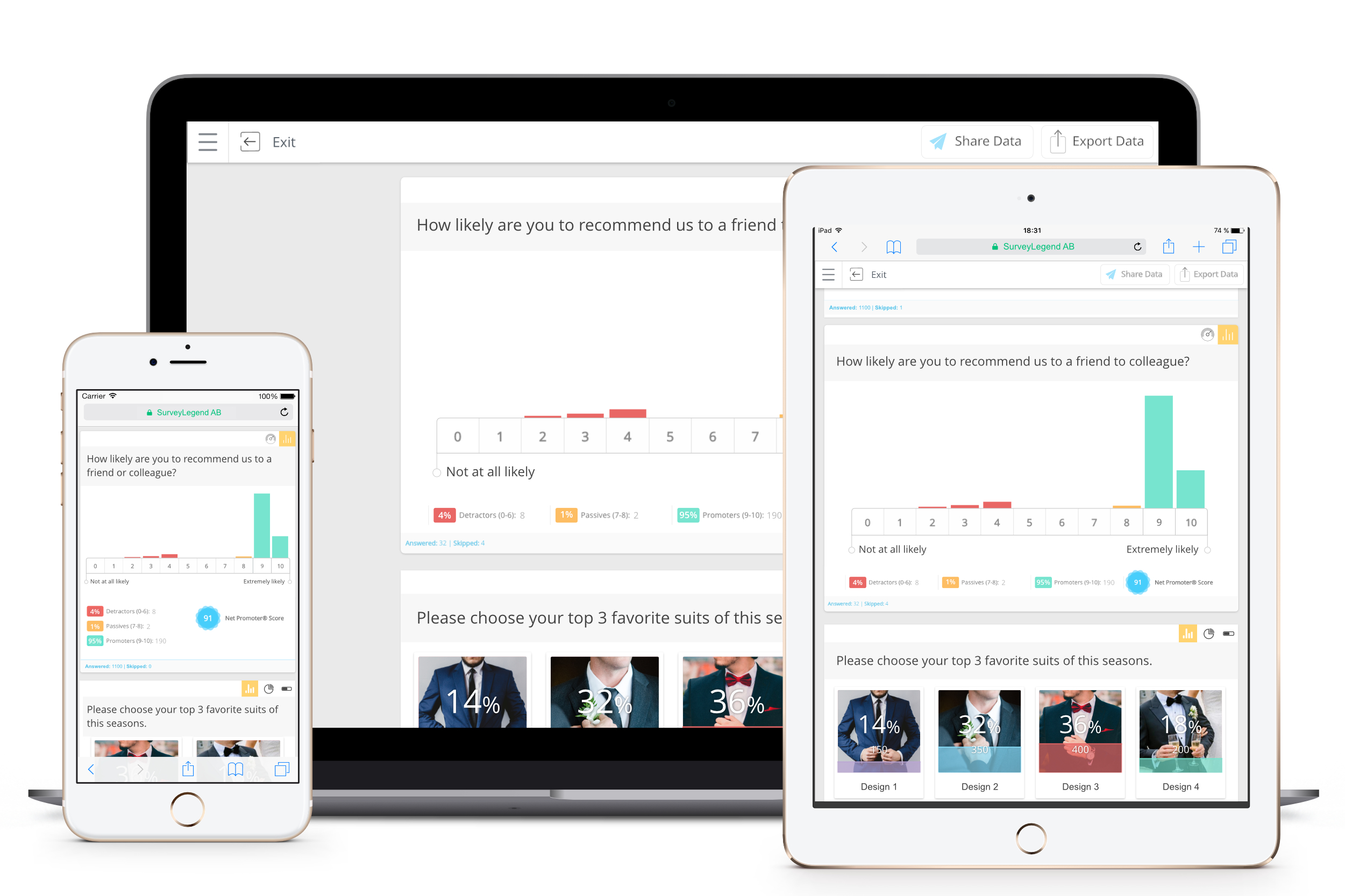
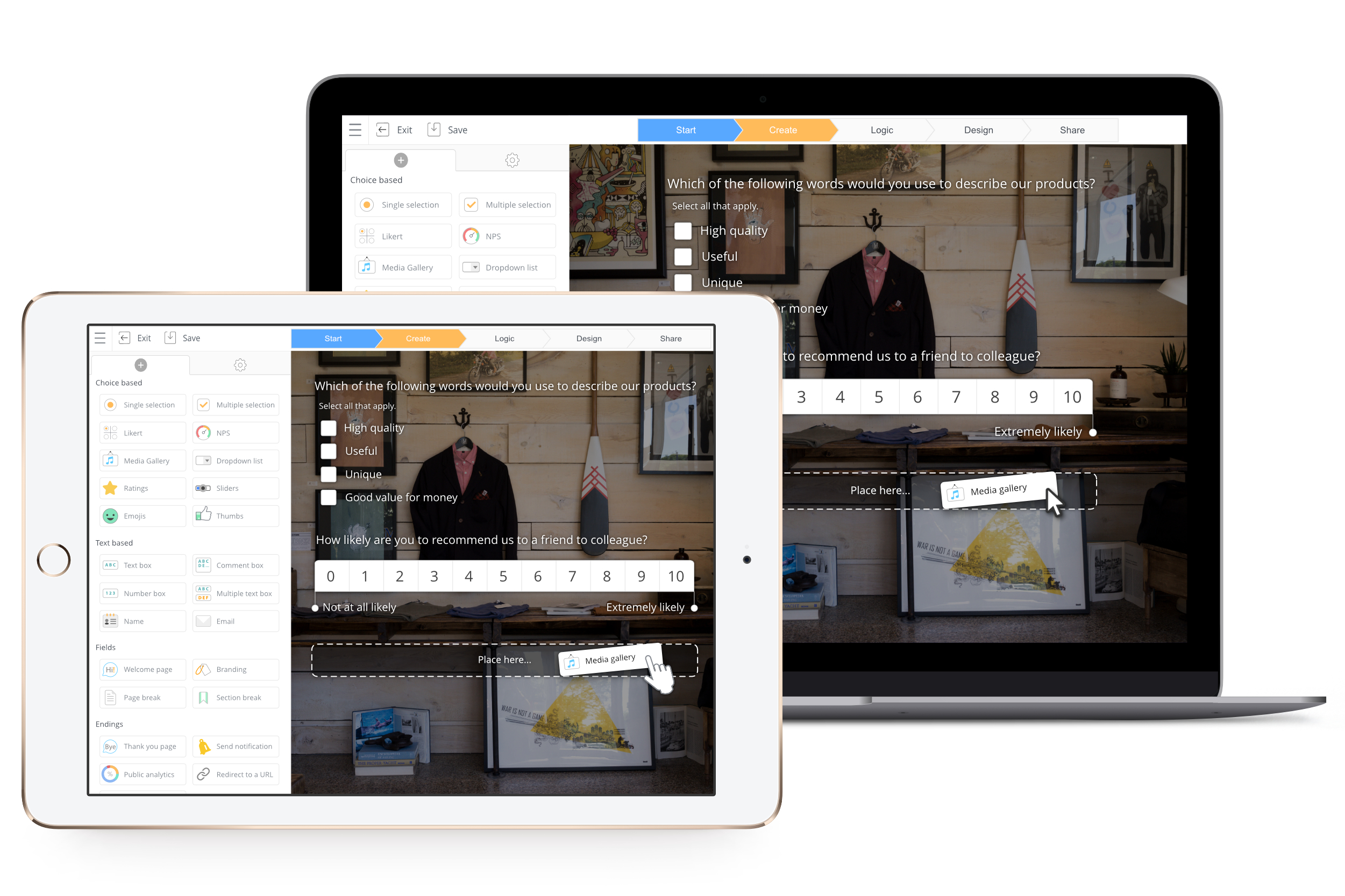
Screenshot of Brand your questionnaire, design the questionnaire, choose from 100+ themes upload your own and enjoy the changes being updated and shown in real-time.Screenshot of All surveys, forms and polls look great on what ever device they are presented on.Screenshot of You can create responsive questionnaires, using more than 20 different question types.You can create responsive questionnaires, using more than 20 different question types.Screenshot of In the create step you make the entire questionnaire. Click or drag and drop the question type you want and create the survey you need.Screenshot of All data collected can be viewed on our Live Analytics page. We present the feedback in beautiful charts that are easy to read and act on, no apps needed just a modern browser.Screenshot of Create on your tablet or computer no apps needed just a modern browser.