GoToMyPC is a remote administration offering from GoTo (formerly LogMeIn) with mobile deployment to work on files, programs, and networks from home or while traveling.
I think GoToMyPC is well-suited for any scenario I have encountered, although I only have experience using it in a small firm setting. Otherwise, for working from home and traveling or file retrieval, it has proved more than adequate. I have not encountered a scenario that I thought was less than appropriate.
A de minimis incentive was given to thank the reviewer for their time. The incentive was not used to bias or drive a particular response, nor was the incentive contingent on a positive endorsement. More Info
This software is very well-suited to companies who find themselves expanding their footprint, the number of their Sales representatives, their territories, and/or their products and services and need to maximize their ability to both keep up with those demands whilst streamlining their proposal resources. Further, this is a very powerful tool with a lot of features and functionality including CRM plug-in and reporting. Thus, it may be less appropriate for a very small organization with only one product and that is also blessed with lengthy cradle-to-grave turnaround windows. In addition, to better the odds for success an investment in upfront personnel training and either a dedicated periodic window of time and/or dedicated person(s) for content upkeep are prudent. Finally, working with the vendor is a delight as they make every effort to maintain and deliver a product that both meets your needs and on which you can rely.
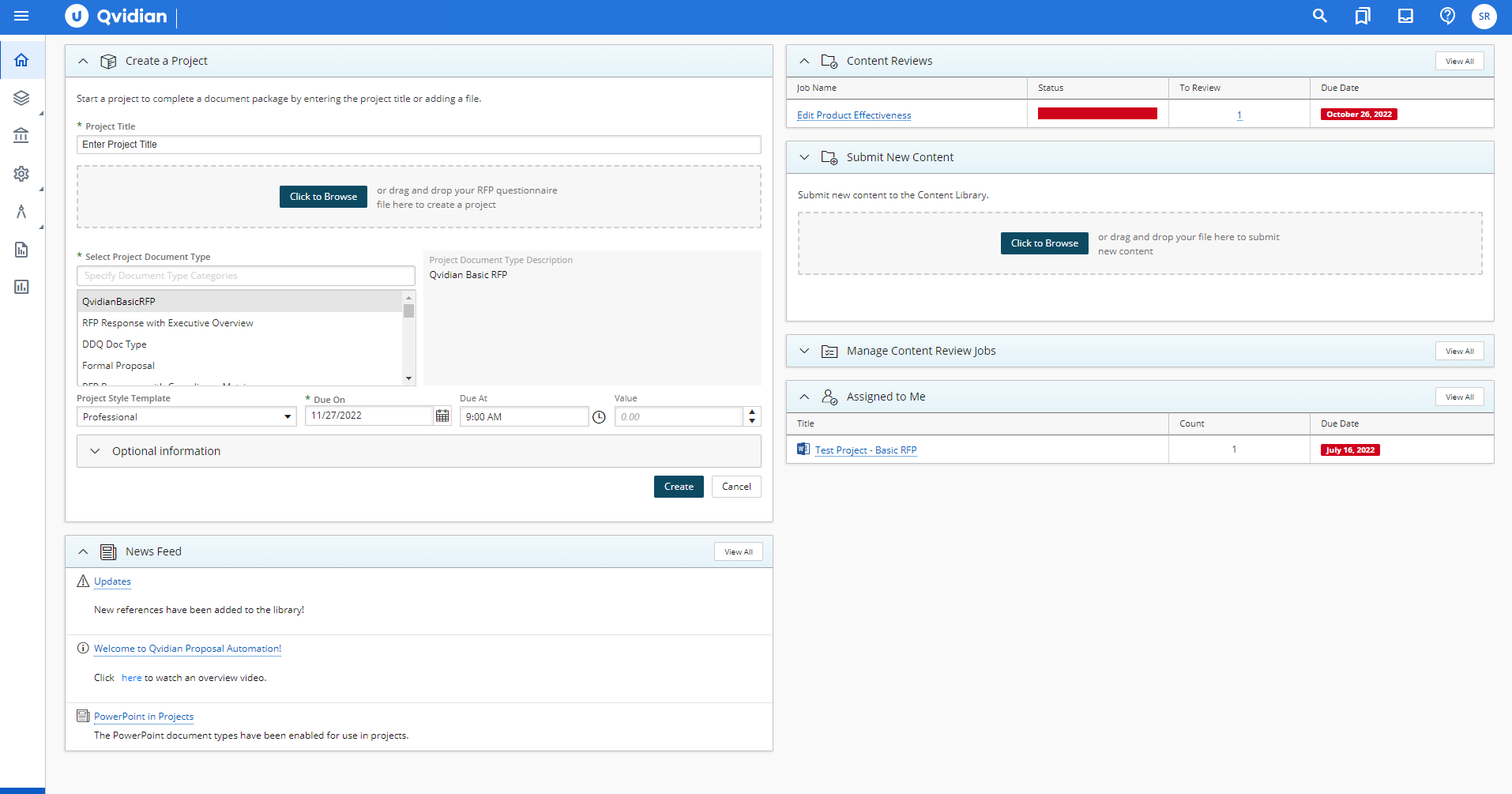
Using Qvidian as an RFP tool has made a difference in our RFP process, turn-around time, and content development. It's helped us streamline our RFP process so that we are able to produce the majority of the document before the kick-off meeting, which means we have more time to customize and refine the document before it goes to print.
Additionally, it took several hours before to gather all of the basic data we needed for an RFP, but now we can have the majority of the response ready in under 15 minutes in most cases. We are also able to start projects from our phones (iPhone thru Safari) or on an iPad. This has been extremely helpful while traveling.
Finally, our content is centrally located on a searchable database. Previously we had used several free tools to aid in content storage that would allow us access easily via search. It never seemed to do what we wanted, and when we did find something, we weren't sure if it was the most current or usable. The library functions in Qvidian have been a huge help, and has changes the way we collect data, and retrieve it.
A de minimis incentive was given to thank the reviewer for their time. The incentive was not used to bias or drive a particular response, nor was the incentive contingent on a positive endorsement. More Info
One area where Qvidian occasionally struggles is feature regression. For instance, the editing option that puts multiple records into one document had always been present in Qvidian; however, when the multi-edit feature that only allows editing one record at a time was released in version 9.1, the original editing functionality was removed. This caused me a lot of frustration, as it severely slowed down my work flow since I could now only see and edit one record at a time. It wasn't until a year later when version 10 was released that the old editing functionality was added back. However, one bright spot of version 9.1 was an added feature that allowed organizing records by simply dragging and dropping them into different categories. This was much easier than having to right click on a record, select Move, then right click on a folder and select paste. However, with version 10, this feature was removed and I'm now back to having to right click on records instead of dragging and dropping. It seems that with each release, I never know if something I like will be taken away or if something I don't like will be added -- sometimes it's both.
A recent change that was added in version 10.1 that I personally view as a negative is that Qvidian now handles all requests server side instead of on the user's computer. This means that if a user wants to export or edit a large number of records, they have to wait for Qvidian's server to generate a report of those records. Depending on the number of records, this can be very quick (a few seconds) or very long (I've waited up to 20 minutes before) depending on how taxed Qvidian's servers currently are. I understand the reasoning behind the move, in that it takes the load off of a user's computer so that other applications they currently have open aren't affected by added memory usage, but in practice I find that it only slows down my workflow. Any somewhat modern PC shouldn't have any trouble handling a large report request from Qvidian.
Although Qvidian is certified for use in several different browsers (Internet Explorer, Firefox, and Chrome for Windows), it doesn't offer the same functionality in each one. For instance, in Explorer, when a record is selected for editing or export, it will automatically open in Word. In Firefox, a pop-up dialog appears and a user has to click Open in order for the record to appear in Word. And in Chrome, the file is added to the download bar and a user must click on the file there for it to open, unless they add an exception to .docx file types to automatically open in Word (which I had to do, since I prefer using Chrome). Other simple features such as right clicking on a folder or record to bring up Qvidian's context menu are hit or miss depending on the browser. In Explorer, everything is generally smooth, though the browser itself is slower than the other choice. In Firefox, right clicking generally works but sometimes has some hiccups, and in Chrome, more often than not right clicking brings up Chrome's context menu instead of Qvidian's, which often leads to having to first select a folder and then click the dedicated Actions button in Qvidian to perform the desired action. No matter which browser you use, there will be some sort of functionality that doesn't quite work as expected.
I have been using GotomyPC for 20 years and it's gotten better with time. It's the best remote app that I've tried. The others were harder to use and not as functional. It allows us to work from anywhere just as if we were in the office. Even being able to print to my remote location is a wonderful way of doing work. I don't have to drag it to my remote device, It will just print without any hassle
A de minimis incentive was given to thank the reviewer for their time. The incentive was not used to bias or drive a particular response, nor was the incentive contingent on a positive endorsement. More Info
The tool provides us with the functionality we need to perform more efficiently and we have not identified another product that offers enough "nice to haves" in addition to the "must haves" to warrant a compelling reason for changing tools.
Really easy to use-even if you forget your password frequently like me. The reset password feature is not cumbersome and does not require phoning Customer Service. Just a few clicks and a bit of creativity to come up with a new password. I like this "easy button" approach. Definitely recommend.
A de minimis incentive was given to thank the reviewer for their time. The incentive was not used to bias or drive a particular response, nor was the incentive contingent on a positive endorsement. More Info
The shift they made in architecting documents from content to outline, is now reversed allowing outline creation first, then content which is more natural. But, due to the fact that we went through a migration of content to get to the new version, it feels less optimized than if we would have re-implemented.
End users having to configure settings more often than desired
I have never had to contact support. The product is so easy to use I have not needed help (yet). But if I had to contact them, I am sure they would be just as great to work with as the product itself is.
A de minimis incentive was given to thank the reviewer for their time. The incentive was not used to bias or drive a particular response, nor was the incentive contingent on a positive endorsement. More Info
They are very much in support of great customer service. They respond quickly with emails and in some cases phone calls to resolve any issues and often times user questions in the past when I could not figure something out.
A de minimis incentive was given to thank the reviewer for their time. The incentive was not used to bias or drive a particular response, nor was the incentive contingent on a positive endorsement. More Info
Live instructor training is expensive, though we have had instructors come to our offices for a ‘refresher’ before. The refresher was more of a “let us fix that for you” than a training on how to do it ourselves.
It set up quickly and assigning log ins to various computers was simple. I don't think you need many insights into the product. It's easy to implement and easy to use. Since it's a work tool, it needs be that way. I wouldn't want the tool to have any learning curve when some of the people using it are not tech savvy. They are accessing their work computers for files or to work on apps that their remote devices might not have loaded.
A de minimis incentive was given to thank the reviewer for their time. The incentive was not used to bias or drive a particular response, nor was the incentive contingent on a positive endorsement. More Info
A de minimis incentive was given to thank the reviewer for their time. The incentive was not used to bias or drive a particular response, nor was the incentive contingent on a positive endorsement. More Info
I recently started having problems with Splashtop - slow response/freezes/drops, and after troubleshooting everything internet and hardware related, decided to check out GoToMyPC as one step in troubleshooting. GoToMyPC has better response time and has been more reliable. So far I am pleased with the switch with just a couple of minor matters mentioned earlier in review.
A de minimis incentive was given to thank the reviewer for their time. The incentive was not used to bias or drive a particular response, nor was the incentive contingent on a positive endorsement. More Info
We have been using Qvidian for years, when Compass was introduced in our company. Having spent over a year using Compass, I would not recommend it for writing proposals. In all fairness, that is not Compass' strength. Compass is ok for general document sharing for informational purposes. It does have a Presentation Builder function for creating PowerPoint presentations, but it is cumbersome and not very flexible. Specifically, the linkage is awkward and files may have to be re-linked when they are updated. In addition, the architecture only allows you to create a couple of levels of content. The search function is very limited. Compass is a newer project and has not fully matured.
I can use it on all of my devices - even my Galaxy phone. Once you log into your device, you work on it as if you were physically in front of it. Not much complexity in that. If you can work on your own device, you can work on it through another device - even a phone.
A de minimis incentive was given to thank the reviewer for their time. The incentive was not used to bias or drive a particular response, nor was the incentive contingent on a positive endorsement. More Info
The positive impact has been to know we have a system that can house legally-approved responses to questionnaires. The good about this is that if we have a simple RFI that does not require a lot of response customization, we can draw upon previously-approved responses and create output MUCH quicker, without the need of laborious and time-consuming legal reviews of RFIs or DDQs we produce for prospective clients. Quicker, easier output with less internal review = efficient RFI process and quicker turnaround time to respond to our client/prospective client base.
The negative impact has only been the time it takes to orient oneself with the program, and REMAIN oriented. As we do not do RFIs on a daily basis, it is easy for us to become rusty, or to take short-cuts because we do not have time to re-train on the program. Those shortcuts and workarounds tend to cause us not to use the program to its full potential and lead to counter-productivity in some cases.