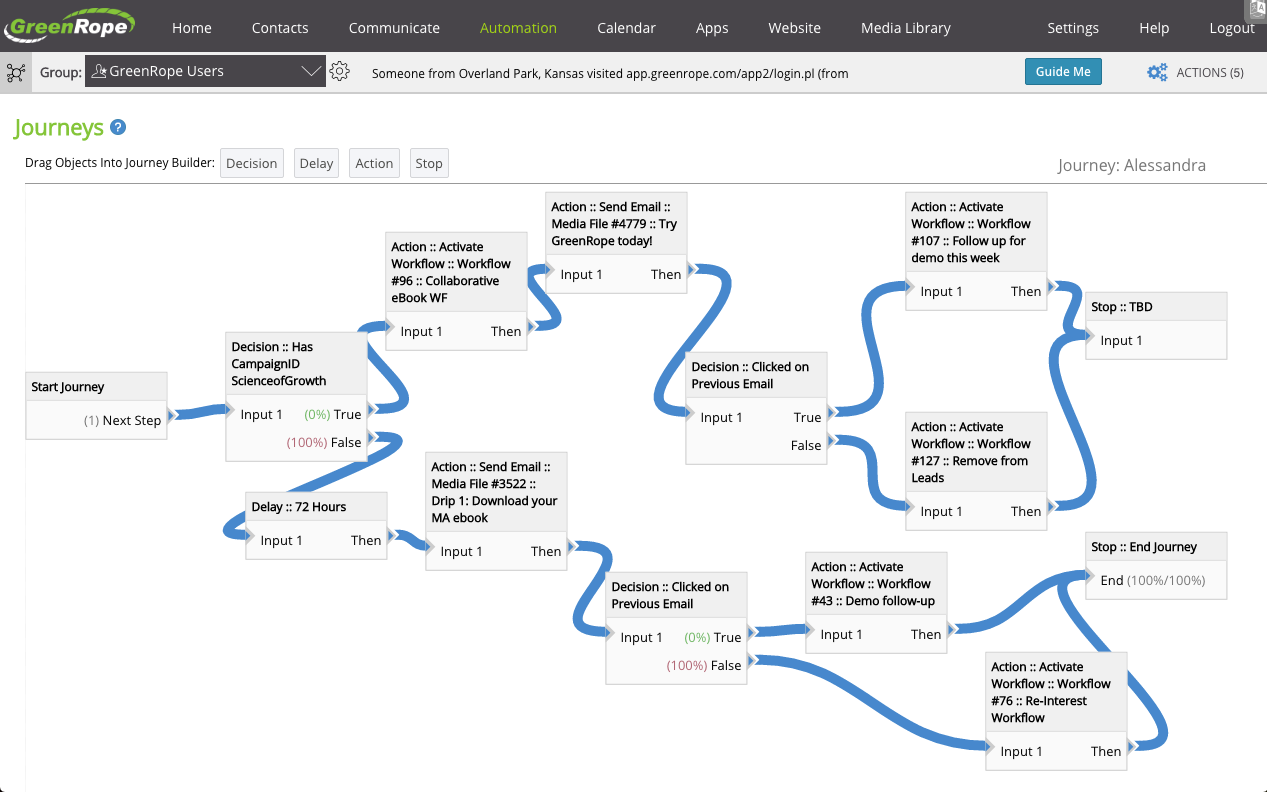
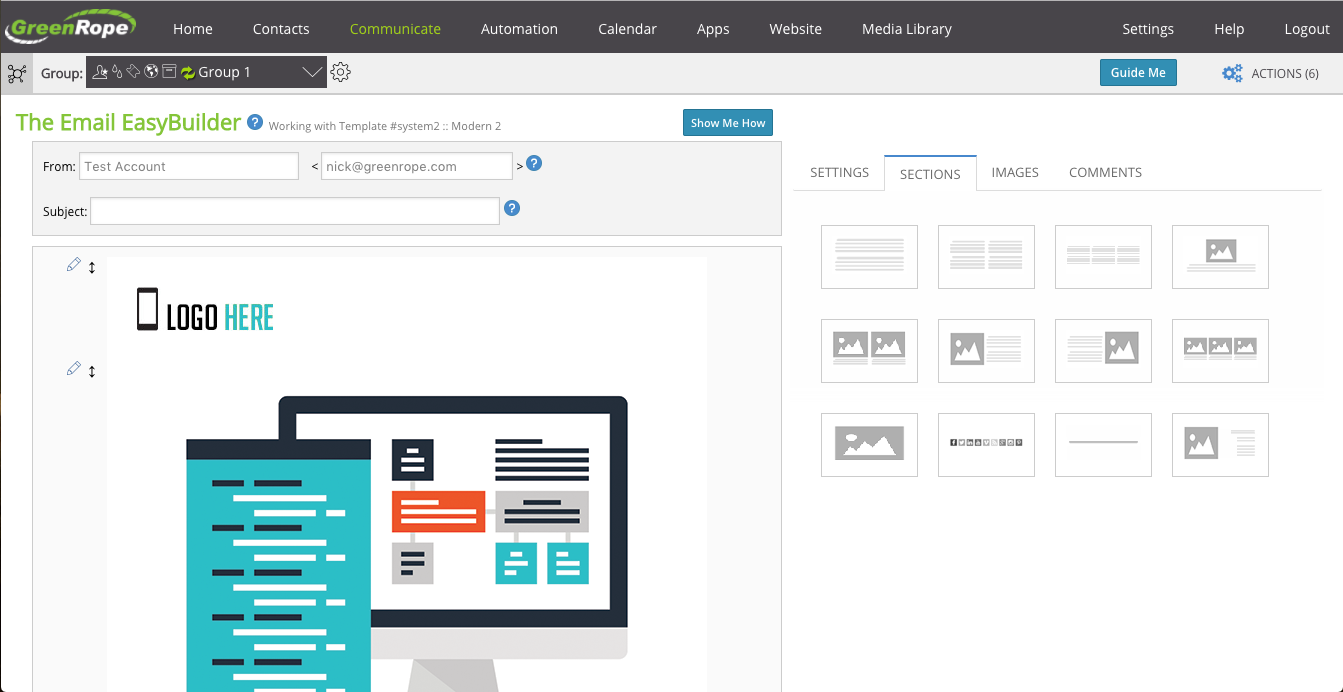
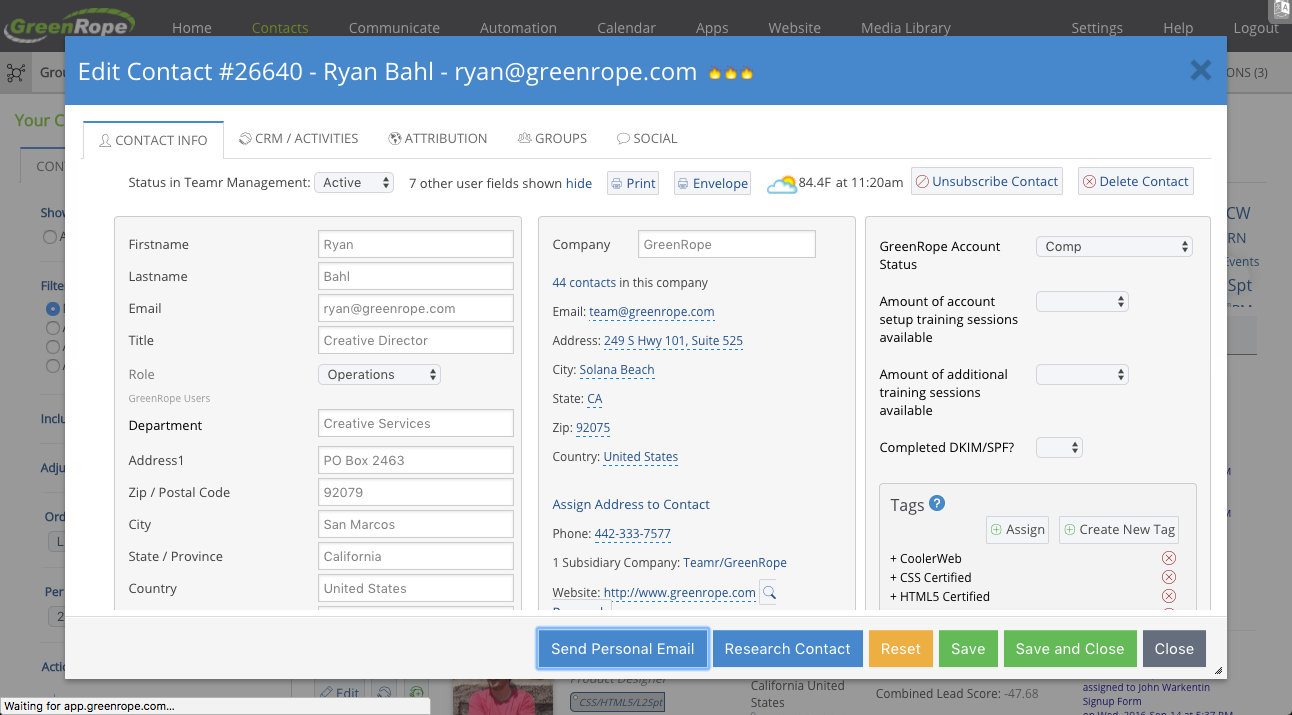
GreenRope is a CRM tool focused on marketing automation, sales pipelines, and customer service. It includes advanced marketing automation capabilities, sales force automation, and a tool box of features to help manage and operate the business.
$149
Per Month [Unlimited Users]
ProProfs Help Desk
Score 8.1 out of 10
Mid-Size Companies (51-1,000 employees)
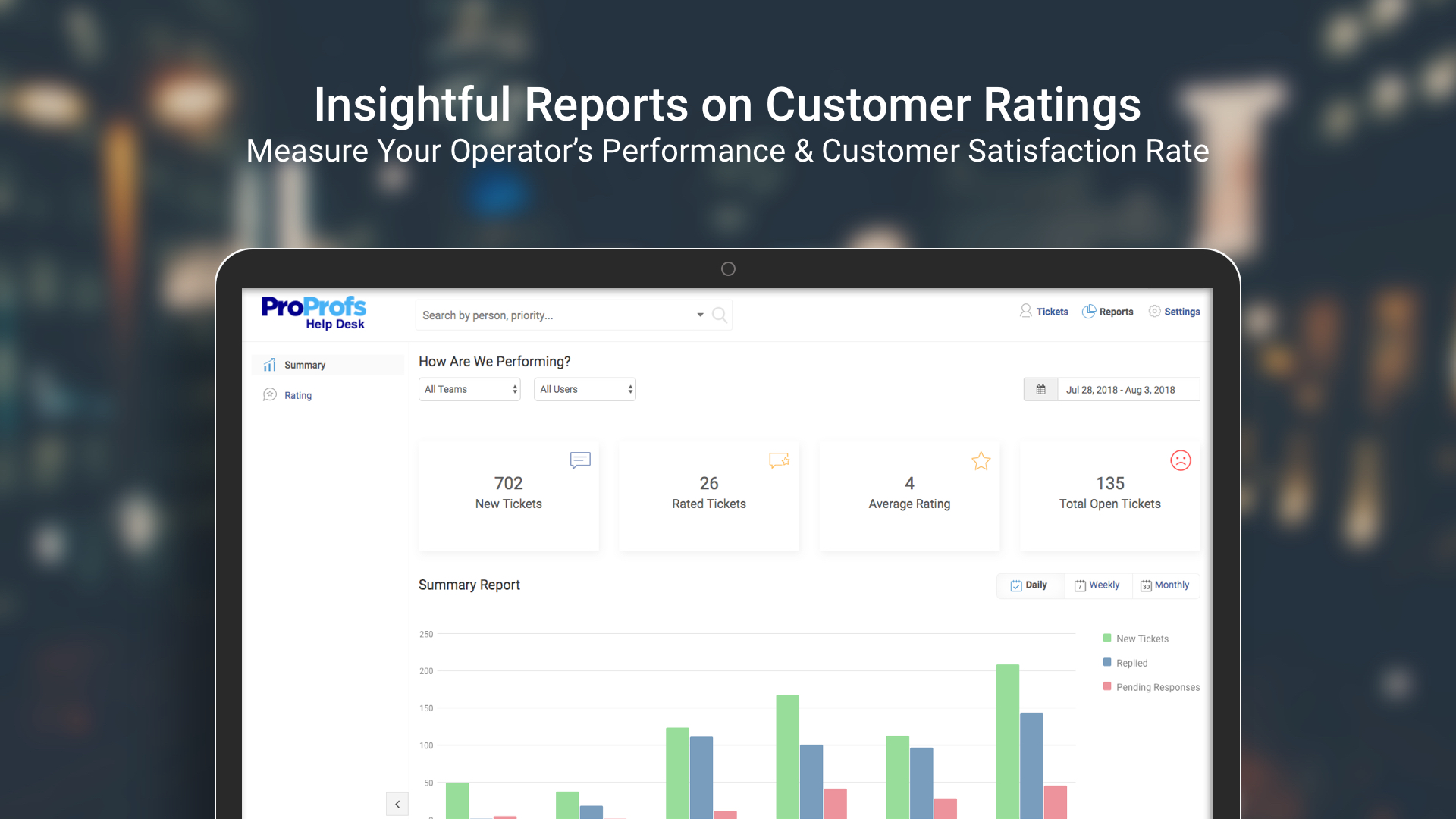
ProProfs Help Desk is a customer support tool that promises to help agents track and resolve customer-care-related issues. The cloud-based software aims to enable businesses to deliver a delightful customer experience. This becomes possible with faster and effective ticket resolution. Key benefits and capabilities include: Timely resolution of customer queries: Customers feel delighted with timely responses. ProProfs help desk ticketing system allows managers and system…
$29.99
per month per user
Pricing
GreenRope
ProProfs Help Desk
Editions & Modules
Starter
$149
Per Month [Unlimited Users]
Prime
$199
Per Month [Unlimited Users]
Pro
$249
Per Month [Unlimited Users]
Premium
$299
Per Month [Unlimited Users]
Powerhouse
$349
Per Month [Unlimited Users]
Supreme
$449
Per Month [Unlimited Users]
Ultimate
$699
Per Month [Unlimited Users]
Free
$0
Unlimited Users
Team
$29.99
per month per user
ENTERPRISE
$ 499 per month
Unlimited Users
Offerings
Pricing Offerings
GreenRope
ProProfs Help Desk
Free Trial
Yes
Yes
Free/Freemium Version
No
Yes
Premium Consulting/Integration Services
Yes
No
Entry-level Setup Fee
$399 Per Account
No setup fee
Additional Details
All price plans include unlimited users, unlimited emails, and all features.
—
More Pricing Information
Community Pulse
GreenRope
ProProfs Help Desk
Features
GreenRope
ProProfs Help Desk
Sales Force Automation
Comparison of Sales Force Automation features of Product A and Product B
GreenRope
8.4
13 Ratings
7% above category average
ProProfs Help Desk
-
Ratings
Customer data management / contact management
9.613 Ratings
00 Ratings
Workflow management
9.112 Ratings
00 Ratings
Territory management
8.36 Ratings
00 Ratings
Opportunity management
9.811 Ratings
00 Ratings
Integration with email client (e.g., Outlook or Gmail)
9.511 Ratings
00 Ratings
Contract management
3.85 Ratings
00 Ratings
Quote & order management
8.99 Ratings
00 Ratings
Interaction tracking
9.812 Ratings
00 Ratings
Channel / partner relationship management
6.64 Ratings
00 Ratings
Customer Service & Support
Comparison of Customer Service & Support features of Product A and Product B
GreenRope
9.7
12 Ratings
23% above category average
ProProfs Help Desk
-
Ratings
Case management
9.812 Ratings
00 Ratings
Call center management
9.78 Ratings
00 Ratings
Help desk management
9.810 Ratings
00 Ratings
Marketing Automation
Comparison of Marketing Automation features of Product A and Product B
GreenRope
9.2
13 Ratings
17% above category average
ProProfs Help Desk
-
Ratings
Lead management
8.912 Ratings
00 Ratings
Email marketing
9.613 Ratings
00 Ratings
CRM Project Management
Comparison of CRM Project Management features of Product A and Product B
GreenRope
9.7
13 Ratings
23% above category average
ProProfs Help Desk
-
Ratings
Task management
9.613 Ratings
00 Ratings
Billing and invoicing management
9.88 Ratings
00 Ratings
Reporting
9.811 Ratings
00 Ratings
CRM Reporting & Analytics
Comparison of CRM Reporting & Analytics features of Product A and Product B
GreenRope
8.9
12 Ratings
15% above category average
ProProfs Help Desk
-
Ratings
Forecasting
8.89 Ratings
00 Ratings
Pipeline visualization
8.310 Ratings
00 Ratings
Customizable reports
9.512 Ratings
00 Ratings
Customization
Comparison of Customization features of Product A and Product B
GreenRope
8.4
13 Ratings
9% above category average
ProProfs Help Desk
-
Ratings
Custom fields
9.213 Ratings
00 Ratings
Custom objects
8.210 Ratings
00 Ratings
Scripting environment
7.04 Ratings
00 Ratings
API for custom integration
9.110 Ratings
00 Ratings
Security
Comparison of Security features of Product A and Product B
GreenRope
8.6
11 Ratings
2% above category average
ProProfs Help Desk
-
Ratings
Single sign-on capability
8.66 Ratings
00 Ratings
Role-based user permissions
8.610 Ratings
00 Ratings
Social CRM
Comparison of Social CRM features of Product A and Product B
GreenRope
9.0
11 Ratings
19% above category average
ProProfs Help Desk
-
Ratings
Social data
9.011 Ratings
00 Ratings
Social engagement
9.011 Ratings
00 Ratings
Integrations with 3rd-party Software
Comparison of Integrations with 3rd-party Software features of Product A and Product B
GreenRope
9.2
7 Ratings
20% above category average
ProProfs Help Desk
-
Ratings
Marketing automation
9.07 Ratings
00 Ratings
Compensation management
9.57 Ratings
00 Ratings
Platform
Comparison of Platform features of Product A and Product B
GreenRope
7.8
9 Ratings
3% above category average
ProProfs Help Desk
-
Ratings
Mobile access
7.89 Ratings
00 Ratings
Incident and problem management
Comparison of Incident and problem management features of Product A and Product B
GreenRope
-
Ratings
ProProfs Help Desk
8.2
1 Ratings
0% below category average
Organize and prioritize service tickets
00 Ratings
8.21 Ratings
ITSM collaboration and documentation
00 Ratings
7.31 Ratings
Ticket creation and submission
00 Ratings
9.11 Ratings
Ticket response
00 Ratings
8.21 Ratings
Self Help Community
Comparison of Self Help Community features of Product A and Product B
GreenRope
-
Ratings
ProProfs Help Desk
8.2
1 Ratings
2% above category average
Internal knowledge base
00 Ratings
8.21 Ratings
Multi-Channel Help
Comparison of Multi-Channel Help features of Product A and Product B
There's no such thing as a CRM that doesn't have its complications and headaches. I have tried a lot of them and ultimately like GreenRope heads and shoulders above the rest. GreenRope is particularly suited for small to medium sized businesses who do not have the budget or need for a SalesForce install, or the engineers necessary to make other CRM software work. If you want a more sophisticated system than an email responder like MailChimp or Constant Contact, you need to have a CRM. So ask yourself what you are looking to automate in your business and then go for a solution that has the ability to scale with you. A CRM is a commitment to long term growth and automation, and you should see it as an investment -- both in cash and in time. I don't have a programmer and have managed to get a lot of functionality out of GreenRope (all DIY). And I'm always adding to it with no limits in sight.
As this tool is an affordable option, this help desk software is best suited for startups to deal with their customer base and build customer-centric brand value. This helps in not only helped me increase customer loyalty but also ensured customer retention, increasing my company’s profits substantially. But, this tool does have a few minor drawbacks. The most important feature, for me, that is missing from this tool is skill-based routing. Without this feature, our agents lose a lot of time in replying to just one customer question. Sometimes, the ticket needs to be reassigned to a specialized agent - and until they are available, the ticket remains open.
GreenRope provides a full-featured application at ALL pricing levels. You don't have to 'upgrade' to get better features - you've got them all right away. I really appreciated this!
GreenRope doesn't charge per user (i.e., administrator of the system). Other systems require additional fees when adding administrators to your account. GreenRope makes it easy for me to get help with the CRM by adding more of my people, without adding multiple fees.
Customer Service at GreenRope rocks! They really want to help you get started well. The training and set-up calls are fantastic. For any support issues that have come up (usually newbie questions!) I've always received a prompt response. I can't say enough about their support.
There are many ways for me to customize my data sets, for management and segmentation of contacts, specific to my industry and business needs.
Dashboard customization - as a visual learner, the presentation of information on my screen is important to me, and GreenRope allows me the ability to customize colours, icons, and sizes of things in my dashboard. This is helpful for my creativity and productivity.
Sometimes customers ask questions that require more than one agent to look into the matter. For such situations, ProProfs Help Desk has the “child ticket” feature. This literally made my life so so easy! Whenever I was in this situation, all I had to do was create a child ticket and assign it to another agent and give him a heads up on what has been going on. Answering a customer’s question accurately becomes really easy with this feature.
Our entire team’s performance was always static. We never knew how anyone was performing or was anyone making any difference in the overall company’s value. With this tool, it became easy to see how every agent is performing and whether there was any positive impact on both - the company and our current customer base.
The project management software - while usable in its current form - can still benefit from further development. But I've noticed that they are working on it, so it seems they are aware of this area of opportunity.
This is a little thing, but I'd like the ability to drill into specific tasks from more areas, and mark them complete quickly or make notes on them.
I honestly don't have many suggestions. I use their ticket system to make suggestions when they occur to me, and they tend to incorporate suggestions very quickly into subsequent builds.
This tool does route tickets, but the one drawback is that the tickets are;t assigned to a specialized agent. It is randomly assigned to any available agent, and if he doesn’t have expertise in terms of the customer question, it becomes hard to give an accurate answer.
Giving automatic responses to customers makes our life easy, but we can’t personalize these messages. This sometimes makes our customers feel that they are talking to a bot, making it difficult to answer their questions without them having a hostile reaction to the automated answers.
They have monthly renewals, so at any time you can cancel and not feel like they are holding your money. Their customer support is easy to work with. Their ticketing system to communicate with you about service issues is fantastic(which is included in the monthly fee) allows you to track issues. We use the ticketing system and add it to our website. This gives people the ability to communicate with us 24/7.
It takes time to learn this system. It is not going to happen over night, but once you master it it will be worth it. I am already seeing some great results, all I have to do is keep learning.
Many times I have to repeat the issue several times before the person understands correctly. There was also an instant where support was not available when help was needed, had to wait for a response and it was a business day.
I think there are some cheat sheets and best practises lists that could be created that would save a business a lot of time and frustration. BUT, even as it is, the frustrations and challenges disappear as things start working. I am going to be offering up a few of the tricks I have learned to the team at GreenRope to share with other users because when customers offer valuable work arounds that they find helpful to others, we accomplish a few things. The coders get an idea of things that aren't working quite as expected so they can look into fixes, other customers get benefit and we all win
We chose GreenRope.com because they were the best fit. We already had a marketing email strategy with Constant Contact so choosing a CRM with those capabilities was very important when making our decision. Everything we were already doing could be in 1 place instead of needing to login to several different outlets to reach our goals and objectives. For example, email marketing (Constant Contact), website tracking (our Host), client tracking (spreadsheets), Calendars (Outlook), etc. Now we do everything, email marketing, track leads, have a work flow, track website visitors, post events and forecast all with 1 login. It's great!!
I shifted from Kayako to ProProfs Help Desk for mainly two reasons, UI and features. ProProfs Help Desk definitely has a more user-friendly interface and the features offered by this tool are also more compared to Kayako. A few features that aren’t available in Kayako but are available in ProProfs Help Desk are multiple shared inboxes, private notes, and email ticketing.