GroupMap vs. Slack

Overview
ProductRatingMost Used ByProduct SummaryStarting Price
GroupMap
Score 0.0 out of 10
Mid-Size Companies (51-1,000 employees)
GroupMap is a real-time brainstorming, collaboration, and decision-making platform designed for facilitators, educators, and teams running workshops, retrospectives, and planning sessions. Structured facilitation, not a blank canvas Unlike open-ended whiteboard tools, GroupMap moves groups through a defined workflow: brainstorm, group, vote, prioritize, and assign actions, all within a single session. Participants contribute simultaneously, which reduces meeting time and removes…
$20
per month per facilitator
Slack
Score 9.0 out of 10
N/A
Slack is a group messaging or team collaboration app that aims to simplify communication for businesses. Features include open discussions, private groups, and direct messaging, as well as deep contextual search and message archiving, and file sharing. Slack integrates with a number of other tools, such as MailChimp, Dropbox, and Google Drive. Slack was acquired by Salesforce in December 2020. The product is free to use, and also has paid plans with more features and greater controls. The…
$0
Pricing
GroupMapSlack
Editions & Modules
1. Basic
$20
per month per facilitator
2. Professional plan
$60
per month per facilitator
3. Event / Enterprise
Custom quote
Free
$0
Pro
$7.25*
per month per user
Business+
$12.50*
per month per user
Enterprise
Contact Sales
Offerings
Pricing Offerings
GroupMapSlack
Free Trial
YesYes
Free/Freemium Version
NoYes
Premium Consulting/Integration Services
NoNo
Entry-level Setup FeeOptionalNo setup fee
Additional DetailsGroupMap has four tiers: Free (14-day trial, up to 10 participants per map, 1 map creator, unlimited maps) Basic ($200/year, up to 10 participants per map, 1 map creator, standard reporting) Professional ($600/year, up to 50 participants per map, 100 and 200 participant plans also available, unlimited maps and workspaces, priority support) Enterprise (custom pricing, custom participant limits, multiple facilitators, white labeling, SSO, custom domain). Billing is monthly or annual. Only map creators and facilitators need a license; participants joining a map do not need an account.*Per active user, per month, when paying once a year. Pro is $8.75 USD per active user when paying month to month. Business+ is $15.00 USD per active user when paying month to month.
More Pricing Information
Community Pulse
GroupMapSlack
Considered Both Products
GroupMap

No answer on this topic

Slack
Chose Slack
Slack was more of a company directive. Teams has its strengths. But Slack definitely seems more mature in terms of features that engineering teams love. Video conferencing is much better in teams.
Chose Slack
I think it stacks. I haven't seen those products in the last few years, but I feel like the way Slack has evolved and how much integration it has with Salesforce. I don't think any of the other tools I've seen do that.
Chose Slack
In my opinion, the closest to Slack in terms of UI is Discord. But Slack is much more professional with more functionalities that doesn't require very technical knowledge (good for our older staff who began their digital journey within the last decade). In terms of workflow …
Chose Slack
better price and less spam with Slack. It was the best decision to switch to this communication platform for our company. We would do it again if given the opportunity.
Chose Slack
Teams has an edge over Slack as teams is also a meeting platform Copilot by teams is very well integrated tot eams making it super easy to use AI without extra steps and additional integrations Teams is also great with long messages / rewording messages and any vocabulary …
Chose Slack
The other platforms have valuable features (like progress kanbans and storage for big files) but none of them work on their own. Slack is the central hub that we use for all communications, discussions, and meetings.

Slack excels at versatility and ease-of-use. Everyone knows …
Chose Slack
In comparison to Teams, I think Slack is a much nicer platform to use. If your technology department allows you to integrate third party applications, it can work really well paired with zoom, sharepoint etc. I think for many mid sized businesses it can be a good fit to enhance …
Chose Slack
Slack is better suited for actual work teams rather than communities, so it wins against Discord. About HipChat - in my opinion, it was a dinosaur that is not discounted, and it's obvious why, considering the type of product Slack delivered!
Chose Slack
From a corporate standpoint, I don’t really have another example. On a personal level, the closest comparisons would be WhatsApp, Messenger, or KakaoTalk. To me, it feels like — as I said — the corporate WhatsApp. Not that Salesforce wants it to be compared that way or used …
Chose Slack
No, I use many. I use Google Meet, I use teams, I use many others. Again, it's the same, not many things, but if I'm repeating myself, it's all about sharing the information, how quickly it's effective, the quality is good, the huddle is fine, you can share all the, so all the …
Chose Slack
Microsoft Teams feels clunky in comparison to Slack. Slack feels more versatile and intuitive, and much more tech minded then Microsoft Teams does. I would say Microsoft Teams may have the advantage if your business is fully with Microsoft (ie the full Office suite), but other …
Chose Slack
I've dabbled with Microsoft Teams and Zoom's chat features in past roles at startups. Teams integrates well with Office but feels clunky for quick searches and daily chats. Zoom is great for video but lacks robust file sharing and app integrations. Slack wins for us with its …
Chose Slack
Teams and Slack both have Pros and Cons. We use both for communicating. Microsoft Teams is good from the prospective that you can set up Distribution Groups and Private Groups for sharing out links from One Drive and Sharepoint. The integration is built in so that all the …
Chose Slack
Slack has a more modern feel as far as ease of use.
Chose Slack
Slack holds up fairly well with the others. They all have the same basic features. Where they do differ is the execution. You can tell that for Teams and Discord, they had Slack in mind when they were designing their system. These two would be the closest to Slack, even in …
Chose Slack
The applications i have used earlier is not much user friendly, I can not do video calls in groups and tagging system is not available accross the company. Feedback and survey or process updated delivery feature makes Slack different than other companies. Slack is really time …
Chose Slack
I like Slack better than ClickUp, because I would spend 30-60 minutes a day updating my ClickUp tasks. The way ClickUp was used was very micromanaging. I billed by the hour, so I was willing to put in the time to alert the boss what tasks I was working on.

Chose Slack
Teams is better to schedule meetings with and integrates with Outlook well, but that leads to duplicate notifications for things, which is distracting and a waste of time. Messaging in Teams not great compared to Slack, and has the potential to have people outside your …
Chose Slack
Ease of use is a game-changer. Slack works so intuitively. People started collaborating automatically, and digital communities started to appear. We haven't seen that kind of engagement with other tools or workflows. It makes working together fun, and that is something that …
Chose Slack
It's just an actual messaging soft ware to use, compard to other that can be underwhelming or just not useful when your company is growing, Slack keep unity and option for communication that caters anyone, depending on what they feel comfortable and with what type or works they …
Chose Slack
Constant Contact and Microsoft Dynamics 365
Chose Slack
Slack offers great user interface that is easy to navigate through. Customer support team are very user freindly and helpful. The pricing of Slack is fairly affordable compared to other product. Great integration capabilities with other products and the search feature is …
Chose Slack
To me, there is no competition between Slack and Microsoft Teams. In my opinion, Slack crushes MS Teams in every regard and is a pleasure to use. I think MS Teams on the surface looks like it has a comparable feature set, but when you actually USE the app, there's no question: …
Features
GroupMapSlack
Project Management
Comparison of Project Management features of Product A and Product B
GroupMap
-
Ratings
Slack
7.9
Ratings
2% above category average
Task Management00 Ratings7.70 Ratings
Gantt Charts00 Ratings6.90 Ratings
Scheduling00 Ratings7.80 Ratings
Workflow Automation00 Ratings8.00 Ratings
Mobile Access00 Ratings9.40 Ratings
Search00 Ratings8.20 Ratings
Visual planning tools00 Ratings7.30 Ratings
Communication
Comparison of Communication features of Product A and Product B
GroupMap
-
Ratings
Slack
8.7
Ratings
9% above category average
Chat00 Ratings9.60 Ratings
Notifications00 Ratings8.80 Ratings
Discussions00 Ratings9.20 Ratings
Surveys00 Ratings8.10 Ratings
Internal knowledgebase00 Ratings7.80 Ratings
Integrates with GoToMeeting00 Ratings8.90 Ratings
Integrates with Gmail and Google Hangouts00 Ratings8.70 Ratings
Integrates with Outlook00 Ratings8.90 Ratings
File Sharing & Management
Comparison of File Sharing & Management features of Product A and Product B
GroupMap
-
Ratings
Slack
8.4
Ratings
4% above category average
Versioning00 Ratings8.20 Ratings
Video files00 Ratings8.20 Ratings
Audio files00 Ratings8.50 Ratings
Document collaboration00 Ratings8.00 Ratings
Access control00 Ratings8.30 Ratings
Advanced security features00 Ratings8.30 Ratings
Integrates with Google Drive00 Ratings9.00 Ratings
Device sync00 Ratings9.00 Ratings
Best Alternatives
GroupMapSlack
Small Businesses
Stackby
Stackby
Score 8.9 out of 10
Stackby
Stackby
Score 8.9 out of 10
Medium-sized Companies
Troop Messenger
Troop Messenger
Score 9.8 out of 10
Troop Messenger
Troop Messenger
Score 9.8 out of 10
Enterprises
HCL Connections
HCL Connections
Score 9.0 out of 10
HCL Connections
HCL Connections
Score 9.0 out of 10
All AlternativesView all alternativesView all alternatives
User Ratings
GroupMapSlack
Likelihood to Recommend
-
(0 ratings)
9.1
(0 ratings)
Likelihood to Renew
-
(0 ratings)
10.0
(0 ratings)
Usability
-
(0 ratings)
9.0
(0 ratings)
Availability
-
(0 ratings)
10.0
(0 ratings)
Performance
-
(0 ratings)
10.0
(0 ratings)
Support Rating
-
(0 ratings)
10.0
(0 ratings)
Implementation Rating
-
(0 ratings)
8.7
(0 ratings)
Configurability
-
(0 ratings)
10.0
(0 ratings)
Ease of integration
-
(0 ratings)
9.5
(0 ratings)
Product Scalability
-
(0 ratings)
10.0
(0 ratings)
Vendor post-sale
-
(0 ratings)
10.0
(0 ratings)
Vendor pre-sale
-
(0 ratings)
10.0
(0 ratings)
User Testimonials
GroupMapSlack
Likelihood to Recommend
No answers on this topic
Slack suites well for multiple scenarios. (1) table stacks 1-1 and group conversations. (2) Level of integrations with external systems like, Confluence, Google Docs, JIRA, etc. (3) Nice integration with Claude allows lots of automation possible. (4) Allows external people (outside the company) to participate. This is great for direct customer interactions.
Read full review
Pros
No answers on this topic
  • Huddles Run smoothly without any interferences.
  • Smooth individual calls quick and easy without any interruptions.
  • seamless notifications across multiple devices
  • The ability to easily tag a team member to urgently attend to a specific escalation.
  • Slack being user friendly and able to integrate easily with other platforms and apps.
  • How to easily open up different channels for different escalations and needs.
  • a safe direct messaging option.
Read full review
Cons
No answers on this topic
  • Undoubtedly Slack’s search function is powerful but sometimes it is difficult to find specific messages or files in very active channels with high message volumes. This needs an improvement.
  • I have experienced notification issues on my phone. I am not receiving notifications and have missed important updates as a result. I tried uninstalling and reinstalling the app, but the problem still persists.
  • The Business Plus plan does not include support for data loss prevention or offline backup providers.
Read full review
Likelihood to Renew
No answers on this topic
Slack sitll lacks in functionality. It's better than Skype for Business in many ways, but it is still another chat/message board app. It has limits in free version and paid versions. Also Windows app has errors that bother me, for example, I see number on one of my team's icons. It suggests that one of channels has unread messages; I check all channels - no unread messages, but that "1" still appears
Read full review
Usability
No answers on this topic
My rating was 7. Its intuitive interface and user-friendly features like channels, threads, and integrations make it excellent for team communication and onboarding. However, its usability is held back by the resource-intensive desktop app and cluttered feeling in large workspaces. The mobile app's performance and unreliable notifications have also been noted as weaknesses.
Read full review
Reliability and Availability
No answers on this topic
Yes, the app works 24/7. I don't even recall having any period that we could not use since the implementation. Even the maintenance periods are barely noticeable and our work is not impacted by it when it happens.
Read full review
Performance
No answers on this topic
Slack is a soft app, we don't have many issues with it. I recall one or two people complaining about something during our usage period, but I didn't have a bad experience. When the app is slow, usually the problem is with my computer or my internet. The app works just fine.
Read full review
Support Rating
No answers on this topic
Whenever I've had to troubleshoot an issue with Slack (which, to be honest, has not happened very often), their online documentation has been easy to locate, easy to understand, and effective in resolving my issue. Slack's ever-growing popularity also means that there's a large community of practice out there that can be depended upon.
Read full review
Implementation Rating
No answers on this topic
I was not part of the implementation team, but I recall being 100% happy and excited to learn and use a new tool. I'm still am to be honest.
Read full review
Alternatives Considered
No answers on this topic
Teams and Slack both have Pros and Cons. We use both for communicating. Microsoft Teams is good from the prospective that you can set up Distribution Groups and Private Groups for sharing out links from One Drive and Sharepoint. The integration is built in so that all the Microsoft apps run natively with each other. Slack benefits from organizing different topics in channels that are all under one overarching project. These channels are easily created or destroyed depending on the coding issue at hand.
Read full review
Return on Investment
No answers on this topic
  • Improved communication and coordination to move companies from pre-POC, to POC, and then to paid partnership at a faster pace
  • Increased observability and visibility, in terms of time to detection and time to resolution of issues on production environments
  • Reduced friction in scheduling and executing synchronous communication, either directly through Slack huddles for quick calls or through the Zoom integration for longer meetings
Read full review
ScreenShots

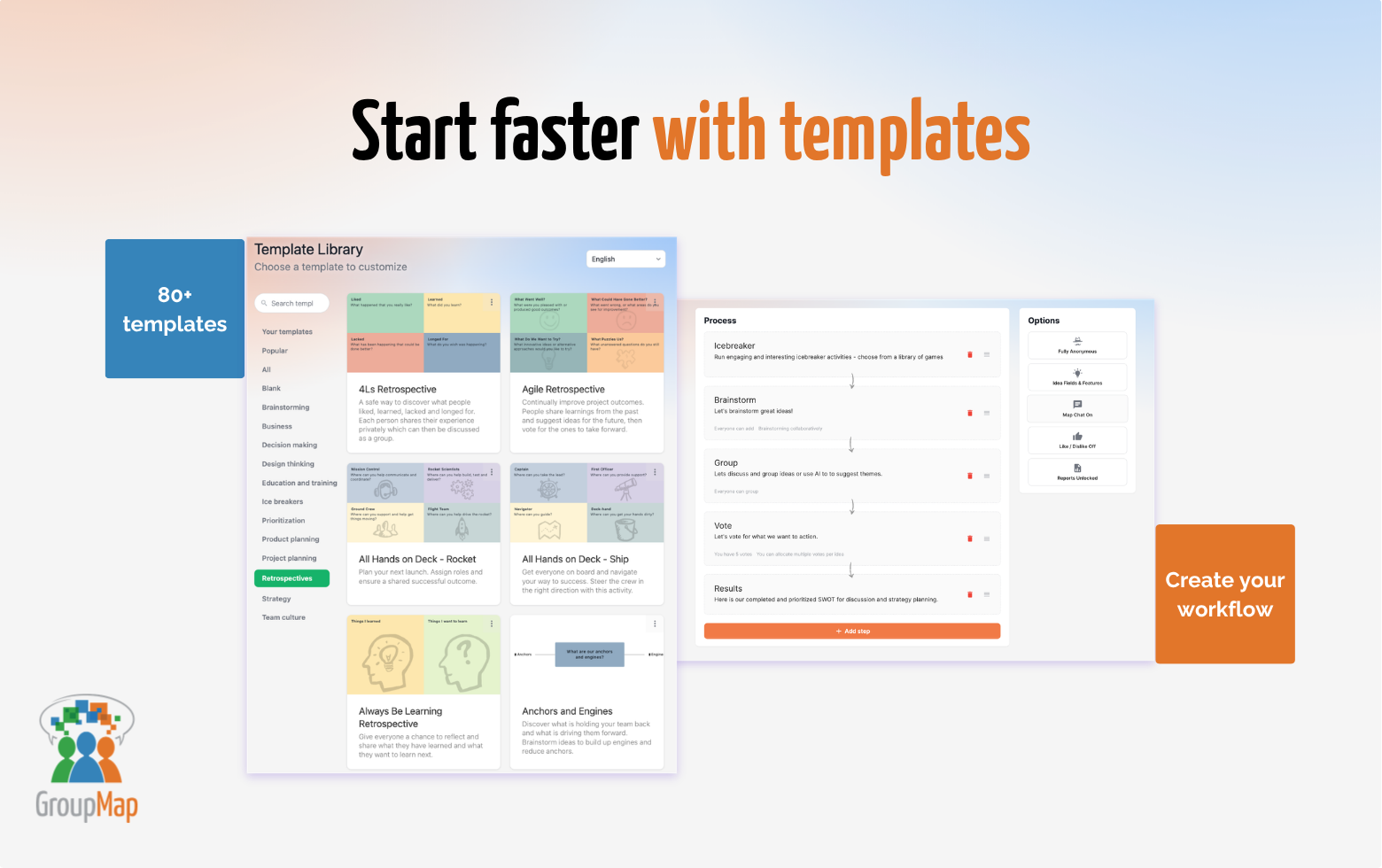
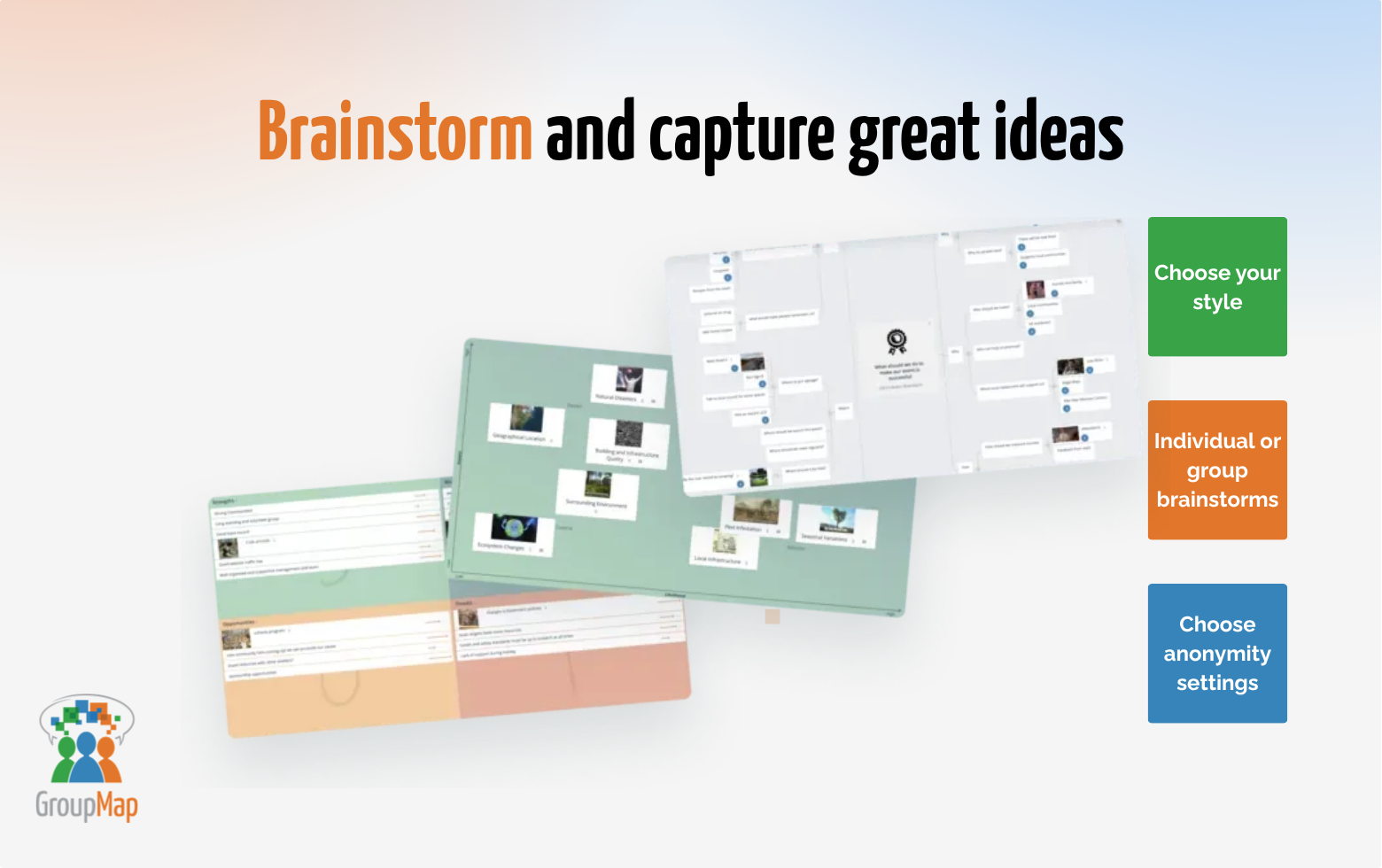
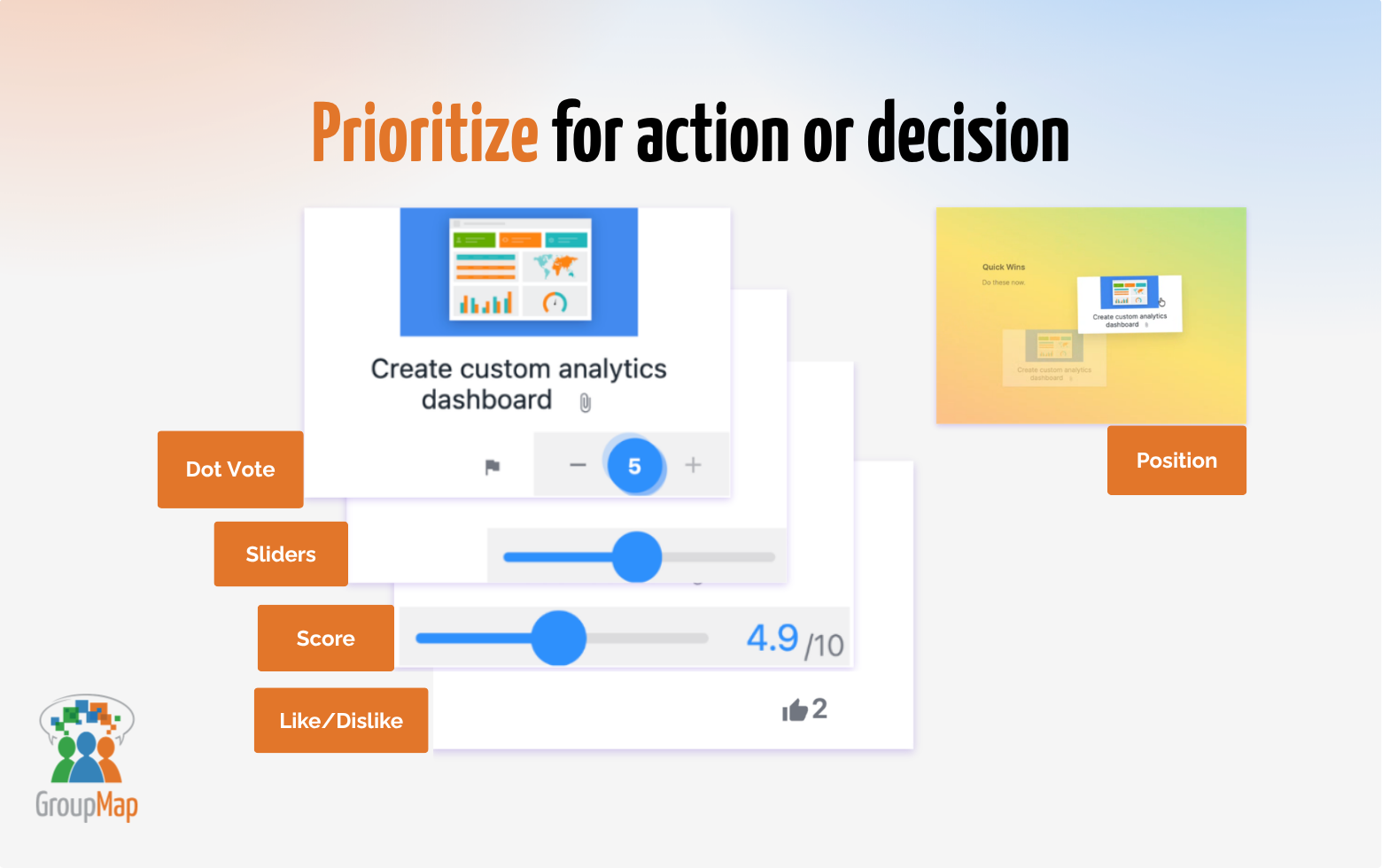
GroupMap Screenshots

Screenshot of Facilitate better  meetings: Brainstorm, vote, prioritise and decide together in minutes.Screenshot of Start faster with templates: Choose from 80+ ready-to-use templates for brainstorming, retrospectives, planning, strategy, and group decision-making.Screenshot of Reveal what really matters: Dot voting, ranking, rating and scoring help groups prioritise instantly.Screenshot of Turn noise into  meaning: AI-assisted grouping, summaries and prompts help facilitators make sense of group input.Screenshot of From ideas to  outcomes: Make meeting and workshops meaningful and outcome focused with instant results and shareable reports.