Heimdal Patch and Asset Management vs. Microsoft Defender for Cloud

Overview
ProductRatingMost Used ByProduct SummaryStarting Price
Heimdal Patch and Asset Management
Score 10.0 out of 10
N/A
Heimdal Patch and Asset Management is a cloud-based tool that automates OS and third-party updates. The automated patch management solution delivers updates within 4 hours of vendor release, after scanning for malware, removing unwanted software, and checking that the patch installs and works correctly. Once installed, Heimdal’s lightweight agent is able to define granular group policies and orchestrate patching across Windows, macOS, and Linux - no extra…N/A
Microsoft Defender for Cloud
Score 8.5 out of 10
N/A
Microsoft Defender for Cloud is a Cloud Security Posture Management (CSPM) and Cloud Workload Protection Platform (CWPP) for Azure, on-premises, and multicloud (Amazon AWS and Google GCP) resources.N/A
Pricing
Heimdal Patch and Asset ManagementMicrosoft Defender for Cloud
Editions & Modules
No answers on this topic
Offerings
Pricing Offerings
Heimdal Patch and Asset ManagementMicrosoft Defender for Cloud
Free Trial
YesYes
Free/Freemium Version
NoNo
Premium Consulting/Integration Services
NoNo
Entry-level Setup FeeNo setup feeNo setup fee
Additional Details
More Pricing Information
Features
Heimdal Patch and Asset ManagementMicrosoft Defender for Cloud
Threat Intelligence
Comparison of Threat Intelligence features of Product A and Product B
Heimdal Patch and Asset Management
7.7
4 Ratings
4% below category average
Microsoft Defender for Cloud
-
Ratings
Network Analytics8.52 Ratings00 Ratings
Threat Recognition7.82 Ratings00 Ratings
Vulnerability Classification8.63 Ratings00 Ratings
Automated Alerts and Reporting8.54 Ratings00 Ratings
Threat Analysis7.53 Ratings00 Ratings
Threat Intelligence Reporting5.93 Ratings00 Ratings
Automated Threat Identification7.03 Ratings00 Ratings
Vulnerability Management Tools
Comparison of Vulnerability Management Tools features of Product A and Product B
Heimdal Patch and Asset Management
7.8
4 Ratings
6% below category average
Microsoft Defender for Cloud
-
Ratings
IT Asset Realization7.53 Ratings00 Ratings
Authentication7.02 Ratings00 Ratings
Configuration Monitoring9.11 Ratings00 Ratings
Web Scanning8.52 Ratings00 Ratings
Vulnerability Intelligence6.94 Ratings00 Ratings
Best Alternatives
Heimdal Patch and Asset ManagementMicrosoft Defender for Cloud
Small Businesses
Action1
Action1
Score 9.5 out of 10

No answers on this topic

Medium-sized Companies
Action1
Action1
Score 9.5 out of 10
CrowdStrike Falcon
CrowdStrike Falcon
Score 9.1 out of 10
Enterprises
CrowdStrike Falcon
CrowdStrike Falcon
Score 9.1 out of 10
CrowdStrike Falcon
CrowdStrike Falcon
Score 9.1 out of 10
All AlternativesView all alternativesView all alternatives
User Ratings
Heimdal Patch and Asset ManagementMicrosoft Defender for Cloud
Likelihood to Recommend
8.0
(7 ratings)
8.1
(56 ratings)
Likelihood to Renew
-
(0 ratings)
8.9
(4 ratings)
Usability
-
(0 ratings)
8.2
(2 ratings)
User Testimonials
Heimdal Patch and Asset ManagementMicrosoft Defender for Cloud
Likelihood to Recommend
Heimdal
Heimdal Patch and Asset Management has really helped us consistently patch our endpoints in what has become a much more flexible work environment. It picks up updates immediately upon release (looking at you patch Tuesday!), lets you set automatic install windows for "zero touch" deployment where appropriate and more manual control for clients you may want a slower roll-out for. Support staff are knowledgeable and quick to respond!
Read full review
Microsoft
Microsoft is well-suited with its definitive cloud, and I also like its Microsoft Intune ID. The conditional policies are great with that, and they're really good and well situated, so you can't beat them at that conditional policy level. Less appropriate, as I said, some of these low-hanging fruit features, like being good in phishing campaigns, and then I feel like maybe doing better at their seam products. So we'll see how that goes.
Read full review
Pros
Heimdal
  • Fast updates of well-known 3rd party applications
  • Fast Management with only seldom cases in which we need to stop a change
  • Quick Support-Team that will handle problems professionally
  • Good amount of settings in the Dashboard with Group Policy options to allow custom settings for different Departments or Sub-Companies
Read full review
Microsoft
  • I like that with Microsoft Defender for Cloud you can track your secure score to see how well you are doing with your security controls.
  • There are remediation steps for findings with the platform and some can be fix automatically with a few clicks.
  • There are recommendations for exactly what controls to put in place to ensure a more secure environment for Azure.
Read full review
Cons
Heimdal
  • Interface could be more user friendly but when you know how it works its allright
  • Easier way to quickly see what updates are installed on what machines
Read full review
Microsoft
  • Granular permissions and role-based access management could improve security. This would enable organizations to control who has access to and can set specific features.
  • While it offers integration with various Microsoft services, expanding support for third-party cloud platforms and applications would enhance its versatility. Many organizations use multiple cloud providers, and broader compatibility would be advantageous.
  • The cost structure could be more transparent, especially for larger organizations with extensive cloud resources. Clearer cost breakdowns and predictions would help organizations budget more effectively.
Read full review
Likelihood to Renew
Heimdal
No answers on this topic
Microsoft
It is a great product that integrates nicely when running an Azure platform and even multi-cloud environment. Not looking for point-solutions but a suite that answers most requirements. It is very comfortable being able to use KQL, workbooks and automation that is native to the azure platform
Read full review
Usability
Heimdal
No answers on this topic
Microsoft
My visibility is limited because I'm only doing very small pieces of what the overall org does. And also, we have limitations on what we're allowed to use. It's not like we get a new product as users or leadership level users, and everything is on, and we can just do whatever we want. We're very restricted in what we can use any tooling within the org because of the different levels of regulatory constraints we have, because of just the nature of who we are inherently. So that's why. I don't think it's necessarily the product. I think it's more or less of what we're able to do with the product.
Read full review
Alternatives Considered
Heimdal
We Kaseya VSA as our RMM tool and this also incorporates patch and asset management. Although it overlaps Heimdal Patch and Asset Managment, VSA has a different database of 3rd party software. We use both solutions to give us a greater coverage of patches to ensure as many vulnerabilities as possible are patched.
Read full review
Microsoft
Microsoft Defender for Cloud is definitely the choice with the latest market trend and attacks that are currently happening. Microsoft has been able to safe guard a lot after the recent serious attacks happening globally in the digital world. There is a trust in this software and with the latest updates and machine learning capabilities, Microsoft Defender for Cloud should be the choice.
Read full review
Return on Investment
Heimdal
  • A slight positive ROI according to the Heimdal Patch and Asset Management dashboard
  • Malware detection rates are excellent with detections occuring live rather than during scheduled scans
Read full review
Microsoft
  • It simplifies security management and saves time. I'm not sure, but I'm very confident it saved me a couple of paychecks by centralizing the data I need to secure the cloud environment.
  • I also utilize the inventory overview to monitor my team's activities and verify they are following internal regulations, as well as cost overruns.
  • The recommendations can be utilized as a valuable instructional tool. I have the team explain why they are receiving them, why they are not following them, and what they are doing differently.
Read full review
ScreenShots

Heimdal Patch and Asset Management Screenshots

Screenshot of Heimdal Patch & Asset ManagementScreenshot of where to schedule patches with Heimdal's Patch & Asset ManagementScreenshot of some of the +350 3rd-party apps that can be patched with Heimdal's Patch & Asset ManagementScreenshot of Heimdal's Infinity management add-on, used to update proprietary software

Microsoft Defender for Cloud Screenshots

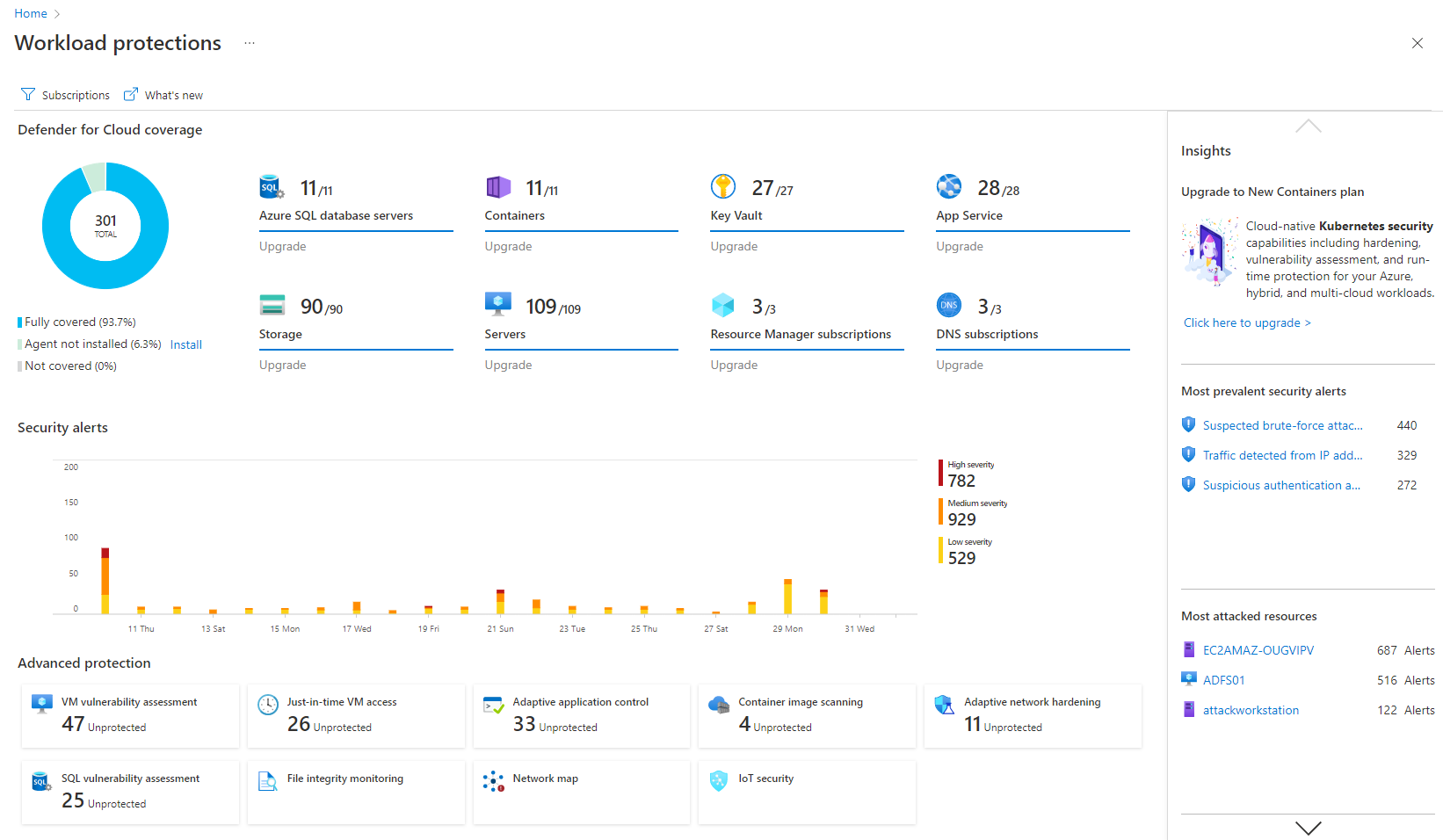
Screenshot of Remediation of critical issues in codeScreenshot of Cloud security benchmark mapped to industry FramworksScreenshot of Prioritization of critical risks with contextual threat analysisScreenshot of Workload protectionScreenshot of Unified DevOps VisibilityScreenshot of Visualizations to improve security posture proactively