HeyReach is an automated LinkedIn outreach tool, used to automate 10+ step sequences using connection requests, messages, follow-ups, InMails, likes, and voice-notes. Outreach sequences can be customized with its workflow builder, and includes steps like automatic invites, messages, follow-ups, InMails, and like posting.
$79
per month per seat
Mailtrack
Score9.7 out of 10
N/A
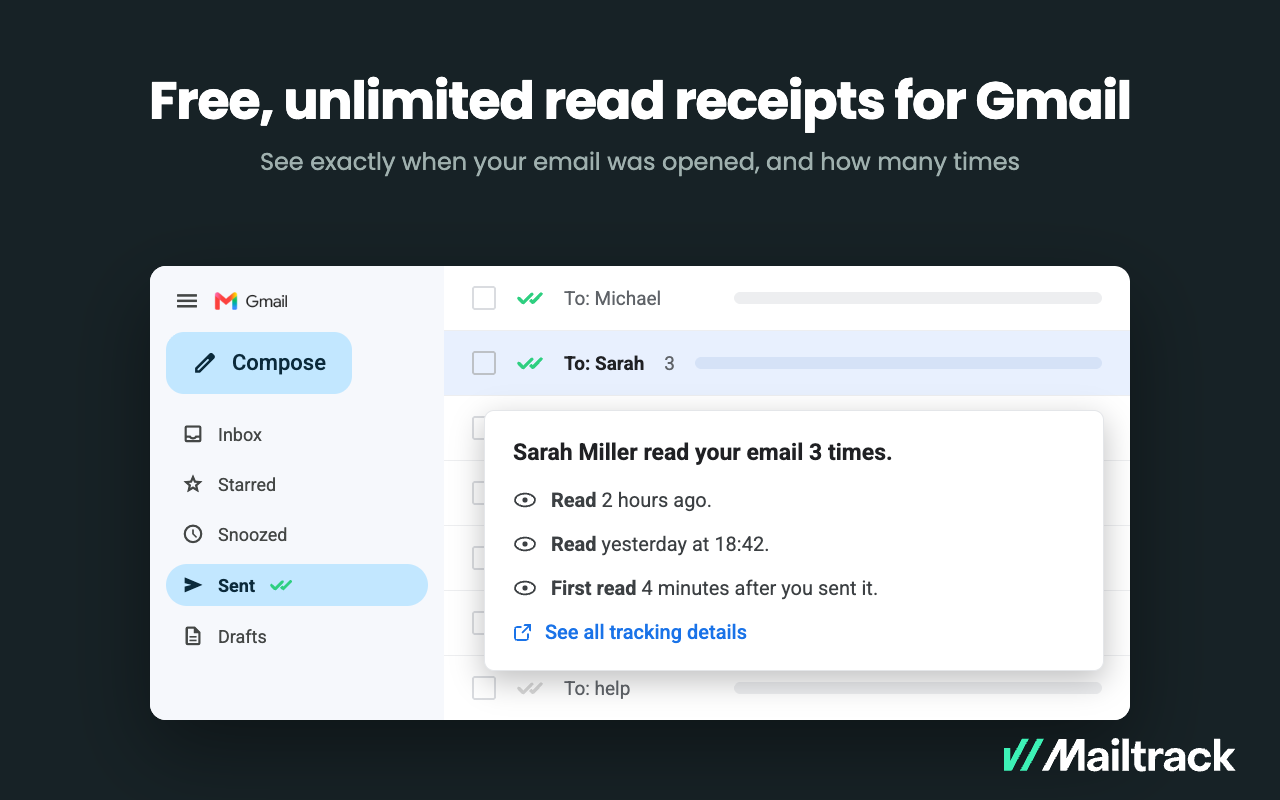
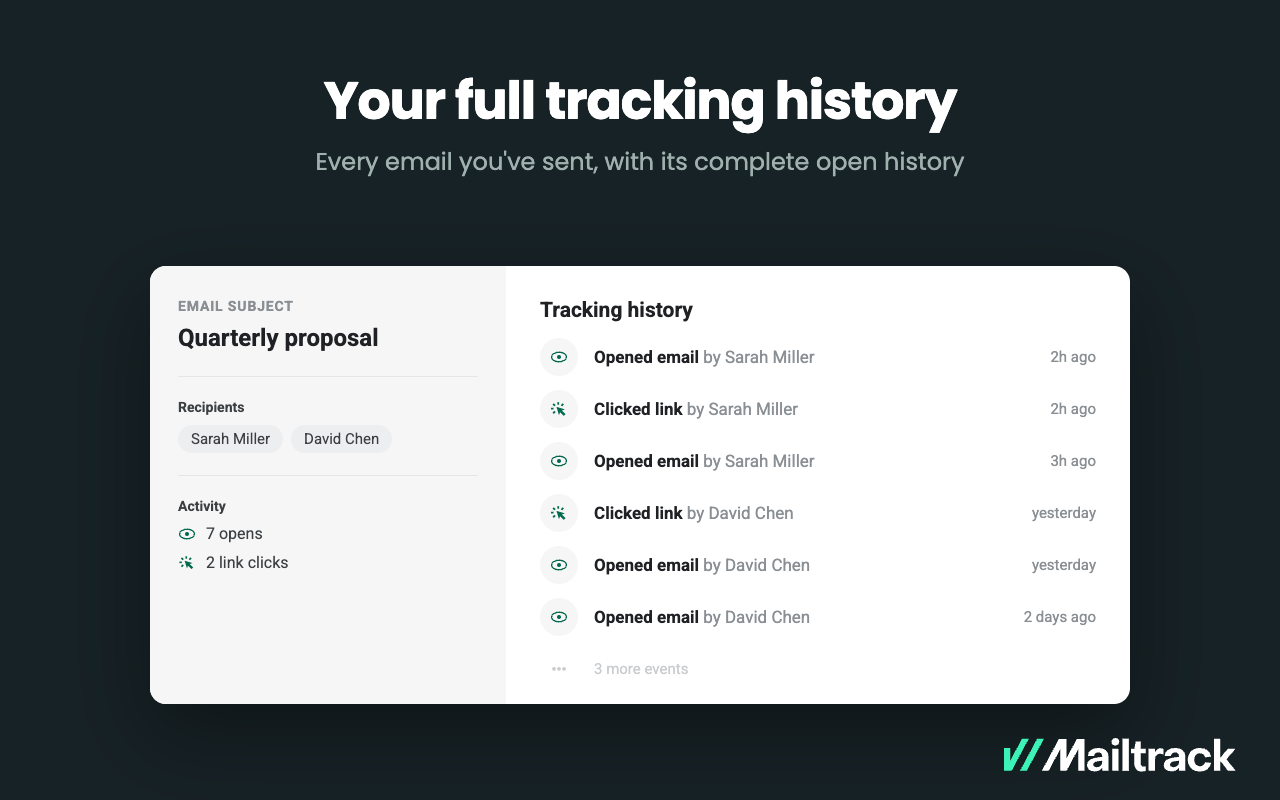
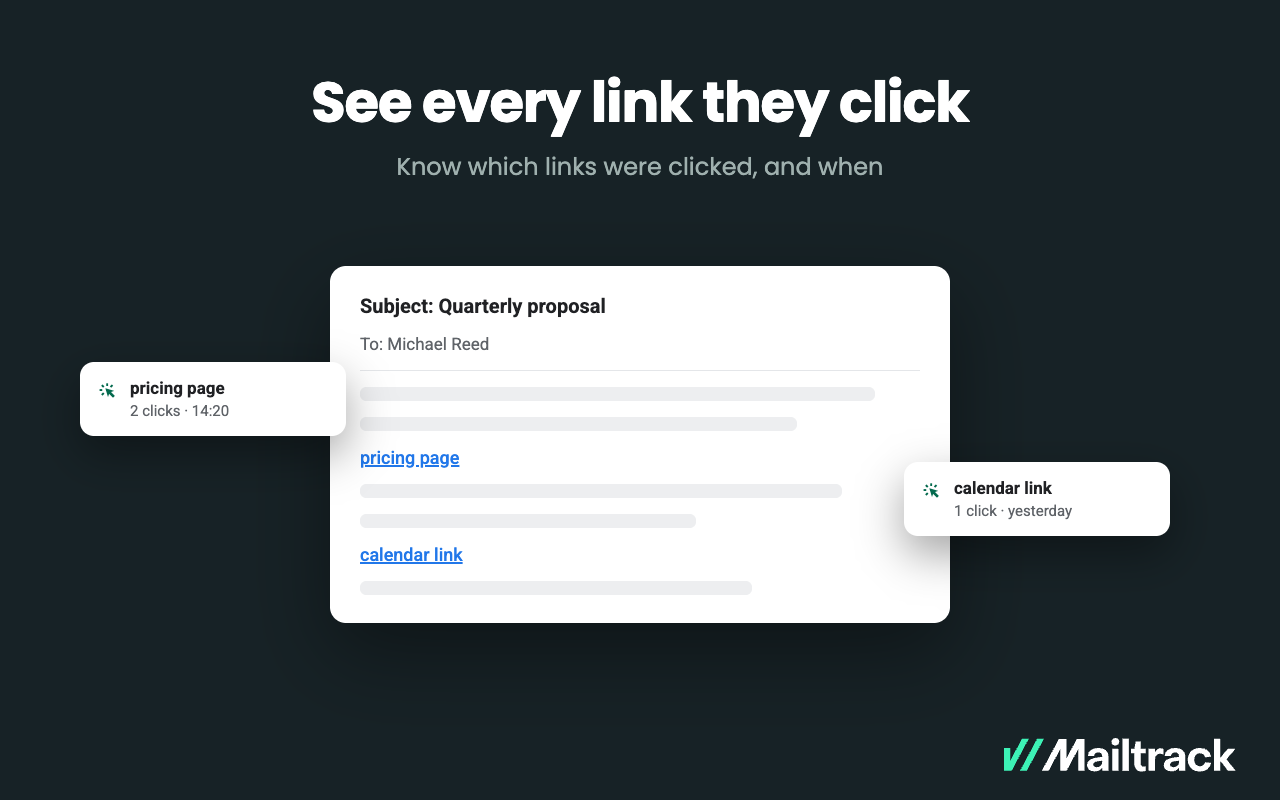
Mailtrack is an email-tracking extension for Gmail and part of Mailsuite. It adds delivery and read-status indicators to sent messages, showing when recipients open an email or click a tracked link without requiring users to leave Gmail. Key Capabilities Gmail read receipts: Mailtrack adds one or two checkmarks to sent messages. Grey checkmarks indicate delivery; green checkmarks indicate that the message was opened. Open and…
We use it for all of our LinkedIn outbound internally, and it only takes one employee to oversee. We have 5 senders, so something that would have previously taken a lot of coordination and education (writing SOPs, training the rest of the team, overseeing that they follow the process daily/weekly/monthly, etc.) is now handled by one person in a few hours every week. If you compare it to legacy, enterprise tools–it's a no brainer. For a fraction of the cost, you are getting the same (or significantly more) value and features, no complicated annual contract that ties you down. Not to mention that they have incredible customer service and content. I habitually speak with the founding team, have asked for features and then seen them in the product within days/weeks. You can't get that at any of the competitors.
A de minimis incentive was given to thank the reviewer for their time. The incentive was not used to bias or drive a particular response, nor was the incentive contingent on a positive endorsement. More Info
Mailtrack is great for tracking emails if you do not want to pay for larger more complicated tools that do the same thing. If you already love your system but just want to add some convenient read tracking, that's exactly what this is for. If you have a system that doesn't work well, I would take the time to evaluate alternatives that also include read tracking (Salesforce for example). This also applies if you're trying to use this for large outbound sales emails - there are a lot of applications that have email tracking built in (Outreach.io is a great example) so it may just be worth switching your whole system.
A de minimis incentive was given to thank the reviewer for their time. The incentive was not used to bias or drive a particular response, nor was the incentive contingent on a positive endorsement. More Info
A de minimis incentive was given to thank the reviewer for their time. The incentive was not used to bias or drive a particular response, nor was the incentive contingent on a positive endorsement. More Info
A de minimis incentive was given to thank the reviewer for their time. The incentive was not used to bias or drive a particular response, nor was the incentive contingent on a positive endorsement. More Info
A de minimis incentive was given to thank the reviewer for their time. The incentive was not used to bias or drive a particular response, nor was the incentive contingent on a positive endorsement. More Info
It is a very good tool especially the way they are improving themselves, as I have been using this platform before they even launched properly, & they are giving the requested features as well. The only thing is that as they scale, they need to have a better customer support team to handle the issues
A de minimis incentive was given to thank the reviewer for their time. The incentive was not used to bias or drive a particular response, nor was the incentive contingent on a positive endorsement. More Info
I would rate Mailtrack's overall usability as a ten out of ten. The reasons for this are actually quite simple. For now, only I have been using Mailtrack. However, looking at the rather easy to use characteristics Mailtrack has to offer, I would not hesitate to recommend it to the rest of my colleagues.
A de minimis incentive was given to thank the reviewer for their time. The incentive was not used to bias or drive a particular response, nor was the incentive contingent on a positive endorsement. More Info
I didn't really need to use the customer support but the fact that they proactively make the installation process so easy by providing step by step instructions with videos and everything is kind of pro-active customer support that is needed. Good for them because at the end of the day, it's everyone's dream to use a product that they don't need support for.
Many of the competitors aren't listed in TrustRadius. But there are dozens more. They are either very enterprise or quite new (small challenger companies). HeyReach makes the enterprise options look wildly pricey and unreasonable, and they stand out from the other challengers by their approach, content, and roadmap. I've used so many tools and HeyReach has definitely made its way into our standard rotation.
A de minimis incentive was given to thank the reviewer for their time. The incentive was not used to bias or drive a particular response, nor was the incentive contingent on a positive endorsement. More Info
There's a free tier. Obviously, there are other things to love, like notifications about your email being read, the fact that if an email hasn't been responded to in some time it gets bumped up. The fact that if other people have Mailtrack you will actually get notified who read your email. But the fact that there is a free tier is HUGE.
A de minimis incentive was given to thank the reviewer for their time. The incentive was not used to bias or drive a particular response, nor was the incentive contingent on a positive endorsement. More Info
I'm currently using the free version so my investment was time spent downloading the browser extension. I would say it's worth the investment because I can make more value through each email by finding the right time to send replies or know when is the exact time I should follow up.
Knowing when an email is read multiple times helps me know the importance of the content in my email.
The paid version allows Mailtrack to tell you which recipient read the email if there was more than 1.