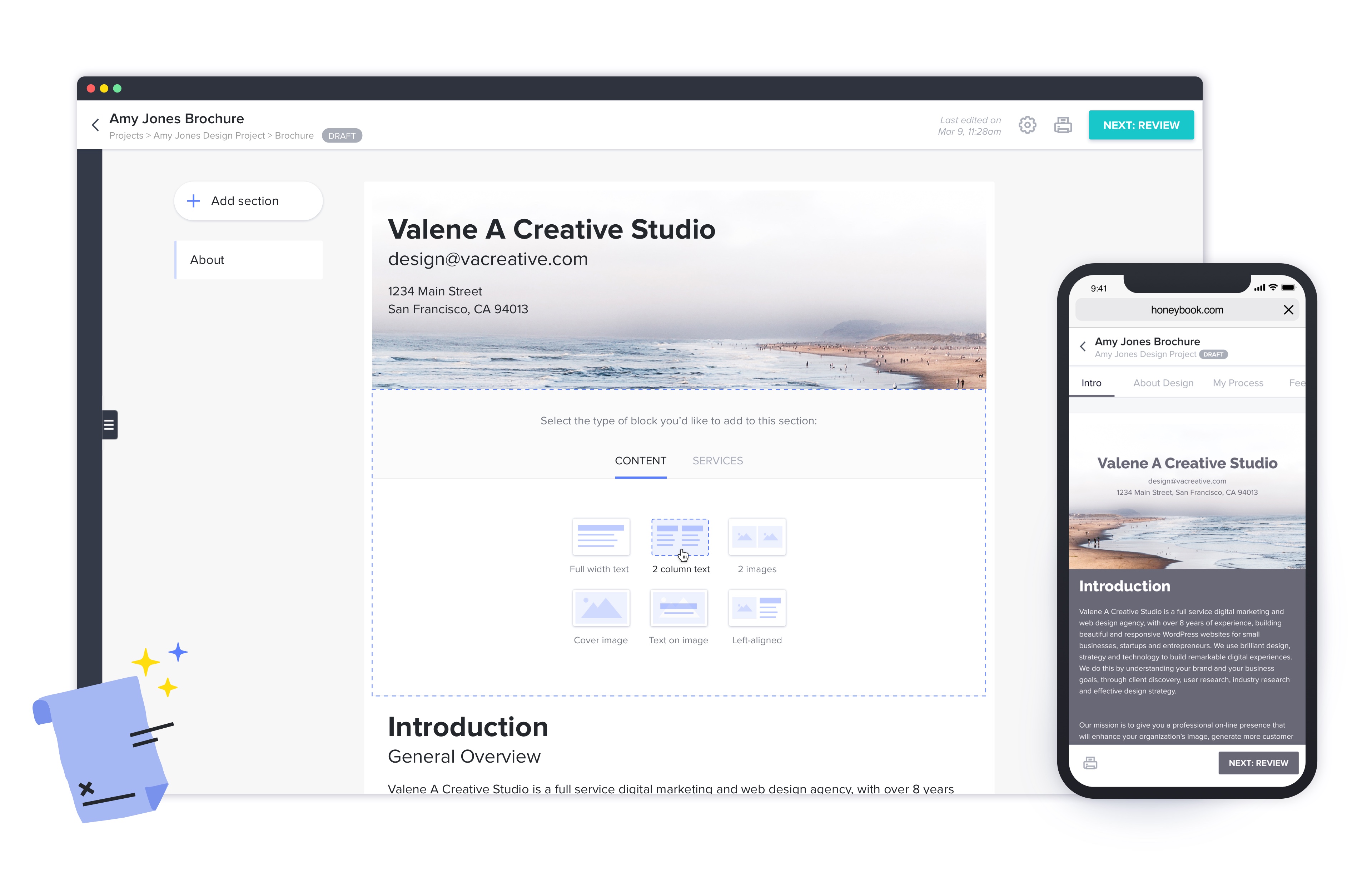
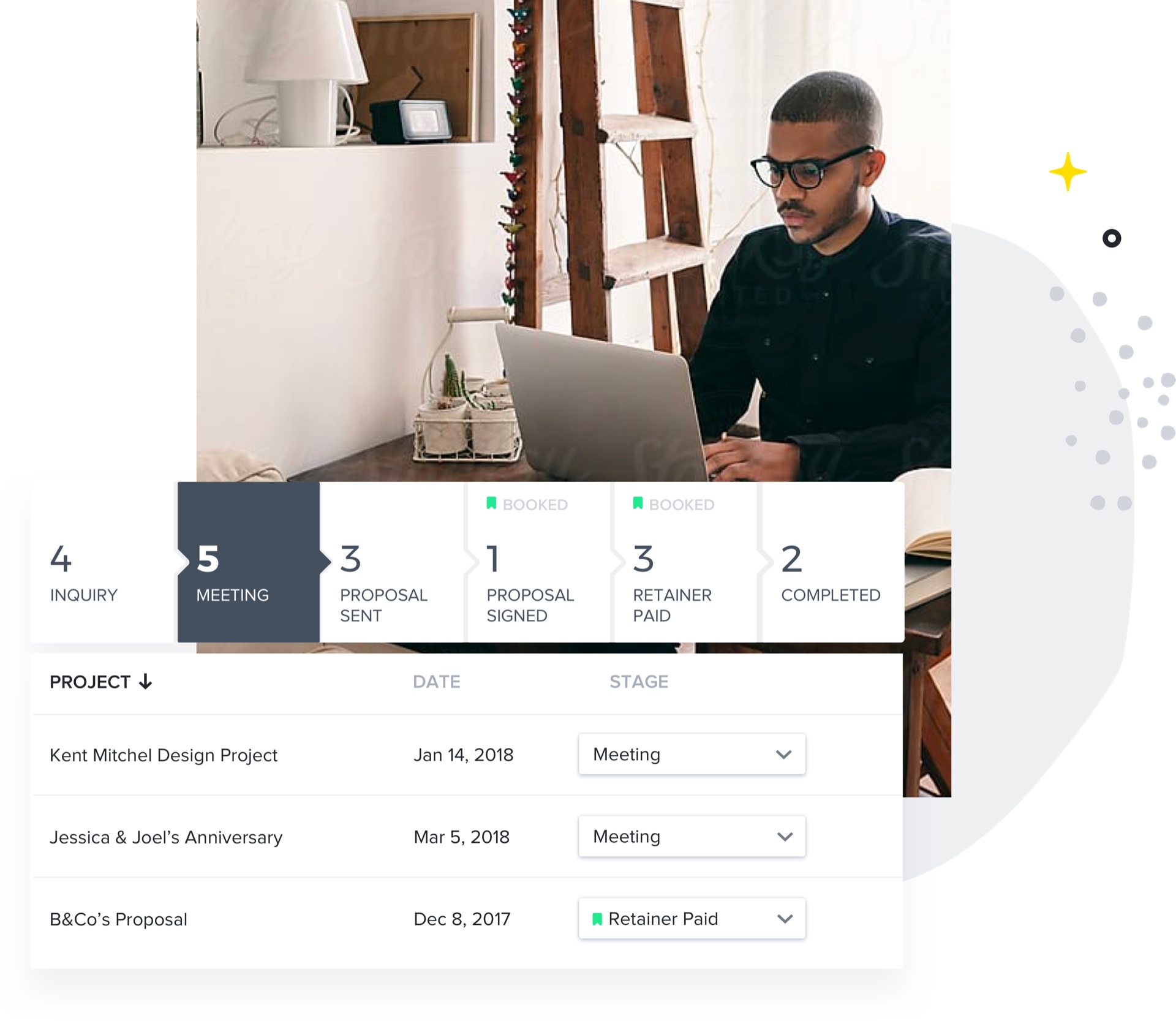
HoneyBook aims to help creative entrepreneurs and freelancers book more clients, manage projects and get paid all in one place. With HoneyBook, users can automate busy work and stay on top of to-dos, saving time and money, while growing a business. HoneyBook is designed to emulate a personal assistant. The vendor states that small business owners and freelancer customers have tripled their bookings and saved multiple hours a day using HoneyBook. They further state that a variety of small…
$36
per month
Zoho Desk
Score8.3 out of 10
N/A
Zoho Support is a Saas help desk / ticketing system aimed at SMBs. I competes most often with Zendesk, and Desk.com.
I would recommend Honeybook to other coaches, consultants, and small business owners. It may not be appropriate for a large team's use, but works for the size of organization I currently own and manage. It also integrates with QuickBooks and makes financial data management fairly seamless.
A de minimis incentive was given to thank the reviewer for their time. The incentive was not used to bias or drive a particular response, nor was the incentive contingent on a positive endorsement. More Info
Zoho Desk is a great customer service tool. It is very easy to track the ability to receive tickets and send responses in Zoho Desk. There are lots of options for customization. The knowledge base feature is very extensive and powerful. It makes creating internal and external FAQs easy.
A de minimis incentive was given to thank the reviewer for their time. The incentive was not used to bias or drive a particular response, nor was the incentive contingent on a positive endorsement. More Info
HoneyBook offers incredible resources to train users how to best use their system. It's informative and eye-opening to watch one of their training sessions.
I love how easy HoneyBook makes it to create highly professional materials that are beautiful. Its brochures and selling materials are stellar and I'm able to streamline the process without feeling like I actually have to sell my capabilities.
I'm thrilled with the billing system and how simple it is to automate. I love that I can see how my customers have engaged with the bills.
The app helps me feel connected to my leads and data while I'm away from my computer.
A de minimis incentive was given to thank the reviewer for their time. The incentive was not used to bias or drive a particular response, nor was the incentive contingent on a positive endorsement. More Info
A de minimis incentive was given to thank the reviewer for their time. The incentive was not used to bias or drive a particular response, nor was the incentive contingent on a positive endorsement. More Info
The online scheduling tool does not work with different time zones very well. It doesn't automatically adjust to my clients' timezones and it doesn't even have many international time zones as an option! I had 3 clients in a row schedule meetings at the wrong time when I first started using HoneyBook's scheduler. I had to switch to Calendly because HoneyBook's scheduling tool was causing me to lose business.
The transaction fees for instant deposits are expensive.
[I believe} many of the features on HoneyBook are half-baked. It's marketed as an all-in-one business management platform, but I'm still using Calendly, Google Drive, Typeform, Clockify, and ClickUp because HoneyBook's equivalent features aren't as sophisticated or as easy to use.
The notes section for client projects does not have much space or allow for any custom formatting such as hyperlinks, bold text, highlighted text, etc. Tools such as Teamwork, Pipedrive, Asana, and ClickUp do a much better job at displaying this type of information.
A de minimis incentive was given to thank the reviewer for their time. The incentive was not used to bias or drive a particular response, nor was the incentive contingent on a positive endorsement. More Info
The biggest drawback that I am facing while using the platform is that their ticketing system is not that great [in my opinion]. It does not give us the option to add sales tax and other charges in the invoices which leads to a big problem for us.
A de minimis incentive was given to thank the reviewer for their time. The incentive was not used to bias or drive a particular response, nor was the incentive contingent on a positive endorsement. More Info
Since I do not use ALL the functionality in HoneyBook, I have wondered if the plan I am on is too much. That is why I rated a 9 rather than 10. I have definitely considered downgrading but not leaving HoneyBook.
This is now a copy-paste response since this platform is asking me to answer every single question. It is such a negative experience with Honeybook that they even upset me while I'm trying to warn others of all the horrible pitfalls in working with the platform.
I give [Zoho Desk] [an] overall usability score of 9. This is partly due to the search functionality needs improvement. There are several times where I am left unable to find a ticket and have to generate a new one. I am hoping in the future that they will make some changes!
A de minimis incentive was given to thank the reviewer for their time. The incentive was not used to bias or drive a particular response, nor was the incentive contingent on a positive endorsement. More Info
They have ALWAYS been amazing when I needed any type of service or help. Their concierge service is also amazing vs other services I have used in the past. I have confidence when I ask for help - both through Chat or even on their Facebook group that I will get an answer quickly.
A de minimis incentive was given to thank the reviewer for their time. The incentive was not used to bias or drive a particular response, nor was the incentive contingent on a positive endorsement. More Info
As Zoho Support is based in a different timezone to ours it can be an issue that we cannot get an immediate response to an issue. But I will say that once their Support is in the office they are fairly good to respond. they have resolved almost all issues I have told them about, but Zoho have also made system changes and not communicated these beforehand which means we are faced with something new and cannot get support on this until their support team is in the office
A de minimis incentive was given to thank the reviewer for their time. The incentive was not used to bias or drive a particular response, nor was the incentive contingent on a positive endorsement. More Info
Honeybook and Dubsado have a lot of similarities. I'd say the only big difference is that Dubsado still has more advanced workflow capabilities. Dubsado also is much harder to set up. Honeybook is simpler and easier to use right from the start.
A de minimis incentive was given to thank the reviewer for their time. The incentive was not used to bias or drive a particular response, nor was the incentive contingent on a positive endorsement. More Info
We selected Zoho Desk as we needed a platform that was going to allow the business to grow through both usage and staffing numbers. We wanted something cost-effective but still offered standard features in an effective cloud-delivered solution but would still allow customization by our internal dev team, to derive better value from the service where it natively didn't do what we needed it to. FreeAgent was okay for a while, but Zoho Desk has allowed a vast improvement in our service offering to end customers.
A de minimis incentive was given to thank the reviewer for their time. The incentive was not used to bias or drive a particular response, nor was the incentive contingent on a positive endorsement. More Info
HoneyBook was very cost effective which was great for ROI!
HoneyBook was easy to use which made for a quick employee on-boarding for new team members.
HoneyBook had some features that were not available on the platform that are considered standard for any other CRM such as data pull, platform integrations, and customization options.
A de minimis incentive was given to thank the reviewer for their time. The incentive was not used to bias or drive a particular response, nor was the incentive contingent on a positive endorsement. More Info
Zoho Desk has created an organised sytem of support which alows me to help my customers more efficiently.
By saving resolutions as articles, Zoho Desk has provided a training resource for current customers and support staff as part of solving problems.
All new customers become part of a database of customers who continue to receive support and education from forums created by the articles and customer questions.
A de minimis incentive was given to thank the reviewer for their time. The incentive was not used to bias or drive a particular response, nor was the incentive contingent on a positive endorsement. More Info