HotGloo vs. Sketch

Overview
ProductRatingMost Used ByProduct SummaryStarting Price
HotGloo
Score 8.0 out of 10
Small Businesses (1-50 employees)
HotGloo is an online wireframing and prototyping tool. This solution has been designed for all those engaged in the concept, design and development of web or app projects: project managers, information architects, usability experts, freelancers, concept people, digital agencies, web companies, publishers, web designers, web developers and many more. The vendor’s value proposition is that this solution makes it easy to wireframe web and mobile sites and to collaborate with others due to the…
$13
up to 4 users, 2 active projects, unlimited reviewers
Sketch
Score 6.0 out of 10
N/A
Sketch is a visual design tool of use for application prototyping, coming with a wide variety of extensions, plugins, and an active user community.
$10
per month billed yearly per editor
Pricing
HotGlooSketch
Editions & Modules
Group
$13
up to 4 users, 2 active projects, unlimited reviewers
Team
$27
up to 10 users / 6 active projects / unlimited reviewers
Agency
$54
up to 20 users / 15 active projects / unlimited reviewers
Enterprise
150 +
More users and projects, priority support. Get in touch for an individual quote.
Standard Subscription
$10
per month billed yearly per editor
Standard Subscription
$12
per month per editor
Mac-only license
$12
per seat
Business Subscription
$22
per month billed yearly per editor
Offerings
Pricing Offerings
HotGlooSketch
Free Trial
YesNo
Free/Freemium Version
NoNo
Premium Consulting/Integration Services
YesNo
Entry-level Setup FeeNo setup feeNo setup fee
Additional DetailsThe billing period starts on the day you upgrade from the free trial to a paying plan. If you pay by credit card the service is billed in advance on a monthly basis and is non-refundable. There will be no refunds or credits for partial months of service, upgrade/downgrade refunds, or refunds for months unused with an open account. If you do choose to cancel your account in the future, you will never be charged again, but you are responsible for charges already incurred up until your cancellation. For monthly recurring payments we accept Visa, MasterCard and American Express through our online payment system. You can also prepay any account for 12 months with credit card. In certain cases we also take money transfers – please contact us beforehand if you want to use this option.
More Pricing Information
Community Pulse
HotGlooSketch
Best Alternatives
HotGlooSketch
Small Businesses
OmniGraffle
OmniGraffle
Score 9.7 out of 10
OmniGraffle
OmniGraffle
Score 9.7 out of 10
Medium-sized Companies
OmniGraffle
OmniGraffle
Score 9.7 out of 10
OmniGraffle
OmniGraffle
Score 9.7 out of 10
Enterprises
OmniGraffle
OmniGraffle
Score 9.7 out of 10
OmniGraffle
OmniGraffle
Score 9.7 out of 10
All AlternativesView all alternativesView all alternatives
User Ratings
HotGlooSketch
Likelihood to Recommend
7.8
(3 ratings)
4.3
(38 ratings)
Likelihood to Renew
-
(0 ratings)
9.0
(1 ratings)
Usability
-
(0 ratings)
6.2
(4 ratings)
Support Rating
-
(0 ratings)
9.1
(8 ratings)
User Testimonials
HotGlooSketch
Likelihood to Recommend
HotGloo
Overall, I am happy with HotGloo. It supports and fits well into my workflow. Here, I use HotGloo mainly during the prototyping scale. More preciously for wireframing. Eventhough, there are other tools - which I also use in subsequent steps - that would support wireframing as well, I like HotGloo and will keep using it during this stage. This is mainly because I think the elements and symbol library has just the right depth and detail for wireframing. It is important in wireframing to not include to much detail yet. Otherwise, testers get distracted by design aspects. Therefore, I like HotGloo and us it for different Product and Service design projects.
Read full review
Bohemian Coding
Here’s the proofread version: Sketch is a simple and lightweight tool for vector graphics, ideal for individuals. I would recommend it to anyone working alone on design tasks such as UI or website design. I have started and completed many projects in Sketch, ranging from simple websites to complex automotive UIs with extensive libraries.
Read full review
Pros
HotGloo
  • Prototyping.
  • Collaboration.
  • Widget library.
Read full review
Bohemian Coding
  • Sketch is great for drawing and creating shapes, like buttons or icons. It lets you adjust every curve and line perfectly, so you can make your designs look exactly how you want. (All design tools can do that, though).
  • Sketch is built just for Apple computers, so it runs smoothly and uses all the special Mac features. If you’re already using Apple tools, Sketch feels like a natural fit. (The downside of this is that non-Apple users can't use it.)
  • If you make something, like a button, and need it in many places, Sketch lets you save it as a "Symbol." You can use it repeatedly, and if you change the Symbol, it updates everywhere automatically. (Figma can do this too.)
Read full review
Cons
HotGloo
  • logical structure of interface objects
  • preview view does not scale frame on small screens
  • Tool ribbon
Read full review
Bohemian Coding
  • The software can be buggy right after a release. It appears that they do very little QA testing right after releasing a new version
  • The software can crash a lot. And when it does, I continuously have issues with it reloading my plugins.
  • Only available for Mac. If you have a cross platform team, it may not be the best.
  • Lack of features in the software, so you will have to use plugins for those additional features (Designs system management, accessibility, repository and live collaboration without paying a premium)
Read full review
Likelihood to Renew
HotGloo
No answers on this topic
Bohemian Coding
Sketch is a core tool for us and the cost to keep it going with our teams is low. It provides a good alternative to other screen design tools for our team members who prefer to use it.
Read full review
Usability
HotGloo
No answers on this topic
Bohemian Coding
At the end of the day, it's just simple. This goes a long way in design and goes even further when your talking productivity, intuitive design and turnover rate. It's not difficult to figure something out even if it's not something your directly familiar with, i.e. if you want to export in certain file formats or change the size of the canvas, you don't have to delay your end product trying to figure it out. Similar situations took me less than 30 seconds to solve without a Google search. That's Usability.
Read full review
Support Rating
HotGloo
No answers on this topic
Bohemian Coding
The support is relatively decent, and they are quick to respond. However, their releases are not great. Sketch could use more robust testing of their software before releases. Over the last four years, I have had many days lost while waiting for Sketch to patch issues with their releases. It's actually a running joke in our office. So, support, good. Releases in the first place? Not great.
Read full review
Alternatives Considered
HotGloo
Being able to export the finished wireframe to HTML was a huge time saver for me and my team. Getting to that next step quickly and seamlessly was a massive help. Not only that, but other tools that do this, we have not as much luck. HotGloo's functionality was a step above the others.
Read full review
Bohemian Coding
Sketch's approachable UI allowed those using outdated technologies to transition efficiently. Among its peers, Sketch performs comparably with most prototyping tools. It falls behind compared to those that can better handle movement, like InVision Studio, which combines animation and prototyping into a single platform. However, these types of programs have a steep learning curve, whereas Sketch is approachable immediately.
Read full review
Return on Investment
HotGloo
  • Quicker lead time in testing interactions with latest designs.
  • Shorter build time through use of standard branding.
Read full review
Bohemian Coding
  • Saved time -- Intuitive interface saves us lots of time/money because it is reliable and easy to use. Other programs have caused serious confusion, leading to project delays.
  • More captivating wireframes -- Stakeholders have been finding it easier to visualize potential “final products” with vector-based Sketch designs. Because of this, we’ve been able to have more targeted, focused discussions that lead to improved final products (with fewer immediate post-launch revisions!).
  • Increased productivity -- Because Sketch is so easy to use, our designers have had more time to do more work. Rather than finagling difficult tools in previously used products, our designers feel no hesitation with Sketch, and are producing more often and more creatively.
Read full review
ScreenShots

HotGloo Screenshots

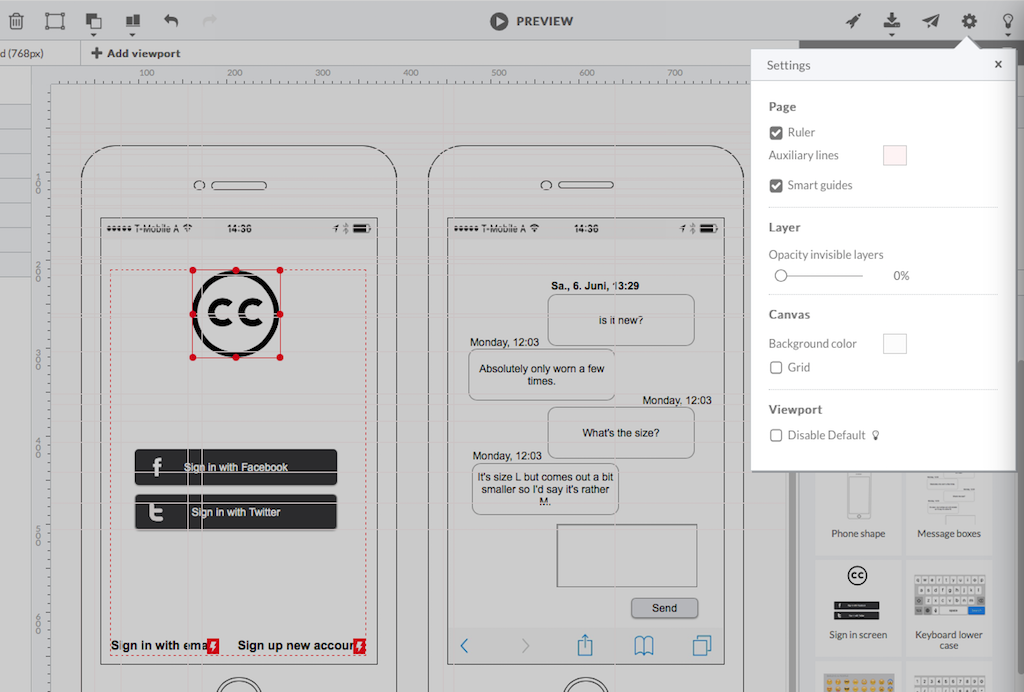
Screenshot of HotGloo 24/7 run & test anywhere.Screenshot of Responsive wireframing with different viewports.Screenshot of Create mobile app wireframesScreenshot of From desktop over tablet to mobile.