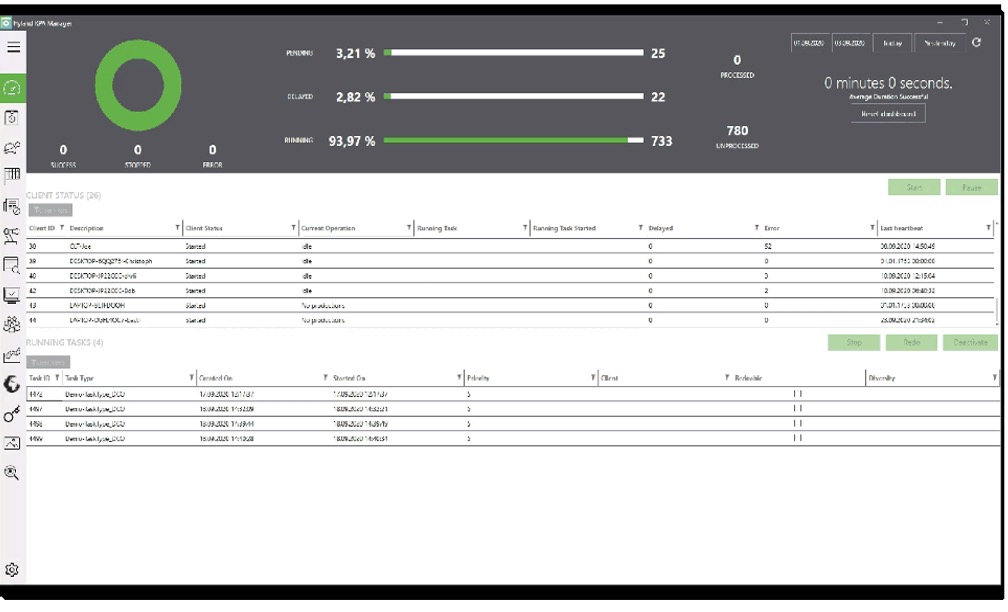
Hyland RPA is presented as a comprehensive RPA suite that enables organizations to reach the full potential of RPA technology — from process analysis to bot management. With Hyland RPA, organizations can automate inefficient and costly manual data-processing tasks without extensive system integration or custom coding, in order to reduce costs and improve efficiency, employee satisfaction, and information security and compliance.
N/A
SAP Build
Score 8.3 out of 10
N/A
SAP Build is a business application development and automation solution with a comprehensive suite of low-code, pro-code, and generative AI tools. SAP Build is for developers, IT professionals, and business users/citizen developers who want to create and customize business applications.
$1.82
per month per user
Pricing
Hyland RPA
SAP Build
Editions & Modules
No answers on this topic
SAP Build Process Automation - Standard User
$1.82
per month per user
SAP Build Process Automation - Advanced User
$15
per month per user
SAP Build Process Automation - Attended Automation
$534
per month
SAP Build Process Automation - Unattended Automation
Hyland RPA is well suited for highly repetitive manual processes. It works really well with more modern web applications. It is more difficult to work with older client-server applications where fields, buttons, and links may be harder to identify, but with time and experience using the tools, most problems can be resolved.
SAP Build is a strong and reliable partner with a rich FAQ and consulting power. New features make sense and are easy to distribute within the team and to end users. The community is nice, and there are many discussions on product development, shared solutions, and productivity improvements. UI is also one of the strongest points.
SAP Build Workzone is a cloud ready service that it can provide access to users over cloud. It really liked it because for Non-SAP users they don't need to have seperate logins to access SAP systems
SAP Build LCNC helps to create an app either from scratch or take reference from existing apps and develop on top of it
SAP Build Code is pro-developer tool helps for creating enterprise ready web apps
Comparing to other RPA Tools, SAP Build automation lacks enough user guidance.
Licensing is a little bit confusing.
From a technical perspective, older versions of the automation part are not always stable, but the other services (workflow, business rules, apps, etc.) are much more stable.
Our teams are now completely dependent on this solution and we've restructured our teams around the new processes we now have in place. It would be extremely difficult to be able to move forward without this product. We are more likely to buy more RPA bots than not renew at this point in time
SAP Build that enables rapid creation of enterprise-grade applications, automations, and business sites. It empowers both business users and developers to collaborate effectively while leveraging SAP-grade security, identity, and integration capabilities. SAP Build integrates seamlessly with SAP systems, supports governance and lifecycle management, and accelerates digital transformation by reducing development time and effort.
Both RPA Analyst and RPA Designer are easy to learn and with experience almost any manual process can be automated. Once, the infrastructure is understood any organization should be able easily scale up it's automation efforts across multiple departments.
SAP Build app developed using drag and drop interface and it is easy to for every one to use. Yes, but still prior knowledge is required for logic development and process flow automation. UI design part is easy but the mapping and the process flow needs to be mapped accurately so that desired results get
There are, for example, great blog writings about automation cases and examples. The studio version is updated often. There are also useful OpenSAP online courses.
Online training helped to understand the drag and drop processes, building UI. Creating a workflow and process automation. Developing workflow and deploying WF. Helped to reduce the errors. It helped to understand the training easily. And online training gave good insights for low code no code solutions and create actions, forms.
Hyland RPA [(formerly AM Ensemble)] is much easier to configure and is fully integrated with Hyland. We probably would have used Selenium to accomplish what we were looking for but that required development resources and we were going to have to build in the integrations with Hyland and OnBase manually. This was useable out of the box and saved on development time
SAP Build stacks up well against the others in terms of what our business needs in order to succeed. It's more of a necessity than the others, but we keep them in mind as we utilize SAP Build. SAP Build's fluidity is great, but it could also be due to our lead user of the softwarre.