IBM Business Automation Workflow is a solution that helps users automate digital workflows to increase productivity, efficiency and insights — on premises or on cloud.
N/A
JungleDocs
Score 7.6 out of 10
N/A
JungleDocs takes properties and parts of an existing document and puts them into a new one. The vendor’s value proposition is that this prevents possible mistakes and saves up to 90% of the user’s time that would be used on inputting and copy-pasting operations. Key features include: Word and PowerPoint document generation and automation Document mail merge from SharePoint lists Template processing engine uses Open XML technology for very fast and…
N/A
Pricing
IBM Business Automation Workflow
JungleDocs
Editions & Modules
No answers on this topic
No answers on this topic
Offerings
Pricing Offerings
IBM Business Automation Workflow
JungleDocs
Free Trial
Yes
Yes
Free/Freemium Version
No
No
Premium Consulting/Integration Services
No
Yes
Entry-level Setup Fee
No setup fee
No setup fee
Additional Details
—
Licensed per Web Front End (WFE) Server
More Pricing Information
Community Pulse
IBM Business Automation Workflow
JungleDocs
Features
IBM Business Automation Workflow
JungleDocs
Reporting & Analytics
Comparison of Reporting & Analytics features of Product A and Product B
IBM Business Automation Workflow
10.0
4 Ratings
25% above category average
JungleDocs
-
Ratings
Dashboards
10.04 Ratings
00 Ratings
Standard reports
10.04 Ratings
00 Ratings
Custom reports
10.04 Ratings
00 Ratings
Process Engine
Comparison of Process Engine features of Product A and Product B
IBM Business Automation Workflow
10.0
4 Ratings
18% above category average
JungleDocs
-
Ratings
Process designer
10.04 Ratings
00 Ratings
Process simulation
10.03 Ratings
00 Ratings
Business rules engine
10.04 Ratings
00 Ratings
SOA support
10.04 Ratings
00 Ratings
Process player
10.03 Ratings
00 Ratings
Support for modeling languages
10.04 Ratings
00 Ratings
Form builder
10.04 Ratings
00 Ratings
Model execution
10.04 Ratings
00 Ratings
Collaboration
Comparison of Collaboration features of Product A and Product B
IBM Business Automation Workflow
10.0
3 Ratings
18% above category average
JungleDocs
-
Ratings
Social collaboration tools
10.03 Ratings
00 Ratings
Content Management Capabilties
Comparison of Content Management Capabilties features of Product A and Product B
Have your process first on paper Its important to first document the process before venturing into BPMS. It will save a lot of pain and heartaches. A BPM tool is no magic bullet, it merely automates your process. Its upto you to put visibility and tracking on top of it. Provide monitoring so that you get a chance to improve your process continously. BPM is not an application If you are trying to build an application with BPM, chances are that your are alraedy failing. BPM must be a strategic initiative for an organization. Yes, you build Dashboards, Reports and other software in BPMS, however you do it at a process level not at an application level. http://bpmstech.blogspot.com/2011/05/bpm-initiative.htmlKnow the difference between process data and business datahttp://bpmstech.blogspot.com/2011/05/lombardi-best-practices.htmlhttp://bpmstech.blogspot.com/2012/02/bpm-system-architecture.html
Great for maintaining consistent language in proposals, contracts, RFI responses, and other legal documents. We can make sure our language passes our legal, regulatory and compliance departments without burdening each document with detailed reviews. This saves us time. When responding to RFIs, we have some standard language to several hundred questions and we can answer them by clicking the boxes. We put in an RFI response question # so they can easily be sorted to match the RFI document. Again, I can't count the labor hours saved. We use this to build plan documents and plan adoption agreements using building blocks that are added by selecting the sections and clicking some checkboxes to determine what gets added. JungleDocs is great for these use cases.
System does a great job normalizing business process and automating order processing tasks. Before TeamWorks, the process was much more manual and more expensive staff ($65k to $70K) were required to manage the process. Since implementing TeamWorks, we need much lower-skilled workers to manage order processing.
System ensures that we have consistent data across all systems.
Rules engine is really the “company playbook” – it is the heart and soul of how the company works. It handles thousands of orders per day
Auto population of documents from files stored on SharePoint. Eliminates extra steps for more efficacy.
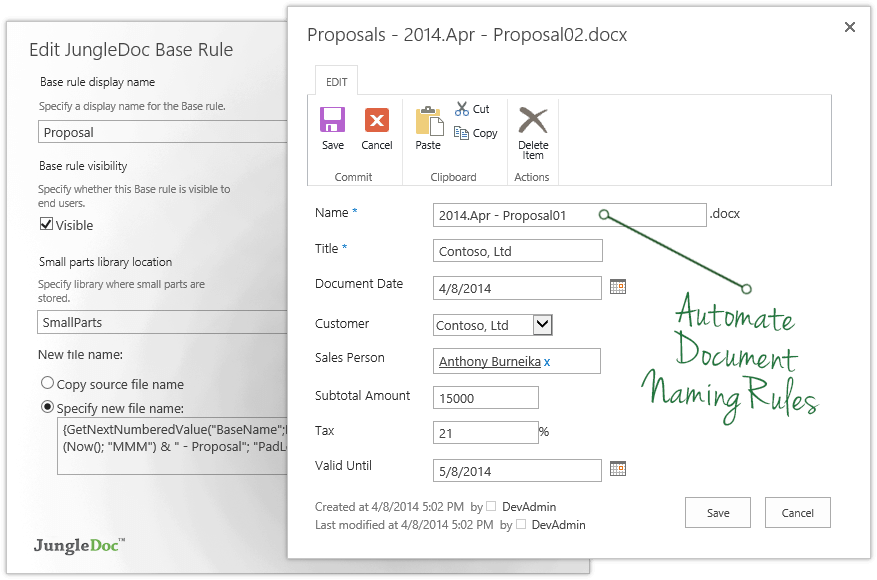
Can also set up automation for managing documents. Our department uses specific naming conventions for our documents and JungleDocs allows the naming conventions to be automated to help eliminate human error.
The system gets crashed when many instances go into the queue stage. The system even crashes and sometimes restarts automatically when the load on the server increases. We had to develop a separate software for this and maintain the same.
We cannot manipulate the data during run time. It is difficult to develop user-interfaces with complex functionality.
In order to consume external services that follow HTTP protocol, we need to use IDE for that, and consuming services from IDE takes a lot of time to give a response.
The ability to update fields in headers and footers, if they change after the document has been created
When content or metadata change, the document doesn't auto update the fields in the document, you have to manually go and click the update option (excludes fields in headers or footers footers)
This particular decision will be made by other people. Overall IBM BPM is the best BPM engine that I have worked with. It is implemented at our company and IT and business are already somewhat familiar with it. Therefore if asked I will recommend renewal as long as the price is reasonable.
• The system is easy enough to use but, by definition, is a complex tool. However, they have done a good job generally balancing tool complexity / capability with usability. When comparing to MS Biz Talk, for example, Biz Talk has less functionality but is actually harder to use. • Software is very flexible. For somebody with the right technical background, it’s quite easy to write some Java code to overcome any hurdles or make the product do what is needed
Issues can be raised through tickets and it works based on the priority of the issue. The Support Team response is also good and the solution is provided in a short span of time. In a case where the issue is serious, they try to find out the root cause and provide an alternative for it.
• Attended on premise sysadmin training for 4 days, 8 hours per day. Although further follow-up training was available, I never felt the need to go back. Training was very hands-on with real modeling (rather than just following a manual). Very effective.
• Very satisfied – not too difficult at all. • We had a consultant available as part of our contract, but we didn’t really need to use (except for some advice on ActiveDirectory and single sign-on)
Pega Pega is a comprehensive suite which offers a unique theme of BPM development in the market. A no-coding approach based on rules with inheritance makes Pega a very powerful product. However Pega, falls short on integration centric capabilities and very rigid to customize. On the other hand IBM comes with array of products which suits needs of varying degree. Advanced integration is solved by BPEL Process Server which has support for state based patterns and mediation. Dynamic rules and event management can be solved with WODM, Cloud to on-premise connectivity with Cast Iron, Enterprise gateway and security usecases with DataPower, Social BPM with IBM BPM , WODM, mobify with Worklight. Pega has a little bit of eveything here and there. It solves the dynamic rule management, brings out the flavor of Social BPM and mobility with Antenna ( I guess) and predictive analytics as well in one single suite. There are certain usecases which needs to have a little bit of everything, however this little bits and pieces of functionality when its blows, Pega would have problems to scale. With IBM its a bit nightmare to maintain a variety of technologies, however you can wish to go for one without the other and go for something only when you truly need it. Pega vs IBM Its difficult to pick a winner. In nutshell when you want a full scale BPM with rich integration capabilities go for IBM BPM. On the other hand if you hava mature integration capability already, Pega can yield quick results for you as well. Pega's strength is its methodology. IBM BPM's strength is integration. Actually you can't go wrong with both in terms of implementation. My strong recommendation is to invest time to process analysis and pick a good vendor to support consulting and implementation.
JungleDocs was intuitively easier to use than eFileCabinet and Sharepoint. JungleDocs works with Sharepoint to extend its feature set and make it easier to use. Our team didn't feel that eFileCabinet was suitable for all of our use cases, especially the RFI response documents. We used a scorecard to rank the products and JungleDocs proved to be the winner.
It scales from small team interactions to business processes serving thousands of employees, as well as straight-through-processing needs that go well beyond. Of course, scale is always in the eye of the beholder, but IBM BPM does a good job of giving you all of the hooks, APIs, and data that you need to take on whatever scaling approaches you need to meet the load