IBM FileNet Content Manager vs. JungleDocs

Overview
ProductRatingMost Used ByProduct SummaryStarting Price
IBM FileNet Content Manager
Score 9.6 out of 10
N/A
IBM FileNet Content Manager is a cloud-native content services solution to manage, share and collaborate on content to save employees’ time and improve customer experiences. This ECM solution includes functionality for document management, business process management, case management, content analytics, imaging, records management, and information governance. The IBM FileNet Content Manager content management solution provides the foundation for IBM Cloud Pak® for Business Automation. It uses AI…N/A
JungleDocs
Score 7.6 out of 10
N/A
JungleDocs takes properties and parts of an existing document and puts them into a new one. The vendor’s value proposition is that this prevents possible mistakes and saves up to 90% of the user’s time that would be used on inputting and copy-pasting operations. Key features include: Word and PowerPoint document generation and automation Document mail merge from SharePoint lists Template processing engine uses Open XML technology for very fast and…N/A
Pricing
IBM FileNet Content ManagerJungleDocs
Editions & Modules
No answers on this topic
Offerings
Pricing Offerings
IBM FileNet Content ManagerJungleDocs
Free Trial
NoYes
Free/Freemium Version
NoNo
Premium Consulting/Integration Services
YesYes
Entry-level Setup FeeOptionalNo setup fee
Additional DetailsLicensed per Web Front End (WFE) Server
More Pricing Information
Community Pulse
IBM FileNet Content ManagerJungleDocs
Features
IBM FileNet Content ManagerJungleDocs
Enterprise Content Management
Comparison of Enterprise Content Management features of Product A and Product B
IBM FileNet Content Manager
7.9
22 Ratings
2% below category average
JungleDocs
-
Ratings
Content capture & imaging8.418 Ratings00 Ratings
File sync, storage & archiving8.620 Ratings00 Ratings
Document management8.422 Ratings00 Ratings
Records management7.320 Ratings00 Ratings
Content search & retrieval8.220 Ratings00 Ratings
Enterprise content collaboration8.022 Ratings00 Ratings
Content publishing & creation8.719 Ratings00 Ratings
Security, risk management & information governance7.821 Ratings00 Ratings
Contract lifecycle management7.917 Ratings00 Ratings
Automated workflows6.618 Ratings00 Ratings
Artificial intelligence8.115 Ratings00 Ratings
Mobile support6.614 Ratings00 Ratings
Integration8.420 Ratings00 Ratings
Best Alternatives
IBM FileNet Content ManagerJungleDocs
Small Businesses
Square 9 Softworks
Square 9 Softworks
Score 9.7 out of 10
Square 9 Softworks
Square 9 Softworks
Score 9.7 out of 10
Medium-sized Companies
MediaValet
MediaValet
Score 8.4 out of 10
MSB Docs
MSB Docs
Score 9.4 out of 10
Enterprises
MediaValet
MediaValet
Score 8.4 out of 10
Tungsten Capture
Tungsten Capture
Score 7.9 out of 10
All AlternativesView all alternativesView all alternatives
User Ratings
IBM FileNet Content ManagerJungleDocs
Likelihood to Recommend
8.2
(22 ratings)
7.6
(3 ratings)
Support Rating
6.0
(1 ratings)
-
(0 ratings)
Ease of integration
5.2
(16 ratings)
-
(0 ratings)
User Testimonials
IBM FileNet Content ManagerJungleDocs
Likelihood to Recommend
IBM
Well Suited Scenarios: Regulatory Compliance: IBM FileNet Content Manager is ideal for industries with strict regulatory requirements, such as healthcare and finance. It helps organizations securely manage and retain documents, ensuring compliance with data retention policies. Enterprise Document Management: Large organizations that deal with extensive document volumes benefit from FileNet's document capture, indexing, and search capabilities. It simplifies document management across departments. Less Appropriate Scenarios: Small Businesses: For small businesses with limited document management needs, FileNet may be overly complex and expensive. Simpler, more cost-effective solutions may be a better fit.Simple Document Storage: Organizations primarily seeking basic cloud-based document storage without extensive workflow automation or compliance requirements might find FileNet's capabilities excessive for their needs.
Read full review
EnovaPoint, LLC
Great for maintaining consistent language in proposals, contracts, RFI responses, and other legal documents. We can make sure our language passes our legal, regulatory and compliance departments without burdening each document with detailed reviews. This saves us time. When responding to RFIs, we have some standard language to several hundred questions and we can answer them by clicking the boxes. We put in an RFI response question # so they can easily be sorted to match the RFI document. Again, I can't count the labor hours saved. We use this to build plan documents and plan adoption agreements using building blocks that are added by selecting the sections and clicking some checkboxes to determine what gets added. JungleDocs is great for these use cases.
Read full review
Pros
IBM
  • Detailed Audit trials for all document interactions.
  • As our organization grows, so does our data volume, IBM FileNet Content Manager seamlessly scales to accommodate this growth.
  • The search capabilities are powerful and we can quickly find information just by typing a name.
  • The version control feature ensures that every change, edit, or contribution is tracked and documented.
Read full review
EnovaPoint, LLC
  • Auto population of documents from files stored on SharePoint. Eliminates extra steps for more efficacy.
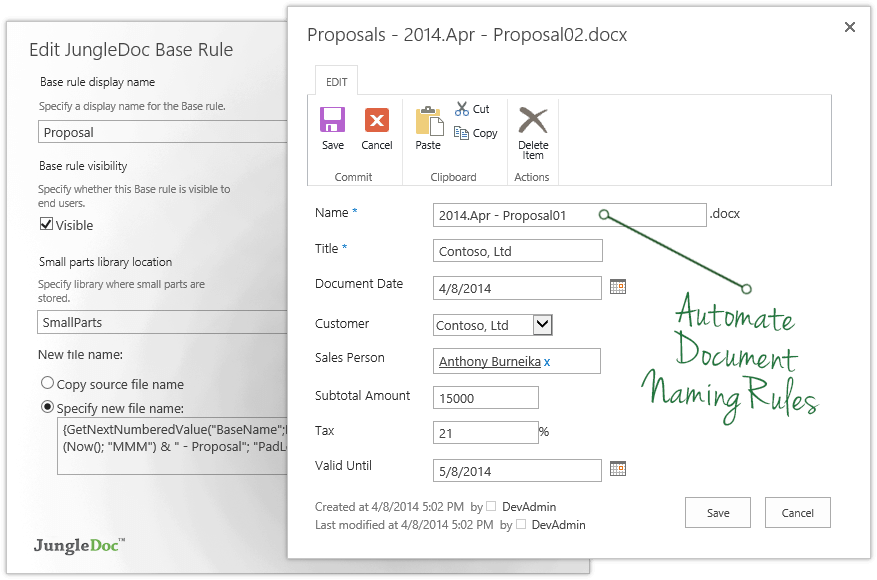
  • Can also set up automation for managing documents. Our department uses specific naming conventions for our documents and JungleDocs allows the naming conventions to be automated to help eliminate human error.
Read full review
Cons
IBM
  • IBM FileNet Content Manager's interface is complex and difficult to navigate for some users. IBM should consider improving the user interface to make it more easier and intuitive.
  • IBM FileNet Content Manager may be difficult to integrate with other applications and systems. IBM should consider improving its integration capabilities to ease connectivity with other systems.
  • The wide range of customization make it challenging for users to configure the software to find find their specific needs. IBM should simplify the customization process to make it easier for users.
Read full review
EnovaPoint, LLC
  • The ability to update fields in headers and footers, if they change after the document has been created
  • When content or metadata change, the document doesn't auto update the fields in the document, you have to manually go and click the update option (excludes fields in headers or footers footers)
Read full review
Support Rating
IBM
It's a great tool for our legacy system however the implementation, management time and lack of a niche provided by IBM makes it a difficult tool to recommend in a fast-paced market.
Read full review
EnovaPoint, LLC
No answers on this topic
Alternatives Considered
IBM
IBM FileNet Content Manager is a much superior product compared to anything in the market, IBM AI is really great and the ability to automate is really awesome. We also use other IBM products such as RPA and it integrates seamlessly. Compliance is really the USP of IBM FileNet Content Manager
Read full review
EnovaPoint, LLC
JungleDocs was intuitively easier to use than eFileCabinet and Sharepoint. JungleDocs works with Sharepoint to extend its feature set and make it easier to use. Our team didn't feel that eFileCabinet was suitable for all of our use cases, especially the RFI response documents. We used a scorecard to rank the products and JungleDocs proved to be the winner.
Read full review
Return on Investment
IBM
  • It really streamline the business processes and reduced the overall approval time across the department.
  • Search for Document is really accurate and easy to search the specific documents.
  • Manage the content is easy
  • Also allow to add non documents related objects
  • API,s are well structured and documented
  • Content Navigator is simple to use
Read full review
EnovaPoint, LLC
  • Longer startup for member who are not familiar with metadata.
  • Some support documents are hard to follow.
Read full review
ScreenShots

IBM FileNet Content Manager Screenshots

Screenshot of Editing in Microsoft Word - Collaboration in real time using Microsoft Office for the web.Screenshot of External file sharing - Securely share with external users.Screenshot of Annotation and redaction - Features an advanced viewer used to create annotations and apply redactions to content.

JungleDocs Screenshots

Screenshot of JungleDocs InterfaceScreenshot of Screenshot of Screenshot of Screenshot of Screenshot of