Chose IBM Planning Analytics
Microsoft BI's strength is in dashboarding, whereas IBM Planning Analytics outshines it with its capabilities in budgeting, forecasting, consolidations, scenario modeling and performance.

| Product | Rating | Most Used By | Product Summary | Starting Price |
|---|---|---|---|---|
 IBM Planning Analytics | N/A | IBM Planning Analytics, powered by IBM TM1®, is an integrated planning solution designed to promote collaboration across the organization and help keep pace with the speed of modern business. With its calculation engine, this enterprise performance management solution is designed to help users move beyond the limits of spreadsheets, automating the planning process to drive faster, more accurate results. Use it to unify data sources into one single repository, enabling users to build… | $825 per month 5 users | |
 Microsoft BI (MSBI) | N/A | Microsoft BI is a business intelligence product used for data analysis and generating reports on server-based data. It features unlimited data analysis capacity with its reporting engine, SQL Server Reporting Services alongside ETL, master data management, and data cleansing. | $14 per month per user | |
 Panorama Necto | N/A | Panorama Necto is a business intelligence solution that provides enterprises with new ways to collaborate and create unique contextual connections. Some key features include: Workboards/Dashboards, Advanced Analytics, and Contextual Discovery. | N/A |
| IBM Planning Analytics | Microsoft BI (MSBI) | Panorama Necto | ||||||||||||||||||||||
|---|---|---|---|---|---|---|---|---|---|---|---|---|---|---|---|---|---|---|---|---|---|---|---|---|
| Editions & Modules |
|
| No answers on this topic | |||||||||||||||||||||
| Offerings |
| |||||||||||||||||||||||
| Entry-level Setup Fee | Optional | No setup fee | No setup fee | |||||||||||||||||||||
| Additional Details | — | — | — | |||||||||||||||||||||
| More Pricing Information | ||||||||||||||||||||||||
| IBM Planning Analytics | Microsoft BI (MSBI) | Panorama Necto | |
|---|---|---|---|
| Considered Multiple Products | IBM Planning Analytics |  Microsoft BI (MSBI) No answer on this topic |  Panorama Necto No answer on this topic |
| IBM Planning Analytics | Microsoft BI (MSBI) | Panorama Necto | |||||||||||||||||||||||||||||||
|---|---|---|---|---|---|---|---|---|---|---|---|---|---|---|---|---|---|---|---|---|---|---|---|---|---|---|---|---|---|---|---|---|---|
| BI Standard Reporting |
| ||||||||||||||||||||||||||||||||
| Ad-hoc Reporting |
| ||||||||||||||||||||||||||||||||
| Report Output and Scheduling |
| ||||||||||||||||||||||||||||||||
| Data Discovery and Visualization |
| ||||||||||||||||||||||||||||||||
| Access Control and Security |
| ||||||||||||||||||||||||||||||||
| Mobile Capabilities |
| ||||||||||||||||||||||||||||||||
| Budgeting, Planning, and Forecasting |
| ||||||||||||||||||||||||||||||||
| Consolidation and Close |
| ||||||||||||||||||||||||||||||||
| Financial Reporting and Compliance |
| ||||||||||||||||||||||||||||||||
| Analytics and Reporting |
| ||||||||||||||||||||||||||||||||
| Integration |
| ||||||||||||||||||||||||||||||||
| Application Program Interfaces (APIs) / Embedding |
|
| IBM Planning Analytics | Microsoft BI (MSBI) | Panorama Necto | |
|---|---|---|---|
| Small Businesses | No answers on this topic |  Yellowfin Score 8.7 out of 10 | Yellowfin Score 8.7 out of 10 |
| Medium-sized Companies |  Centage Score 9.4 out of 10 |  Reveal Score 10.0 out of 10 | Reveal Score 10.0 out of 10 |
| Enterprises |  OneStream Score 8.8 out of 10 |  Kyvos Semantic Layer Score 9.5 out of 10 | Kyvos Semantic Layer Score 9.5 out of 10 |
| All Alternatives | View all alternatives | View all alternatives | View all alternatives |
| IBM Planning Analytics | Microsoft BI (MSBI) | Panorama Necto | |
|---|---|---|---|
| Likelihood to Recommend | 8.0 (121 ratings) | 10.0 (73 ratings) | 8.0 (25 ratings) |
| Likelihood to Renew | 9.1 (5 ratings) | 8.0 (25 ratings) | 8.0 (17 ratings) |
| Usability | 7.8 (69 ratings) | 10.0 (15 ratings) | 8.2 (2 ratings) |
| Availability | - (0 ratings) | 9.5 (2 ratings) | - (0 ratings) |
| Performance | - (0 ratings) | 7.0 (2 ratings) | - (0 ratings) |
| Support Rating | 7.4 (93 ratings) | 8.9 (15 ratings) | 7.1 (3 ratings) |
| In-Person Training | - (0 ratings) | 6.9 (3 ratings) | - (0 ratings) |
| Online Training | - (0 ratings) | 8.5 (2 ratings) | - (0 ratings) |
| Implementation Rating | - (0 ratings) | 9.6 (7 ratings) | 6.7 (2 ratings) |
| Configurability | - (0 ratings) | 10.0 (2 ratings) | - (0 ratings) |
| Product Scalability | 9.1 (1 ratings) | - (0 ratings) | - (0 ratings) |
| IBM Planning Analytics | Microsoft BI (MSBI) | Panorama Necto | |
|---|---|---|---|
| Likelihood to Recommend | IBM
| Microsoft
 Adam Montgomery Partnership Manager | Panorama Software
 Chittiappa Areyada QA Lead & Test Analyst Disney Consumer Products for Satwic Inc |
| Pros | IBM
| Microsoft
 Nilufa Hossain IT Specialist | Panorama Software
 Sarmista Nath Senior Sofware Engineer |
| Cons | IBM
| Microsoft
| Panorama Software
 Soumya Roy Senior BI Analyst |
| Likelihood to Renew | IBM
| Microsoft
 Lee Cullom President | Panorama Software
 Lewis Ewing UI Designer |
| Usability | IBM
| Microsoft
| Panorama Software
 Milos Milenkovic Senior Business Intelligence/Reporting Developer |
| Reliability and Availability | IBM No answers on this topic | Microsoft
 Robert Goodman Director, Business Intelligence & Analytics | Panorama Software No answers on this topic |
| Performance | IBM No answers on this topic | Microsoft
Robert Goodman Director, Business Intelligence & Analytics | Panorama Software No answers on this topic |
| Support Rating | IBM
| Microsoft
| Panorama Software
 Hema Malini Senior Software Engineer |
| In-Person Training | IBM No answers on this topic | Microsoft
 Stephanie Grice Business Intelligence Analyst | Panorama Software No answers on this topic |
| Online Training | IBM No answers on this topic | Microsoft
 Sean Brady Business Intelligence Architect | Panorama Software No answers on this topic |
| Implementation Rating | IBM No answers on this topic | Microsoft
 Jacob Saunders National Practice Director - Business Intelligence | Panorama Software
Milos Milenkovic Senior Business Intelligence/Reporting Developer |
| Alternatives Considered | IBM
| Microsoft
| Panorama Software
 Nidhish Khare BI Developer |
| Return on Investment | IBM
| Microsoft
 Haibo Yang BI Reporting Specialist | Panorama Software No answers on this topic |
| ScreenShots | IBM Planning Analytics Screenshots      | Panorama Necto Screenshots 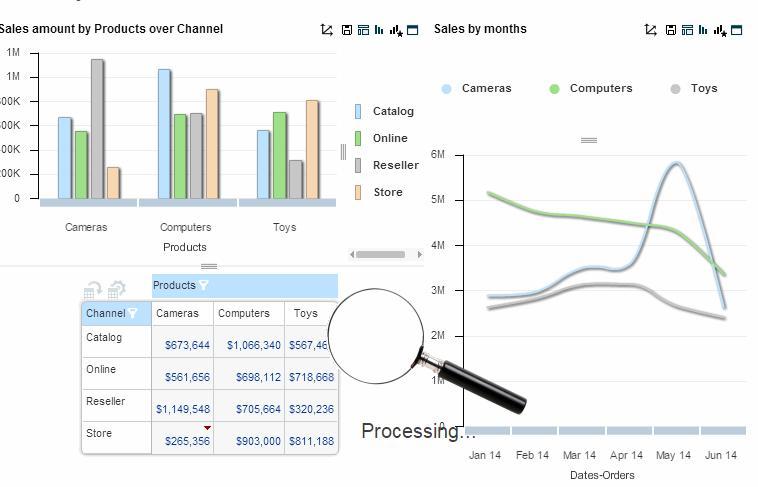 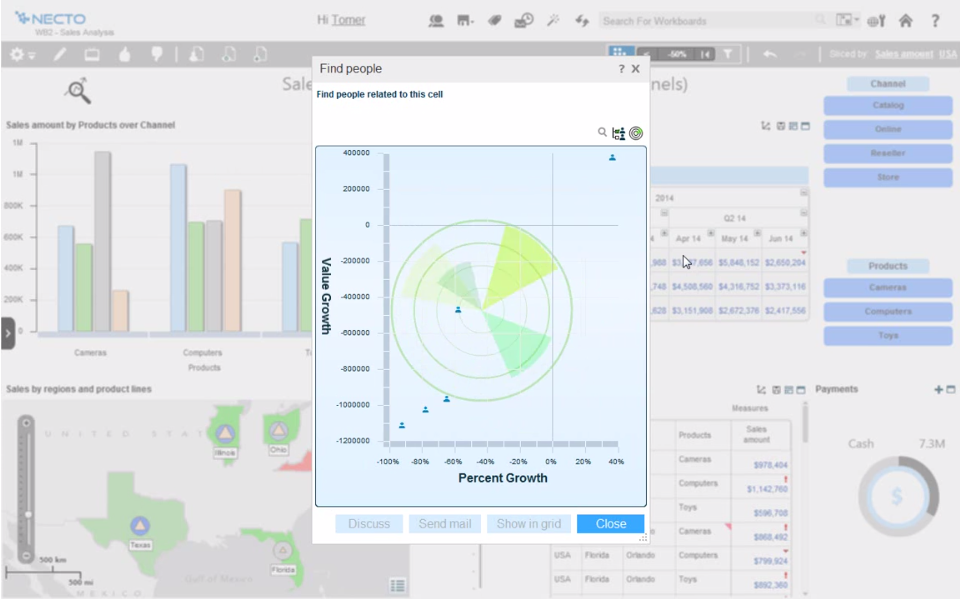   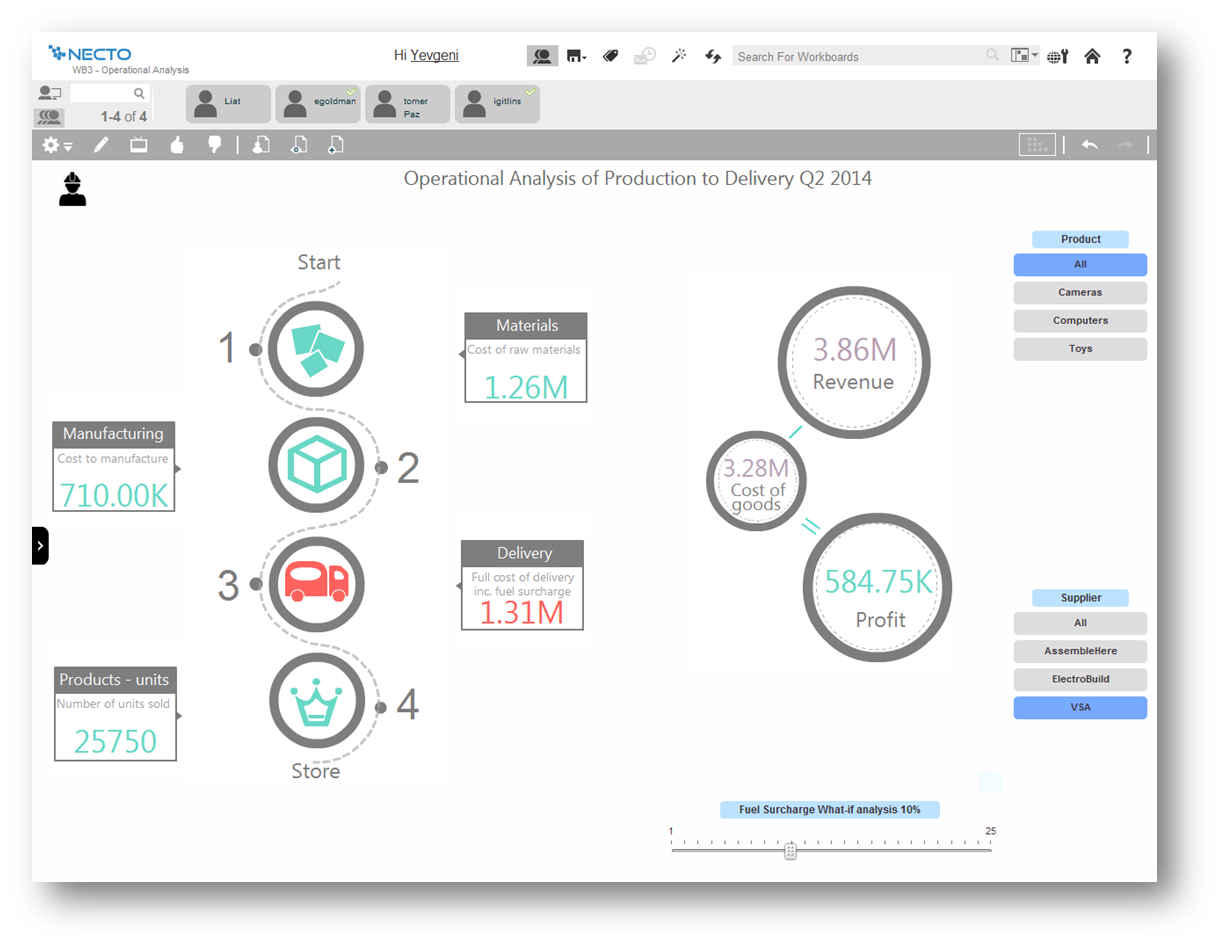 |