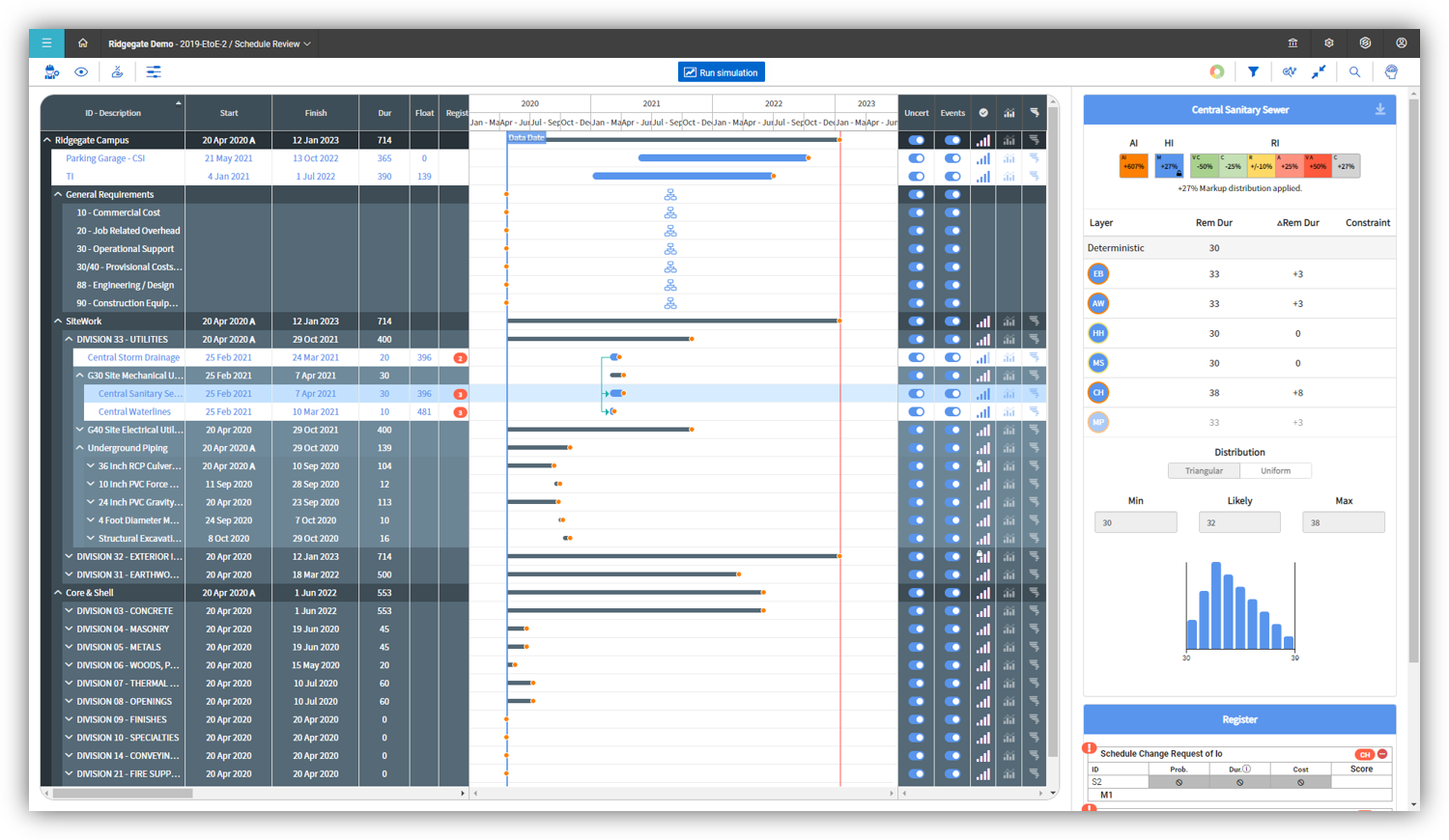
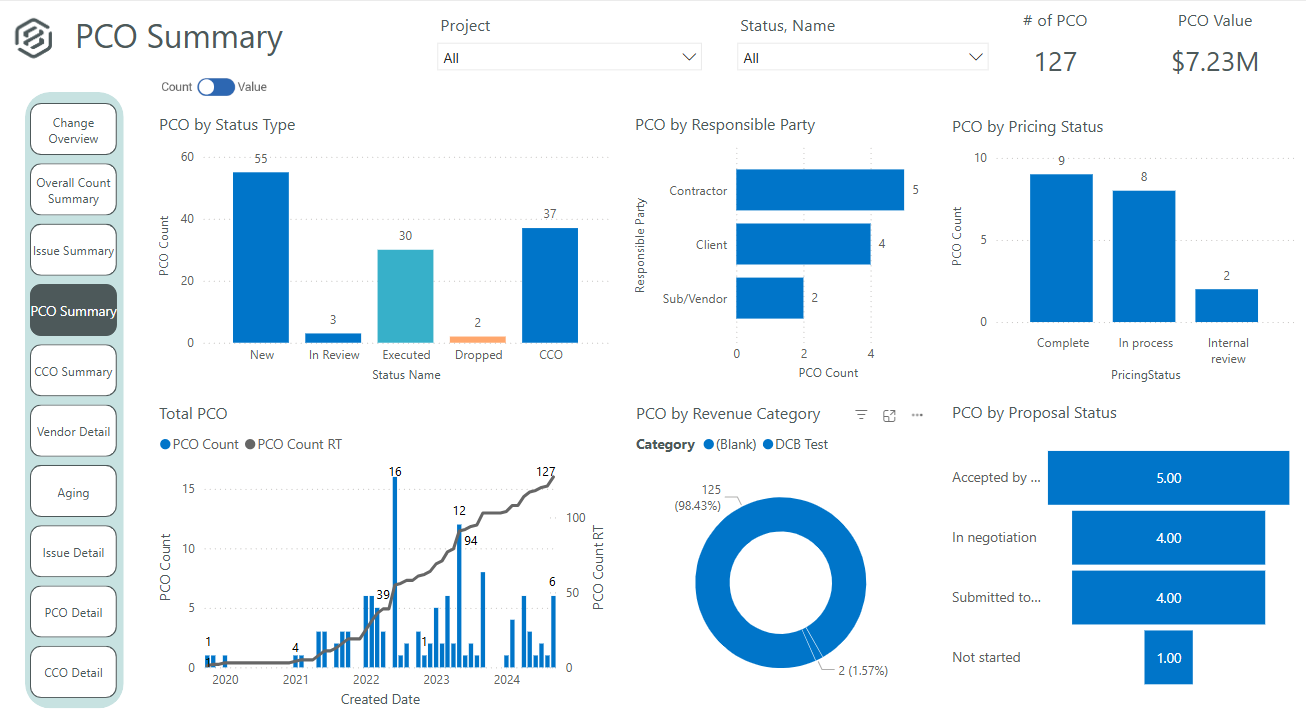
InEight's modular project controls software connects complex project data to improve visibility and delivery in capital construction.
N/A
ZilicusPM
Score7 out of 10
Mid-Size Companies (51-1,000 employees)
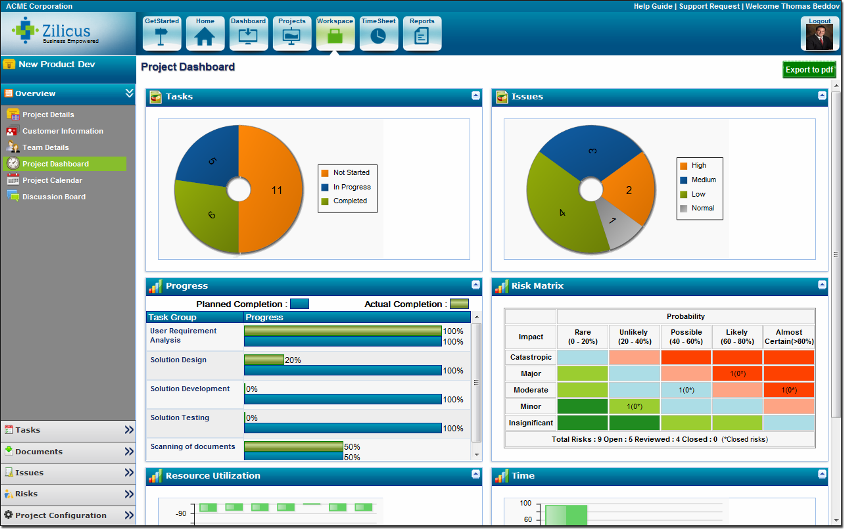
Zilicus is an enterprise-level project management solution with capabilities such as meeting management, risk management, and collaboration.
$15
per user
Pricing
InEight
ZilicusPM
Editions & Modules
No answers on this topic
Yearly Subscription
$15
per user
Monthly Subscription
$20
per user
Offerings
Pricing Offerings
InEight
ZilicusPM
Free Trial
No
Yes
Free/Freemium Version
No
No
Premium Consulting/Integration Services
No
Yes
Entry-level Setup Fee
No setup fee
No setup fee
Additional Details
InEight offers a modular, integrated project controls platform. Because the InEight platform covers the entire construction lifecycle, customers purchase the software based on their specific needs – purchasing stand-alone products, a bundle of products, or the entire platform. As a result, the pricing will vary depending on the specific product, number of users and length of contract. Once InEight has identified the highest impact areas, they offer potential customers a custom proposal. The options they consider include:
Per user pricing: typically annual subscriptions.
Revenue-based: using a percentage of the customer’s revenue.
Project-based: software use dedicated to a specific project or program of work.
The pricing per subscription reduces as number of subscriptions increases; it is also dependent on the duration of subscription.
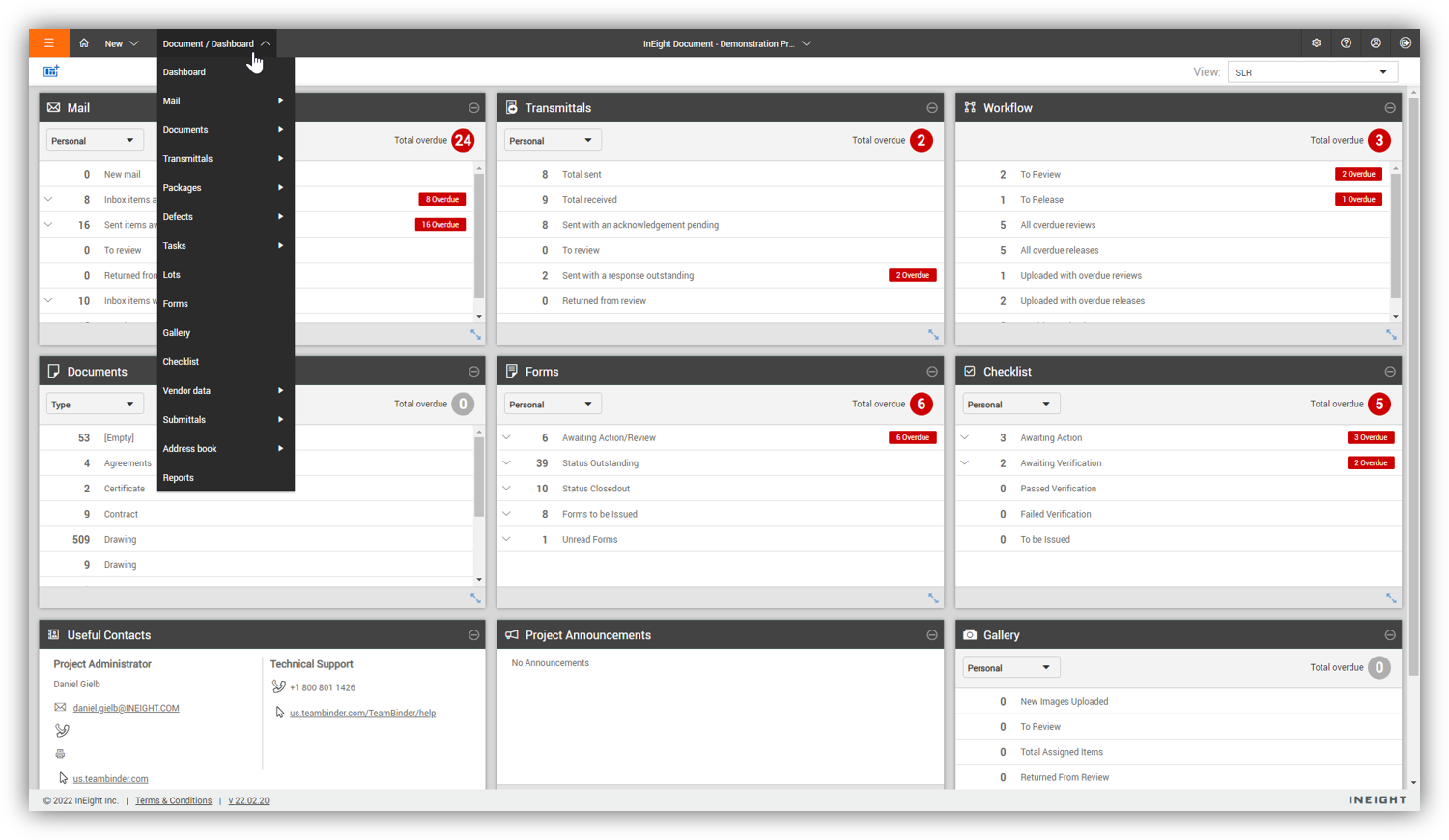
For engineering and constructions project, InEight Document is one of the best out there. It is flexible, end-user and admin friendly and has enough features for any size company. If you need to be able to track documentation and have good revision control, easy review workflows, and good transmittal workflows, InEight Document is great.
A de minimis incentive was given to thank the reviewer for their time. The incentive was not used to bias or drive a particular response, nor was the incentive contingent on a positive endorsement. More Info
ZilicusPM is suited for any business that has difficulty managing and keeping track of office related work as well as project management. Its an efficient way to manage just about anything necessary. It is well-suited for our office, as structural/civil engineers - we are able to keep track of our projects as well as office/human resources related work.
A de minimis incentive was given to thank the reviewer for their time. The incentive was not used to bias or drive a particular response, nor was the incentive contingent on a positive endorsement. More Info
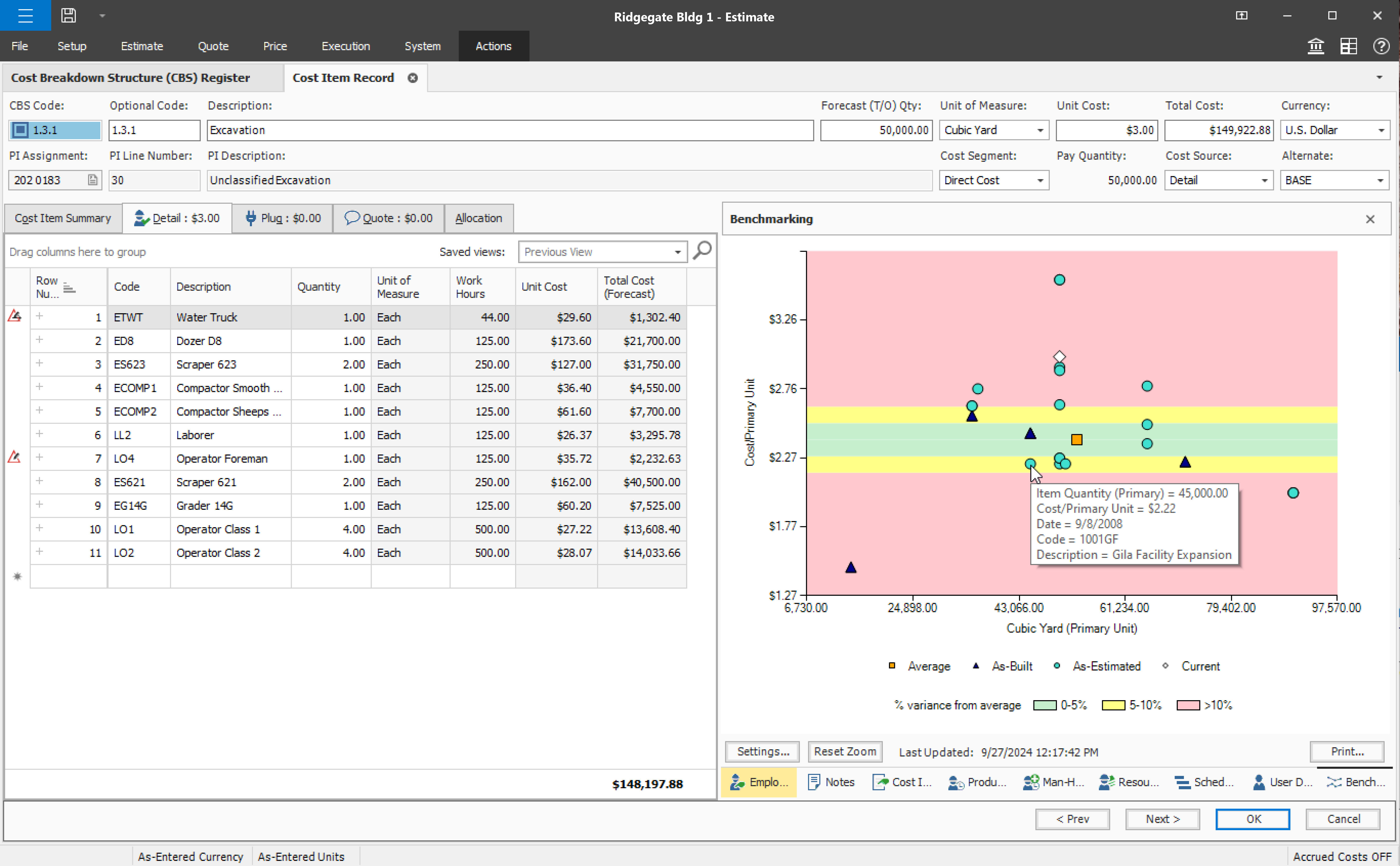
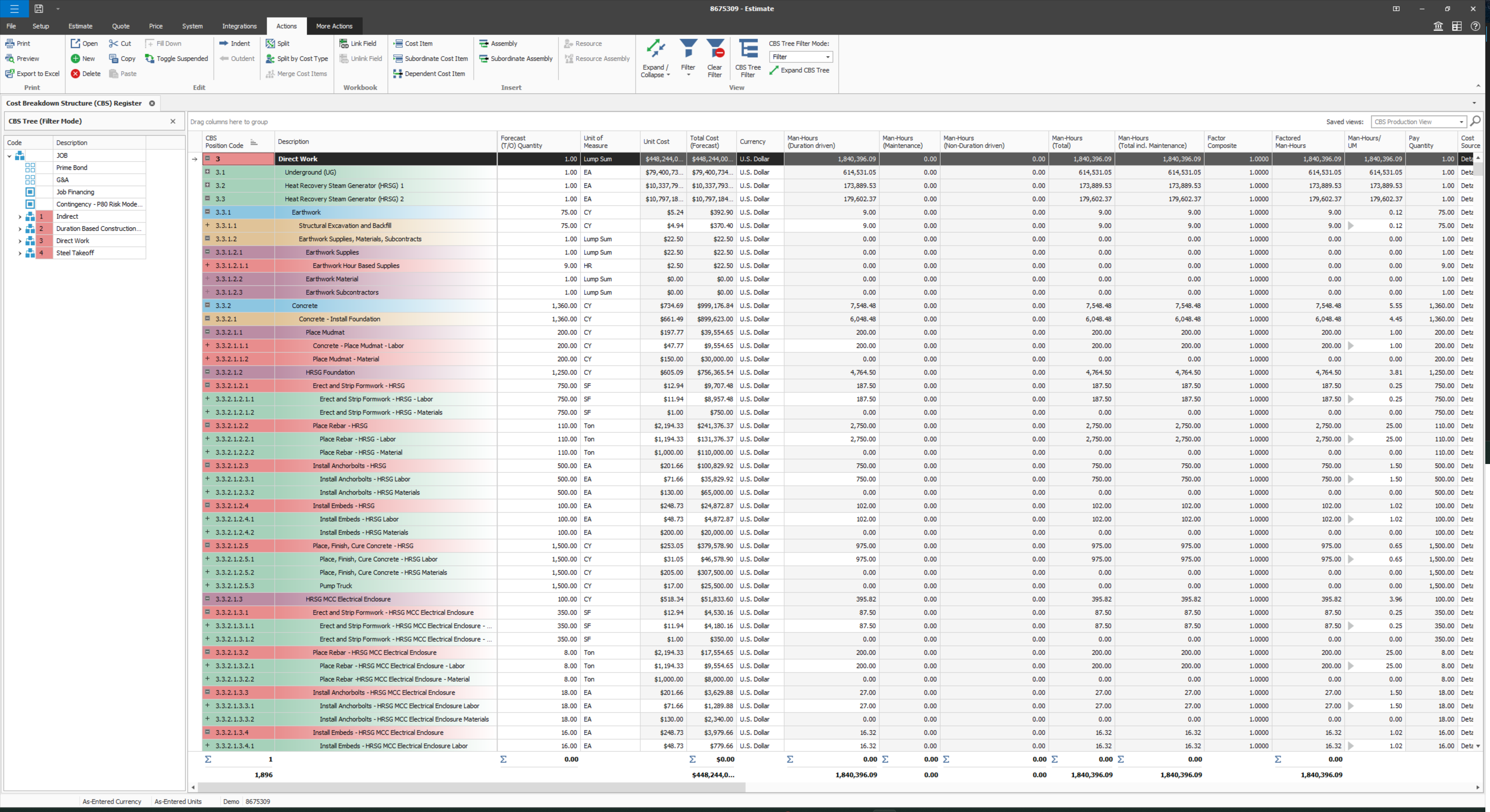
User defined views and descriptions for all screens.
Customizable ribbons to provide an efficient use of the software.
Multiple layers/dependents to allow for an extreme drill down of the work and the ability to roll up to a more useful level for upper management review.
You can bid the work as you would build it, in detail.
A de minimis incentive was given to thank the reviewer for their time. The incentive was not used to bias or drive a particular response, nor was the incentive contingent on a positive endorsement. More Info
ZilicusPM is great for an office regarding meetings and site visits. It's hard to keep track manually of where everyone is at. By sharing our calendars through ZilicusPM, we are able to access where someone is within a few seconds!! It is very convenient and less of a hassle.
This a great tool to use to manage all documents that enter in and out of our office for certain projects. It is hard to keep track of everything through our office, so this programs helps us manage things very efficiently.
This is great for prioritizing! I know many people in our office have an issue to do so. With the Project Issue Management feature, we are able to do this more effectively without causing any stress to our employees!
A de minimis incentive was given to thank the reviewer for their time. The incentive was not used to bias or drive a particular response, nor was the incentive contingent on a positive endorsement. More Info
Provide a simpler version (cliff notes) of the knowledge database
Offer versions of InEight for smaller companies, i.e. less than 20 emplyees, under $5M in revenue
When an estimate is complete, offer a dialog box to ask if the job was won, lost, or still in progress. We tend to leave most of our estimates in the bidding column. This is a user error, but the prompt would be helpful.
A de minimis incentive was given to thank the reviewer for their time. The incentive was not used to bias or drive a particular response, nor was the incentive contingent on a positive endorsement. More Info
The only thing I would suggest that needs room for improvement is that you should break down Zilicus PM into different sectors. What I mean by this is that you branch off this program into different areas of expertise like accounting, engineering, etc. Every business is managed differently, so other options should be provided to accommodate each field.
Other than that, I am very pleased with this program. It was WELL worth the investment. Saving a lot of time and money spent per worker by using this!
A de minimis incentive was given to thank the reviewer for their time. The incentive was not used to bias or drive a particular response, nor was the incentive contingent on a positive endorsement. More Info
Some features with InEight's TeamBinder are worthy of single use, however the review feature and subsequent revision and version numbering could be improved. We will be aiming to roll out the package to encompass our internal documentation in the near future and will be in a better position to judge the usability after that point in time.
A de minimis incentive was given to thank the reviewer for their time. The incentive was not used to bias or drive a particular response, nor was the incentive contingent on a positive endorsement. More Info
I would give it an 8 out of 10 because the software can be a bit cumbersome to new users. It also takes a long time to set up the library and input all of your companies needs so that the software will provide the level of service required to estimate projects. However, once the software is set up it is a powerful tool. We only use a portion of what the software is capable of delivering
A de minimis incentive was given to thank the reviewer for their time. The incentive was not used to bias or drive a particular response, nor was the incentive contingent on a positive endorsement. More Info
A de minimis incentive was given to thank the reviewer for their time. The incentive was not used to bias or drive a particular response, nor was the incentive contingent on a positive endorsement. More Info
A de minimis incentive was given to thank the reviewer for their time. The incentive was not used to bias or drive a particular response, nor was the incentive contingent on a positive endorsement. More Info
Why do we call support? Always because some things got broken, right? And when it happens, the likelihood of us getting in troubles waiting the support to fix it, it's tremendously high, almost certain. Through my experience with InEight, I'm really concerned whenever I see an update message in the screen, we got really used to see errors in reports right after an update is released. You can see by my tickets, that some of my issues last too long, as client perspective. We had to send messages to our clients excusing us for the weekly report that is being shared due to internal issues, not once, not twice.
A de minimis incentive was given to thank the reviewer for their time. The incentive was not used to bias or drive a particular response, nor was the incentive contingent on a positive endorsement. More Info
The support we had was phenomenal and very detail oriented, which was a necessity during the implementation phase and level of complexity of the projects we had ongoing at that time.
A de minimis incentive was given to thank the reviewer for their time. The incentive was not used to bias or drive a particular response, nor was the incentive contingent on a positive endorsement. More Info
A de minimis incentive was given to thank the reviewer for their time. The incentive was not used to bias or drive a particular response, nor was the incentive contingent on a positive endorsement. More Info
Since the original inception, I have been required to overhaul the system so that it is more user friendly and combines both aspects of our business, documentation and drawings. Being able to control revision and version numbering has been a key struggle that only staff training has been able to mark this as complete.
A de minimis incentive was given to thank the reviewer for their time. The incentive was not used to bias or drive a particular response, nor was the incentive contingent on a positive endorsement. More Info
Both Sage Estimating and InEight programs have their unique capabilities. Sage Estimating is much more configured for use in detailed construction, the majority of which are for non-nuclear projects. InEight has so many more capabilities, especially in creating our own libraries of data, which are vital in creating an estimate. The ability to access historical data (pricing), is an outstanding feature of the program.
A de minimis incentive was given to thank the reviewer for their time. The incentive was not used to bias or drive a particular response, nor was the incentive contingent on a positive endorsement. More Info
We have used Microsoft Project for years. We loved it until we found ZilicusPM. ZilicusPM is more efficient and directive in our field. Microsoft Project does not provide as many features as ZilicusPM does. I am extremely grateful for having found ZilicusPM. It was recommended to us by an architectural firm that swore by this software.
A de minimis incentive was given to thank the reviewer for their time. The incentive was not used to bias or drive a particular response, nor was the incentive contingent on a positive endorsement. More Info
InEight is a good system that has scaled nicely as the company has grown. the tools are still readily available and applicable for our larger scope of work. It has kept up with the growth of the company very nicely
A de minimis incentive was given to thank the reviewer for their time. The incentive was not used to bias or drive a particular response, nor was the incentive contingent on a positive endorsement. More Info
A de minimis incentive was given to thank the reviewer for their time. The incentive was not used to bias or drive a particular response, nor was the incentive contingent on a positive endorsement. More Info
A positive impact that ZilicusPM has made is we are able to work more efficiently and prioritize what needs to be sent out, what invoices need to be sent out to clients, where are project engineers at certain time of day, etc.
We also have a higher ROI. I am able to manage what invoices need to be sent out without having to track people down for a summary of the work , which is extremely time consuming. I am able to get more invoices out while returning a higher investment for the company.
A negative impact it has made is we had to hire someone to manage this software entirely. It is very time-consuming for myself to manage and make sure everything is entered in correctly. We hired someone who is familiar with ZilicusPM and is able to certify all work.
A de minimis incentive was given to thank the reviewer for their time. The incentive was not used to bias or drive a particular response, nor was the incentive contingent on a positive endorsement. More Info