
Informatica Intelligent Data Management Cloud vs. Planview Hub vs. SAP Integration Suite
Informatica Intelligent Data Management Cloud vs. Planview Hub vs. SAP Integration Suite
| Product | Rating | Most Used By | Product Summary | Starting Price |
|---|---|---|---|---|
 Informatica Intelligent Data Management Cloud | N/A | The Informatica® Intelligent Data Management Cloud™ (IDMC) is designed to help businesses efficiently handle the complex challenges of dispersed and fragmented data to innovate with their data on virtually any platform, any cloud, multi-cloud and multi-hybrid. | N/A | |
 Planview Hub | N/A | Planview Hub provides scalable, sophisticated near real-time integrations to help IT leaders and their teams eliminate inefficiencies. | N/A | |
 SAP Integration Suite | N/A | SAP Integration Suite is a modern, secure integration platform as a service (iPaaS) that connects applications, data, processes, and AI agents across SAP and non‑SAP environments. | $11,199 per year |
| Informatica Intelligent Data Management Cloud | Planview Hub | SAP Integration Suite | ||||||||||||||||||||||
|---|---|---|---|---|---|---|---|---|---|---|---|---|---|---|---|---|---|---|---|---|---|---|---|---|
| Editions & Modules | No answers on this topic | No answers on this topic | No answers on this topic | |||||||||||||||||||||
| Offerings |
| |||||||||||||||||||||||
| Entry-level Setup Fee | No setup fee | No setup fee | No setup fee | |||||||||||||||||||||
| Additional Details | — | — | Access to free tier services does not expire while there is an active Pay-As-You-Go or CPEA account with SAP. Once a free tier service limit has been reached users have the option to update from a free to a paid service plan in the same account. | |||||||||||||||||||||
| More Pricing Information | ||||||||||||||||||||||||
| Informatica Intelligent Data Management Cloud | Planview Hub | SAP Integration Suite |
|---|
| Informatica Intelligent Data Management Cloud | Planview Hub | SAP Integration Suite | |||||||||||||||||||||||||||
|---|---|---|---|---|---|---|---|---|---|---|---|---|---|---|---|---|---|---|---|---|---|---|---|---|---|---|---|---|---|
| Cloud Data Integration |
|
| Informatica Intelligent Data Management Cloud | Planview Hub | SAP Integration Suite | |
|---|---|---|---|
| Small Businesses |  Skyvia Score 10.0 out of 10 |  Make Score 9.3 out of 10 | Make Score 9.3 out of 10 |
| Medium-sized Companies |  IBM InfoSphere Information Server Score 8.0 out of 10 | IBM App Connect Score 9.2 out of 10 | IBM App Connect Score 9.2 out of 10 |
| Enterprises | IBM InfoSphere Information Server Score 8.0 out of 10 | IBM App Connect Score 9.2 out of 10 | IBM App Connect Score 9.2 out of 10 |
| All Alternatives | View all alternatives | View all alternatives | View all alternatives |
| Informatica Intelligent Data Management Cloud | Planview Hub | SAP Integration Suite | |
|---|---|---|---|
| Likelihood to Recommend | 8.3 (13 ratings) | 8.2 (4 ratings) | 8.5 (303 ratings) |
| Likelihood to Renew | 9.0 (1 ratings) | 9.1 (1 ratings) | 8.8 (7 ratings) |
| Usability | - (0 ratings) | 9.1 (1 ratings) | 2.1 (3 ratings) |
| Availability | - (0 ratings) | 9.1 (1 ratings) | - (0 ratings) |
| Performance | - (0 ratings) | 8.2 (1 ratings) | - (0 ratings) |
| Support Rating | 8.0 (3 ratings) | 9.1 (1 ratings) | 6.0 (4 ratings) |
| In-Person Training | - (0 ratings) | 9.1 (1 ratings) | - (0 ratings) |
| Online Training | - (0 ratings) | 8.2 (1 ratings) | - (0 ratings) |
| Implementation Rating | - (0 ratings) | 9.1 (1 ratings) | 7.3 (1 ratings) |
| Configurability | - (0 ratings) | 8.2 (1 ratings) | - (0 ratings) |
| Ease of integration | - (0 ratings) | 9.1 (1 ratings) | - (0 ratings) |
| Product Scalability | - (0 ratings) | 9.1 (1 ratings) | - (0 ratings) |
| Informatica Intelligent Data Management Cloud | Planview Hub | SAP Integration Suite | |
|---|---|---|---|
| Likelihood to Recommend |  Informatica
| Planview
 Lien Bäcker Applications Consultant | SAP
|
| Pros | Informatica
| Planview
| SAP
|
| Cons | Informatica
| Planview
| SAP
|
| Likelihood to Renew | Informatica No answers on this topic | Planview
Lien Bäcker Applications Consultant | SAP
|
| Usability | Informatica No answers on this topic | Planview
Lien Bäcker Applications Consultant | SAP
|
| Reliability and Availability | Informatica No answers on this topic | Planview
Lien Bäcker Applications Consultant | SAP No answers on this topic |
| Performance | Informatica No answers on this topic | Planview
Lien Bäcker Applications Consultant | SAP No answers on this topic |
| Support Rating | Informatica
| Planview
Lien Bäcker Applications Consultant | SAP
|
| In-Person Training | Informatica No answers on this topic | Planview
Lien Bäcker Applications Consultant | SAP No answers on this topic |
| Online Training | Informatica No answers on this topic | Planview
Lien Bäcker Applications Consultant | SAP No answers on this topic |
| Implementation Rating | Informatica No answers on this topic | Planview
Lien Bäcker Applications Consultant | SAP
|
| Alternatives Considered | Informatica
 Vaibhav Khanna ☁⚡ Salesforce Consultant | Planview
| SAP
 Zulma Quiroz Corporate Credit Risk Analyst |
| Scalability | Informatica No answers on this topic | Planview
Lien Bäcker Applications Consultant | SAP No answers on this topic |
| Return on Investment | Informatica
| Planview
| SAP
 Andrey Shalaurov Group Director of Software Engineering |
| ScreenShots | Planview Hub Screenshots    | SAP Integration Suite Screenshots  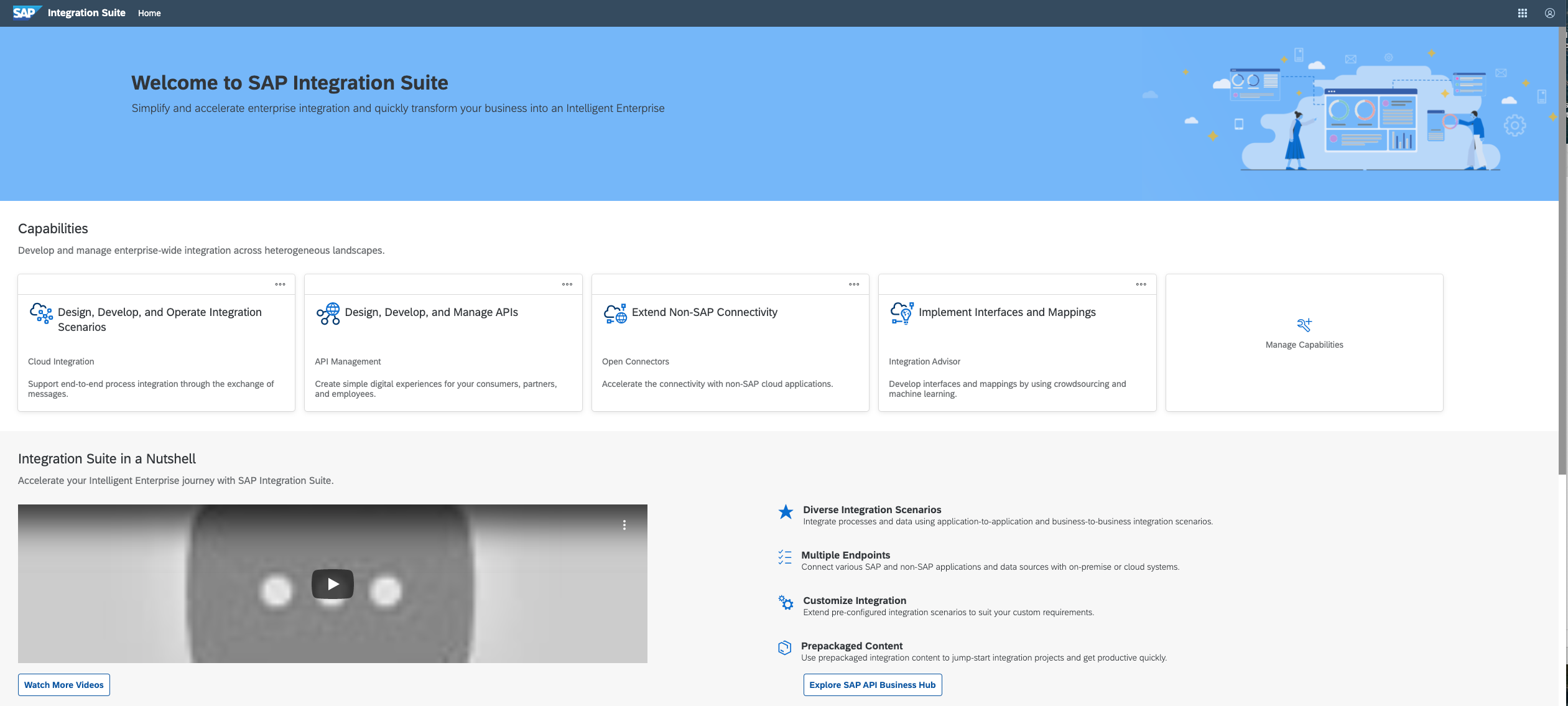   |