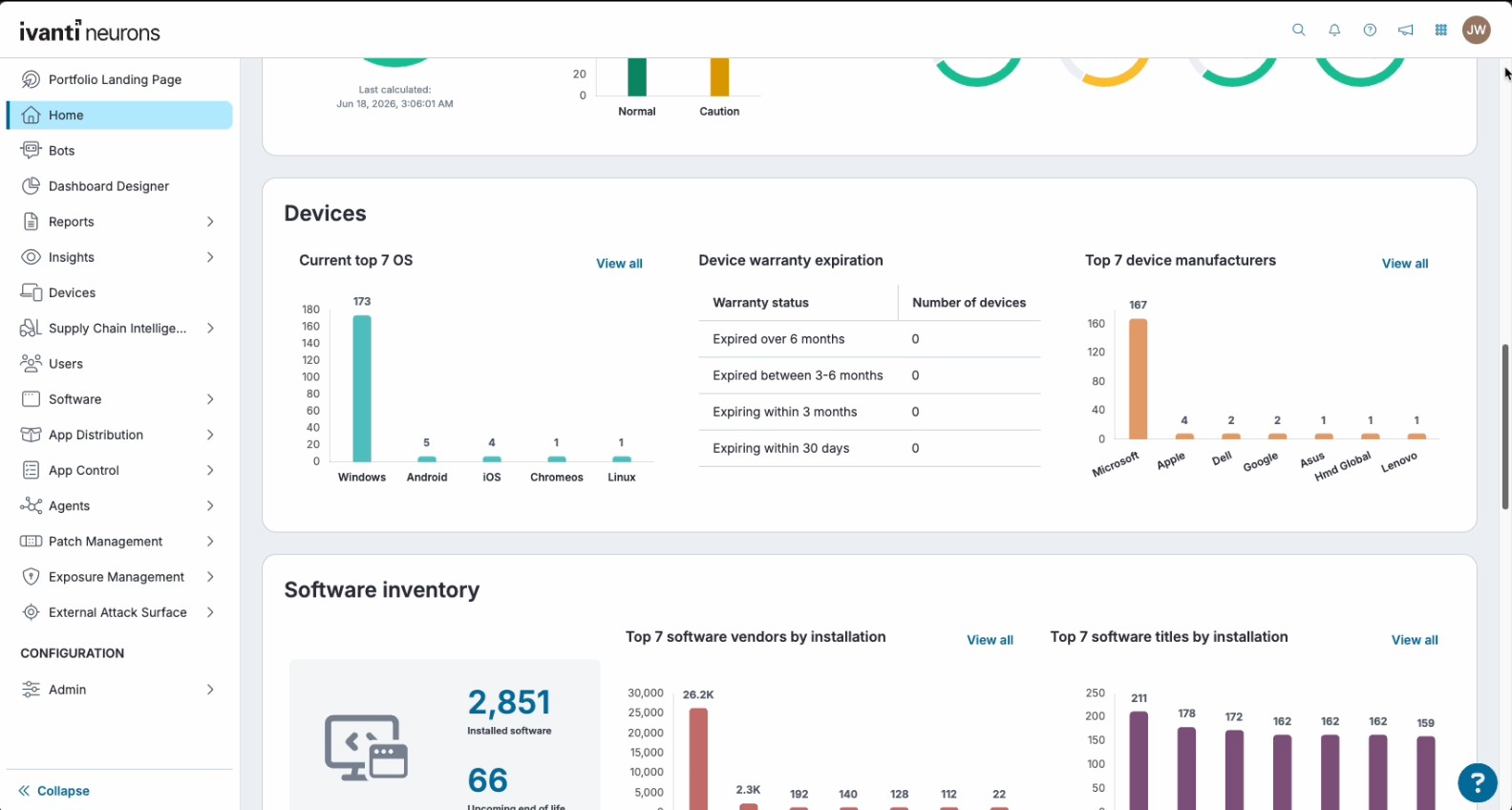
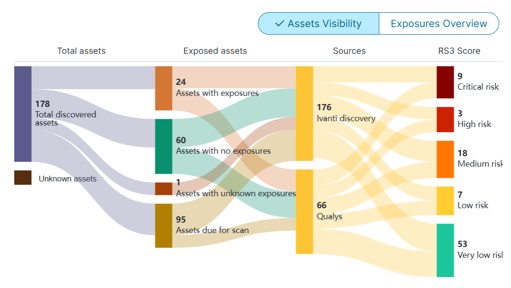
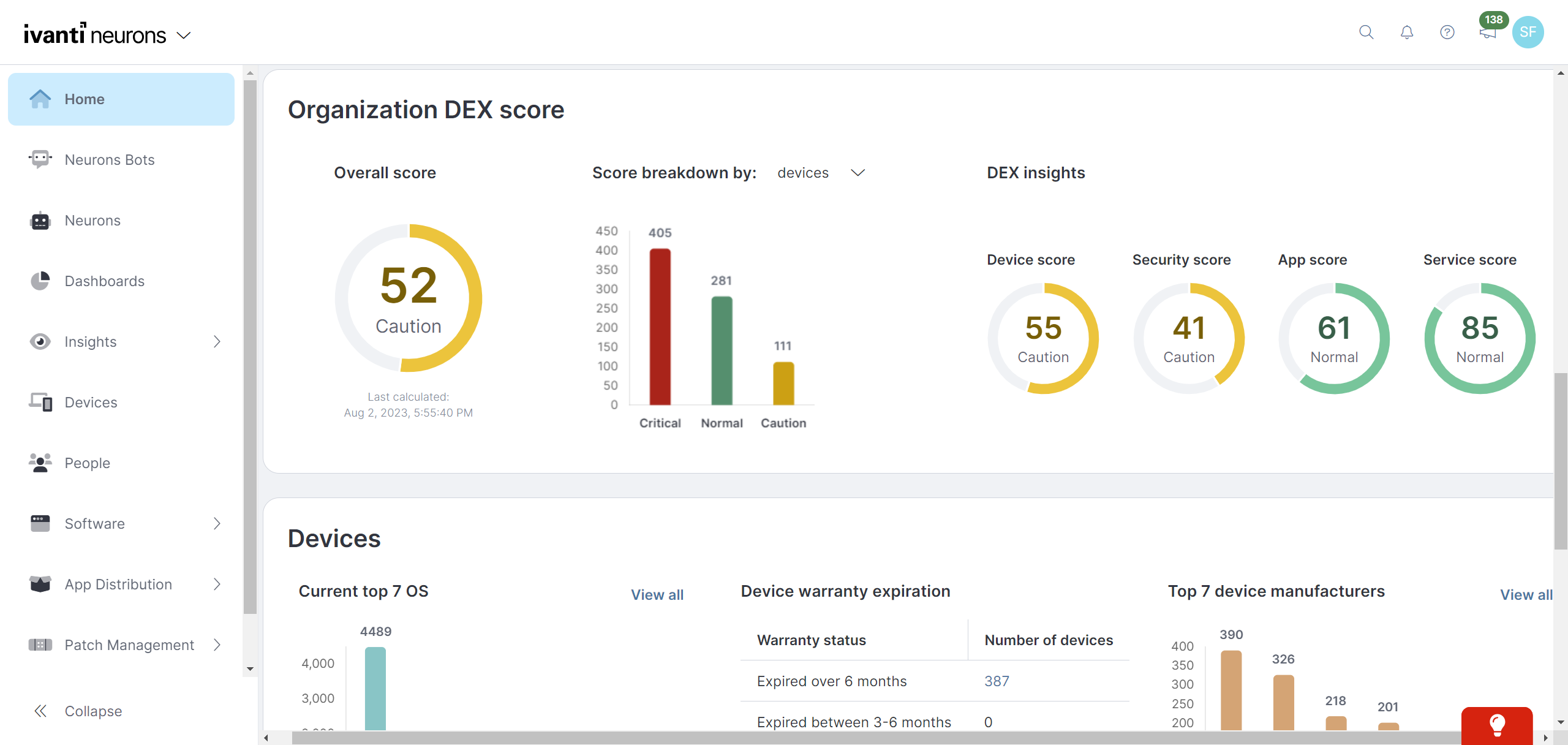
Ivanti Autonomous Endpoint Management (AEM) is an enterprise endpoint-operations solution built on the Ivanti Neurons platform. It combines unified endpoint management (UEM)—centralized management of desktops, mobile devices, and other endpoints—with digital employee experience monitoring, asset discovery, security controls, and automated remediation. Ivanti positions AEM as a broader solution layer that brings UEM, digital employee experience, and security capabilities together rather than as a…
N/A
VMware Workstation Pro
Score8 out of 10
N/A
VMware Workstation Pro is virtualization software which allows running multiple x86-based operating systems on one PC. Users can run Windows, Linux and BSD virtual machines on a Windows or Linux desktop.
I think that Ivanti Autonomous Endpoint Management can be well suited to most scenarios for patch management. The different options with Ring Deployments allow for rolling out patches in any number of circumstances. Typical monthly, weekly, daily, zero day response, etc. There is some lack of control over how to wrap up a deployment. What I mean is that in a scenario where we need extremely controlled rollouts, some of the features do not align well. For our organization, we would ideally evaluate patches that come out each Patch Tuesday. Select those patches for deployment, deploy those to our test servers over 3 days, wait 2 days, then deploy to production for 3 days. While we have plenty of control over the initial deployment, we have no clean way to say "after these 3 days, no longer deploy the patch". In our specific scenario, we sacrifice process to align with the tool's capabilities.
A de minimis incentive was given to thank the reviewer for their time. The incentive was not used to bias or drive a particular response, nor was the incentive contingent on a positive endorsement. TR verified that a representative sample of customers was invited. More Info
I would not recommend using a VM as a complete replacement for your everyday driver, but I would recommend it for testing. One way that I use Workstation Pro is with testing GPO's. I can make a change to a user or computer GPO, take a snapshot, reboot the computer to pull the GPO, see if it worked. If it didn't, I revert to the last snapshot before the GPO was pulled, make some changes to the GPO again, and test on the test VM. The same style of testing can be used with creating and changing scripts for computer changes. We have a whole computer setup script that installs software and changes a ton of settings. On a VM you can test over and over to make sure the script runs how you want it to and revert if you didn't like the script outcome. Especially handy with software installs, so you don't have to wait for a program to uninstall and then edit the script and run the script again. Using snapshots save me so much time in testing!
A de minimis incentive was given to thank the reviewer for their time. The incentive was not used to bias or drive a particular response, nor was the incentive contingent on a positive endorsement. More Info
Ivanti Autonomous Endpoint Management is light weight and easy to install
Ivanti Autonomous Endpoint Management allows the user to defer a required restart. Allowing them to restart their machine at a time that's more convenient for them.
Comparatively, Ivanti Autonomous Endpoint Management is a budget friendly solution.
A de minimis incentive was given to thank the reviewer for their time. The incentive was not used to bias or drive a particular response, nor was the incentive contingent on a positive endorsement. More Info
It provides a great remote access tool for accessing and managing servers in virtual environment. With the security risks surround remote desktop this provides a good alternative to do the same functions.
The app itself is very lightweight and easy to install/maintain.
Sandbox testing can be a time consuming thing to setup and do. Workstation makes this easy to create, use, and put away. This make you more willing to put new things in the sandbox and test them before production usage.
The cost of workstation is very affordable for the functionality that you get and you can try it for free before you buy it.
We use it to run apps that can be difficult to setup or conflict with other apps. We just spin this app VM up run it, and then shut it back down. The startup and shutdown is very quick.
A de minimis incentive was given to thank the reviewer for their time. The incentive was not used to bias or drive a particular response, nor was the incentive contingent on a positive endorsement. More Info
MDM has fallen a bit flat, however, with the recent acquisition of MobileIron I believe this will change but as of now there is some of this still built into the product
The antivirus portion of the product hasn't had much love and could use a bump. It is not bad at all but I would like to see it hit that next level.
Data Analytics is the most powerful tool inside this platform but it is so hard for people to figure it out that it often goes unused. It needs a good redesign.
A de minimis incentive was given to thank the reviewer for their time. The incentive was not used to bias or drive a particular response, nor was the incentive contingent on a positive endorsement. More Info
MobileIron is a constantly evolving platform that stays current with industry trends. iOS updates? No problem, they're supported almost immediately after a new iOS version comes out. If you are a Core (on-prem) customer there is ample support and assistance to migrate to the Cloud version of MobileIron (although I've yet to convince my department head to approve the request). The platform is very robust and extremely configurable. Management roles can be delegated effectively to other staff without compromising security. These in alone are important, but even more important is the company itself - they are great to work with, from support to sales. We have never had a situation where MobileIron left us on our own, and many times support has gone way beyond what is simply required in order to educate us or extend the usefulness of the product
A de minimis incentive was given to thank the reviewer for their time. The incentive was not used to bias or drive a particular response, nor was the incentive contingent on a positive endorsement. TR verified that a representative sample of customers was invited. More Info
A de minimis incentive was given to thank the reviewer for their time. The incentive was not used to bias or drive a particular response, nor was the incentive contingent on a positive endorsement. More Info
It's relatively straightforward as far as using it. We can create roles in it and have some of our junior engineers still do the patching. Also, creating rules and exclusions, once shown, can be done by most of our engineers. We also like the interface on the home page that shows the current progress of our patch deployments
A de minimis incentive was given to thank the reviewer for their time. The incentive was not used to bias or drive a particular response, nor was the incentive contingent on a positive endorsement. TR verified that a representative sample of customers was invited. More Info
It is well documented since it is a long actor in the virtualization scene. Easy to use for most user cases. Pretty much not maintenance on the software besides the occasional software updates and/or compatibility issues from time to time.
A de minimis incentive was given to thank the reviewer for their time. The incentive was not used to bias or drive a particular response, nor was the incentive contingent on a positive endorsement. More Info
TRM\TAM support has been generally very good. Getting reported bug fixes, design changes, UX problems resolved has been a pain. It is often difficult to get problems escalated beyond the TRM\TAM level. Support is fantastic when you can get it, getting it can often require more work than it should, and that is probably our biggest issue.
I haven't had to call VMware Workstation support. The majority of the time, whenever I have a problem, I can perform an online search and find the answers I need. Online forums and users with similar situations are generally sufficient to answer any questions I have had, though, from previous experience at another company, their support is outstanding and responsive to circumstances. However, that is generally for a paid support contract and should be expected when you are paying for that support.
A de minimis incentive was given to thank the reviewer for their time. The incentive was not used to bias or drive a particular response, nor was the incentive contingent on a positive endorsement. More Info
It is online based, after learning content you can take a test and if you don't pass you get two other chances to pass. Once you pass the test you can print out your certification or save it
A de minimis incentive was given to thank the reviewer for their time. The incentive was not used to bias or drive a particular response, nor was the incentive contingent on a positive endorsement. More Info
A de minimis incentive was given to thank the reviewer for their time. The incentive was not used to bias or drive a particular response, nor was the incentive contingent on a positive endorsement. More Info
Better in most all categories. On-prem was not an issue for my organization. MS SCCM was lacking features. Airwatch required increasing tiers of service in order to match [Ivanti Unified Endpoint Manager (formerly LANDESK Management Suite)] features, and lacked the robust inventory data we needed. Meraki was very simple to use, but did not meet our needs. I would say that most Airwatch customers aren't using all the features they are paying for, and could save lots of money by using Meraki instead.
VMware ESXi is more enterprise based whereas VMware Workstation offers capabilities at a lower cost and smaller scale. VMware Workstation Pro is also user friendly and easy to install. It can be utilized on a regular desktop system as the name implies. It helps with also demonstrations when needed to clients without having bulky hardware every time.
A de minimis incentive was given to thank the reviewer for their time. The incentive was not used to bias or drive a particular response, nor was the incentive contingent on a positive endorsement. More Info
The installation of MobileIron was for security compliance so we could containerize email on BYOD devices and also control who got email on company phones (to prevent hourly workers from working on emails after hours). MobileIron met this need nicely.
MobileIron allowed us to utilize device certificates to prevent unauthorized devices from joining wireless networks in our company.
MobileIron allows our sales staff to get emails on the road and many users rely on the functionality and ease of the phone for general mail communication.
A de minimis incentive was given to thank the reviewer for their time. The incentive was not used to bias or drive a particular response, nor was the incentive contingent on a positive endorsement. More Info
A de minimis incentive was given to thank the reviewer for their time. The incentive was not used to bias or drive a particular response, nor was the incentive contingent on a positive endorsement. More Info