Jaspersoft Community Edition is a free product that offers embeddable pixel-perfect reports for Java apps and small workgroups.
$0
per month
SAP Crystal
Score7.1 out of 10
N/A
SAP Crystal is an analytics and reporting software solution for SMBs. SAP Crystal comprises Crystal Reports for pixel-perfect reporting, and SAP Crystal Server for automated distribution and self-service access to reports, dashboards and data exploration.
$295
per single user license
Pricing
Jaspersoft Community Edition
SAP Crystal
Editions & Modules
No answers on this topic
Upgrade Version to SAP Crystal Reports 2020
$295
per single user license
SAP Crystal Reports 2020 64-Bit
$495
per single user license
SAP Crystal Reports 2016 32-Bit
$495
per single user license
SAP Crystal Server 2020 1 NUL
$869
per user license + first year maintenance to be added
SAP Crystal Server 2020 5 CAL
$8,744
5 concurrent users + first year maintenance to be added
Offerings
Pricing Offerings
Jaspersoft Community Edition
SAP Crystal
Free Trial
No
Yes
Free/Freemium Version
Yes
Yes
Premium Consulting/Integration Services
No
Yes
Entry-level Setup Fee
No setup fee
Optional
Additional Details
—
* SAP Crystal Reports 2020 Viewer allows you to view static data within a SAP Crystal Reports file.
* SAP Crystal Reports 2020 - Full version allows you to create powerful, richly formatted, and dynamic reports from virtually any data source, delivered in dozens of formats, in up to 28 languages. If you already have an older version of Crystal Reports, buy a license for SAP Crystal Reports 2020 - Upgrade at a discounted, upgrade price.
* SAP Crystal Server 2020, 1 NUL includes 1 license of: SAP Crystal Reports 2020 - SAP Crystal Server 2020.
* As an add-on to SAP Crystal Server 2020 1 NUL, SAP Crystal Server 2020 5 CAL allows you to support a wider, intermittent audience of end users, up to five logged on at the same time.
A de minimis incentive was given to thank the reviewer for their time. The incentive was not used to bias or drive a particular response, nor was the incentive contingent on a positive endorsement. More Info
Information Technology Director in Product Management at The MediGroup, Ltd. (Information Technology and Services, 1-10 employees)
Chose Jaspersoft Community Edition
Crystal reports is very expensive and does not integrate well with java based servers. Jasper also provides community edition, if we every want to downgrade the use, we always have the option of eliminating the server and using the reports as they are. Jasper also give you the …
A de minimis incentive was given to thank the reviewer for their time. The incentive was not used to bias or drive a particular response, nor was the incentive contingent on a positive endorsement. TR verified that a representative sample of customers was invited. More Info
Any scenario where you need to reach back into TIBCO support is something I would highly avoid. Most responses at the second round get you pointed to engaging their professional services. The general mentality seems to be "since our product acquisition cost is low, why don't you engage PS to get the value you need" If you are looking at enterprise scenarios, I would highly recommend looking at other more established products.
A de minimis incentive was given to thank the reviewer for their time. The incentive was not used to bias or drive a particular response, nor was the incentive contingent on a positive endorsement. TR verified that a representative sample of customers was invited. More Info
Generation of templated reports is the strong suit of SAP Crystal. Allows users to change formats in templates bases on requirement with minimal effort. Automated report delivery requires the user to be aware of sql which cannot be expected from all users. Should support more document export formats and improve the UI for SAP B1 Users
A de minimis incentive was given to thank the reviewer for their time. The incentive was not used to bias or drive a particular response, nor was the incentive contingent on a positive endorsement. More Info
Very intuitive tool - An Advanced reporting user can figure out in a day on the end to end operations.
Easy customization - Simple changes in UI makes it less headache for the end user who maintains the tool. Being an open source product (offers Jasper web services) makes a lot developer friendly compared to SSRS, Cognos etc.
Easy Connectivity - Can connect to any data source (can connect to multiple data sources) for a single report - can be customized.
Community - A very strong community available online, videos - on basic how to questions, also provides assistance to use case specific scenarios.
Ease of Reporting - Can create a reports with in few clicks with out struggle.
Domain Designer - A very powerful tool you can create a dataset using clicks with out writing SQL code.
OnDemand Scheduling - A very good scheduling feature and a has got lot more simplistic compared to other popular tools like Cognos.
Jasper Studio - Very good programmatic tool (desktop tool) lets you customize the reports more company specific, can embed complex coding with 3rd party languages like Java, Groovy (scripting language).
A de minimis incentive was given to thank the reviewer for their time. The incentive was not used to bias or drive a particular response, nor was the incentive contingent on a positive endorsement. More Info
Crystal Reports allows us to create a consistent template for all of our reports.
Crystal Reports and Server allows us to house a repository for all of our reports to make them easy to find and update when necessary.
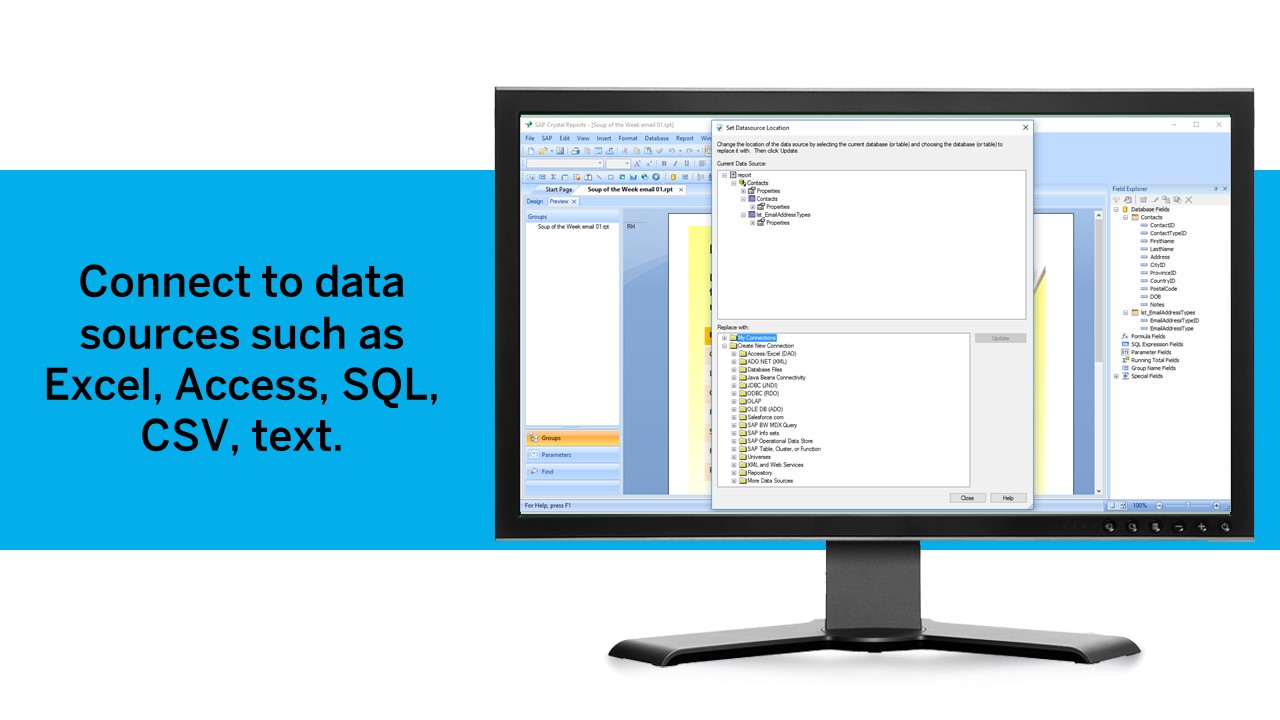
Crystal Reports can connect to a wide variety of data sources.
Crystal Reports can be a little daunting when first implementing. There are a lot of nuances in learning how to truly master this software and it can be frustrating at times.
A de minimis incentive was given to thank the reviewer for their time. The incentive was not used to bias or drive a particular response, nor was the incentive contingent on a positive endorsement. TR verified that a representative sample of customers was invited. More Info
Easier to customize the Jasper Server GUI. More flexibility with the input controls look and feel and maybe more input control types to select from.
Have browser event functionality in the reporting itself.
An easier way to iterate through an object. Maybe an option that tells the report Java run-time to stop following the report sequential flow and first integrate through this stated object many times.
An easier way to create a list and add values to this list.
Maybe one could stipulate the process flow of what needs to be computed first in a given field.
The crosstab is a bit buggy on the Jasper studio side, so if that could be improved.
Better and more examples of custom components
The jive functionality on the tables needs an update. It looks so old and outdated.
A de minimis incentive was given to thank the reviewer for their time. The incentive was not used to bias or drive a particular response, nor was the incentive contingent on a positive endorsement. TR verified that a representative sample of customers was invited. More Info
A de minimis incentive was given to thank the reviewer for their time. The incentive was not used to bias or drive a particular response, nor was the incentive contingent on a positive endorsement. TR verified that a representative sample of customers was invited. More Info
Even though there are challenges with Architecture, sizing and other areas with Jaspersoft provided that Jaspersoft comes up with the right set of innovation, performance, scalability, and documentation in future it will be great expansion (win-win) situation for the clients and as well as Jaspersoft.
A de minimis incentive was given to thank the reviewer for their time. The incentive was not used to bias or drive a particular response, nor was the incentive contingent on a positive endorsement. More Info
We have been using this product for so many years and it has truly become a cornerstone to our business processes when it comes to developing and distributing information via reports. We currently have over 500 reports developed to date over about 30 systems and that will continue to grow as user needs change.
The overall performance of this platform has been excellent. It is easy to work with the user interface. Creation of digital content and publishing on our social media platforms during marketing has been easy. Running our applications and upgrading our system to meet international standards has been successful. The user dashboard displays reports and performance of all departments effectively.
A de minimis incentive was given to thank the reviewer for their time. The incentive was not used to bias or drive a particular response, nor was the incentive contingent on a positive endorsement. More Info
Crystal is very robust, but not always easy to use. It create wonderful looking reports, and so deserves a high rating. However, I have to take a couple of points off for the simple fact that I cannot hand it to a user and expect them to be able to do development with it.
A de minimis incentive was given to thank the reviewer for their time. The incentive was not used to bias or drive a particular response, nor was the incentive contingent on a positive endorsement. TR verified that a representative sample of customers was invited. More Info
We have only had a couple of tickets to be open while using Jaspersoft. Each time we have a very prompte responses that would meet our expectations. We always felt that our issues were being address in a timely manner
A de minimis incentive was given to thank the reviewer for their time. The incentive was not used to bias or drive a particular response, nor was the incentive contingent on a positive endorsement. TR verified that a representative sample of customers was invited. More Info
The support community can be difficult to navigate. I've also run into issues with my login. The SAP system has a bizarre mechanism for validating users that requires users to have what is called an S-ID. A basic ID may not give you access to all the features in the portal. The limitation may include not being able to perform a simple task like downloading patches and updates. This isn't a big deal for single user license but for teams it can be a pain.
A de minimis incentive was given to thank the reviewer for their time. The incentive was not used to bias or drive a particular response, nor was the incentive contingent on a positive endorsement. TR verified that a representative sample of customers was invited. More Info
A de minimis incentive was given to thank the reviewer for their time. The incentive was not used to bias or drive a particular response, nor was the incentive contingent on a positive endorsement. TR verified that a representative sample of customers was invited. More Info
While the training was somewhat beneficial, a lot of what was taught to us was what we managed to figure out in the weeks prior. It did provide some useful tips and reference material, but overall something more tailored to our requirements would've been better.
A de minimis incentive was given to thank the reviewer for their time. The incentive was not used to bias or drive a particular response, nor was the incentive contingent on a positive endorsement. TR verified that a representative sample of customers was invited. More Info
New releases can be very buggy, also lacking when it comes to standard time zones and formats that are outside the US. As a company we never feel comfortable implementing a new release for at least 3-6 months due to errors that are found
A de minimis incentive was given to thank the reviewer for their time. The incentive was not used to bias or drive a particular response, nor was the incentive contingent on a positive endorsement. TR verified that a representative sample of customers was invited. More Info
Just like any other implementation: When designing the differing reports, get end users' input, make sure to design the reports so that they display the information that the company requires, in the best and clearest way possible.
Test, test, test, revise when needed, and, particularly, do sufficient training so users are comfortable using Crystal Reports!
A de minimis incentive was given to thank the reviewer for their time. The incentive was not used to bias or drive a particular response, nor was the incentive contingent on a positive endorsement. TR verified that a representative sample of customers was invited. More Info
Crystal reports is very expensive and does not integrate well with java based servers. Jasper also provides community edition, if we every want to downgrade the use, we always have the option of eliminating the server and using the reports as they are. Jasper also give you the opportunity to build BI on case by base basis including Dashboards.
A de minimis incentive was given to thank the reviewer for their time. The incentive was not used to bias or drive a particular response, nor was the incentive contingent on a positive endorsement. TR verified that a representative sample of customers was invited. More Info
Crystal reports is useful in case we want to import data from data base . We can write queries in it but Google Charts require to be implemented in our application using code so crystal reports is better than Google Charts.
A de minimis incentive was given to thank the reviewer for their time. The incentive was not used to bias or drive a particular response, nor was the incentive contingent on a positive endorsement. TR verified that a representative sample of customers was invited. More Info
Jaspersoft Community Edition has not had any significant impact on our ROI as we have purchased the commercial edition of the product.
The only impact on ROI is that when we bring on new developers, he or she can begin work using the community edition while awaiting the installation of the commercial edition.
A de minimis incentive was given to thank the reviewer for their time. The incentive was not used to bias or drive a particular response, nor was the incentive contingent on a positive endorsement. More Info
It is a decent buy for specific departments in terms of reporting capabilities but updates and cost (frequent) demands are higher with the benefits offered.
So long as the requirements are not ever changing, with scheduling functionality, it's a handsome tool.
A de minimis incentive was given to thank the reviewer for their time. The incentive was not used to bias or drive a particular response, nor was the incentive contingent on a positive endorsement. TR verified that a representative sample of customers was invited. More Info