TrustRadius: an HG Insights company

Save this comparison

Save this comparison

Add Product

Recommended Comparisons

    Overview
    ProductRatingMost Used ByProduct SummaryStarting Price

    Klipfolio PowerMetrics

    N/A
    Mid-Size Companies (51-1,000 employees)
    PowerMetrics is an analytics and business intelligence platform built to centralize and standardize metrics across teams. Designed for both data experts and business leaders, PowerMetrics empowers organizations to define, catalog, and explore metrics in a collaborative, self-serve environment.

    $60

    per month

    Sigma

    Score8.4 out of 10
    N/ASigma Computing headquartered in San Francisco provides a suite of data services such as code free data modeling, data search and explorating, and related BI and data visualization services.N/A
    Pricing
    Klipfolio PowerMetricsSigma
    Editions & Modules
    Professional
    $60
    per month
    No answers on this topic
    Offerings
    Pricing Offerings
    Klipfolio PowerMetricsSigma
    Free Trial
    YesYes
    Free/Freemium Version
    YesNo
    Premium Consulting/Integration Services
    YesNo
    Entry-level Setup Fee-$60Optional
    Additional Details—Contact us for pricing.
    More Pricing Information
    Community Pulse
    Klipfolio PowerMetricsSigma
    Considered Both Products
    Klipfolio
    No answer on this topic
    Sigma Computing
    No answer on this topic
    Key User Insights
    Would buy again
    No answers on this topic
    94%
    Would buy again
    118 Answers
    Delivers good value for the price
    No answers on this topic
    97%
    Delivers good value for the price
    77 Answers
    Happy with the feature set
    No answers on this topic
    92%
    Happy with the feature set
    116 Answers
    Lived up to sales and marketing promises
    No answers on this topic
    97%
    Lived up to sales and marketing promises
    68 Answers
    Implementation went as expected
    No answers on this topic
    97%
    Implementation went as expected
    77 Answers
    Features
    Klipfolio PowerMetricsSigma
    BI Standard Reporting
    Comparison of BI Standard Reporting features of Klipfolio PowerMetrics and Sigma Computing
    Feature
    Klipfolio PowerMetrics
    -
    Ratings
    Sigma Computing
    7.5
    163 Ratings
    8% below category average
    Pixel Perfect reports00 Ratings5.4104 Ratings
    Customizable dashboards00 Ratings9.3161 Ratings
    Report Formatting Templates00 Ratings7.7133 Ratings
    Ad-hoc Reporting
    Comparison of Ad-hoc Reporting features of Klipfolio PowerMetrics and Sigma Computing
    Feature
    Klipfolio PowerMetrics
    -
    Ratings
    Sigma Computing
    7.5
    166 Ratings
    6% below category average
    Drill-down analysis00 Ratings8.0155 Ratings
    Formatting capabilities00 Ratings7.0163 Ratings
    Integration with R or other statistical packages00 Ratings7.35 Ratings
    Report sharing and collaboration00 Ratings7.7162 Ratings
    Report Output and Scheduling
    Comparison of Report Output and Scheduling features of Klipfolio PowerMetrics and Sigma Computing
    Feature
    Klipfolio PowerMetrics
    -
    Ratings
    Sigma Computing
    7.5
    156 Ratings
    9% below category average
    Publish to Web00 Ratings7.3103 Ratings
    Publish to PDF00 Ratings7.7130 Ratings
    Report Versioning00 Ratings7.0120 Ratings
    Report Delivery Scheduling00 Ratings7.6132 Ratings
    Delivery to Remote Servers00 Ratings7.968 Ratings
    Data Discovery and Visualization
    Comparison of Data Discovery and Visualization features of Klipfolio PowerMetrics and Sigma Computing
    Feature
    Klipfolio PowerMetrics
    -
    Ratings
    Sigma Computing
    6.8
    149 Ratings
    16% below category average
    Pre-built visualization formats (heatmaps, scatter plots etc.)00 Ratings8.6147 Ratings
    Location Analytics / Geographic Visualization00 Ratings5.626 Ratings
    Predictive Analytics00 Ratings6.218 Ratings
    Best Alternatives
    Klipfolio PowerMetricsSigma
    Small Businesses
    Cyfe
    Score4 out of 10
    Cyfe
    Score4 out of 10
    Medium-sized Companies
    Qlik Cloud Analytics (Qlik Sense)
    Score8.1 out of 10
    Qlik Cloud Analytics (Qlik Sense)
    Score8.1 out of 10
    Enterprises
    Jaspersoft Community Edition
    Score7 out of 10
    Jaspersoft Community Edition
    Score7 out of 10
    All AlternativesView all alternativesView all alternatives
    User Ratings
    Klipfolio PowerMetricsSigma
    Likelihood to Recommend
    -
    (0 ratings)
    8.2
    (170 ratings)
    Likelihood to Renew
    -
    (0 ratings)
    10.0
    (6 ratings)
    Usability
    -
    (0 ratings)
    7.6
    (48 ratings)
    Availability
    -
    (0 ratings)
    8.2
    (2 ratings)
    Performance
    -
    (0 ratings)
    9.1
    (2 ratings)
    Support Rating
    -
    (0 ratings)
    10.0
    (47 ratings)
    Implementation Rating
    -
    (0 ratings)
    9.1
    (2 ratings)
    Configurability
    -
    (0 ratings)
    7.3
    (1 ratings)
    Ease of integration
    -
    (0 ratings)
    9.1
    (1 ratings)
    Product Scalability
    -
    (0 ratings)
    8.2
    (2 ratings)
    Vendor post-sale
    -
    (0 ratings)
    7.3
    (1 ratings)
    User Testimonials
    Klipfolio PowerMetricsSigma
    Likelihood to Recommend
    Klipfolio
    No answers on this topic
    Sigma Computing
    We were able to set up client-facing embedded reports with ease and security. The interface is not difficult to learn, although we may not be aware of or lack the necessary expertise to utilize more advanced features that would likely benefit us.
    Incentivized
    Read full review
    Pros
    Klipfolio
    No answers on this topic
    Sigma Computing
    • Allows end users to easily dive into the data without having direct access to the table in our database management software.
    • Can easily turnaround dashboards that are detailed and visually pleasing.
    • Sigma is intuitive and as new features are rolled out it is easy to adopt and incorporate them into new and existing dashboards.
    Incentivized
    Read full review
    Cons
    Klipfolio
    No answers on this topic
    Sigma Computing
    • Sigma Computing does not allow custom ordering of pivot fields in pivot tables easily
    • Sigma Computing lacks functionality for creating tables or sections that dynamically adjust to the browser window's height while maintaining a fixed height textbox at the bottom
    • Sigma Computing does not provide straightforward options for formatting totals in tables, such as renaming 'Total' to 'Average', 'Team Total', etc
    • Sigma Computing does not support searching by individual tab names within a workbook
    Incentivized
    Read full review
    Likelihood to Renew
    Klipfolio
    No answers on this topic
    Sigma Computing
    Sigma has helped us a lot and has become an integral part of our daily workflow. It would be difficult to switch to another platform and have to rebuild the numerous metrics and performance reports that we have already established
    Incentivized
    Read full review
    Usability
    Klipfolio
    No answers on this topic
    Sigma Computing
    It has a clean and modern interface. However, it is not completely intuitive. I think it would be better and easier to navigate with more Windows style drop down menus and/or tabls. There is a significant learning curve, but that may be due in part to the technical nature of this type of software tool.
    Incentivized
    Read full review
    Reliability and Availability
    Klipfolio
    No answers on this topic
    Sigma Computing
    Yes, as long as you don’t conduct user error sigma is always up and running and waiting for you to complete your dashboards
    Incentivized
    Read full review
    Performance
    Klipfolio
    No answers on this topic
    Sigma Computing
    It depends, it loads quickly for smaller dashboards but when loading larger amounts of data it takes more time to do so
    Incentivized
    Read full review
    Support Rating
    Klipfolio
    No answers on this topic
    Sigma Computing
    They are very friendly and informative. They are quick in resolving our queries and help us understand very minute things as well. They are quick in creating feature tickets based on our custom requirements, and they would also create a bug ticket if there is any discrepancy and get that checked on time.
    Incentivized
    Read full review
    Implementation Rating
    Klipfolio
    No answers on this topic
    Sigma Computing
    Was not involved in implementation
    Incentivized
    Read full review
    Alternatives Considered
    Klipfolio
    No answers on this topic
    Sigma Computing
    With Looker, to be effective, a substantial amount of coding & modeling needs to happen in LookML. Being another language to learn, users have to context switch again from at a minimum either SQL or Python into LookML. The concept of being able to source control, code review, and deploy your models is a plus though.
    Tableau is the gold standard for data visualization, no question. Power users will be able to create dazzling content that Sigma won't necessarily be able to easily match. However, since development usually happens via an extract, helping other users troubleshoot is an arduous process. Trying to re-do or un-do all the transformations and calculations that cause a certain number is very difficult.
    With Sigma, all the queries happen directly against Snowflake and you can see the query logs. The data modeling happens right in a tabular, spreadsheet-like manner, so within only a few minutes, substantial transformations can happen, with visualizations just a few more clicks away.
    Read full review
    Scalability
    Klipfolio
    No answers on this topic
    Sigma Computing
    It is a cloud service offering that is able to expand based on your usage
    Incentivized
    Read full review
    Return on Investment
    Klipfolio
    No answers on this topic
    Sigma Computing
    • Monitoring health of cloud platform has allowed the company to anticipate issues before they affect customers – Sigma prompted us building a canary monitoring process that provides customer container health.
    • Customer success has used an activity report to discover customers running runaway processes that they were unaware of, creating an alert to contact the customer and prevent an embarrassing situation.
    • Customer success uses the activity report to prompt conversations regarding increases or declines in behavior that led to increasing contract limits or addressing churn concerns.
    Incentivized
    Read full review
    ScreenShots

    Klipfolio PowerMetrics Screenshots
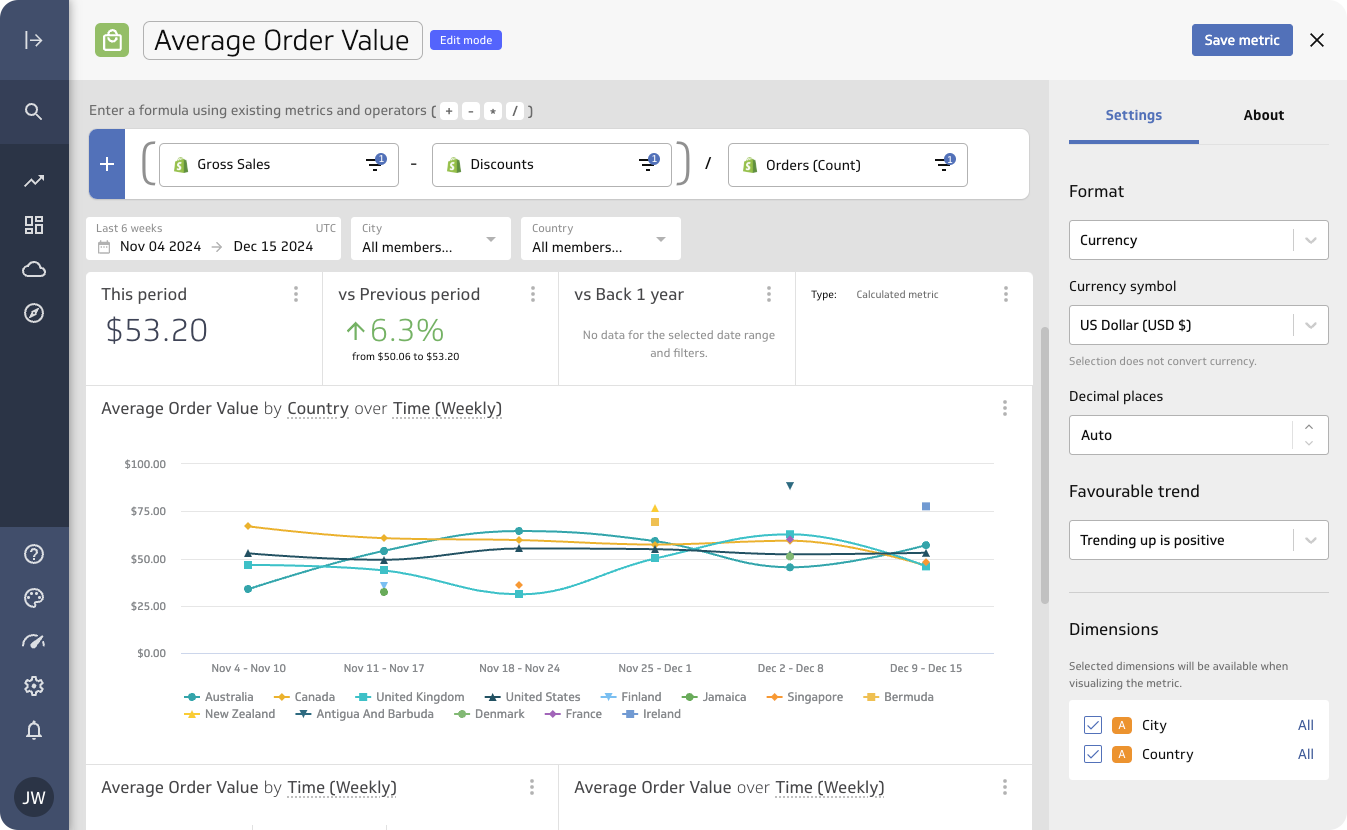
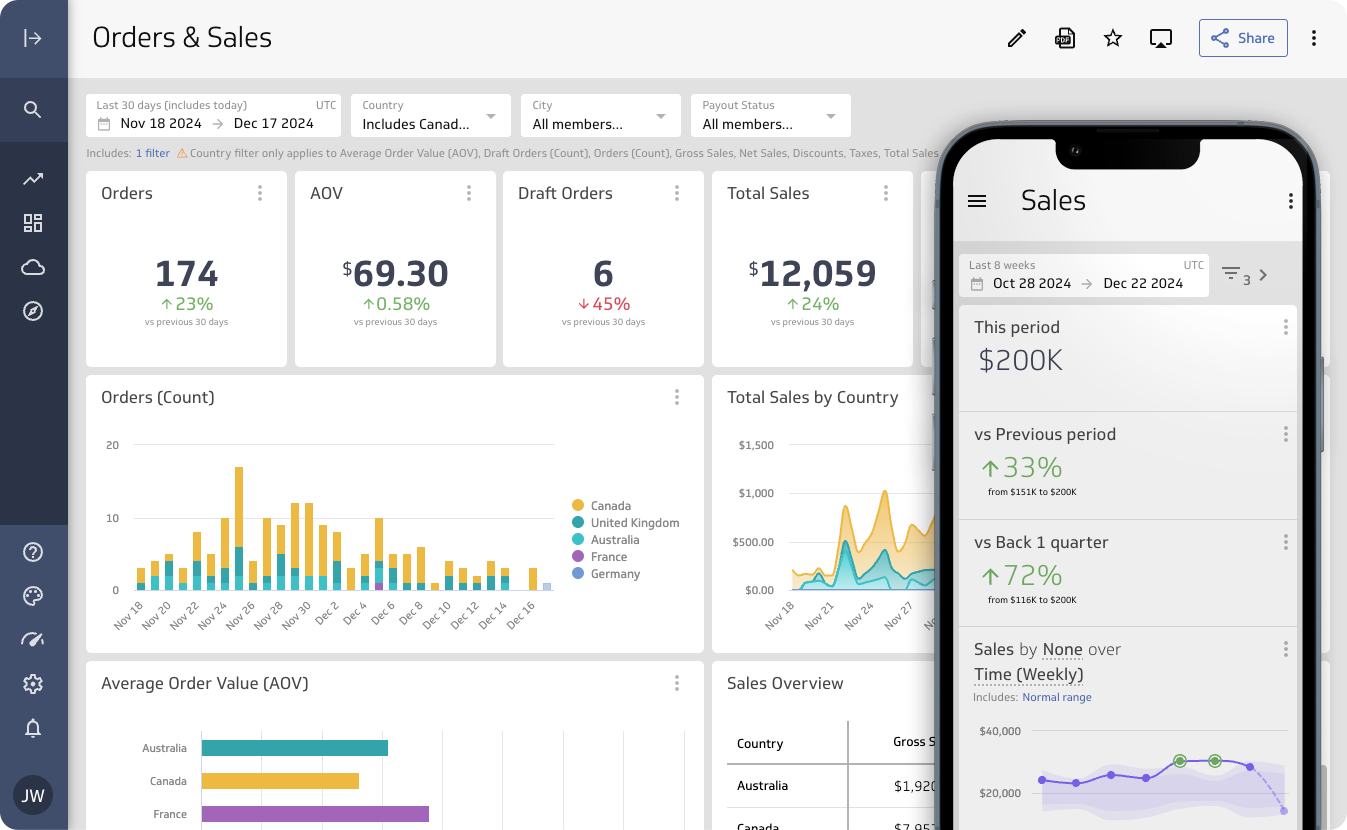
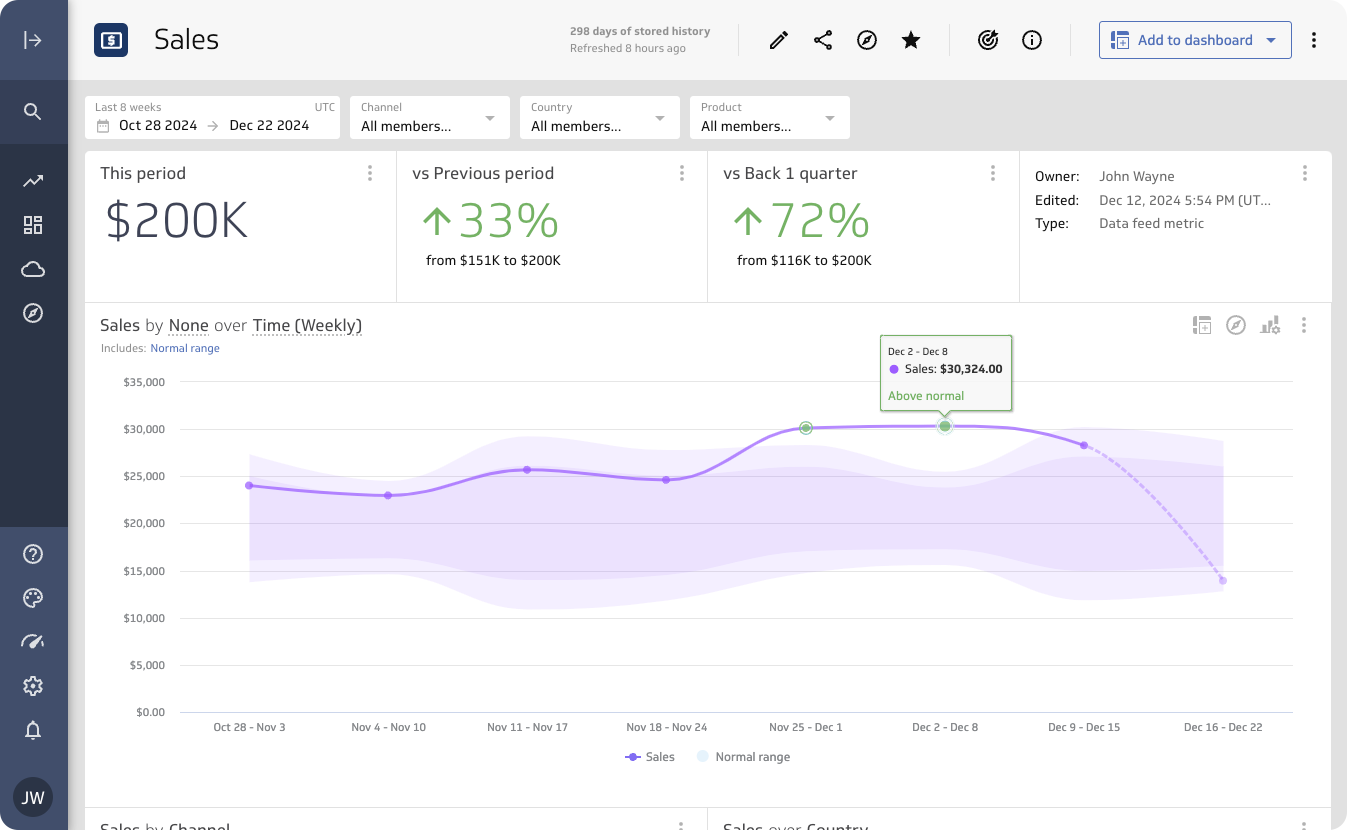
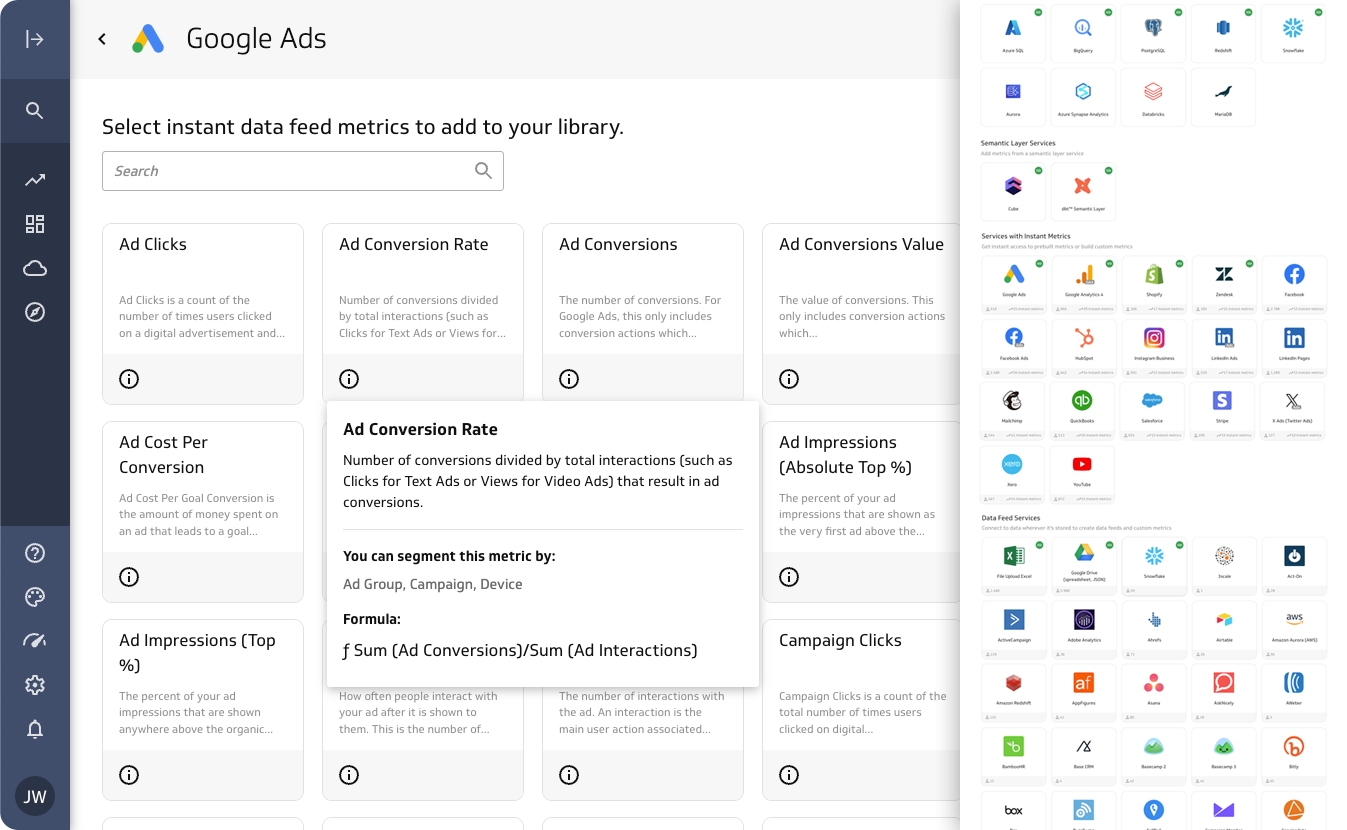
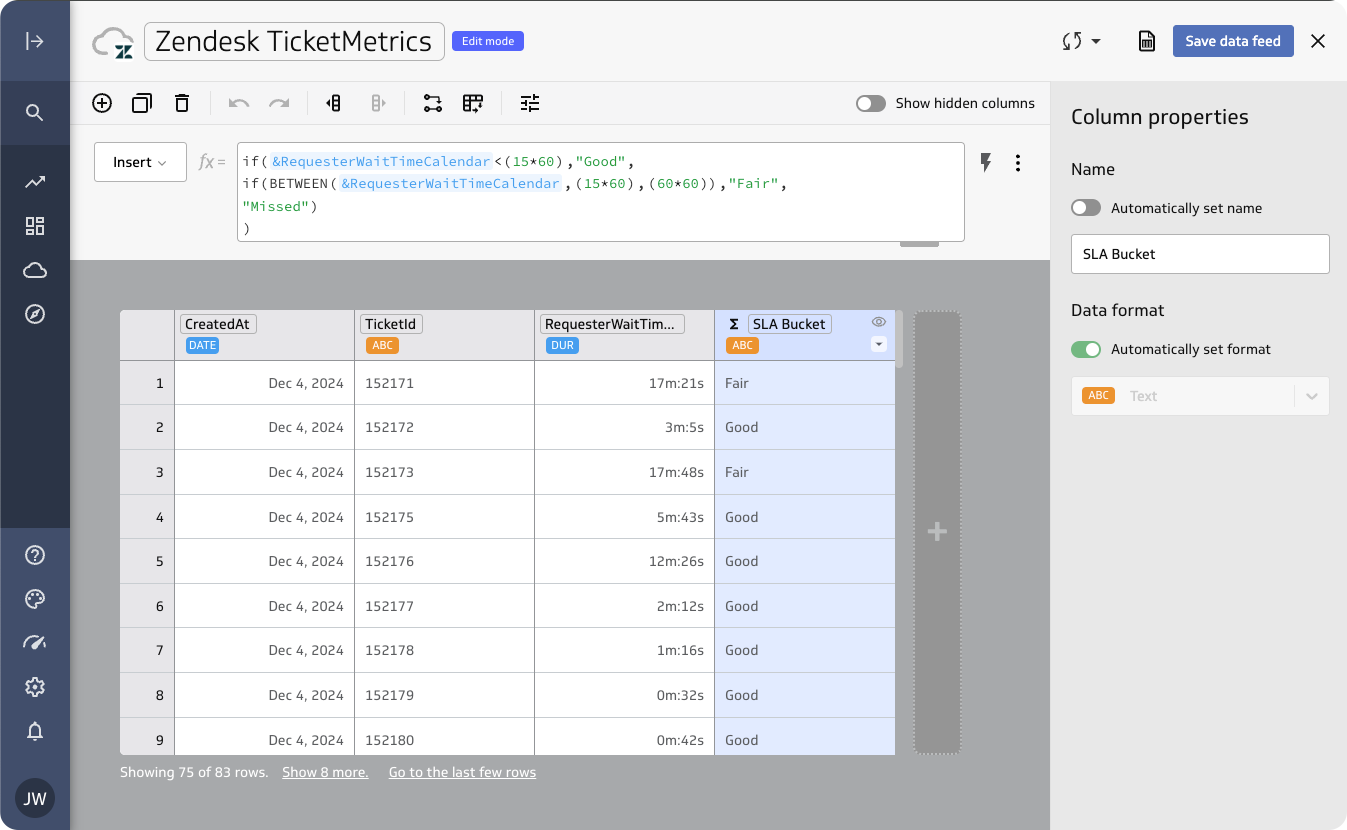
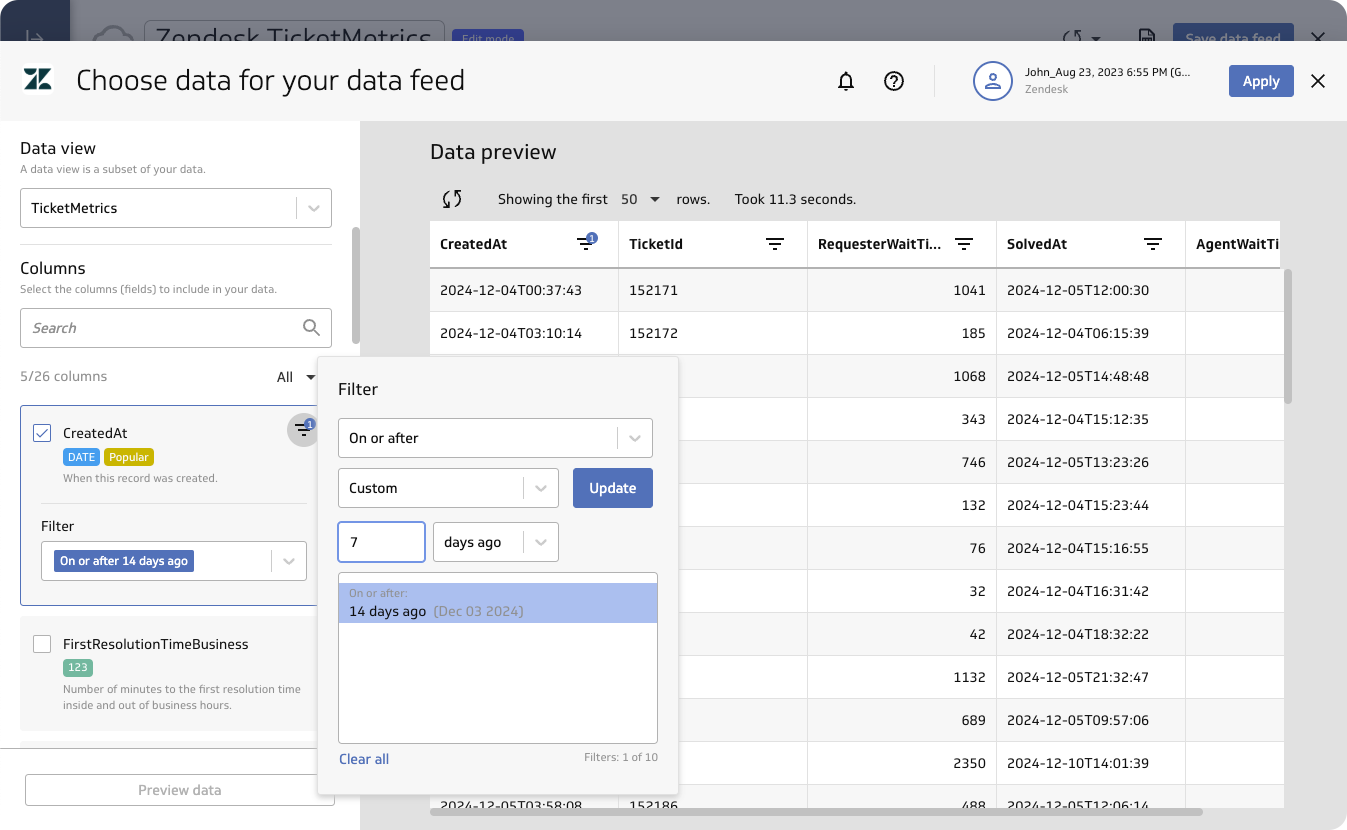
    Screenshot of An Orders & Sales dashboard. PowerMetrics connects business metrics directly to data sources, helping users to build up-to-date dashboards for tracking KPIs, monitoring performance, or creating reliable reports.Screenshot of a customizable metric homepage that summarizes key data points and trends. Users can adjust layouts and visuals, or revert to the default design anytime for a clear snapshot of business performance.Screenshot of where to connect PowerMetrics to data, whether it’s stored in online services, spreadsheets, databases, or warehouses. Pre-built templates are available, and connections can be customized using SQL, APIs, or the query builder. Real-time updates ensure these dashboards always show the latest insights.Screenshot of PowerMetrics’ transformation tools that help to streamline data preparation. These are used to clean, format, merge, unpivot, and calculate fields.Screenshot of the query builder. Users can connect to specific tables and fields, apply filters, and create calculated fields to ensure metrics are precise and actionable.Screenshot of calculated metrics. Existing metrics can be combined to analyze margins, track growth, or measure retention, to produce tailored, advanced analytics.