KNIME enables users to analyze, upskill, and scale data science without any coding. The platform that lets users blend, transform, model and visualize data, deploy and monitor analytical models, and share insights organization-wide with data apps and services.
$0
per month
Looker
Score8.1 out of 10
N/A
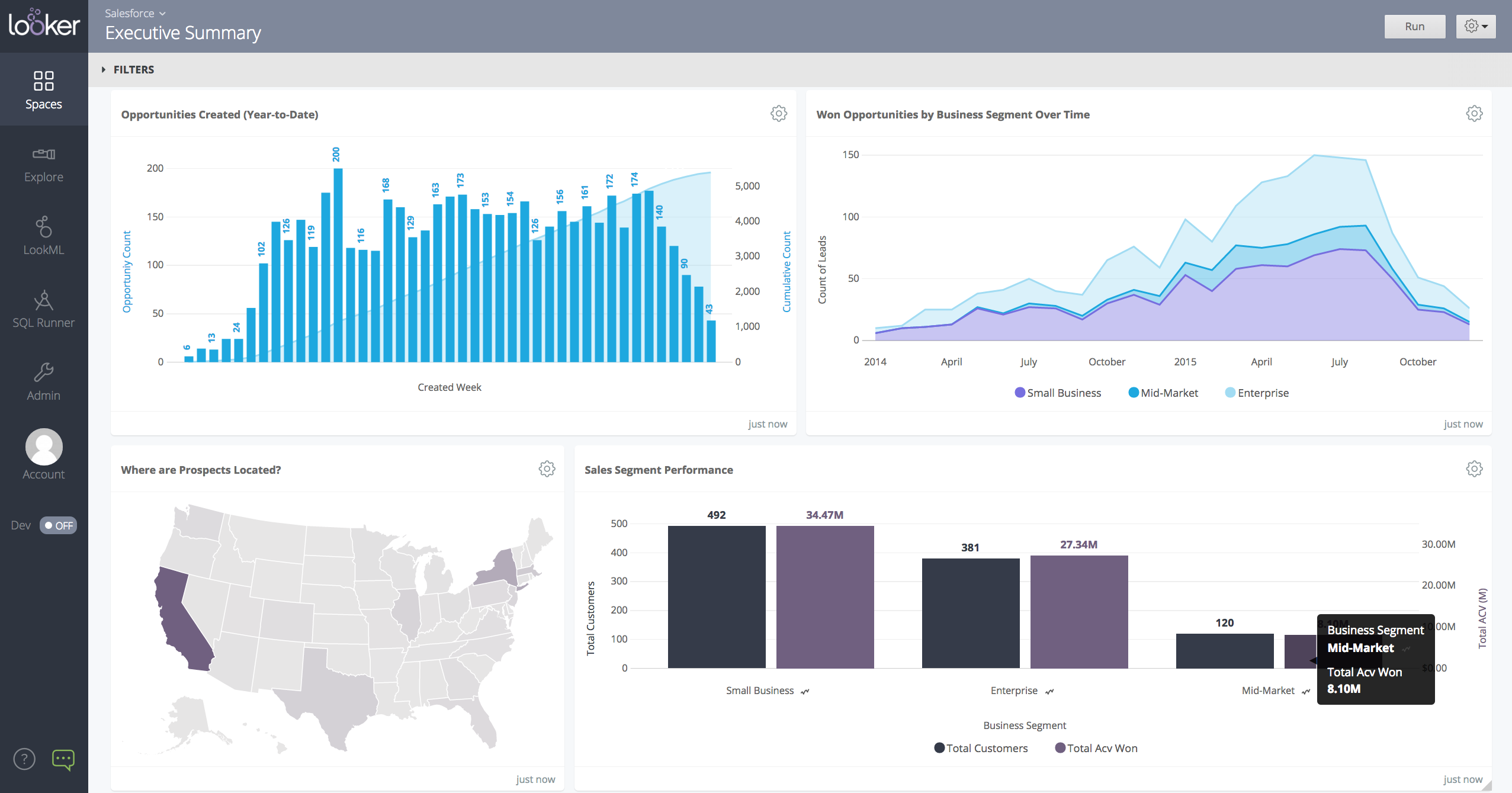
Looker is a BI application with an analytics-oriented application server that sits on top of relational data stores. It includes an end-user interface for exploring data, a reusable development paradigm for data discovery, and an API for supporting data in other systems.
KNIME Analytics Platform is excellent for people who are finding Excel frustrating, this can be due to errors creeping in due to manual changes or simply that there are too many calculations which causes the system to slow down and crash. This is especially true for regular reporting where a KNIME Analytics Platform workflow can pull in the most recent data, process it and provide the necessary output in one click. I find KNIME Analytics Platform especially useful when talking with audiences who are intimidated by code. KNIME Analytics Platform allows us to discuss exactly how data is processed and an analysis takes place at an abstracted level where non-technical users are happy to think and communicate which is often essential when they are subject matter experts whom you need for guidance. For experienced programmers KNIME Analytics Platform is a double-edged sword. Often programmers wish to write their own code because they are more efficient working that way and are constrained by having to think and implement work in nodes. However, those constraints forcing development in a "KNIME way" are useful when working in teams and for maintenance compared to some programmers' idiosyncratic styles.
A de minimis incentive was given to thank the reviewer for their time. The incentive was not used to bias or drive a particular response, nor was the incentive contingent on a positive endorsement. More Info
When data drives potential for new orders, Looker earns its place in our tech stack. If, on the other hand, we are hoping for pipeline generation, Looker is useful if you are willing to repeatedly go check customer utilizations .... it is not appropriate if you are hoping to automate data analysis for this purpose.
A de minimis incentive was given to thank the reviewer for their time. The incentive was not used to bias or drive a particular response, nor was the incentive contingent on a positive endorsement. TR verified that a representative sample of customers was invited. More Info
Show visited pages - sessions, pageviews - which programs are viewed the most.
Displays session source/medium views to see where users are coming from.
It shows the video titles, URLs, and event counts so we can monitor the performance of our videos.
It gives a graphic face to the numbers, such as using bar charts, pie graphs, and other charts to show user trends or which channels are driving engagement.
Our clients like to see the top pages visited for a month.
I like the drop-and-drag approach, and building charts is a little easier than it was before.
A de minimis incentive was given to thank the reviewer for their time. The incentive was not used to bias or drive a particular response, nor was the incentive contingent on a positive endorsement. More Info
A de minimis incentive was given to thank the reviewer for their time. The incentive was not used to bias or drive a particular response, nor was the incentive contingent on a positive endorsement. More Info
A de minimis incentive was given to thank the reviewer for their time. The incentive was not used to bias or drive a particular response, nor was the incentive contingent on a positive endorsement. More Info
We are happy with Knime product and their support. Knime AP is versatile product and even can execute Python scripts if needed. It also supports R execution as well; however, it is not being used at our end
I give it this rating because it deems as effective, I am able to complete majority of my tasks using this app. It is very helpful when analyzing the data provided and shown in the app and it's just overall a great app for Operational use, despite the small hiccups it has (live data).
A de minimis incentive was given to thank the reviewer for their time. The incentive was not used to bias or drive a particular response, nor was the incentive contingent on a positive endorsement. TR verified that a representative sample of customers was invited. More Info
KNIME Analytics Platform offers a great tradeoff between intuitiveness and simplicity of the user interface and almost limitless flexibility. There are tools that are even easier to adopt by someone new to analytics, but none that would provide the scalability of KNIME when the user skills and application complexity grows
A de minimis incentive was given to thank the reviewer for their time. The incentive was not used to bias or drive a particular response, nor was the incentive contingent on a positive endorsement. More Info
Looker is relatively easy to use, even as it is set up. The customers for the front-end only have issues with the initial setup for looker ml creations. Other "looks" are relatively easy to set up, depending on the ETL and the data which is coming into Looker on a regular basis.
A de minimis incentive was given to thank the reviewer for their time. The incentive was not used to bias or drive a particular response, nor was the incentive contingent on a positive endorsement. More Info
A de minimis incentive was given to thank the reviewer for their time. The incentive was not used to bias or drive a particular response, nor was the incentive contingent on a positive endorsement. TR verified that a representative sample of customers was invited. More Info
Somehow resources heavy, both on server and client. I recommned at least 50Mbs data rate and high performance desktop comouter to be abke to run comolex tasks and configure larger amount of data. On the other hand, the client does not need to worry when viewing, the performance is usually ok
A de minimis incentive was given to thank the reviewer for their time. The incentive was not used to bias or drive a particular response, nor was the incentive contingent on a positive endorsement. TR verified that a representative sample of customers was invited. More Info
KNIME's HQ is in Europe, which makes it hard for US companies to get customer service in time and on time. Their customer service also takes on average 1 to 2 weeks to follow up with your request. KNIME's documentation is also helpful but it does not provide you all the answers you need some of the time.
A de minimis incentive was given to thank the reviewer for their time. The incentive was not used to bias or drive a particular response, nor was the incentive contingent on a positive endorsement. More Info
Never had to work with support for issues. Any questions we had, they would respond promptly and clearly. The one-time setup was easy, by reading documentation. If the feature is not supported, they will add a feature request. In this case, LDAP support was requested over OKTA. They are looking into it.
A de minimis incentive was given to thank the reviewer for their time. The incentive was not used to bias or drive a particular response, nor was the incentive contingent on a positive endorsement. More Info
KNIME Analytics Platform is easy to install on any Windows, Mac or Linux machine. The KNIME Server product that is currently being replaced by the KNIME Business Hub comes as multiple layers of software and it took us some time to set up the system right for stability. This was made harder by KNIME staff's deeper expertise in setting up the Server in Linux rather than Windows environment. The KNIME Business Hub promises to have a simpler architecture, although currently there is no visibility of a Windows version of the product.
A de minimis incentive was given to thank the reviewer for their time. The incentive was not used to bias or drive a particular response, nor was the incentive contingent on a positive endorsement. More Info
A de minimis incentive was given to thank the reviewer for their time. The incentive was not used to bias or drive a particular response, nor was the incentive contingent on a positive endorsement. TR verified that a representative sample of customers was invited. More Info
Having used both the Alteryx and [KNIME Analytics] I can definitely feel the ease of using the software of Alteryx. The [KNIME Analytics] on the other hand isn't that great but is 90% of what Alteryx can do along with how much ease it can do. Having said that, the 90% functionality and UI at no cost would be enough for me to quit using Alteryx and move towards [KNIME Analytics].
A de minimis incentive was given to thank the reviewer for their time. The incentive was not used to bias or drive a particular response, nor was the incentive contingent on a positive endorsement. More Info
Looker Studio, you can easily report on data from various sources without programming. Looker Studio is available at no charge for creators and report viewers. Enterprise customers who upgrade to Looker Studio Pro will receive support and expanded administrative features, including team content management. So it's good.
A de minimis incentive was given to thank the reviewer for their time. The incentive was not used to bias or drive a particular response, nor was the incentive contingent on a positive endorsement. TR verified that a representative sample of customers was invited. More Info
A de minimis incentive was given to thank the reviewer for their time. The incentive was not used to bias or drive a particular response, nor was the incentive contingent on a positive endorsement. TR verified that a representative sample of customers was invited. More Info
It is suited for data mining or machine learning work but If we're looking for advanced stat methods such as mixed effects linear/logistics models, that needs to be run through an R node.
Thinking of our peers with an advanced visualization techniques requirement, it is a lagging product.
A de minimis incentive was given to thank the reviewer for their time. The incentive was not used to bias or drive a particular response, nor was the incentive contingent on a positive endorsement. More Info
Looker has a poignant impact on our business's ROI objectives. As an advertising exchange we have specific goals for daily requests and fill, and having premade Looks to monitor this is an integral piece of our operational capability
To facilitate an efficient monthly billing cycle in our organization, Looker is essential to track estimated revenue and impression delivery by publisher. Without the Looks we have set up, we would spend considerably more time and effort segmenting revenue by vertical.
Looker's unique value proposition is making analytical tools more digestible to people without conventional analytical experience. Other competing tools like Tableau require considerably more training and context to successfully use, and the ability to easily plot different visualizations is one of its greatest selling points.
A de minimis incentive was given to thank the reviewer for their time. The incentive was not used to bias or drive a particular response, nor was the incentive contingent on a positive endorsement. TR verified that a representative sample of customers was invited. More Info