TrustRadius: an HG Insights company

Lightning Tools Social Squared Discussion Board vs. SmartSuite

Save this comparison

Save this comparison

Add Product

Recommended Comparisons

    Overview
    ProductRatingMost Used ByProduct SummaryStarting Price

    Lightning Tools Social Squared Discussion Board

    Score9.1 out of 10
    Enterprise companies (1,001+ employees)
    Social Squared is a SharePoint Discussion Board App that can be deployed across SharePoint Online and Microsoft Teams. Social Squared improves productivity and efficiency by providing structured discussion forums for employee and student discussions. For Microsoft SharePoint Social Squared is a SharePoint discussion board application where users can post questions within relevant forums and receive answers to their questions from subject matter experts. The…

    $2,200

    per year per installation

    SmartSuite

    Score10 out of 10
    N/ASmartSuite provides a collaborative Work Management platform that enables teams to plan, track and manage workflows - whether it be a project, an ongoing process or routine everyday tasks. SmartSuite helps coordinate people and work across all levels of an organization to ensure that team members have the information they need to accomplish the work that matters most. Team members can create a workflow, or choose from over 200 templates that can be tailored to their exact needs.

    $10

    per month per user

    Pricing
    Lightning Tools Social Squared Discussion BoardSmartSuite
    Editions & Modules
    Social Squared Discussion Board
    From $2200
    per year per installation
    Social Squared Discussion Board Enterprise Edition
    POA
    per year per installation
    No answers on this topic
    Offerings
    Pricing Offerings
    Lightning Tools Social Squared Discussion BoardSmartSuite
    Free Trial
    YesYes
    Free/Freemium Version
    NoNo
    Premium Consulting/Integration Services
    YesNo
    Entry-level Setup FeeNo setup feeNo setup fee
    Additional DetailsPrices stated are minimum per installation for "stock" products. $2.20 per user/year on top of base price. Enterprise editions can be amended to suit business needs if deemed necessary, additional costs incurred and TBD. All packages include free technical support. Free upgrades available to latest versions of tool as they are released.—
    More Pricing Information
    Community Pulse
    Lightning Tools Social Squared Discussion BoardSmartSuite
    Considered Both Products
    Lightning Tools
    No answer on this topic
    SmartSuite
    No answer on this topic
    Key User Insights
    Would buy again
    No answers on this topic
    94%
    Would buy again
    17 Answers
    Delivers good value for the price
    No answers on this topic
    100%
    Delivers good value for the price
    18 Answers
    Happy with the feature set
    No answers on this topic
    100%
    Happy with the feature set
    18 Answers
    Lived up to sales and marketing promises
    No answers on this topic
    100%
    Lived up to sales and marketing promises
    18 Answers
    Implementation went as expected
    No answers on this topic
    100%
    Implementation went as expected
    18 Answers
    Features
    Lightning Tools Social Squared Discussion BoardSmartSuite
    Project Management
    Comparison of Project Management features of Lightning Tools Social Squared Discussion Board and SmartSuite
    Feature
    Lightning Tools Social Squared Discussion Board
    9.1
    1 Ratings
    16% above category average
    SmartSuite
    9.1
    18 Ratings
    17% above category average
    Mobile Access9.11 Ratings9.017 Ratings
    Search9.11 Ratings00 Ratings
    Task Management00 Ratings9.218 Ratings
    Resource Management00 Ratings9.117 Ratings
    Gantt Charts00 Ratings9.114 Ratings
    Scheduling00 Ratings9.016 Ratings
    Workflow Automation00 Ratings9.117 Ratings
    Team Collaboration00 Ratings9.218 Ratings
    Support for Agile Methodology00 Ratings9.118 Ratings
    Document Management00 Ratings9.117 Ratings
    Email integration00 Ratings9.117 Ratings
    Timesheet Tracking00 Ratings9.214 Ratings
    Change request and Case Management00 Ratings9.016 Ratings
    Budget and Expense Management00 Ratings9.215 Ratings
    Communication
    Comparison of Communication features of Lightning Tools Social Squared Discussion Board and SmartSuite
    Feature
    Lightning Tools Social Squared Discussion Board
    9.1
    1 Ratings
    13% above category average
    SmartSuite
    -
    Ratings
    Chat9.11 Ratings00 Ratings
    Notifications9.11 Ratings00 Ratings
    Discussions9.11 Ratings00 Ratings
    Internal knowledgebase9.11 Ratings00 Ratings
    File Sharing & Management
    Comparison of File Sharing & Management features of Lightning Tools Social Squared Discussion Board and SmartSuite
    Feature
    Lightning Tools Social Squared Discussion Board
    9.1
    1 Ratings
    12% above category average
    SmartSuite
    -
    Ratings
    Versioning9.11 Ratings00 Ratings
    Video files9.11 Ratings00 Ratings
    Audio files9.11 Ratings00 Ratings
    Document collaboration9.11 Ratings00 Ratings
    Access control9.11 Ratings00 Ratings
    Professional Services Automation
    Comparison of Professional Services Automation features of Lightning Tools Social Squared Discussion Board and SmartSuite
    Feature
    Lightning Tools Social Squared Discussion Board
    -
    Ratings
    SmartSuite
    9.2
    15 Ratings
    18% above category average
    Quotes/estimates00 Ratings9.214 Ratings
    Project & financial reporting00 Ratings9.114 Ratings
    Integration with accounting software00 Ratings9.29 Ratings
    Best Alternatives
    Lightning Tools Social Squared Discussion BoardSmartSuite
    Small Businesses
    Flock
    Score9.5 out of 10
    Any.do
    Score8 out of 10
    Medium-sized Companies
    Troop Messenger
    Score9.8 out of 10
    KanbanFlow
    Score7.3 out of 10
    Enterprises
    Cisco Business Edition 7000 (discontinued)
    Score9 out of 10
    Microsoft To Do
    Score7.9 out of 10
    All AlternativesView all alternativesView all alternatives
    User Ratings
    Lightning Tools Social Squared Discussion BoardSmartSuite
    Likelihood to Recommend
    9.1
    (1 ratings)
    9.2
    (18 ratings)
    Likelihood to Renew
    -
    (0 ratings)
    9.1
    (1 ratings)
    Usability
    9.1
    (1 ratings)
    9.1
    (1 ratings)
    Support Rating
    -
    (0 ratings)
    9.1
    (1 ratings)
    Implementation Rating
    -
    (0 ratings)
    9.1
    (1 ratings)
    User Testimonials
    Lightning Tools Social Squared Discussion BoardSmartSuite
    Likelihood to Recommend
    Lightning Tools
    Their customer service it top notch and always responsive. I struggled in the beginning a little bit because I'm not tech savvy and we had to add it to our SharePoint site but they helped me along the way and even had share screen meetings with me to assist!!
    Read full review
    SmartSuite
    It is best suited to be a google alternative for a google drive due to its multiple functions. Can add action items, upload multiple types of files and assign people responsibilities and tasks. It combines resource platform abilities with project management functionality in order to unite all your needs in one area.
    Read full review
    Pros
    Lightning Tools
    • Organizing Data
    • Opens up discussion, whether publicly or anonymously
    • Easy to setup
    Read full review
    SmartSuite
    • SmartSuite is a good collaboration tool
    • The capabilities of the platform are immense
    • The customization features allow users to set up the report type and view it exactly as they want
    • The choice of the fields to be used in the records and reports is really wide
    Read full review
    Cons
    Lightning Tools
    • I would love to be able to assign various people as administrators of different topics (this may be an option now but a couple years ago it wasn't)
    Read full review
    SmartSuite
    • A little better home screen, which is already in the works!
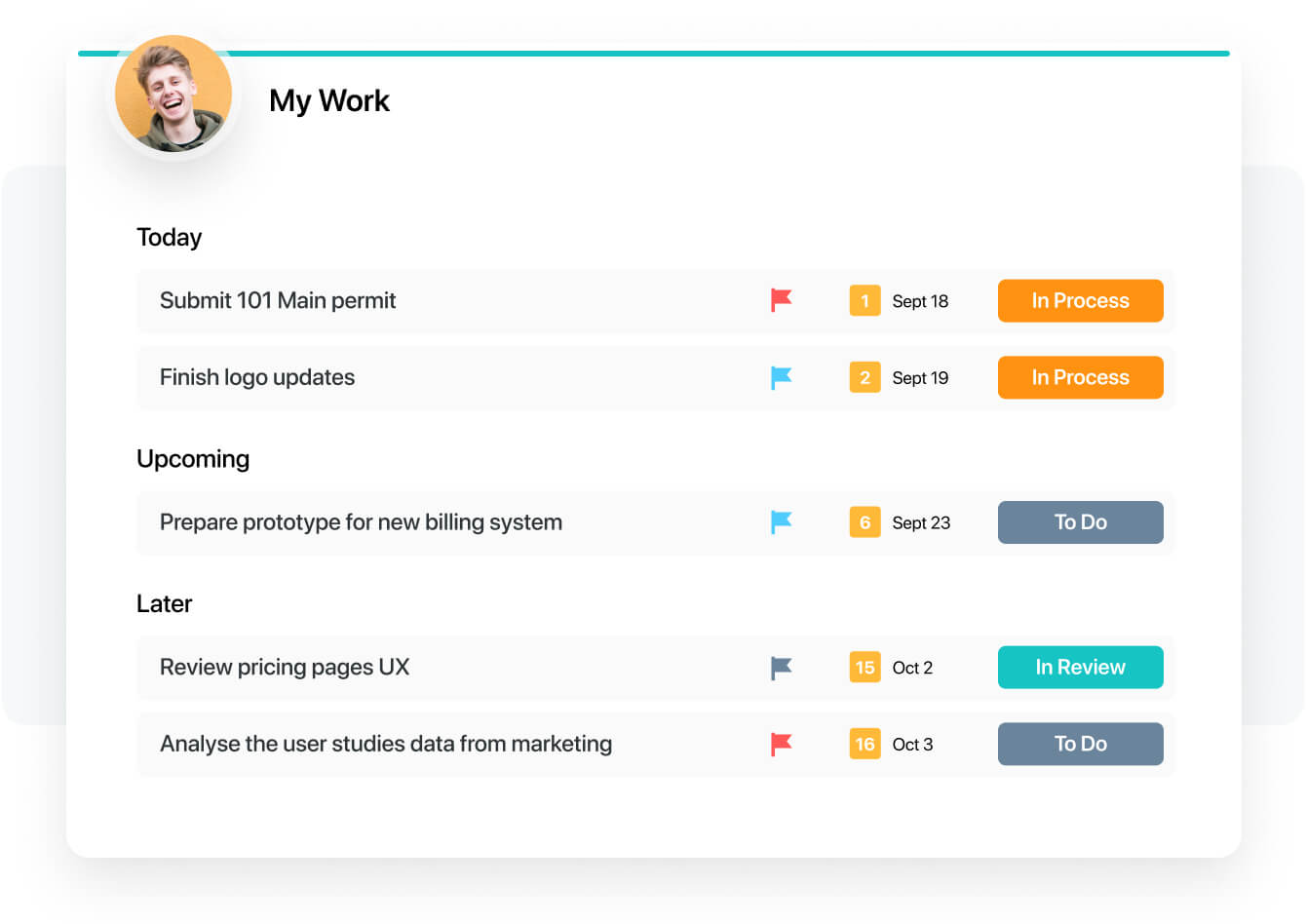
    • Better experience in the my work panel, which is also in the works already!
    Read full review
    Likelihood to Renew
    Lightning Tools
    No answers on this topic
    SmartSuite
    I have a great expereance
    Read full review
    Usability
    Lightning Tools
    Our employees really like the fact that they can find things easily with the search feature and add questions and comments as they see fit.
    Read full review
    SmartSuite
    The product is usability friendly, easy to use, flexible and has all functions I need for my purposes
    Read full review
    Support Rating
    Lightning Tools
    No answers on this topic
    SmartSuite
    They have a great tutorial and a lot of hits during the work process
    Read full review
    Implementation Rating
    Lightning Tools
    No answers on this topic
    SmartSuite
    That's easy. Just try
    Read full review
    Alternatives Considered
    Lightning Tools
    No answers on this topic
    SmartSuite
    For our team, SmartSuite contains all features that we need. Before we use Asana, Trello and tried to use Airtable. But all of these management systems did not satisfy us. Then we started using SmartSuite, got to know all the possibilities and decided to switch to it
    Read full review
    Return on Investment
    Lightning Tools
    • We signed up for a 3 year contract and hope to do another 3yr contract when this one is up. :)
    Read full review
    SmartSuite
    • We have to spend less time on checking where the project is at
    • We can have less PM's in the business
    • Our clients are happier thus leading to more business
    Read full review
    ScreenShots

    Lightning Tools Social Squared Discussion Board Screenshots

    Screenshot of MODERN, RESPONSIVE SHAREPOINT DISCUSSION BOARD
Discussion Forums can be created for a variety of different reasons. This example is a Forum Group for the Microsoft 365 technologies such as Teams, Planner, and SharePoint. Forums are then created within the Forum Groups for more specific discussions. Under the SharePoint Forum Group, there is a Forum for SharePoint On-Premises and SharePoint Online. Anyone looking to ask a question regarding SharePoint 2019 for example would be able to post their question under SharePoint On-Premises rather than SharePoint Online. This also allows subject matter experts to focus more on the questions that they can respond to and provide value.Screenshot of SHAREPOINT DISCUSS BOARD – TOPICS VIEW
When navigating into a forum, the topics and discussions that are taking place are shown. Any new topics that not yet read will be highlighted. It also displays whether topics have been answered, their average ratings, how many views and posts are within the topic, and also provides the ability to subscribe to the forum to be notified of new posts within it.Screenshot of READING DISCUSSIONS AND PROVIDING FEEDBACK
Social Squared offers a threaded discussion view with the ability to provide feedback to other users.

Posts can be rated, voted upon, or liked by users in order to give feedback to the user creating or responding to a post. Additionally, replies can be marked as answered or marked as featured, which gives readers of forums assurance that the response they are reading is validated to be the correct answer.

Users also receive feedback through the earning of badges. The more users post or mark posts as answered, the more points are rewarded. This makes it easy to spot subject matter experts.Screenshot of SUGGESTED TAGS
Social Squared provides a rich text editor for creating and replying to topics. The Rich Text toolbar provides functionality such as inserting images, YouTube videos, Stream Videos, Formatted Code Inserts, as well as font formatting.

While typing, suggestions on how to tag a post appear. Selecting an existing tag will provide consistency in the tags used making it easier for other users to discover the post.Screenshot of SOCIAL SQUARED TAG CLOUD VIEW
The Social Squared Tag Cloud view makes it easy to navigate to posts within a specific category even if they span multiple forums. The more a tag appears in different posts, the more prominent it will be in the tag cloud. Users can navigate to posts with the tag in one click.Screenshot of DISCUSSION BOARD WITHIN MICROSOFT TEAMS TAB
Social Squared is a Discussion Board App for Microsoft Teams Tab’s and Microsoft Teams Personal Apps. Social Squared provides information workers the ability to post questions within relevant forums, and receive answers from their team. The Discussion Board layout for posts makes it easier to find answers to questions that may have already been asked before. Through features such as “Mark as Answered”, “Forum Moderation”, “Post Rating”, “Post Likes”, “Post Voting”, users will be assured that the answers they are reading are validated.

    SmartSuite Screenshots

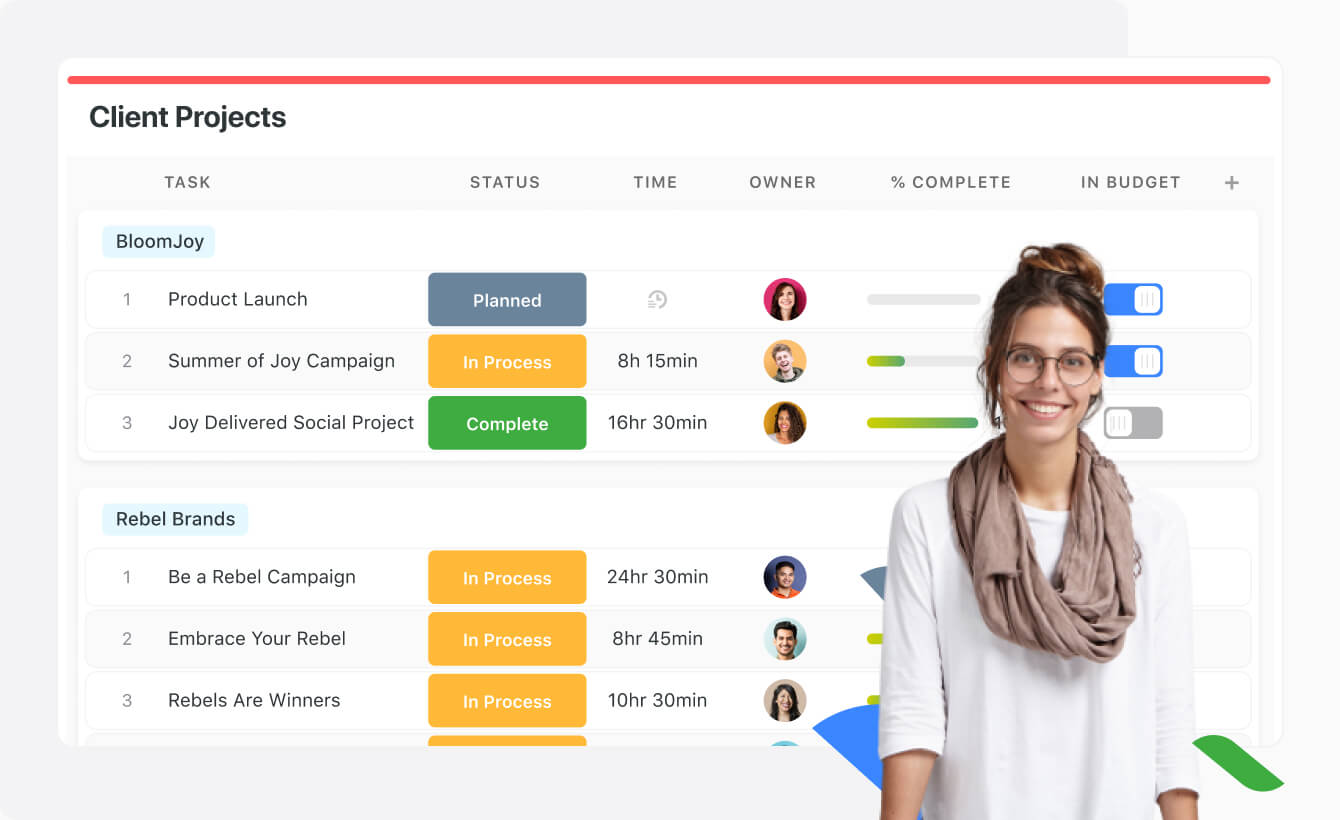
    Product screenshotProduct screenshotProduct screenshotProduct screenshotProduct screenshotProduct screenshot