TrustRadius: an HG Insights company

Save this comparison

Save this comparison

Add Product

Recommended Comparisons

    Overview
    ProductRatingMost Used ByProduct SummaryStarting Price

    Livestorm

    Score8.6 out of 10
    N/AFrench company Livestorm offers their webinar platform which integrates with many other enterprise applications via Zapier and features polling, session recording and sharing, and webinar data collection and tracking.

    $0

    A free plan to discover Livestorm. All features included, such as unlimited webinars and instant meetings. Up to 20 minutes per webinar and up to 10 registrants per webinar.

    Lyssna

    Score7.8 out of 10
    N/ALyssna (formerly UsabilityHub) is a user research platform used to test digital products with real users and gain insights into their audience. Its tools and features help Lyssna to optimize users' designs and create more engaging user-friendly experiences. Lyssna is a research platform, offering a broad range of testing features including: Five Second Testing - Used to quickly test the effectiveness of landing pages, messaging and designs by showing users a…

    $0

    per month (3 seats included)

    Pricing
    LivestormLyssna
    Editions & Modules
    Webinar Basic
    $0.00
    A free plan to discover Livestorm. All features included, such as unlimited webinars and instant meetings. Up to 20 minutes per webinar and up to 10 registrants per webinar.
    Meet Basic
    $0.00
    Limited Instant and Scheduled Meetings for up to four participants
    Meet Premium
    $31.00
    Full features for Instant and Scheduled Meetings.
    Webinar Premium
    $99.00
    A premium experience with removed limitations to get the full benefits of Livestorm for up to 100 seats. + $99 to add 250 seats, + $209 to add 1,000 seats.
    Enterprise
    Contact sales
    An enterprise-grade experience with premium service.
    Free
    $0
    3 seats included
    Growth
    $199
    per month 5 seats included
    Enterprise
    Contact Sales
    custom seats
    Offerings
    Pricing Offerings
    LivestormLyssna
    Free Trial
    YesYes
    Free/Freemium Version
    YesYes
    Premium Consulting/Integration Services
    NoNo
    Entry-level Setup FeeNo setup feeNo setup fee
    Additional Details—Discount available for annual plan. Panel responses are priced seperately.
    More Pricing Information
    Features
    LivestormLyssna
    Reporting & Analytics
    Comparison of Reporting & Analytics features of Livestorm and Lyssna
    Feature
    Livestorm
    10.0
    3 Ratings
    26% above category average
    Lyssna
    -
    Ratings
    Dashboards10.02 Ratings00 Ratings
    Data exportability10.03 Ratings00 Ratings
    Performance & Compatibility of Online Events Software
    Comparison of Performance & Compatibility of Online Events Software features of Livestorm and Lyssna
    Feature
    Livestorm
    9.5
    3 Ratings
    15% above category average
    Lyssna
    -
    Ratings
    High quality audio9.03 Ratings00 Ratings
    Mobile support10.02 Ratings00 Ratings
    Online Meetings / Events
    Comparison of Online Meetings / Events features of Livestorm and Lyssna
    Feature
    Livestorm
    9.4
    3 Ratings
    14% above category average
    Lyssna
    -
    Ratings
    Calendar integration10.02 Ratings00 Ratings
    Record meetings / events7.53 Ratings00 Ratings
    Slideshows10.02 Ratings00 Ratings
    Event registration10.03 Ratings00 Ratings
    Online Events Collaboration
    Comparison of Online Events Collaboration features of Livestorm and Lyssna
    Feature
    Livestorm
    10.0
    3 Ratings
    17% above category average
    Lyssna
    -
    Ratings
    Audience polling10.03 Ratings00 Ratings
    Q&A10.03 Ratings00 Ratings
    Online Events Security
    Comparison of Online Events Security features of Livestorm and Lyssna
    Feature
    Livestorm
    10.0
    3 Ratings
    18% above category average
    Lyssna
    -
    Ratings
    Participant roles & permissions10.03 Ratings00 Ratings
    Confidential attendee list10.03 Ratings00 Ratings
    Online Events Marketing
    Comparison of Online Events Marketing features of Livestorm and Lyssna
    Feature
    Livestorm
    10.0
    3 Ratings
    23% above category average
    Lyssna
    -
    Ratings
    Branding options10.03 Ratings00 Ratings
    Integration to Marketing Automation10.03 Ratings00 Ratings
    Best Alternatives
    LivestormLyssna
    Small Businesses
    GoTo Webinar
    Score8.6 out of 10
    No answers on this topic
    Medium-sized Companies
    Webex Webinars
    Score9 out of 10
    Dovetail
    Score8.6 out of 10
    Enterprises
    BlueJeans Events (discontinued)
    Score2.5 out of 10
    Optimal
    Score8.5 out of 10
    All AlternativesView all alternativesView all alternatives
    User Ratings
    LivestormLyssna
    Likelihood to Recommend
    9.5
    (3 ratings)
    8.0
    (5 ratings)
    Usability
    9.0
    (2 ratings)
    7.0
    (1 ratings)
    Support Rating
    10.0
    (2 ratings)
    -
    (0 ratings)
    User Testimonials
    LivestormLyssna
    Likelihood to Recommend
    Livestorm
    Livestorm is well suited to use when you need to reach a group of more than ten people. It wouldn't be a good solution if you wanted interaction from the audience in more than the form of chat.
    Incentivized
    Read full review
    Lyssna
    UsabilityHub is well suited for remote unmoderated testing. Responses are captured very quickly and live updates allow the user to keep track of how the test is performing. The types of testing that make the most sense to use on UsabilityHub are preference test, first click test, navigational, and design surveys. It is less appropriate for one-on-one testing and lengthy questionnaires.
    Incentivized
    Read full review
    Pros
    Livestorm
    • Very intuitive to use and easy to customize.
    • Excellent customer service.
    • Lots of good data for analytics.
    • Participants do not need to download anything.
    • Feedback and recommendations are acted on.
    • Easy to logistical information on registrants and attendees.
    • Supports integrations.
    Incentivized
    Read full review
    Lyssna
    • Rapid user feedback
    • Demographic targeting
    • Well presented results
    • Easy to use
    • Relatively inexpensive
    Incentivized
    Read full review
    Cons
    Livestorm
    • It would be helpful to have higher quality replays
    Incentivized
    Read full review
    Lyssna
    • Add additional demographic sorting options for the audience to better meet the needs of B2B users - for example include industry type, functional area, etc.
    • Bring back the navigation test type
    • Add additional test types
    Incentivized
    Read full review
    Usability
    Livestorm
    Making sure the permission settings for your camera, microphone or browser can sometimes be tricky. If we have a guest, we always have to double-check these. It's also not super intuitive that you need to "Get on Stage" from the webinar page.
    Incentivized
    Read full review
    Lyssna
    Due to its simplicity and design it is really easy to navigate. You can clearly understand which sections you have completed and which are still left to be done. It is also really easy to change ordering of content etc, which I have found hasn’t been an option in other tools which means it is a really lengthy task of rewriting all of the tasks or questions to get them in the correct order that is desired.
    Incentivized
    Read full review
    Support Rating
    Livestorm
    The customer service representatives are extremely attentive. They do an excellent job of trying to understand the scope of the issue and follow it through until it has been resolved. When I have provided them with recommendations for improvement they have taken them to heart and many times implemented them. I trust that if I ever have a problem they will be there to help
    Incentivized
    Read full review
    Lyssna
    No answers on this topic
    Alternatives Considered
    Livestorm
    No answers on this topic
    Lyssna
    UsabilityHub provides very fast, short responses to specific questions about a static image of a website. This is useful for checking what is most prominent on a page, what they would click on, what they see/read within the first 5 seconds of landing etc. WhatUsersDo is a broader tool, that records the screen and audio as a user navigates the website. You can set tasks and ask questions, but it much more about the user journey experience and their opinion, rather than testing a particular feature. Feedback also takes a bit longer. Hotjar is a combination of both, its a screen recording which helps you to see where users click and move to, but there is no audio or text feedback, just heatmaps/click maps for watching user behaviour.
    Incentivized
    Read full review
    Return on Investment
    Livestorm
    • It's been great! It's the very bottom of the funnel for us so it helps accelerate leads and create opportunities.
    Incentivized
    Read full review
    Lyssna
    • Increase in testing frequency per quarter.
    • Increase in approved projects for developments.
    • Few reverts per project.
    Incentivized
    Read full review
    ScreenShots

    Livestorm Screenshots

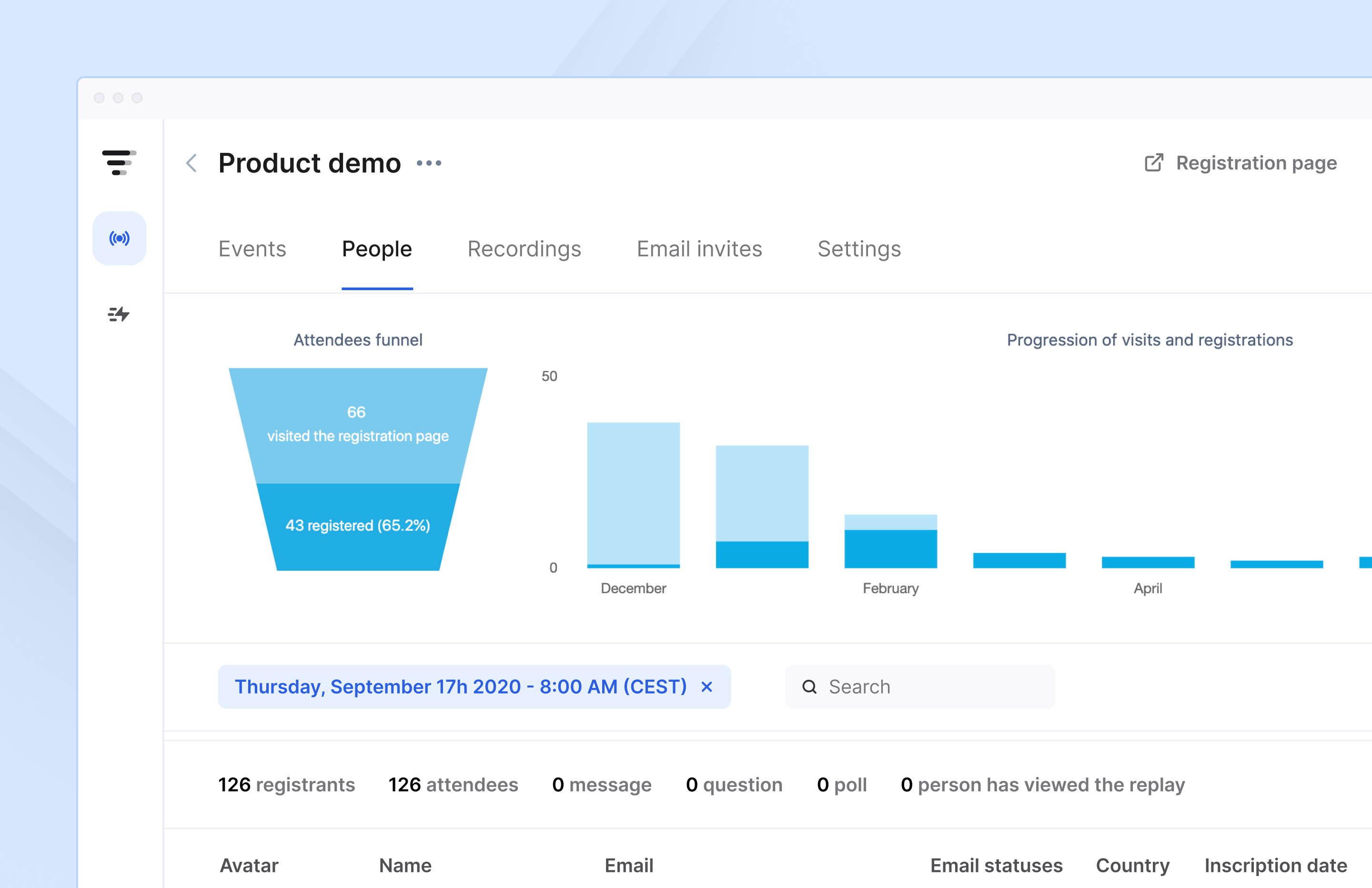
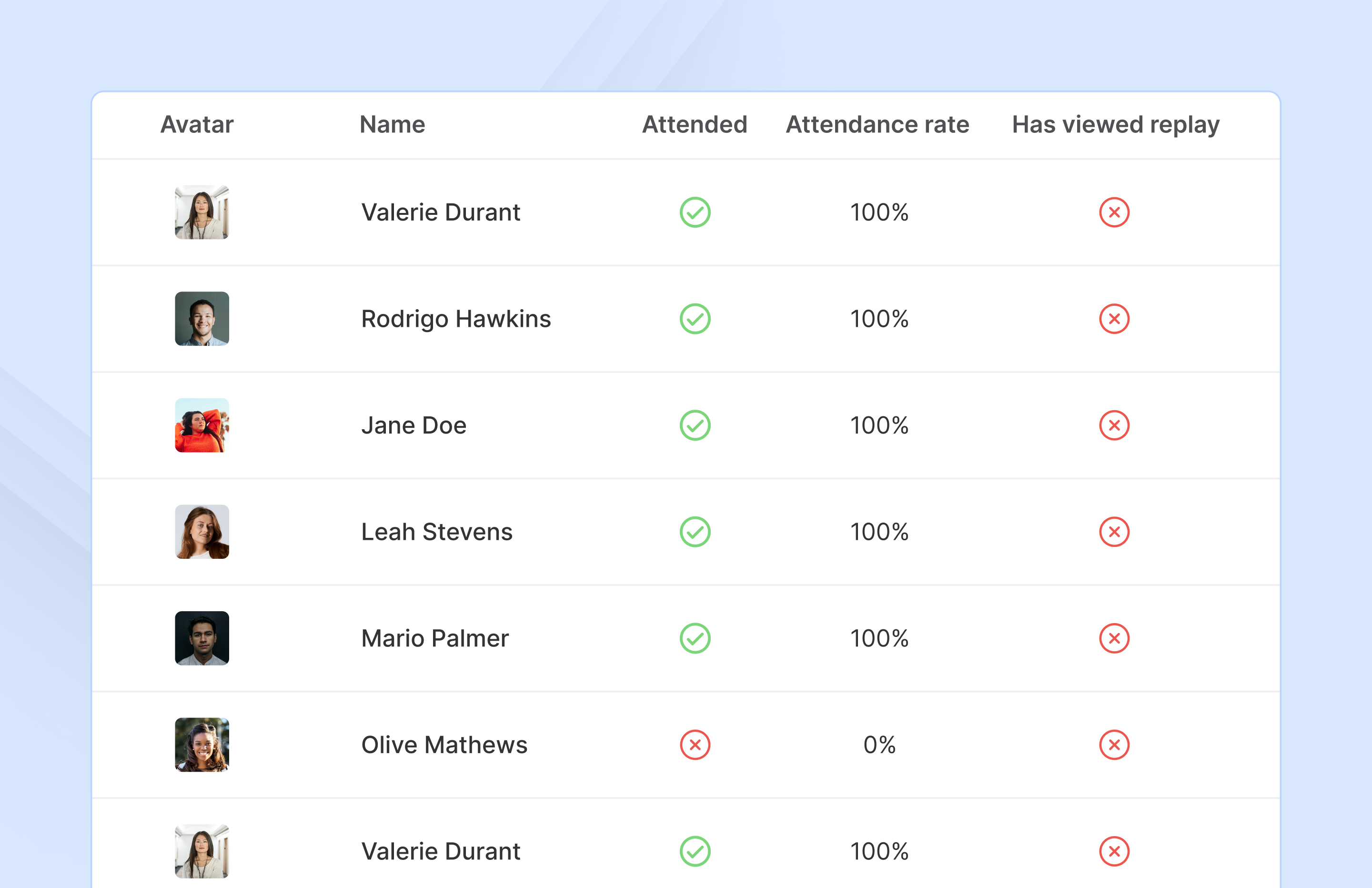
    Screenshot of Access complete analytics in a built-in dashboard.Screenshot of Learn more about attendees with detailed participation reports.Screenshot of Engage with your audience in real-time with questions, chats, and polls.

    Lyssna Screenshots

    Product screenshotProduct screenshotProduct screenshotProduct screenshotProduct screenshotProduct screenshot