Chose Logi Symphony
The feature set is richer, and price is reasonable. We felt we were paying more for Tableau's name than their features, as updates are slow.

| Product | Rating | Most Used By | Product Summary | Starting Price |
|---|---|---|---|---|
 Logi Symphony | N/A | Logi Symphony is a business intelligence and data visualization software that includes customizable dashboards, reporting, and visual data analytics. It can be integrated into users’ existing business applications and its visualization and reporting tools can be customized. | N/A | |
 Microsoft BI (MSBI) | N/A | Microsoft BI is a business intelligence product used for data analysis and generating reports on server-based data. It features unlimited data analysis capacity with its reporting engine, SQL Server Reporting Services alongside ETL, master data management, and data cleansing. | $14 per month per user | |
 QlikView | N/A | QlikView® is Qlik®’s original BI offering designed primarily for shared business intelligence reports and data visualizations. It offers guided exploration and discovery, collaborative analytics for sharing insight, and agile development and deployment. | N/A |
| Logi Symphony | Microsoft BI (MSBI) | QlikView | ||||||||||||||||||||||
|---|---|---|---|---|---|---|---|---|---|---|---|---|---|---|---|---|---|---|---|---|---|---|---|---|
| Editions & Modules | No answers on this topic |
|
| |||||||||||||||||||||
| Offerings |
| |||||||||||||||||||||||
| Entry-level Setup Fee | No setup fee | No setup fee | Optional | |||||||||||||||||||||
| Additional Details | — | — | On an perpetual license basis, based on server plus number of users. Contact vendor for pricing. | |||||||||||||||||||||
| More Pricing Information | ||||||||||||||||||||||||
| Logi Symphony | Microsoft BI (MSBI) | QlikView | |
|---|---|---|---|
| Considered Multiple Products |  Logi Symphony  Luis Silva BI developer and consultant Chose Logi Symphony The ETL for DBI is much more easy than what I experienced when I used QlikView! The QlikView language for ETL was somehow different from anyother languages I used before, on the other side DBI ETL is workflow based, with nodes to perform joins, aggregations, filter and sorting! …  Marc Ham Consultant Chose Logi Symphony Dundas has a newer feel to the software and gives us more flexibility than the other products.  Mohammad Khalili Professional Services Manager Chose Logi Symphony I selected Dundas BI to be our preferred partner since we saw that it the most flexible tool that allows our customers to design their dashboards in they way that they are not restricted in their development process.  Gavin Steinberg Managing Director Chose Logi Symphony It is much more powerful to build more interactive and feature rich dashboards. Most of the above are great at ad hoc analysis but not for providing a full feature and rich guided dashboard experience. Dundas BI is great to build a suite of dashboards and easy to deploy …  Dan Hooper Principal Chose Logi Symphony  Garry McAninch Principal Chose Logi Symphony Dundas BI has a more comprehensive user interface allowing for better design flexibility and rapid deployment.  Ric Ravier Cloud Advisor Chose Logi Symphony Since the release of Dundas BI, Dundas has raised the bar of what you can get for your money. If you are even considering any of the other players, you would be doing your company a disservice by not putting Dundas head to head against any product out there. It is a lot more …  Kevin Ocie Thompson Managing Partner & Solution Architect Chose Logi Symphony Dundas stacks up particularly well against other platforms when it comes to business user friendliness.  Rony Arafin Head of Performance Information Chose Logi Symphony Dundas BI definitely matched all of the functionalities we were after. | Microsoft BI (MSBI)  Shelby Bowden Graduate Research Assistant Chose Microsoft BI (MSBI) Specific data displays are some of the strongest aspects of Microsoft BI when compared to alternate programs. It also does a superior job in compatibility with many programs, especially those from Microsoft. Since my company primarily uses Office 365 and other Microsoft …  Yemsi Pino Planificador Territorial II Chose Microsoft BI (MSBI) The software stacks [well] because it has more graphics resolution and the colors are fresh and actualized. On the other hand, there is the Microsoft family software and this is an advantage. Microsoft has a lot of users around the world and it's like everyone knows how to do …  Alexander Lubyansky Technical Leader for Modeling and Simulation Chose Microsoft BI (MSBI) Looking at the visualization portion of BI, there are three types of tools.
 Boris Skylar Vice President, Application Systems Chose Microsoft BI (MSBI) Oracle |  QlikView  David Worrell CFO (Chief Financial Officer) Chose QlikView I was forced into QV by QuickBooks -- I did not have the opportunity to evaluate it specifically against other packages. I have, however, seen Microsoft BI and BIRST --- both of which seem much more expensive (and perhaps complex) than QlikView. But I'm conjecturing a bit here. |
| Logi Symphony | Microsoft BI (MSBI) | QlikView | |||||||||||||||||||||||||||
|---|---|---|---|---|---|---|---|---|---|---|---|---|---|---|---|---|---|---|---|---|---|---|---|---|---|---|---|---|---|
| BI Standard Reporting |
| ||||||||||||||||||||||||||||
| Ad-hoc Reporting |
| ||||||||||||||||||||||||||||
| Report Output and Scheduling |
| ||||||||||||||||||||||||||||
| Data Discovery and Visualization |
| ||||||||||||||||||||||||||||
| Access Control and Security |
| ||||||||||||||||||||||||||||
| Mobile Capabilities |
| ||||||||||||||||||||||||||||
| Application Program Interfaces (APIs) / Embedding |
|
| Logi Symphony | Microsoft BI (MSBI) | QlikView | |
|---|---|---|---|
| Small Businesses |  Yellowfin Score 8.7 out of 10 | Yellowfin Score 8.7 out of 10 | Yellowfin Score 8.7 out of 10 |
| Medium-sized Companies |  Reveal Score 10.0 out of 10 | Reveal Score 10.0 out of 10 | Reveal Score 10.0 out of 10 |
| Enterprises |  Kyvos Semantic Layer Score 9.5 out of 10 | Kyvos Semantic Layer Score 9.5 out of 10 | Kyvos Semantic Layer Score 9.5 out of 10 |
| All Alternatives | View all alternatives | View all alternatives | View all alternatives |
| Logi Symphony | Microsoft BI (MSBI) | QlikView | |
|---|---|---|---|
| Likelihood to Recommend | 8.3 (52 ratings) | 10.0 (73 ratings) | 7.7 (88 ratings) |
| Likelihood to Renew | 7.0 (1 ratings) | 8.0 (25 ratings) | 8.8 (29 ratings) |
| Usability | 8.0 (6 ratings) | 10.0 (15 ratings) | 8.0 (15 ratings) |
| Availability | - (0 ratings) | 9.5 (2 ratings) | 9.8 (4 ratings) |
| Performance | - (0 ratings) | 7.0 (2 ratings) | 8.6 (4 ratings) |
| Support Rating | 8.8 (11 ratings) | 8.9 (15 ratings) | 3.3 (15 ratings) |
| In-Person Training | - (0 ratings) | 6.9 (3 ratings) | - (0 ratings) |
| Online Training | - (0 ratings) | 8.5 (2 ratings) | 8.0 (3 ratings) |
| Implementation Rating | 7.3 (1 ratings) | 9.6 (7 ratings) | 7.4 (13 ratings) |
| Configurability | - (0 ratings) | 10.0 (2 ratings) | - (0 ratings) |
| Product Scalability | - (0 ratings) | - (0 ratings) | 8.9 (2 ratings) |
| Logi Symphony | Microsoft BI (MSBI) | QlikView | |
|---|---|---|---|
| Likelihood to Recommend | Insightsoftware, Inc
| Microsoft
 Adam Montgomery Partnership Manager | Qlik
|
| Pros | Insightsoftware, Inc
 James Davis System Architect | Microsoft
 Nilufa Hossain IT Specialist | Qlik
 Jake Tolbert Director of Development - Data Services |
| Cons | Insightsoftware, Inc
Ric Ravier Cloud Advisor | Microsoft
| Qlik
|
| Likelihood to Renew | Insightsoftware, Inc No answers on this topic | Microsoft
 Lee Cullom President | Qlik
 Debbie Pyykkonen, MBA Director of Business Analytics |
| Usability | Insightsoftware, Inc
| Microsoft
| Qlik
|
| Reliability and Availability | Insightsoftware, Inc No answers on this topic | Microsoft
 Robert Goodman Director, Business Intelligence & Analytics | Qlik
 Bill Chamberlain Partner |
| Performance | Insightsoftware, Inc No answers on this topic | Microsoft
Robert Goodman Director, Business Intelligence & Analytics | Qlik
|
| Support Rating | Insightsoftware, Inc
| Microsoft
| Qlik
|
| In-Person Training | Insightsoftware, Inc No answers on this topic | Microsoft
 Stephanie Grice Business Intelligence Analyst | Qlik
|
| Online Training | Insightsoftware, Inc No answers on this topic | Microsoft
 Sean Brady Business Intelligence Architect | Qlik
Robert Goodman Director, Business Intelligence & Analytics |
| Implementation Rating | Insightsoftware, Inc
Luis Silva BI developer and consultant | Microsoft
 Jacob Saunders National Practice Director - Business Intelligence | Qlik
David Worrell CFO (Chief Financial Officer) |
| Alternatives Considered | Insightsoftware, Inc
 George Robbins Integration/Analytics Consultant | Microsoft
| Qlik
|
| Return on Investment | Insightsoftware, Inc
| Microsoft
 Haibo Yang BI Reporting Specialist | Qlik
 Mark McHenry Marketing |
| ScreenShots | Logi Symphony Screenshots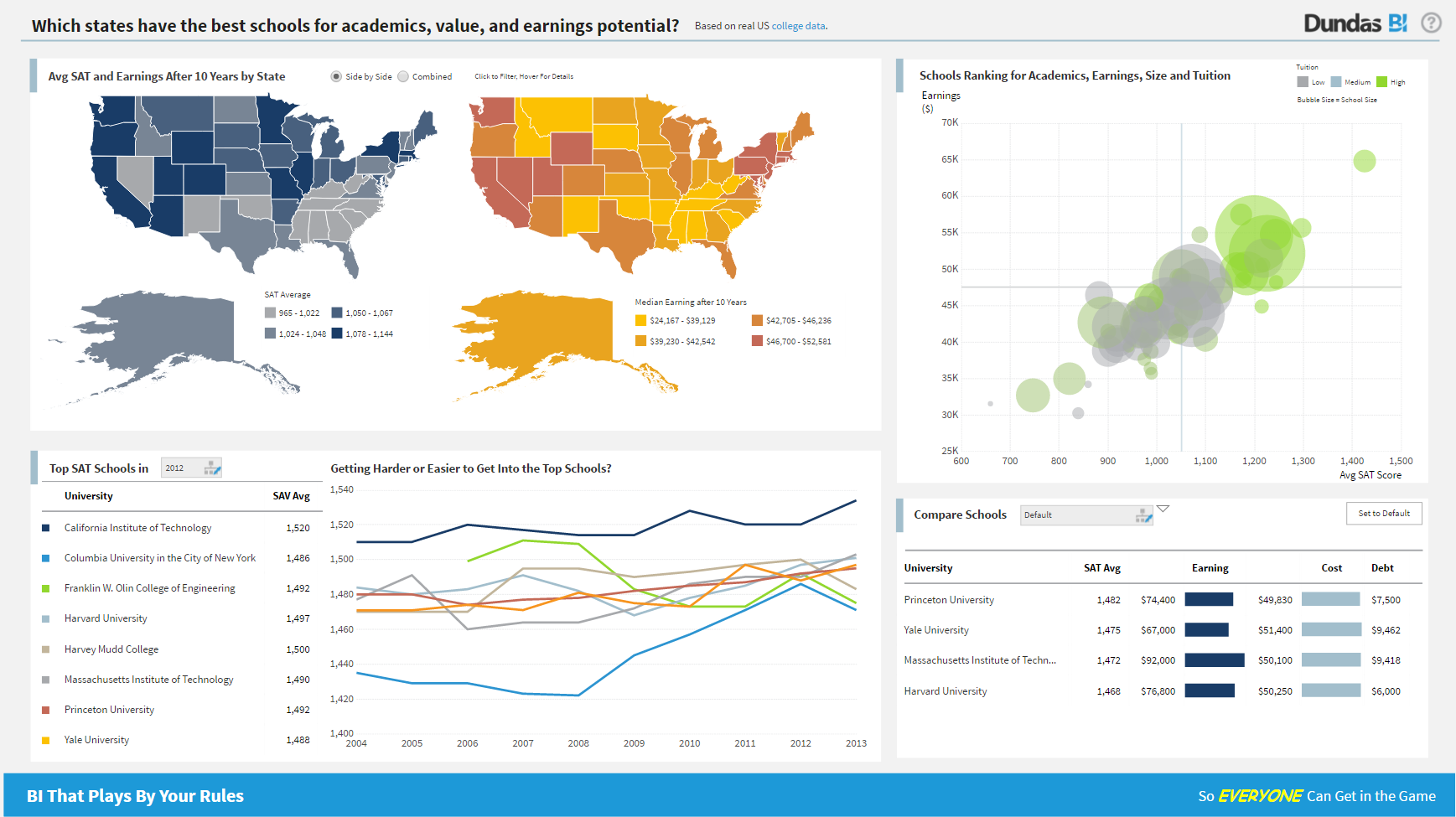 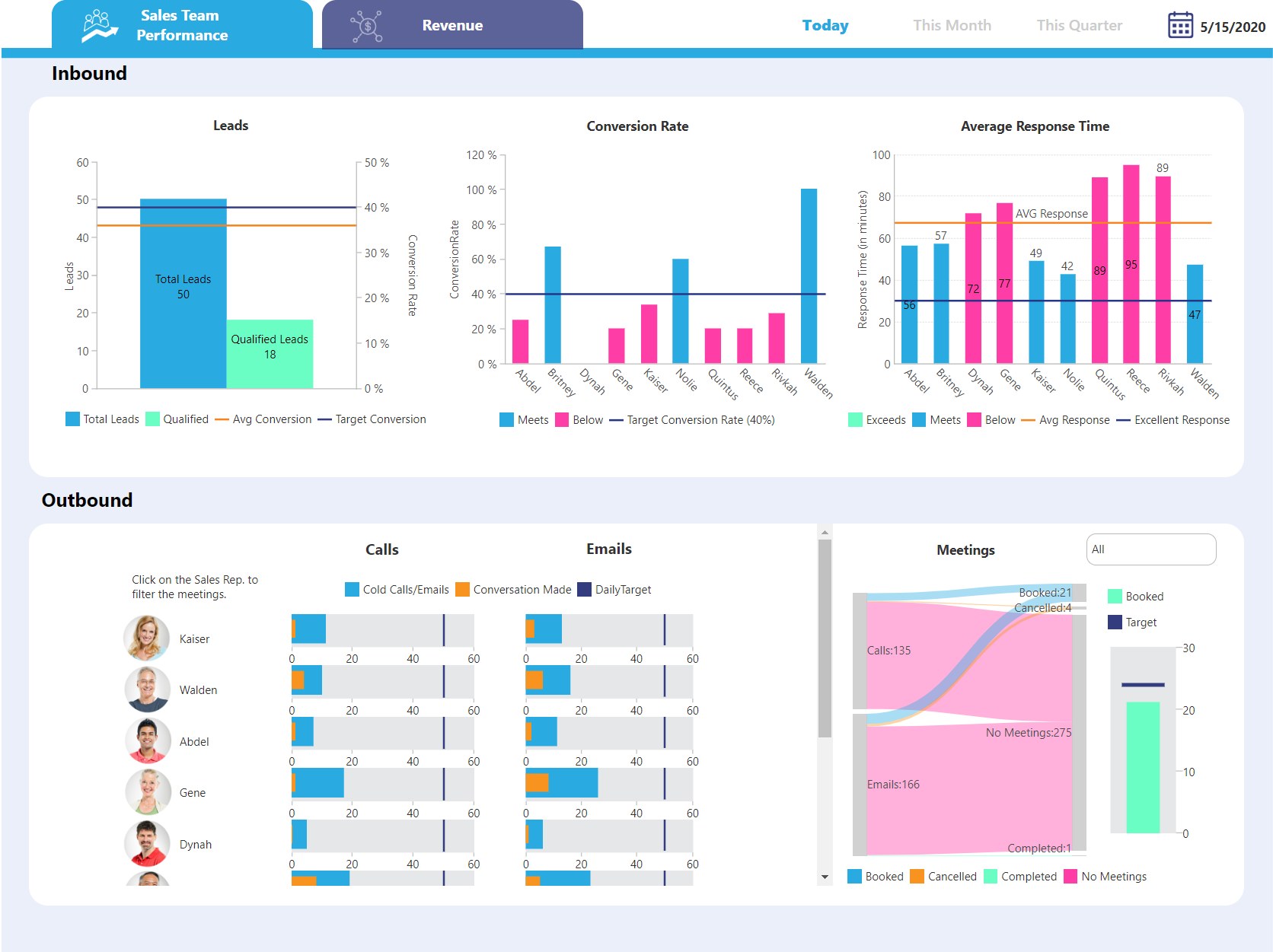  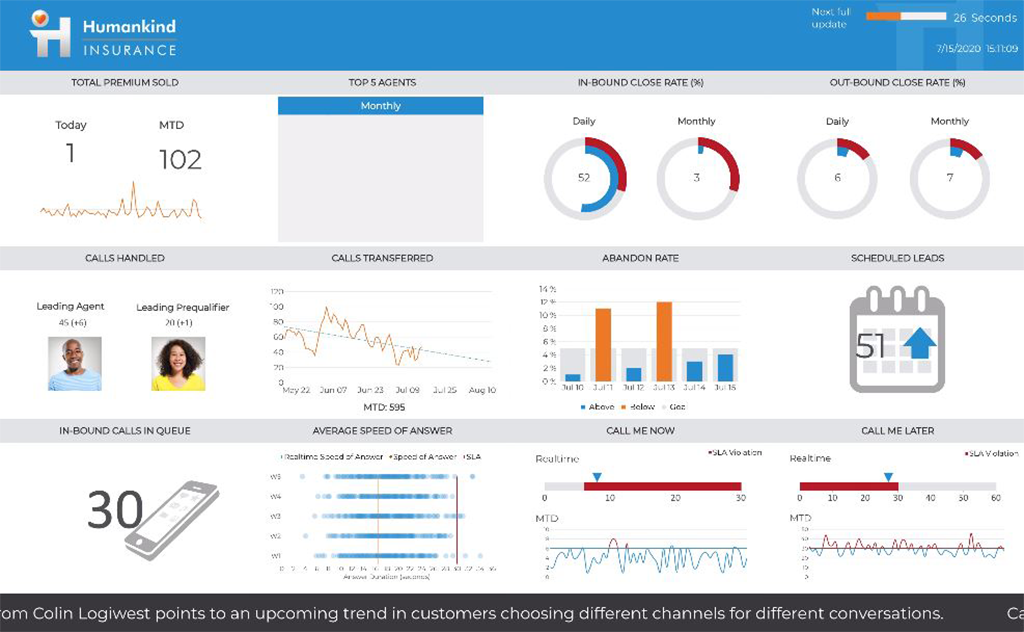   | QlikView Screenshots   |