
Looker Studio vs. Sciforma
Looker Studio vs. Sciforma
| Product | Rating | Most Used By | Product Summary | Starting Price |
|---|---|---|---|---|
 Looker Studio | N/A | Looker Studio is a data visualization platform that transforms data into meaningful presentations and dashboards with customized reporting tools. | $9 per month per user per project | |
 Sciforma | N/A | Sciforma is an Enterprise Project and Portfolio Management software solution for industries and companies of all sizes. Sciforma was designed to support multiple approaches to reinforce consistency at every level of the organization hierarchy to promote efficiency for everyone. Sciforma supports multiple methodologies such as Waterfall, Agile, Critical Chain, Phase Gate and Prince 2. | N/A |
| Looker Studio | Sciforma | |||||||||||||||
|---|---|---|---|---|---|---|---|---|---|---|---|---|---|---|---|---|
| Editions & Modules |
| No answers on this topic | ||||||||||||||
| Offerings |
| |||||||||||||||
| Entry-level Setup Fee | No setup fee | Required | ||||||||||||||
| Additional Details | — | Sciforma licensing is based on the number of users and the features they need. | ||||||||||||||
| More Pricing Information | ||||||||||||||||
| Looker Studio | Sciforma |
|---|
| Looker Studio | Sciforma | ||||||||||||||||||
|---|---|---|---|---|---|---|---|---|---|---|---|---|---|---|---|---|---|---|---|
| BI Standard Reporting |
| ||||||||||||||||||
| Ad-hoc Reporting |
| ||||||||||||||||||
| Report Output and Scheduling |
| ||||||||||||||||||
| Data Discovery and Visualization |
|
| Looker Studio | Sciforma | |
|---|---|---|
| Small Businesses |  Supermetrics Score 9.7 out of 10 |  monday.com Score 8.3 out of 10 |
| Medium-sized Companies | Supermetrics Score 9.7 out of 10 |  Planview PPM Pro Score 9.0 out of 10 |
| Enterprises |  IBM Analytics Engine Score 7.2 out of 10 | Planview PPM Pro Score 9.0 out of 10 |
| All Alternatives | View all alternatives | View all alternatives |
| Looker Studio | Sciforma | |
|---|---|---|
| Likelihood to Recommend | 8.6 (56 ratings) | 10.0 (3 ratings) |
| Likelihood to Renew | 9.0 (1 ratings) | - (0 ratings) |
| Usability | 8.5 (7 ratings) | - (0 ratings) |
| Support Rating | 6.7 (10 ratings) | 10.0 (1 ratings) |
| Looker Studio | Sciforma | |
|---|---|---|
| Likelihood to Recommend | Google
 Jake Bodmer Mentor |  Sciforma
 William Berger Project Manager |
| Pros | Google
| Sciforma
 Arnie Francisco System Administrator |
| Cons | Google
| Sciforma
 Tony Messier Salesforce Solution Architect |
| Likelihood to Renew | Google
 Janaye Steadman Director of Social Media | Sciforma No answers on this topic |
| Usability | Google
| Sciforma No answers on this topic |
| Support Rating | Google
 Jordan Comstock Digital Marketing Specialist | Sciforma
Arnie Francisco System Administrator |
| Alternatives Considered | Google
 Shelby Kolb Data Analyst | Sciforma
William Berger Project Manager |
| Return on Investment | Google
 Scott Walker Director of Digital Marketing | Sciforma
Tony Messier Salesforce Solution Architect |
| ScreenShots | Sciforma Screenshots     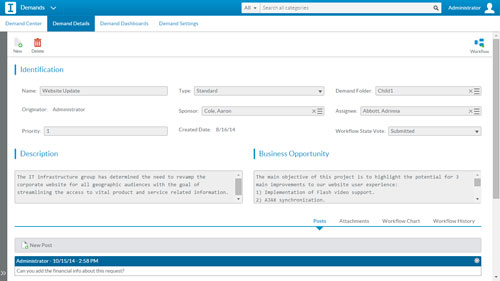 |