ManageEngine ADManager Plus simplifies enterprise-wide Windows Active Directory management and reporting.
$595
per year per domain
Teams Manager
Score8 out of 10
Mid-Size Companies (51-1,000 employees)
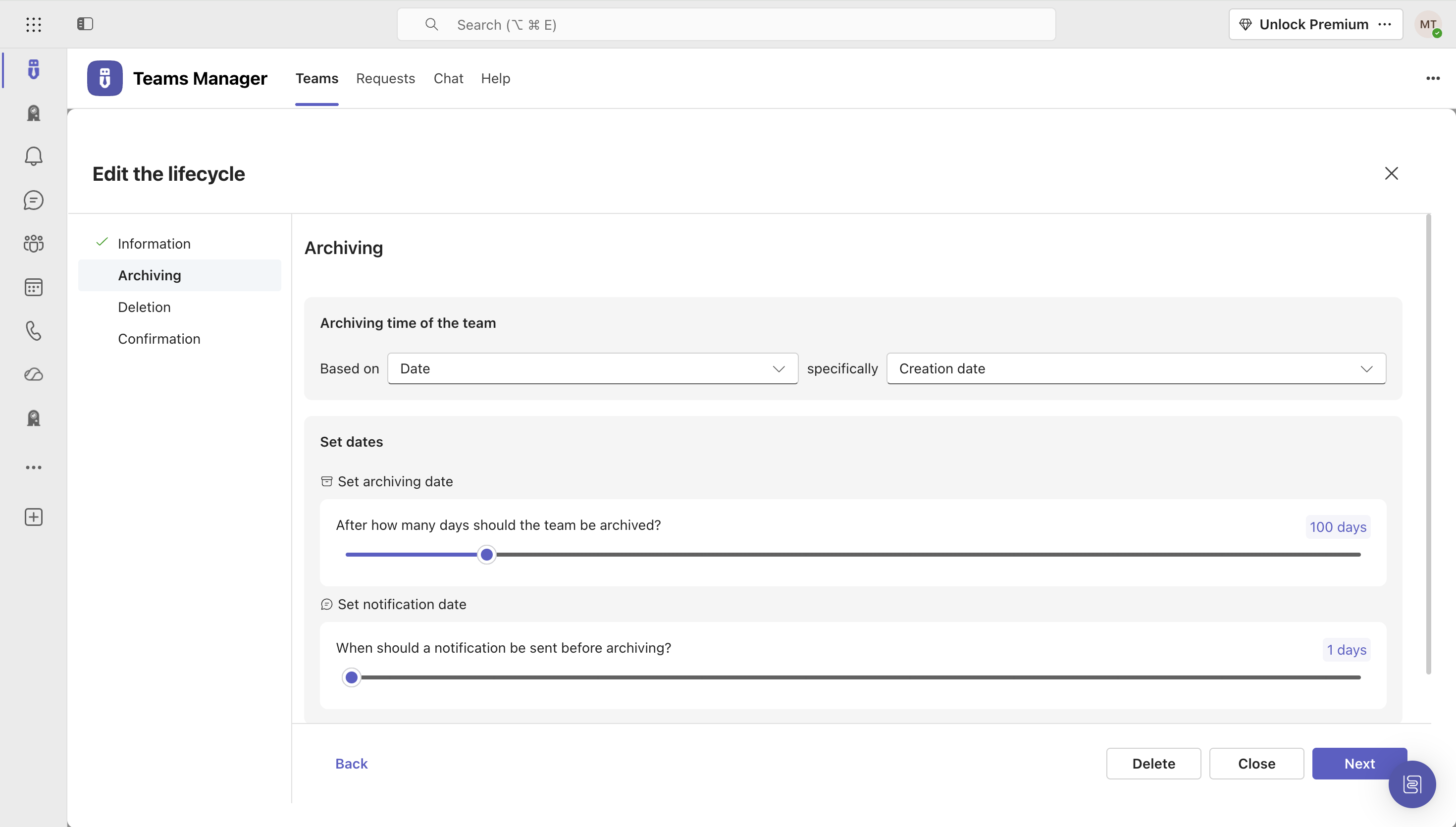
IT administrators can keep control of their Microsoft 365 environment with Teams Manager. Teams Manager is used to prevent the uncontrolled creation of Teams and Groups and automate governance processes. Key Features: • Governance Dashboard and Reports – provides an overview of the M365 environment (inactive or ownerless teams, teams with guests etc.) • Provisioning of new teams & SharePoint sites – with channels,…
$1.60
per year
Pricing
ManageEngine ADManager Plus
Teams Manager
Editions & Modules
Free Edition
$0
No Expiration Supports up to 100 domain objects
Standard
$595
per year 1 Domain & 2 help desk Technicians
Standard Edition
$595
per year Priced per domain; scales with the number of domains, technicians, and add-ons.
Professional
$795
per year 1 Domain
Professional Edition
$795
per year Priced per domain; scales with the number of domains, technicians, and add-ons.
Standard
$1,195
per year 1 Domain & 5 help desk Technicians
Professional
$1,795
per year 1 Domain & 2 help desk Technicians
Standard
$2,145
per year 1 Domain & 10 help desk Technicians
Standard
$3,345
per year 1 Domain & 20 help desk Technicians
Professional
$3,345
per year 1 Domain & 5 help desk Technicians
Professional
$5,395
per year 1 Domain & 10 help desk Technicians
Standard
$5995
per year 1 Domain & 50 help desk Technicians
Standard
$7795
per year 1 Domain & 100 help desk Technicians
Professional
$7,795
per year 1 Domain & 20 help desk Technicians
Standard
$10,795
per year 1 Domain & 200 help desk Technicians
Professional
$10,795
per year 1 Domain & 50 help desk Technicians
Standard
$11,995
per year 1 Domain & 500 help desk Technicians
Professional
$11,995
per year 1 Domain & 100 help desk Technicians
Professional
$15,595
per year 1 Domain & 200 help desk Technicians
Professional
$17,995
per year 1 Domain & 500 help desk Technicians
Standard
Free
per year 1 Domain
Extra Large (4,000+ users)
$1.60
per year per user
Small (up to 249 users)
1,599
per year per installation
Medium (up to 999 users)
4,049
per year per installation
Large (up to 4000 users)
6,499
per year per installation
Offerings
Pricing Offerings
ManageEngine ADManager Plus
Teams Manager
Free Trial
Yes
Yes
Free/Freemium Version
Yes
No
Premium Consulting/Integration Services
Yes
Yes
Entry-level Setup Fee
Optional
Optional
Additional Details
Each additional domain: Standard = $345. Professional = $595. These prices are for an annual license. ADManager Plus license is xml-based and supplied through e-mail. Each ADManager Plus license includes an administrator account by default.
ADManager Plus offers two main add-ons: a Governance, Risk and Compliance add-on for access certification and advanced compliance capabilities, and a Backup and Recovery add-on for AD, Entra ID, and Google Workspace user objects.
Prices are starting prices. Not listed here are the different support and service packages.
The interface has really improved and modernized over the years. It integrates perfectly with Active Directory and can do just about anything you can imagine. It's speedy, too—large tasks don't take long at all. I've used this product for many, many years (over a decade) and have rarely needed support, but when I have reached out for assistance, they've been helpful. The price is fantastic for what you get. It can seem like a one-trick pony at first, but the more you use it, the more you realize what else you can do with it. ADManager Plus is chock-full of tools that you'd think Microsoft would include out of the box, but after 25+ years of Active Directory, it's clear they have no interest in doing so. ADManager Plus fills all the gaps left by Microsoft. Simple mass imports with automatic OU assignments, mass changes to existing accounts, etc. Some of this can be done through PowerShell, sure, but this makes it easy.
A de minimis incentive was given to thank the reviewer for their time. The incentive was not used to bias or drive a particular response, nor was the incentive contingent on a positive endorsement. More Info
It's well suited if you or your organization performs tasks incorporating other Microsoft programs such as OneNote or Planner. Teams Manager allows for easy management of that software usage; if you do not use any of those, I'm not sure if there is much advantage in using it to manage workflow.
A de minimis incentive was given to thank the reviewer for their time. The incentive was not used to bias or drive a particular response, nor was the incentive contingent on a positive endorsement. More Info
It is very good in the bulk user creation. With this tool, we can create a number of users in just a few minutes rather than following a long old process.
It is good for bulk user account modification. You can select a lot of users and make changes as per the requirements.
ManageEngine ADManager Plus is helping us a lot in the report generation of user accounts, passwords, groups, and other reports that are helping us a lot.
This tool also helps us with mailbox creation and shared mailbox creation
A de minimis incentive was given to thank the reviewer for their time. The incentive was not used to bias or drive a particular response, nor was the incentive contingent on a positive endorsement. More Info
A de minimis incentive was given to thank the reviewer for their time. The incentive was not used to bias or drive a particular response, nor was the incentive contingent on a positive endorsement. More Info
They need to improve their report in terms of modification, like you will not get a lot of customization options in the report.
In the password report if you are applying filter in Days since password last set and selecting the password change date from day 0 and again you want to select the Account status as Enable then you cannot do this.
If you have more than 1 domain and you are trying to modify users in both domains in a single attempt, you cannot do this.
A de minimis incentive was given to thank the reviewer for their time. The incentive was not used to bias or drive a particular response, nor was the incentive contingent on a positive endorsement. More Info
user interface can be enhanced to seperate the color coding for different channels
It would be great to receive notifications in Outlook for Shifts and be able to approve/deny requests and schedule changes there while it's synced with the Outlook calendar.
A de minimis incentive was given to thank the reviewer for their time. The incentive was not used to bias or drive a particular response, nor was the incentive contingent on a positive endorsement. More Info
We are very satfisfied with the software and when time permits, we hope to explore additional features we are not using. It has a lot of we ae not currently using due to staffing shortages.
A de minimis incentive was given to thank the reviewer for their time. The incentive was not used to bias or drive a particular response, nor was the incentive contingent on a positive endorsement. More Info
For the most part, ADManager usability is pretty great, once you understand it. There is a decently large learning curve, mainly when using the api integration and automations. For simple things, like unlocking accounts, it is very usable. Understanding the way to customize reports and automations is where it lost points.
It is a well-designed and polished application on Teams. Most of its issues stem from Teams UI and UX, which could be improved further. However, if you can fit the team manager to your needs, it can become a very powerful tool to manage data flow.
A de minimis incentive was given to thank the reviewer for their time. The incentive was not used to bias or drive a particular response, nor was the incentive contingent on a positive endorsement. More Info
A de minimis incentive was given to thank the reviewer for their time. The incentive was not used to bias or drive a particular response, nor was the incentive contingent on a positive endorsement. More Info
This is one of their lacking points... Every time I have needed support the first thing they want to see is our log files. And then it can take days or weeks to hear back from them and sometimes you have to follow up yourself or they will just close your request. If you can actually get someone on the phone or a sessions scheduled to troubleshoot, sometimes you'll be lucky enough to solve your problem. We used to have a major new hire automation running in ADManager and it broke after updating the software. We went back and forth with them for a month or so and they were not able to resolve the issue, I ended up writing a PowerShell script and scheduling it to do the work that was being done before. This also allowed me to make the automation better than ADManager allowed.
A de minimis incentive was given to thank the reviewer for their time. The incentive was not used to bias or drive a particular response, nor was the incentive contingent on a positive endorsement. More Info
We decided to use ManageEngine ADManager Plus due to the compatibility it had with our systems. We run a hybrid environment and ManageEngine ADManager Plus was the system that fit into our infrastructure the best. It also provides the most opportunity for growth in the way we want and does not require us to build on systems we are not yet ready to implement.
We still use it for our one-off situations, but mostly stick to Teams as it is much more user-friendly and allows better sharing capabilities through virtual meetings. Skype is not as easily customized, so it's a no-brainer to use Microsoft Teams and Team Manager for all of our instant messaging and virtual meeting needs.
A de minimis incentive was given to thank the reviewer for their time. The incentive was not used to bias or drive a particular response, nor was the incentive contingent on a positive endorsement. More Info
A de minimis incentive was given to thank the reviewer for their time. The incentive was not used to bias or drive a particular response, nor was the incentive contingent on a positive endorsement. More Info
A de minimis incentive was given to thank the reviewer for their time. The incentive was not used to bias or drive a particular response, nor was the incentive contingent on a positive endorsement. More Info
The built-in reports and queries are invaluable. You simply won't have this information in a vanilla AD environment.
The ease that you can access the information you need about your environment is outstanding. You can access the information you need quickly so you can make better decisions on managing your business.
The ability to easily designate techs with limited access is great. This offloads menial administration duties from your higher level techs so your not paying high level folks to do redundant tasks.
A de minimis incentive was given to thank the reviewer for their time. The incentive was not used to bias or drive a particular response, nor was the incentive contingent on a positive endorsement. More Info
A de minimis incentive was given to thank the reviewer for their time. The incentive was not used to bias or drive a particular response, nor was the incentive contingent on a positive endorsement. More Info